
1. Introduktion
Thank you for choosing the Yunir MP3 Player. This device is designed to provide a portable and versatile music experience with its Bluetooth 5.0 connectivity, 2.4-inch TFT touch screen, and support for various audio formats. This manual will guide you through the setup, operation, and maintenance of your new MP3 player.
2. Pakkens indhold
Tjek venligst pakken for følgende varer:
- Yunir MP3 Player
- Kablet hovedtelefon
- Opladningskabel (USB)
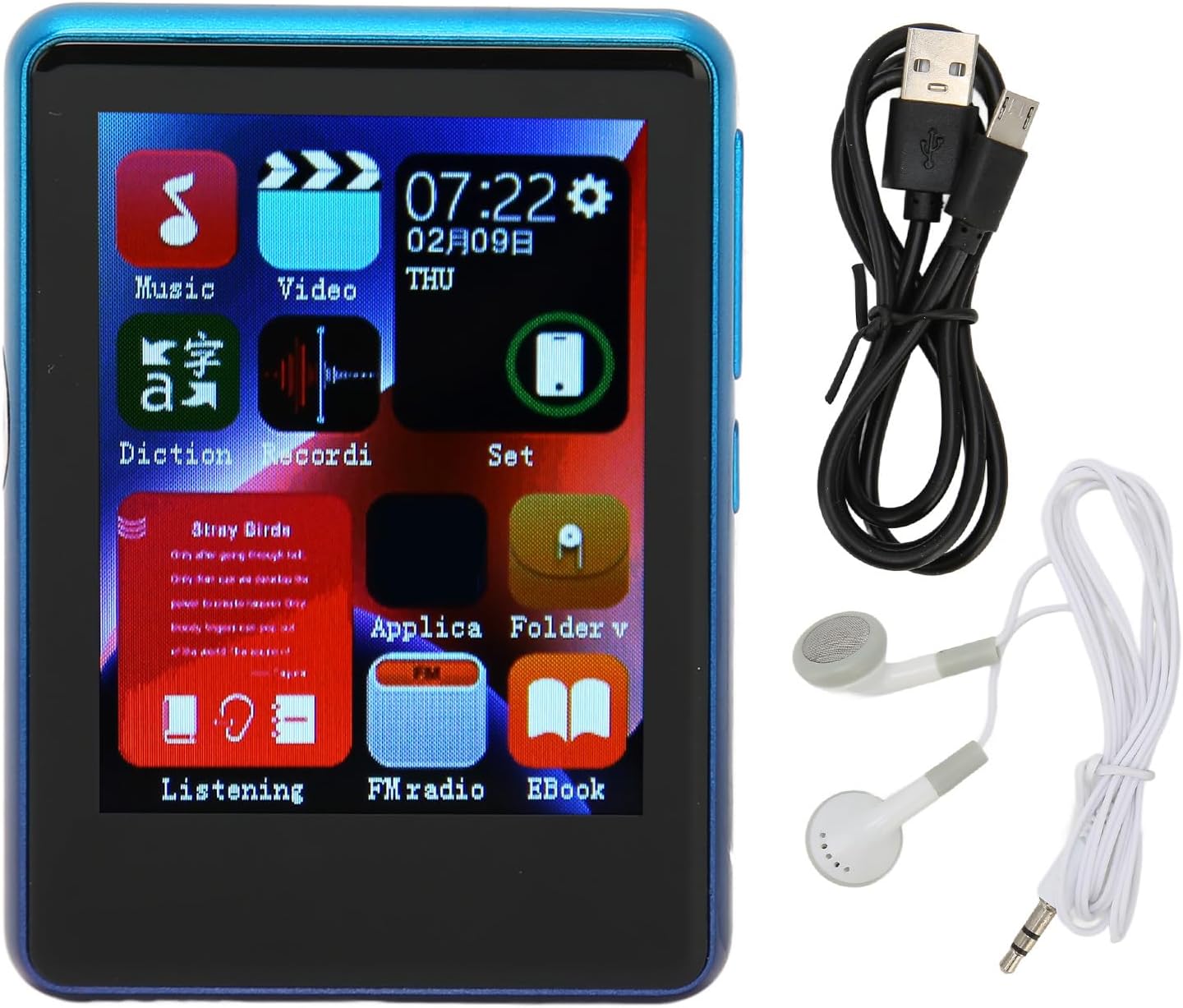
Image: The Yunir MP3 Player, accompanied by its wired headphones and USB charging cable, as included in the package.
3. Produktet er slutview
3.1 Enhedslayout
Familiarize yourself with the buttons, ports, and screen of your MP3 player.

Image: Multiple side views of the MP3 player, highlighting the volume control buttons (+ and -) and the power button on the side.

Image: A close-up of the bottom edge of the MP3 player, displaying the speaker grille, 3.5mm headphone jack, and Micro USB charging/data port.
- 2.4-inch TFT Touch Screen: Til navigation og interaktion.
- Lydstyrkeknapper (+/-): Juster lydudgangsniveauet.
- Power knap: Turn the device on/off or lock/unlock the screen.
- 3.5 mm hovedtelefonstik: Tilslut kablede hovedtelefoner.
- Micro USB -port: Til opladning og dataoverførsel.
- Micro SD -kortplads: Expand storage up to 256GB (card not included).
4. Opsætning
4.1 Opladning af enheden
- Connect the small end of the included USB charging cable to the Micro USB port on the MP3 player.
- Tilslut den større ende af USB-kablet til en USB-strømadapter (medfølger ikke) eller en computers USB-port.
- The device will indicate that it is charging. Allow sufficient time for a full charge before first use.
Note: Ensure the charging port is clean and free of debris to prevent connection issues.
4.2 Indsættelse af et Micro SD-kort
The device has 4GB of built-in memory and supports expansion up to 256GB via a Micro SD card (not included).
- Find Micro SD-kortstikket på siden af afspilleren.
- Sæt forsigtigt Micro SD-kortet i stikket med de gyldne kontakter nedad, indtil det klikker på plads.
- For at fjerne det skal du skubbe kortet let ind, indtil det springer ud.
5. Betjeningsvejledning
5.1 Tænd/sluk
- For at tænde: Tryk og hold tænd/sluk-knappen nede, indtil skærmen lyser.
- For at slukke: Tryk og hold tænd/sluk-knappen nede, og vælg derefter "Sluk" på skærmen.
- Skærmlås/lås op: Tryk kort på tænd/sluk-knappen for at låse eller oplåse skærmen.
5.2 Navigation
The MP3 player features a 2.4-inch TFT touch screen for intuitive navigation. Tap icons to open applications or settings, and swipe to scroll through lists.

Image: The MP3 player's main menu interface, showing various application icons such as Music, Video, FM Radio, and EBook, indicating touch screen functionality.
5.3 Musikafspilning
The player supports a wide range of audio formats including MP3, APE, FLAC, WMA, WAV, and AAC, up to 24-bit quality.

Image: The MP3 player screen showing a music playback interface, with text indicating support for multiple audio formats like MP3, APE, FLAC, WMA, WAV, and AAC.
- From the main menu, tap the "Music" icon.
- Gennemse dit musikbibliotek efter kunstner, album, genre eller mappe.
- Tryk på en sang for at starte afspilningen.
- Use the on-screen controls for play/pause, skip tracks, and adjust volume.
5.4 Bluetooth-forbindelse
Tilslut til Bluetooth-hovedtelefoner eller -højttalere for trådløs lyd.

Image: The MP3 player connected to wired headphones, illustrating its audio output capabilities, including the 3.5mm stereo line output jack for stable transmission.
- From the main menu, tap the "Set" or "Bluetooth" icon (if available).
- Tænd Bluetooth, og scan efter tilgængelige enheder.
- Vælg din Bluetooth-enhed fra listen for at parre.
- Once paired, audio will stream wirelessly to your connected device.
5.5 FM radio
The MP3 player includes an FM radio function.
- Connect wired headphones to the 3.5mm jack; they act as the antenna.
- From the main menu, tap the "FM Radio" icon.
- Brug skærmknapperne til at søge efter stationer eller stille ind manuelt.
5.6 E-book Function
Læs tekst files directly on your device.
- From the main menu, tap the "EBook" icon.
- Browse for compatible text files stored on your device or Micro SD card.
- Tryk på a file to open and read.
6. File Ledelse
6.1 Overførsel Files
- Connect the MP3 player to your computer using the USB charging cable.
- Afspilleren bør vises som et flytbart diskdrev på din computer.
- Drag and drop music, video, or e-book files into the appropriate folders on the device's internal storage or the Micro SD card.
- Tag enheden sikkert ud af computeren, før du frakobler USB-kablet.
7. Vedligeholdelse
- Rensning: Use a soft, dry cloth to clean the screen and body of the player. Avoid liquid cleaners.
- Opbevaring: Opbevar enheden et køligt, tørt sted væk fra direkte sollys og ekstreme temperaturer.
- Batteripleje: For at forlænge batteriets levetid bør du undgå at aflade batteriet helt ofte. Oplad enheden regelmæssigt, selvom den ikke er i brug i længere perioder.
- Undgå dråber: Beskyt enheden mod fysiske stød og fald.
8. Fejlfinding
| Problem | Mulig løsning |
|---|---|
| Enheden tænder ikke. | Sørg for, at batteriet er opladet. Tilslut til en strømkilde, og prøv igen. |
| Kan ikke overføre files til enheden. | Check USB cable connection. Ensure the device is recognized by the computer. Try a different USB port or cable. |
| Ingen lyd fra hovedtelefoner. | Check headphone connection. Ensure volume is not muted or too low. Test with different headphones. |
| Bluetooth-enhed parres ikke. | Ensure Bluetooth is enabled on both devices. Place devices close to each other. Try unpairing and re-pairing. |
| Charging port issues. | Inspect the charging port for debris or damage. Use the original charging cable. If issues persist, contact support. |
9. Specifikationer
| Feature | Detalje |
|---|---|
| Modelnavn | Yunirc3gg08n9f6-12 |
| Vise | 2.4 Inches TFT, Touch Screen |
| Forbindelse | Bluetooth 5.0, USB |
| Intern hukommelse | 4 GB |
| Udvidbar hukommelse | Op til 256 GB (Micro SD-kort) |
| Understøttede lydformater | MP3, APE, FLAC, WMA, WAV, AAC (up to 24-bit) |
| Særlige funktioner | FM Radio, E-book Function |
| Vægt | 0.11 kilo |
| Inkluderede komponenter | Wired Headphone, Charging Cable |
10. Garanti og support
This product comes with a standard manufacturer's warranty. For detailed warranty information, please refer to the warranty card included in your package or contact your retailer.
For technical support or customer service, please contact the vendor through your purchase platform or refer to the contact information provided with the product.