
ZERFUN G8
ZERFUN G8 Rechargeable Wireless Microphone System User Manual
Model: G8 Rechargeable 2 Handheld 2 Bodypack
Indledning
Thank you for choosing the ZERFUN G8 Rechargeable Wireless Microphone System. This 4-channel UHF professional system is designed for various applications including church events, karaoke, and singing performances, offering clear audio and reliable wireless connectivity. This manual provides detailed instructions for setting up, operating, and maintaining your microphone system to ensure optimal performance and longevity.
Hvad er der i æsken
Carefully unpack all components and ensure all items listed below are present and in good condition.
- ZERFUN G8 Receiver Box x 1
- Rechargeable Handheld Microphone x 2
- Rechargeable Bodypack x 2
- Headset Microphone x 2
- Lavalier Lapel Microphone x 2
- Antenne x 2
- Strømadapter x 1
- 6.35mm to 6.35mm Cable x 1
- 3.5mm to 3.5mm Cable x 1
- Audio Cable x 1 (RCA to 3.5mm)
- Mikrofonvindskærm x 2
- Antiskid Ring x 2
- Brugervejledning x 1
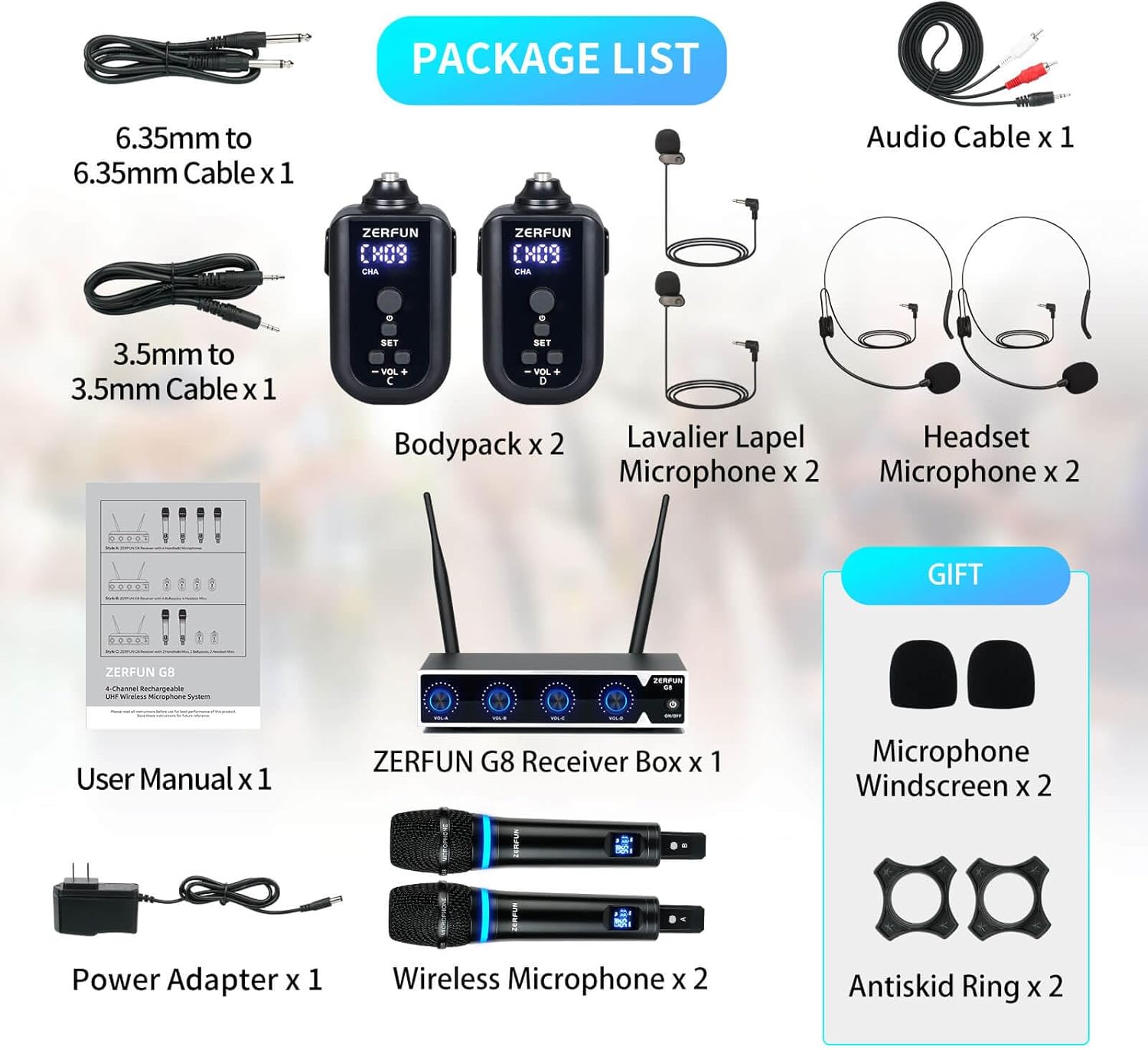
Image: All components included in the ZERFUN G8 Wireless Microphone System package, including the receiver, microphones, bodypacks, cables, and accessories.
Opsætningsvejledning
1. Opsætning af modtager
- Placering: Place the ZERFUN G8 receiver on a stable, flat surface, away from strong electromagnetic interference sources.
- Antenneforbindelse: Screw the two included antennas onto the ANT connectors on the rear of the receiver. Ensure they are securely tightened and positioned vertically for optimal signal reception.
- Strømtilslutning: Connect the power adapter to the DC12V input on the rear of the receiver, then plug the adapter into a standard electrical outlet.
- Lydudgangsforbindelse: Connect the receiver to your audio mixer, amplifier, or speaker system using the appropriate cables. The receiver offers balanced XLR outputs (one for each channel A, B, C, D), a mixed 1/4-inch output, and a mixed 1/8-inch output. Choose the connection type compatible with your audio equipment.

Image: Detailed diagram illustrating the various output ports on the ZERFUN G8 receiver and how to connect them to an amplifier or speaker system using XLR, 1/4-inch, and 1/8-inch audio cables.
2. Microphone and Bodypack Setup
- Opladning: Ensure all handheld microphones and bodypacks are fully charged before first use. Each microphone and bodypack uses a built-in rechargeable battery. Charging time is typically 3-4 hours for handheld mics and 7+ hours working time for bodypacks. Use the provided charging cables.
- Håndholdte mikrofoner: Power on the handheld microphones by pressing and holding the power button. The display will show the channel and battery level.
- Bodypacks: Connect either a headset microphone or a lavalier lapel microphone to the MIC Connector on the bodypack. Power on the bodypack by pressing and holding the power button. The LED display will show the channel.
- Automatisk synkronisering: The system features automatic frequency scanning and automatic transmitter setup for easy synchronization between the transmitters (microphones/bodypacks) and the receiver. Once powered on, they should automatically pair.

Billede: Nærbillede view of the ZERFUN rechargeable handheld microphones, highlighting the LED light ring, high-quality capsule, charging port, and displaying typical working and charging times.

Billede: Detaljeret view of the ZERFUN UHF rechargeable bodypack transmitter, pointing out the MIC connector, LED display, built-in rechargeable battery, and channel adjustment button.

Image: Display of the high-quality headset and lavalier microphones, designed for clear speech in conferences and teaching, shown connected to a bodypack.
Betjeningsvejledning
Tænd/sluk
- Modtager: Press the power button on the front panel of the receiver to turn it on or off.
- Microphones/Bodypacks: Press and hold the power button on each handheld microphone or bodypack for a few seconds to turn them on or off.
Lydstyrkekontrol
The receiver features individual volume control knobs for each channel (VOL-A, VOL-B, VOL-C, VOL-D). Adjust these knobs to control the output volume of each corresponding microphone independently.

Billede: Forside view of the ZERFUN G8 receiver showing the individual volume control knobs for each channel (A, B, C, D) and the power button. The rear view displays the balanced XLR outputs, 1/4-inch and 1/8-inch audio outputs, DC power socket, and antenna connections.
Frekvensjustering
The system supports 50 compatible frequencies on each channel (4 x 50) for interference-free reception. In case of interference, you can manually adjust the frequency on the microphone/bodypack. Refer to the specific instructions on the device's display and buttons (SET, VOL+, VOL-) to cycle through available frequencies. The receiver will automatically detect the new frequency.
Brugstips
- Håndholdte mikrofoner: These microphones feature high-sensitivity unidirectional heads. For best sound quality, speak directly into the top of the microphone. Sound will be minimal when speaking into the sides.
- Headset-/lavaliermikrofoner: Position the microphone approximately 1-2 inches from your mouth for optimal vocal pickup. Ensure the cable is secured to prevent noise from movement.
- Trådløs rækkevidde: The system supports a transmission range of up to 200 feet. Maintain line of sight between the transmitters and the receiver for the most stable connection.
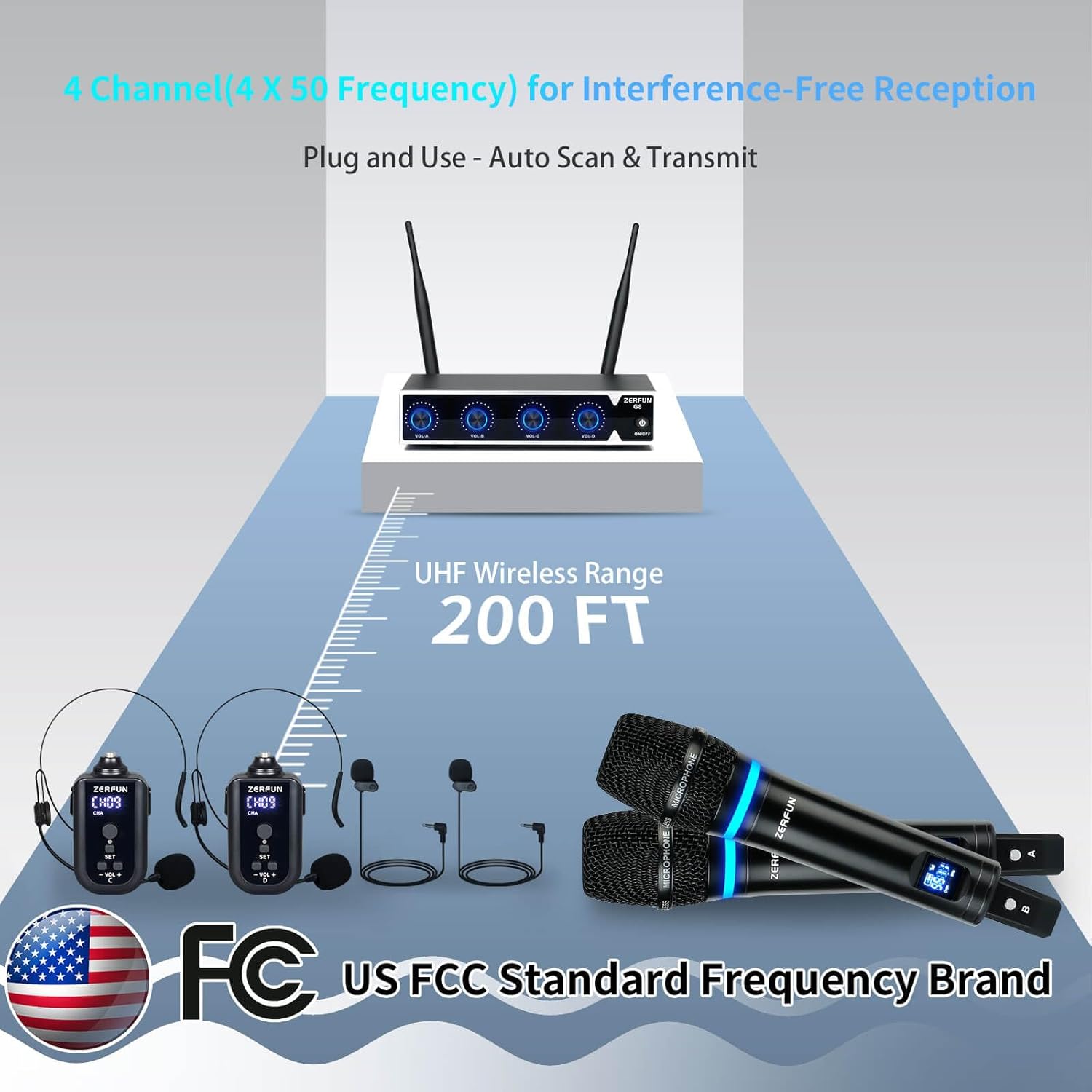
Image: Visual representation of the ZERFUN G8 system's UHF wireless range, showing the receiver and microphones operating effectively up to 200 feet, compliant with FCC regulations.
Opretholdelse
- Rensning: Use a soft, dry cloth to clean the receiver and microphones. Do not use liquid cleaners or abrasive materials, as they may damage the finish or internal components.
- Batteripleje: To prolong battery life, avoid fully discharging the rechargeable batteries frequently. Recharge them regularly, especially if the system will not be used for an extended period. Store the system in a cool, dry place.
- Opbevaring: When not in use, store the system in its original packaging or a protective case to prevent dust accumulation and physical damage.
Fejlfinding
| Problem | Mulig årsag | Løsning |
|---|---|---|
| Ingen lydudgang | Microphone/bodypack not powered on; Receiver not powered on; Volume too low; Incorrect cable connection; Unpaired frequency. | Ensure all devices are powered on. Check volume levels on receiver and connected audio equipment. Verify audio cables are correctly connected. Re-sync microphone/bodypack with receiver if necessary. |
| Interference/Static noise | Other wireless devices nearby; Operating outside optimal range; Low battery. | Change the operating frequency of the microphone/bodypack. Move away from other electronic devices. Ensure transmitters are within the 200ft range. Recharge batteries. |
| Kort trådløs rækkevidde | Obstructions between transmitter and receiver; Antennas not positioned correctly; Low battery. | Ensure clear line of sight. Position antennas vertically. Recharge batteries. |
| Mikrofonen oplader ikke | Faulty charging cable/adapter; Charging port issue. | Try a different charging cable or power adapter. Ensure the charging port is clean and free of debris. |
Specifikationer
| Feature | Beskrivelse |
|---|---|
| Model | G8 |
| Antal kanaler | 4 |
| Frekvensområde | 500 - 599 MHz (UHF) |
| Wireless Range | Op til 200 fod |
| Mikrofontype | Rechargeable Handheld, Rechargeable Bodypack (with Headset & Lavalier) |
| Mikrofon polært mønster | Unidirectional (Handheld) |
| Mikrofonens batterilevetid | 10-12 Hours (Handheld), 7+ Hours (Bodypack) |
| Materiale | Metal (Receiver, Handheld Mics) |
| Forbindelsesteknologi | UHF |
| Output Stik | Balanced XLR (x4), 1/4-inch Jack (mixed), 1/8-inch Jack (mixed) |
Garanti og support
Genuine ZERFUN Wireless Microphone products come with supportive 24-Hours After-Sales Customer Service and a 12-month Manufacturer Assurance. For any technical assistance, troubleshooting, or warranty claims, please contact ZERFUN customer support through the retailer's platform or the official ZERFUN webwebsted.
For mere information og support, besøg ZERFUN Store on Amazon.