
Indledning
Thank you for choosing the HyperGear Halo Waterproof LED Wireless Speaker. This manual provides essential information for setting up, operating, and maintaining your speaker to ensure optimal performance and longevity. The Halo speaker combines powerful HD sound with a vibrant 360° multicolor LED light show, designed for both indoor and outdoor use. Its IPX6 waterproof rating makes it suitable for various environments, from poolside parties to everyday listening.
Hvad er der i æsken
- HyperGear Halo Waterproof LED Wireless Speaker
- USB-C ladekabel
- 3.5mm Aux Cord
Opsætningsvejledning
1. Opladning af højttaleren
Before first use, fully charge your Halo speaker. Connect the included USB-C charging cable to the speaker's charging port and the other end to a USB power adapter (not included). The LED indicator will show charging status and turn off when fully charged.
2. Tænd/sluk
Press and hold the Power button on the speaker's top panel to turn it on or off. A sound prompt will indicate the power status.
3. Bluetooth-parring
- Sørg for, at højttaleren er tændt og i Bluetooth-parringstilstand (indikeret med en blinkende LED).
- Aktiver Bluetooth på din enhed (smartphone, tablet, computer) og søg efter tilgængelige enheder.
- Select "HyperGear Halo" from the list.
- Når højttaleren er parret, udsender den en bekræftelseslyd, og LED-lampen holder op med at blinke.
Højttaleren genopretter automatisk forbindelsen til den sidst parrede enhed, når den tændes, hvis den er inden for rækkevidde.

The top panel of the HyperGear Halo speaker, showing controls and its connection to a smartphone via Bluetooth.
Betjeningsvejledning
Grundlæggende kontrol
| Knap/funktion | Handling |
|---|---|
| Power knap | Press and hold to Power On/Off |
| Afspil/pause | Press once to Play/Pause music |
| Lydstyrke op (+) | Tryk én gang for at øge lydstyrken |
| Skrue ned (-) | Tryk én gang for at sænke lydstyrken |
| Næste spor | Press and hold Volume Up (+) |
| Forrige spor | Press and hold Volume Down (-) |
| Besvar/afslut opkald | Press Play/Pause button once |
| Afvis opkald | Press and hold Play/Pause button |
| Lystilstandsknap | Tryk for at skifte mellem 6 LED-lystilstande |
Party Mode (Stereo Pairing)
To achieve immersive stereo sound, you can pair two HyperGear Halo speakers together:
- Ensure both Halo speakers are powered on and not connected to any other Bluetooth device.
- On one speaker (this will be the primary speaker), double-press the Power button. It will enter pairing mode for Party Mode.
- De to højttalere vil automatisk oprette forbindelse til hinanden. En bekræftelseslyd vil indikere, at parringen er gennemført.
- Now, connect your device to the primary speaker via Bluetooth as described in the 'Bluetooth Pairing' section. Both speakers will play synchronized audio and light shows.

Two HyperGear Halo speakers paired together for Party Mode, offering synchronized audio and light effects.
Alternative Playback Modes

The side panel of the HyperGear Halo speaker, revealing the AUX, microSD, and USB-C ports for versatile connectivity.
- Aux-in: Connect your device using the included 3.5mm Aux cord to the speaker's AUX port for a wired audio connection.
- microSD-kort: Insert a microSD card loaded with audio files into the designated slot. The speaker will automatically play music from the card.
Funktioner overview
- IPX6 vandtæt bedømmelse: Designed to withstand splashes, rain, and spills, making it ideal for outdoor adventures and poolside use.
- Powerful 5W Front-Firing Sound: Equipped with a 52mm full-range driver for rich, dynamic audio with pulse-pounding bass. The front-firing design ensures clearer sound projection.
- 360° Multicolor LED Lights: Features a vibrant light ring that synchronizes with your music, offering 6 different lighting modes to enhance your listening experience.
- Indbygget mikrofon: Allows for convenient hands-free calling.
- Bluetooth 5.3-teknologi: Provides a stable, stutter-free wireless connection with a range of up to 33 feet.
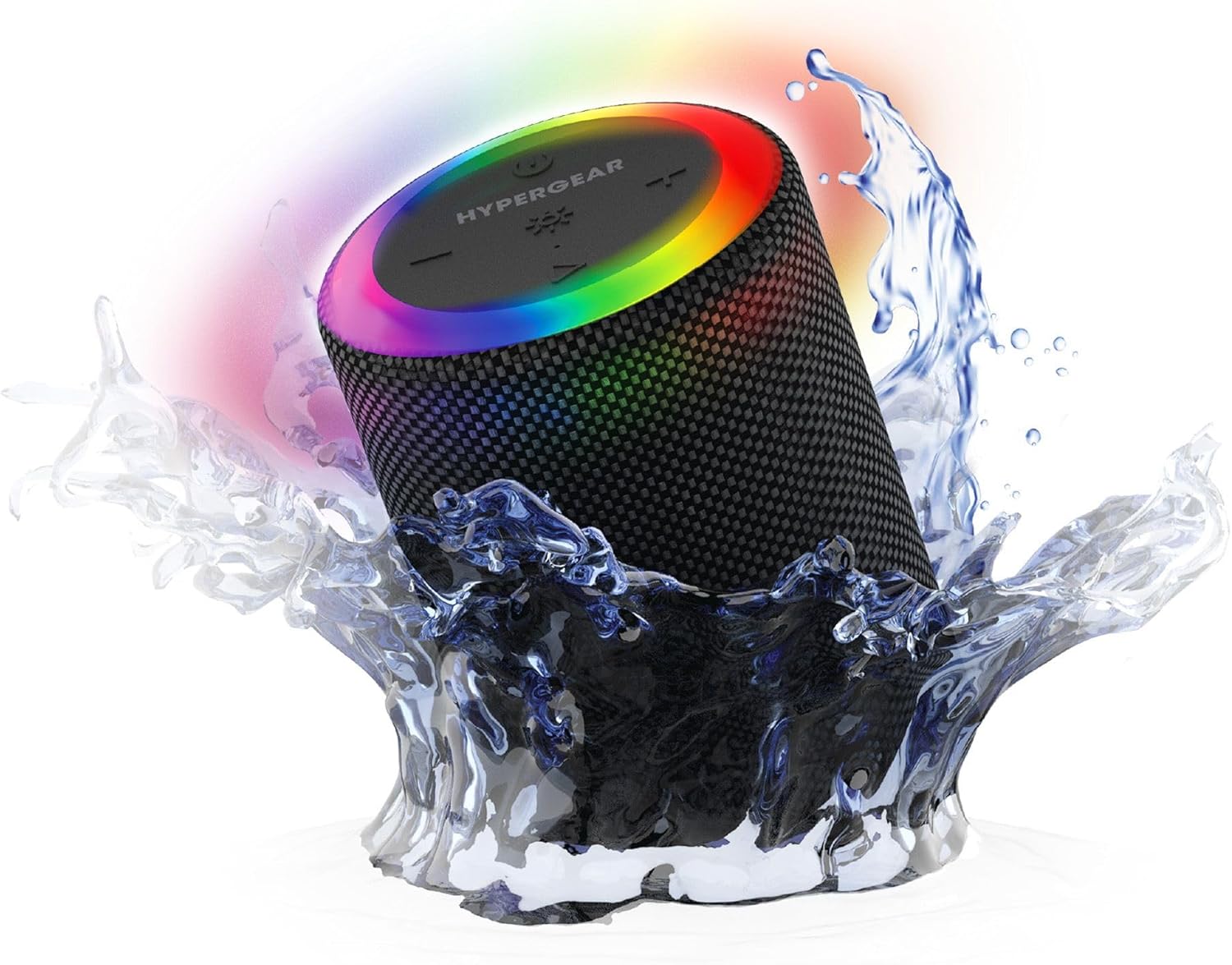
The HyperGear Halo speaker immersed in water, highlighting its robust waterproof design.

Visual representation of the HyperGear Halo speaker's powerful audio features, including its 5W output and 52mm driver.

The HyperGear Halo speaker showcasing its beat-synced 360° multicolor LED light ring with various lighting modes.
Specifikationer
| Feature | Detalje |
|---|---|
| Modelnavn | Halo Waterproof LED Wireless Speaker |
| Højttaler type | Multimedier |
| Forbindelsesteknologi | Bluetooth 5.3 |
| Lydudgangstilstand | Mono (Stereo with Party Mode) |
| Højttaler Maksimal udgangseffekt | 5 watt |
| Audio driver størrelse | 52 millimeter |
| Vandmodstandsniveau | IPX6 vandtæt |
| Produktdimensioner | 3.27" D x 3.27" B x 4.13" H |
| Varens vægt | 1.05 pund |
| Strømkilde | Batteridrevet |
| Inkluderede komponenter | USB-C Charging Cable, 3.5mm Aux Cord |
| Kontrolmetode | Knap |
| UPC | 633755158858 |
Opretholdelse
- Rensning: Tør højttaleren af med en blød, damp klæde. Brug ikke skrappe kemikalier eller slibende rengøringsmidler.
- Opbevaring: Opbevar højttaleren et køligt, tørt sted væk fra direkte sollys og ekstreme temperaturer.
- Batteripleje: For at spare på batteriet, undgå at aflade højttaleren helt ofte. Oplad den regelmæssigt, selvom den ikke er i brug i længere perioder.
- Vandtæt forsegling: Ensure the silicone cover for the charging and AUX ports is securely closed when near water to maintain its IPX6 rating.
Fejlfinding
| Problem | Mulig løsning |
|---|---|
| Højttaleren tænder ikke. | Sørg for, at højttaleren er opladet. Tilslut den til en strømkilde, og prøv igen. |
| Kan ikke parre med Bluetooth-enhed. | Make sure the speaker is in pairing mode (flashing LED). Turn off and on Bluetooth on your device. Ensure no other devices are connected to the speaker. Move speaker closer to your device. |
| Ingen lyd fra højttaleren. | Check volume levels on both the speaker and your device. Ensure the correct input mode (Bluetooth, Aux, MicroSD) is selected. If using Aux, ensure the cable is fully inserted. |
| Party Mode not working. | Ensure both speakers are fully charged and not connected to any other Bluetooth devices. Try resetting both speakers by powering them off and on, then re-attempt Party Mode pairing. |
| LED-lys virker ikke. | Press the Light Mode button to cycle through modes. Ensure the speaker is powered on. |
Garanti og support
The HyperGear Halo Waterproof LED Wireless Speaker comes with a Begrænset garanti. For specific details regarding warranty coverage, duration, and claims, please refer to the warranty card included with your product or visit the official HyperGear website. For technical support or further assistance, please contact HyperGear customer service through their official channels.