
Lrecat i21
Lrecat i21 trådløse øretelefoner Sport brugermanual
Model: i21
Mærke: Lrecat
Indledning
Thank you for choosing the Lrecat i21 Wireless Earbud Sport. These earbuds are designed to provide a superior audio experience with advanced features like Bluetooth 5.3 connectivity, extended battery life, and a secure, waterproof design, making them ideal for sports and daily use. Please read this manual carefully to ensure proper use and maintenance of your earbuds.
Pakkens indhold
Tjek venligst pakken for følgende varer:
- 2x Wireless Earbuds (Left/Right)
- 1x opladningsetui
- 1x Type-C ladekabel
- 3x Eartips (S/M/L)
- 1x brugermanual
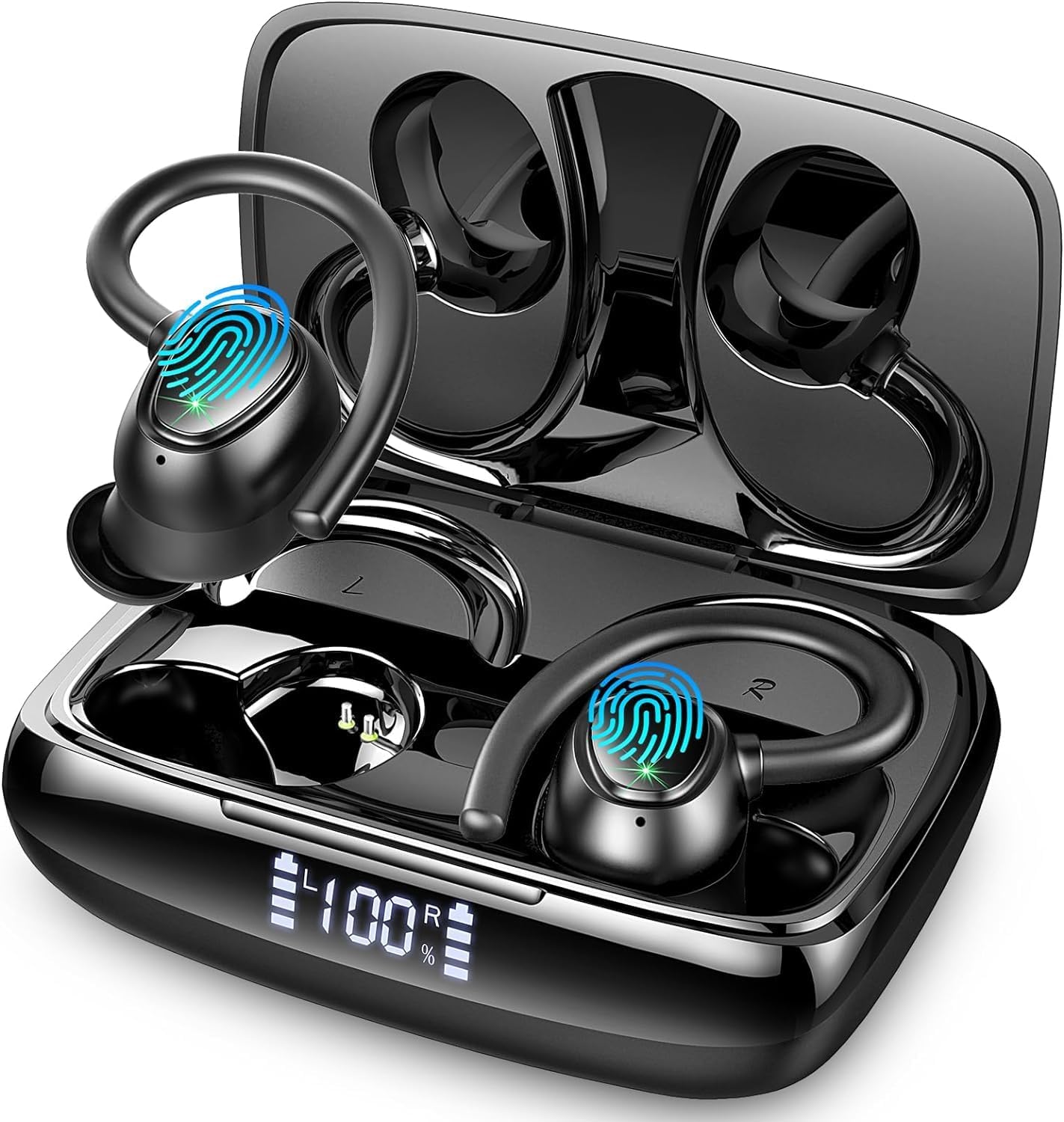
Image: The Lrecat i21 Wireless Earbuds shown inside their charging case, displaying the dual LED power display.
Produkt overview
The Lrecat i21 earbuds feature an ergonomic design with flexible ear hooks for a secure and comfortable fit during various activities. They incorporate 14.2mm double-layer diaphragm drivers for high-fidelity sound and environmental noise-canceling microphones for clear calls.
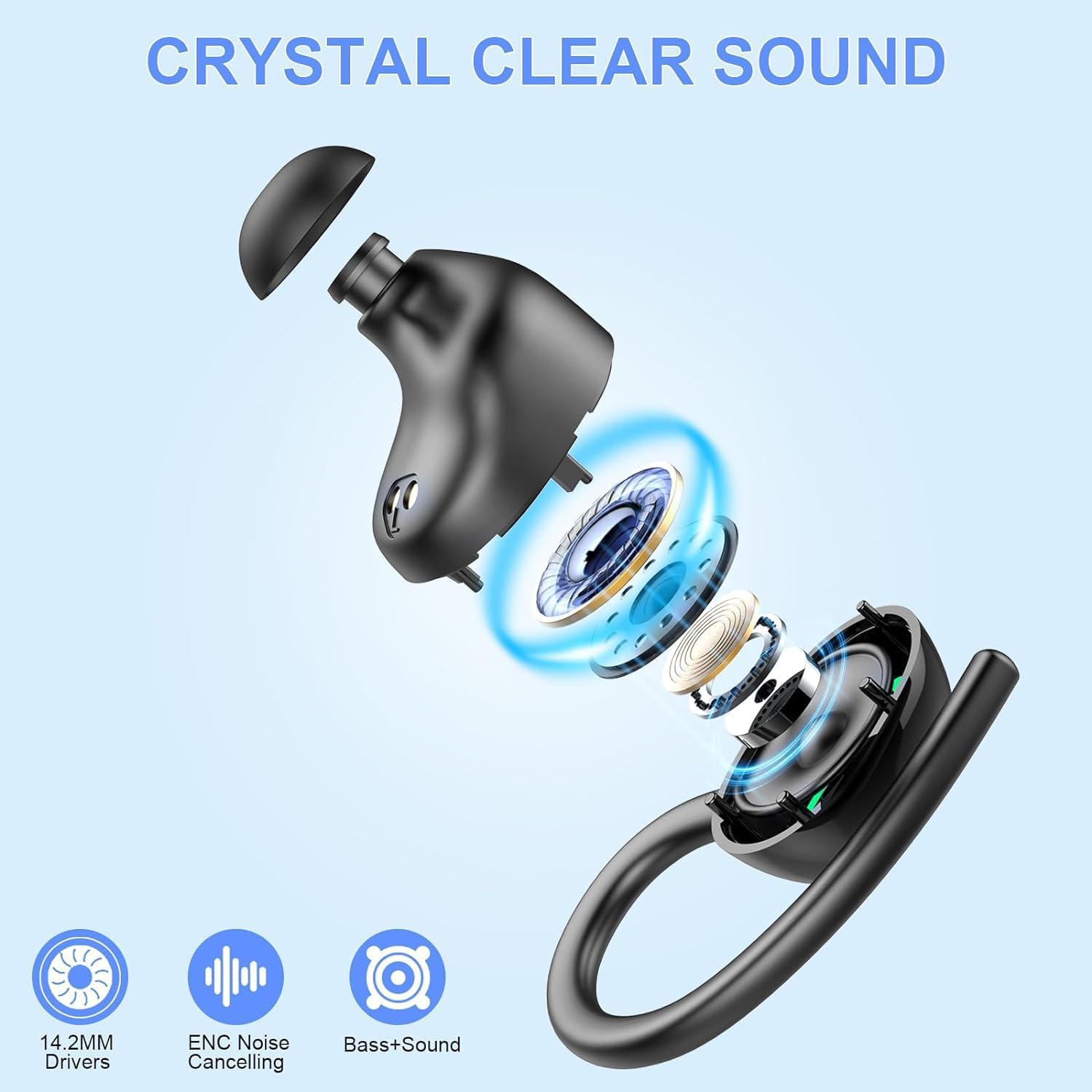
Image: An exploded diagram illustrating the internal components of the Lrecat i21 earbud, highlighting the 14.2mm speaker driver unit.

Image: A visual guide to the smart touch control area on the earbuds, showing functions like play/pause, volume adjustment, track skipping, call handling, and voice assistant activation.
Opsætning
1. Opladning af øretelefoner og etuiet
Before first use, fully charge the earbuds and the charging case. The charging case features a dual LED digital display to show the remaining power of the case and the charging status of each earbud.
- Placer øretelefonerne i opladningsetuiet.
- Tilslut Type-C-opladerkablet til opladningsporten på etuiet og en strømkilde.
- The LED display will indicate charging progress. A full charge provides up to 8 hours of listening time for each earbud, with the charging case extending total playtime to 48 hours.

Image: A graphic illustrating the 48-hour total playtime with the charging case and the dual LED power display on the case.
2. Bluetooth-parring
Ørepropperne bruger avanceret Bluetooth 5.3-teknologi for en hurtig og stabil forbindelse.
- Første gangs parring:
- Åbn opladningsetuiet, og ørepropperne vil automatisk gå i parringstilstand.
- Aktiver Bluetooth på din enhed (smartphone, tablet osv.).
- Søg efter "i21" in the list of available Bluetooth devices and select it to connect.
- Når der er forbindelse, hører du en bekræftelsestone, og ørepropperne er klar til brug.
- Automatisk parring: After the first successful pairing, the earbuds will automatically connect to your last paired device when you take them out of the charging case.
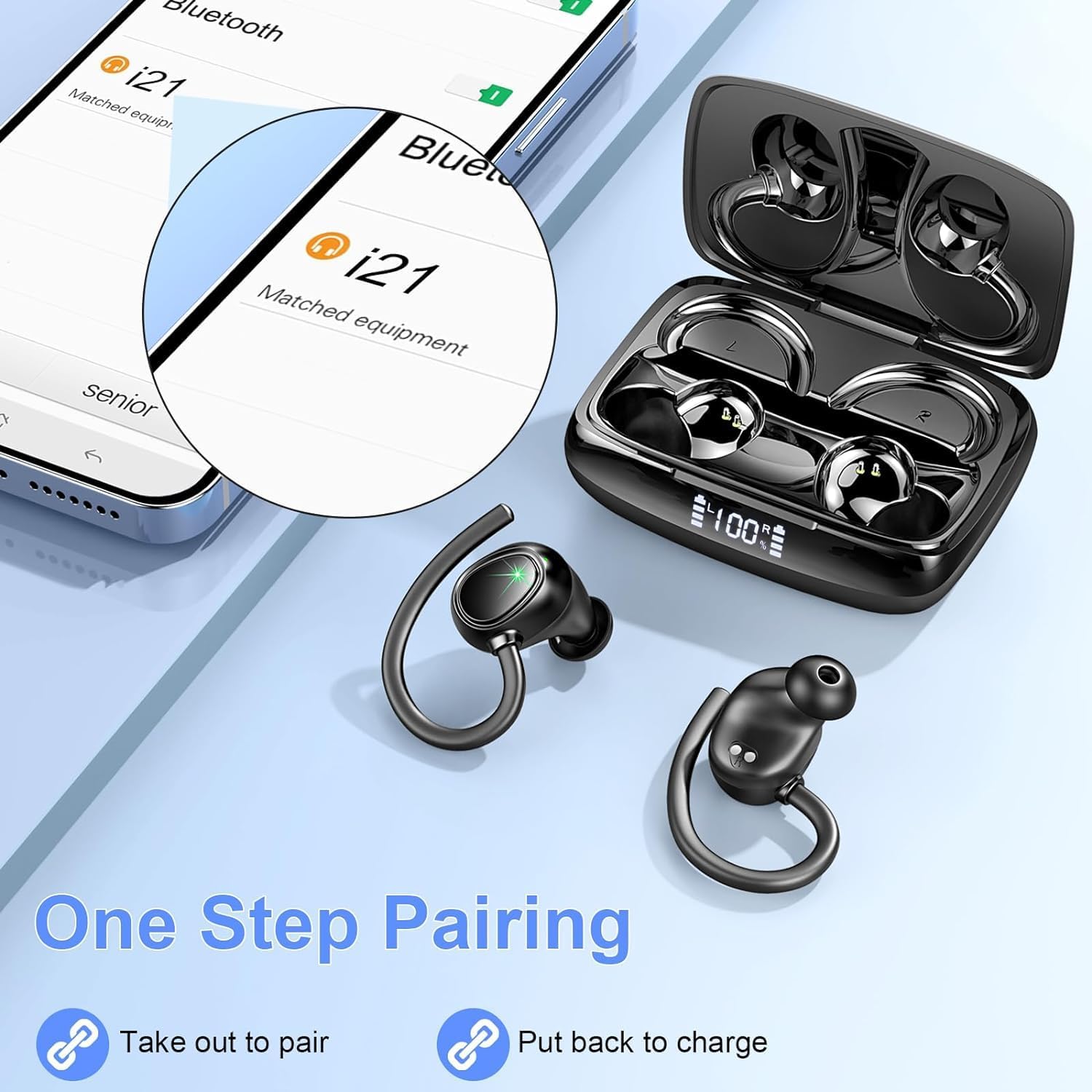
Image: A visual representation of the one-step pairing process, showing the earbuds connecting to a smartphone after being taken out of the case.

Image: A graphic highlighting the benefits of Bluetooth 5.3 technology, including faster connection, stronger signal, lower power consumption, and a 15-meter transmission range.
Video: An official product video demonstrating the features of the Lrecat i21 Wireless Headphones, including charging, battery life, IP7 waterproof rating, 14.2mm speaker drivers, ergonomic design, touch controls, and Bluetooth 5.3 quick connect.
Betjeningsvejledning
1. Sådan tager du ørepropperne på
The Lrecat i21 earbuds are designed with flexible and soft ear hooks to ensure a secure and comfortable fit, especially during physical activity. Choose the correct size of eartips (S/M/L) for optimal comfort and sound quality.
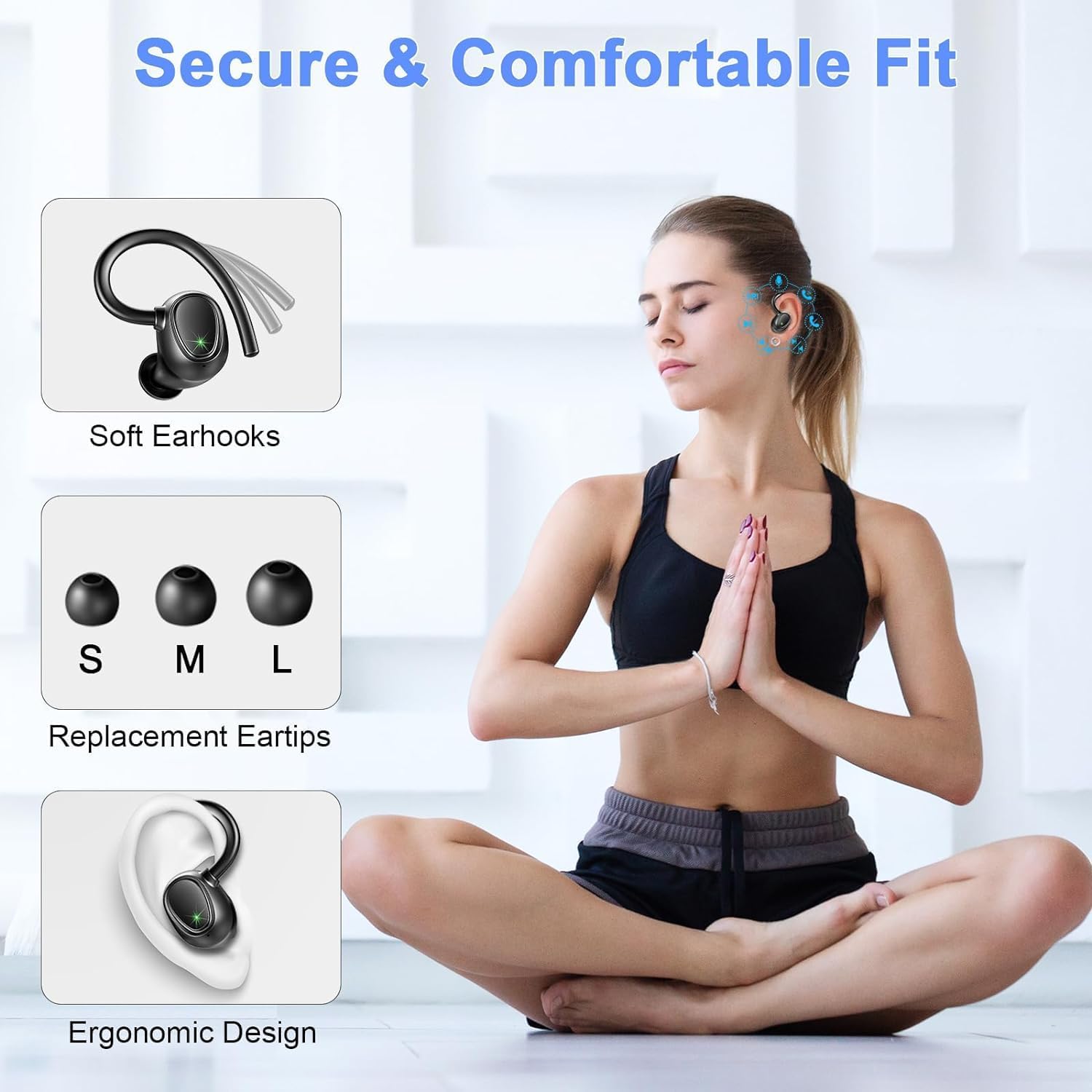
Image: A graphic demonstrating the secure and comfortable fit of the earbuds, highlighting the soft ear hooks, replacement eartips (S/M/L), and ergonomic design.
2. Tryk på Kontrolelementer
The earbuds feature intuitive touch controls for easy management of music and calls.
| Fungere | Handling (venstre øreprop) | Handling (højre øreprop) |
|---|---|---|
| Afspil/pause | Klik på én gang | Klik på én gang |
| Siri/stemmeassistent | Tre klik | Tre klik |
| Forrige sang | Hold 1s | N/A |
| Næste sang | N/A | Hold 1s |
| Volumen - | Dobbeltklik | N/A |
| Volumen + | N/A | Dobbeltklik |
| Besvar opkald | Klik på én gang | Klik på én gang |
| Læg på opkald | Klik på én gang | Klik på én gang |
3. IP7 vandtæthedsklassificering
The earbuds have an IP7 waterproof rating, making them resistant to sweat, rain, and minor water splashes. This makes them suitable for workouts, sports, and outdoor activities. Bemærk: Opladningsetuiet er ikke vandtæt. Ørepropperne eller etuiet må ikke nedsænkes i vand.

Image: A visual showing the earbuds being splashed with water, indicating their IP7 waterproof and sweatproof capabilities for use in rainy conditions, during workouts, or with minor splashes.
Opretholdelse
- Rensning: Rengør regelmæssigt ørepropperne og opladningsetuiet med en blød, tør og fnugfri klud. Brug ikke skrappe kemikalier eller slibende materialer.
- Ørespidser: Remove the eartips and clean them with water and mild soap if necessary. Ensure they are completely dry before reattaching.
- Opbevaring: Når ørepropperne ikke er i brug, skal de opbevares i deres opladningsetui for at beskytte dem og holde dem opladede. Opbevares køligt og tørt, væk fra ekstreme temperaturer.
- Batteripleje: For at forlænge batterilevetiden bør du undgå at aflade ørepropperne og etuiet helt ofte. Oplad dem regelmæssigt, selvom de ikke er i konstant brug.
Fejlfinding
| Problem | Mulig løsning |
|---|---|
| Øretelefoner oplader ikke |
|
| Øretelefoner parrer/forbinder ikke |
|
| Kun én øretelefon virker |
|
| Dårlig lydkvalitet/lav lydstyrke |
|
Specifikationer
| Feature | Detalje |
|---|---|
| Modelnavn | i21 |
| Bluetooth version | 5.3 |
| Bluetooth rækkevidde | Op til ca. 15 meter (48 fod) |
| Spilletid for enkelt ørepropper | Op til 8 timer |
| Samlet spilletid (med opladningsetui) | Op til 48 timer |
| Opladningsetui Batterikapacitet | 445mAh |
| Størrelse på højttalerdriver | 14.2 mm |
| Vandmodstandsvurdering | IP7 (kun øretelefoner) |
| Kontroltype | Tryk på kontrol |
| Mikrofon | Built-in with Environmental Noise Cancelling (ENC) |
| Opladningsport | Type-C |
| Ørestykke form | Ear hook and ear tip |
| Vægt | 4.2 g (samlet pakke) |
Garanti og support
Lrecat is committed to providing high-quality products and excellent customer service.
- Garanti: Dette produkt leveres med 2 års garanti.
- Returpolitik: We offer a 30-day return policy. Customer satisfaction is our priority.
- Kundesupport: Our team is available 24 hours to answer your questions, resolve issues, and provide assistance. For warranty claims or support, please contact us via your purchase platform.

Image: A graphic detailing Lrecat's customer support, including 24-hour support, 30-day return policy, and 2-year warranty information.
Ask a question about this manual
Ask about setup, troubleshooting, compatibility, parts, safety, or missing instructions. Manuals+ will review the question and use this page’s manual context to help answer it.