
Produkt overview
The Mesqool Digital Alarm Clock CR1028R is designed to provide reliable timekeeping and alarm functions with enhanced visual features. It includes a vibrant RGB display, dual alarm settings for flexible routines, an adjustable night light, and convenient USB charging ports for your devices. This clock is suitable for various environments, including bedrooms, nurseries, dorms, and offices.
Hvad er der i æsken
Når du åbner pakken, vil du finde følgende varer:
- Mesqool Digital Alarm Clock (Model CR1028R)
- Strømadapter
- USB opladningskabel
- Brugermanual

Kontrol og funktioner
Familiarize yourself with the clock's controls and various features for optimal use.
Kontrolpaneler på øverste panel
- SNOOZE/MULTICOLOR Button: Press to activate snooze during an alarm. Long press to cycle through RGB display colors or activate dynamic color modes.
- VOL +/- knapper: Juster alarmlydstyrken.
- DIMMER-knap: Adjust display brightness (7 levels).
- Knap til INDSTILLING AF TID: Langt tryk for at gå ind i tidsindstillingstilstand.
- ALARM 1 ON/OFF Button: Activate/deactivate Alarm 1.
- ALARM 2 ON/OFF Button: Activate/deactivate Alarm 2.

Rear Panel and Side Features
- Strømindgang (DC 5V): Tilslut den medfølgende strømadapter.
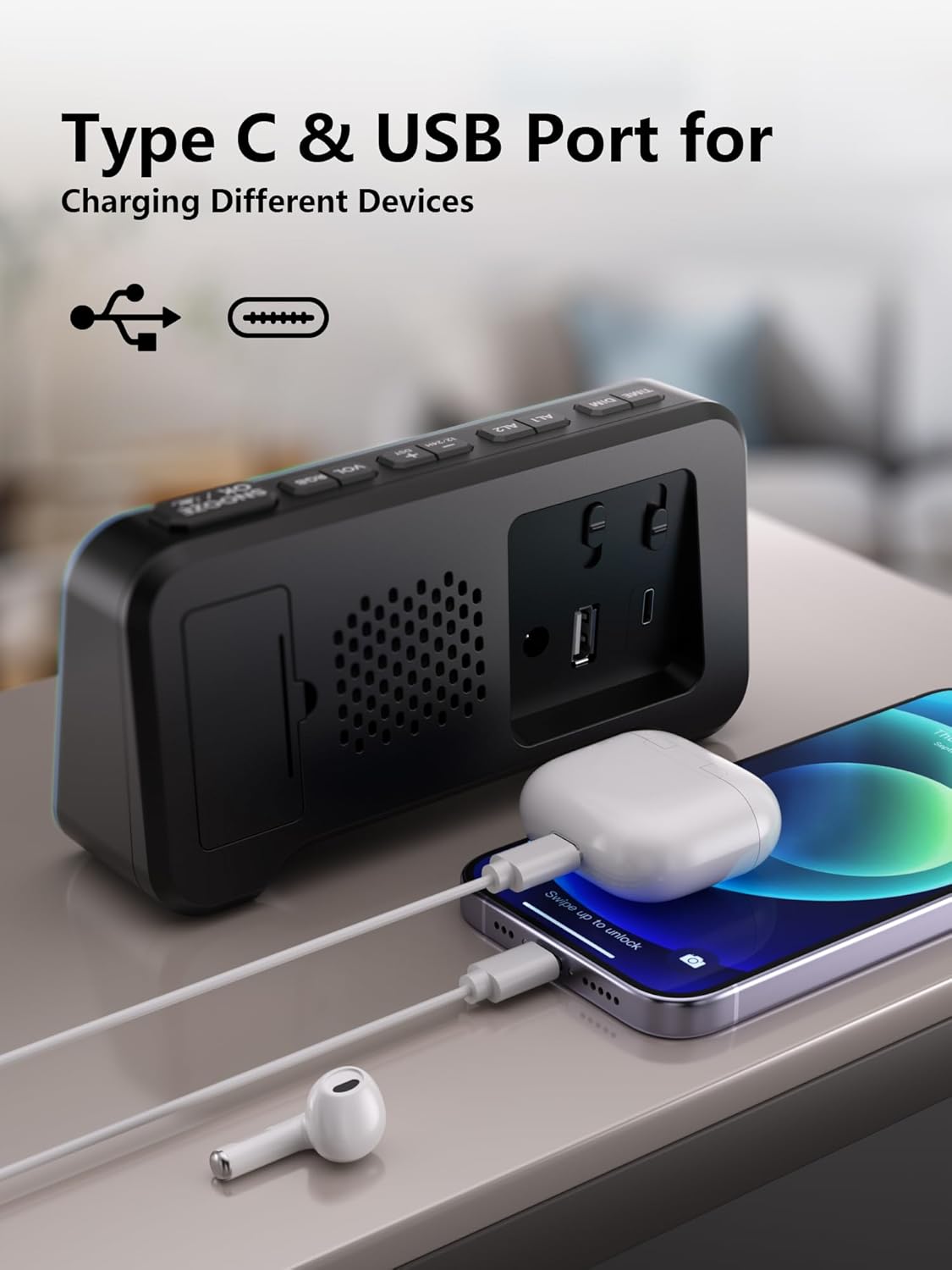
- USB-A-opladningsport: Til opladning af eksterne enheder.
- Type-C opladningsport: Til opladning af eksterne enheder.
- Batterirum: Houses 2 AAA batteries for backup (not included).
- Time/Alarm Set Switch: Slide to set time or alarm.
- Volume glider: Adjusts the alarm sound level (Low, Mid, High).
Opsætningsvejledning
1. Tænd for uret
- Connect the provided power adapter to the DC 5V input port on the back of the clock.
- Sæt adapteren i en almindelig stikkontakt. Displayet lyser.

2. Installing Battery Backup
- Åbn batteridækslet på bagsiden af uret.
- Isæt 2 AAA-batterier (medfølger ikke), og sørg for korrekt polaritet (+/-).
- Luk batterirummets dæksel.
Note: The battery backup retains time and alarm settings during power outages but does not power the display. The display will turn off during a power cut, but settings will be preserved.

3. Indstilling af tid
- Slide the switch on the rear panel to the "TIME SET" position. The time display will start blinking.
- Use the "+" and "-" buttons on the top panel to adjust the hours and minutes.
- Once the correct time is set, slide the switch back to the "LOCK" position to save.
Betjeningsvejledning
1. Time Format (12/24H) and DST
- To switch between 12-hour and 24-hour time formats, press the "12/24HR" button on the rear panel.
- To activate or deactivate Daylight Saving Time (DST), long press the "DST" button on the rear panel.

2. Indstilling af dobbeltalarmer
- Slide the switch on the rear panel to "ALARM SET" (for Alarm 1 or Alarm 2). The alarm time will blink.
- Use the "+" and "-" buttons on the top panel to set the desired alarm time.
- Slide the switch back to "LOCK" to save the alarm time.
- To activate an alarm, press the corresponding "ALARM 1 ON/OFF" or "ALARM 2 ON/OFF" button on the top panel. An alarm icon will appear on the display.
- To deactivate an alarm, press the corresponding "ALARM 1 ON/OFF" or "ALARM 2 ON/OFF" button again. The alarm icon will disappear.
The clock supports flexible alarm routines: weekday-only, weekend-only, or daily settings. Adjust these using the dedicated switches on the rear panel for each alarm.

3. Snooze-funktion
- When an alarm sounds, press the large "SNOOZE" button on the top panel to temporarily silence it for 9 minutes.
- You can repeat the snooze function up to 9 times.
4. Justering af skærmens lysstyrke (dæmper)
- Press the "DIMMER" button on the top panel to cycle through 7 levels of display brightness.
- Vælg det lysstyrkeniveau, der er mest behageligt for dine omgivelser.

5. RGB Display Colors
- Long press the "SNOOZE/MULTICOLOR" button to cycle through 10 RGB display colors and dynamic color modes.
- Release the button when your desired color or mode is displayed.

6. Natlys funktion
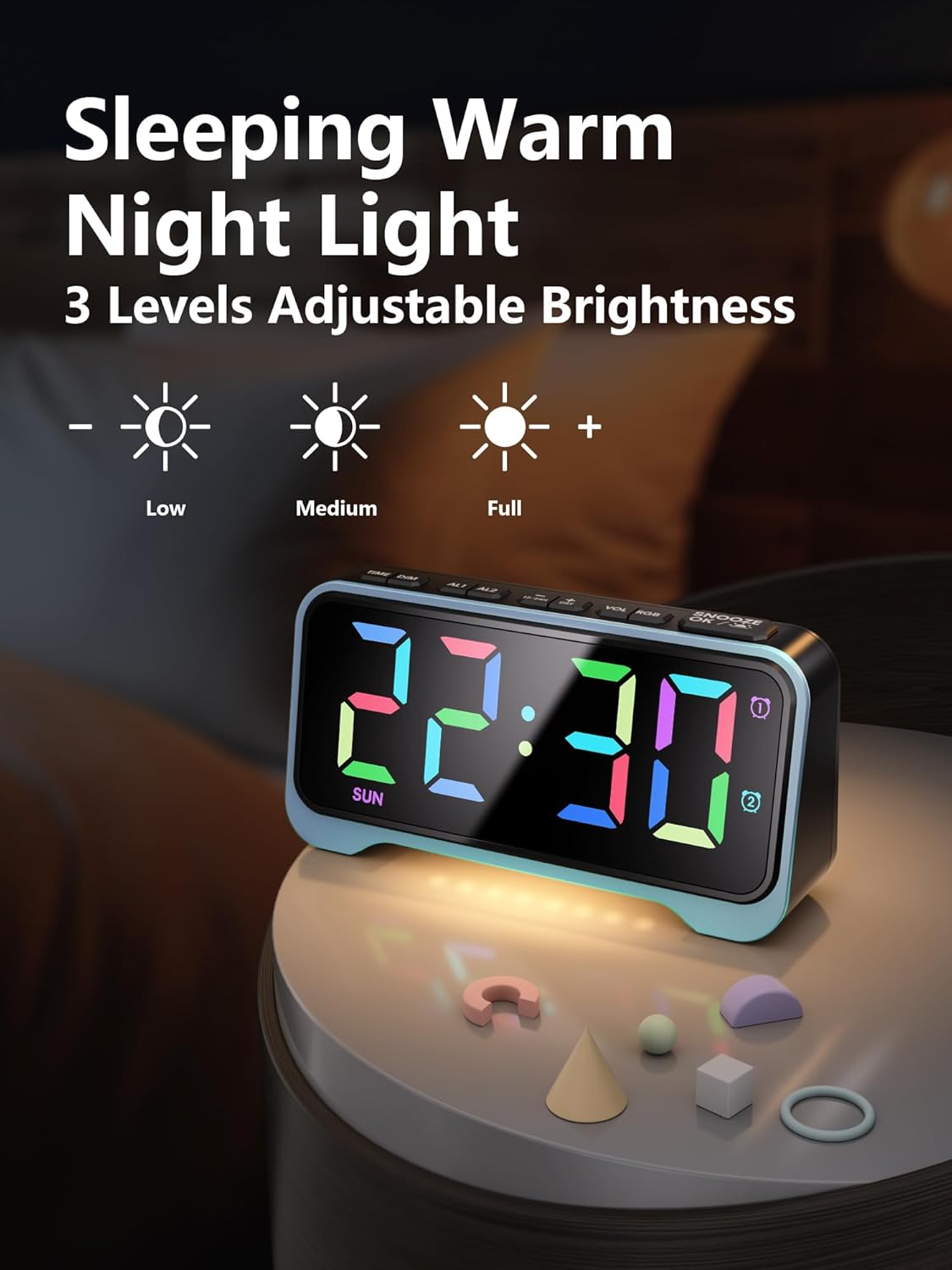
- The clock features a soft warm night light at its base.
- Press the dedicated night light button (often integrated with dimmer or snooze, refer to specific button labels) to cycle through 3 adjustable brightness levels for the night light.
7. Adjustable Alarm Volume
- Use the "VOL +/-" buttons on the top panel to adjust the alarm volume through 5 available levels.
- Alternatively, use the physical volume slider on the rear panel to select between Low, Mid, and High settings.
8. USB-opladningsporte
- The clock is equipped with both USB-A and Type-C charging ports on the rear panel.
- Connect your smartphone, tablet, or other USB-powered devices to these ports for convenient overnight charging.
Opretholdelse
- Clean the clock's exterior with a soft, dry cloth. Avoid abrasive cleaners or solvents.
- Sørg for, at uret er taget ud af stikkontakten, inden rengøring.
- Keep the clock away from water and high humidity.
- Replace AAA backup batteries annually or as needed to ensure settings are retained during power outages.
Fejlfinding
| Problem | Mulig årsag | Løsning |
|---|---|---|
| Display er slukket. | Ingen magt eller magt outage. | Ensure the power adapter is securely plugged into the clock and a working outlet. If there's a power outage, the display will be off, but settings are retained by backup batteries. |
| Alarmen lyder ikke. | Alarmen er ikke aktiveret, eller lydstyrken er for lav. | Press the "ALARM ON/OFF" button to activate the desired alarm (icon should appear). Check the alarm volume settings using the "VOL +/-" buttons or the rear slider. |
| Time/Alarm cannot be set. | The lock switch is engaged. | Slide the rear switch to "TIME SET" or "ALARM SET" before attempting to adjust. Return to "LOCK" after setting. |
| USB-opladning virker ikke. | Problem med enhedskompatibilitet eller kabel. | Ensure your device is compatible with USB charging. Try a different USB cable. Verify the clock is powered on. |
Specifikationer
- Mærke: Mesqool
- Modelnummer: CR1028R
- Skærmtype: Digital, RGB
- Strømkilde: Ledningsbaseret elektrisk (DC 5V)
- Batteri-sikkerhedskopi: 2 x AAA batterier (medfølger ikke)
- Produktdimensioner: 6.65 cm B x 3.39 cm H
- Varens vægt: 10.8 ounce
- Materiale: Acrylonitril Butadien Styren (ABS)
- Særlige funktioner: 10 RGB Display Colors, 7 Dimmer Levels, Dual Alarms (Weekday/Weekend modes), 3-Level Adjustable Night Light, 5-Level Adjustable Alarm Volume, Snooze Function (9 minutes, up to 9 times), Dual USB Charging Ports (USB-A & Type-C), 12/24H Time Format, DST Function.
- Værelsestype: Bedroom, Nursery, Dorm
Officielle produktvideoer
Mesqool Dual Alarm Clock with Weekday/Weekend Mode
Video: This video demonstrates the dual alarm clock's functionality, including setting alarms for weekdays and weekends, and its overall design. Creator: Mestcool (Seller).
Mesqool Super Loud Alarm Clock
Video: This video highlights the super loud alarm feature of the Mesqool clock, demonstrating its effectiveness for heavy sleepers. Creator: Mestcool (Seller).
Garanti og support
For warranty information or technical support, please contact Mesqool E-commerce Co.,Ltd. Refer to the product packaging or official webhjemmeside for de mest opdaterede kontaktoplysninger.
Fabrikant: Mesqool E-commerce Co.,Ltd


