Indledning
Welcome to the user manual for your KORONA Wearbuds W26 Smart Watch with Wireless Earbuds. This innovative device combines the functionality of a smartwatch, high-quality wireless earbuds, and an advanced health and fitness tracker into a single, convenient timepiece. This manual provides essential information on setting up, operating, maintaining, and troubleshooting your device to ensure optimal performance and a seamless user experience.

Image: The KORONA Wearbuds W26 Smart Watch with its integrated wireless earbuds, showcasing its compact and innovative design.
Opsætningsvejledning
1. Udpakning og indledende inspektion
Upon opening the package, ensure all components are present. The box should contain the KORONA Wearbuds W26 Smart Watch with integrated earbuds and a charging cable. Inspect the device for any visible damage before proceeding.
- KORONA Wearbuds W26 Smart Watch
- Wireless Earbuds (integrated)
- Ladekabel
2. Første opladning
Before first use, fully charge your smartwatch and earbuds. The Wearbuds Watch features a built-in magnetic charging station for the earbuds and a magnetic charging port for the watch itself.
- Connect the provided charging cable to the magnetic charging port on the back of the smartwatch.
- Sæt den anden ende af kablet i en standard USB-strømadapter (medfølger ikke) eller en computers USB-port.
- Slide the earbuds into their designated slots within the smartwatch to begin charging them.
- The watch can be fully charged in approximately one hour. Ensure both the watch and earbuds are fully charged for optimal battery life.
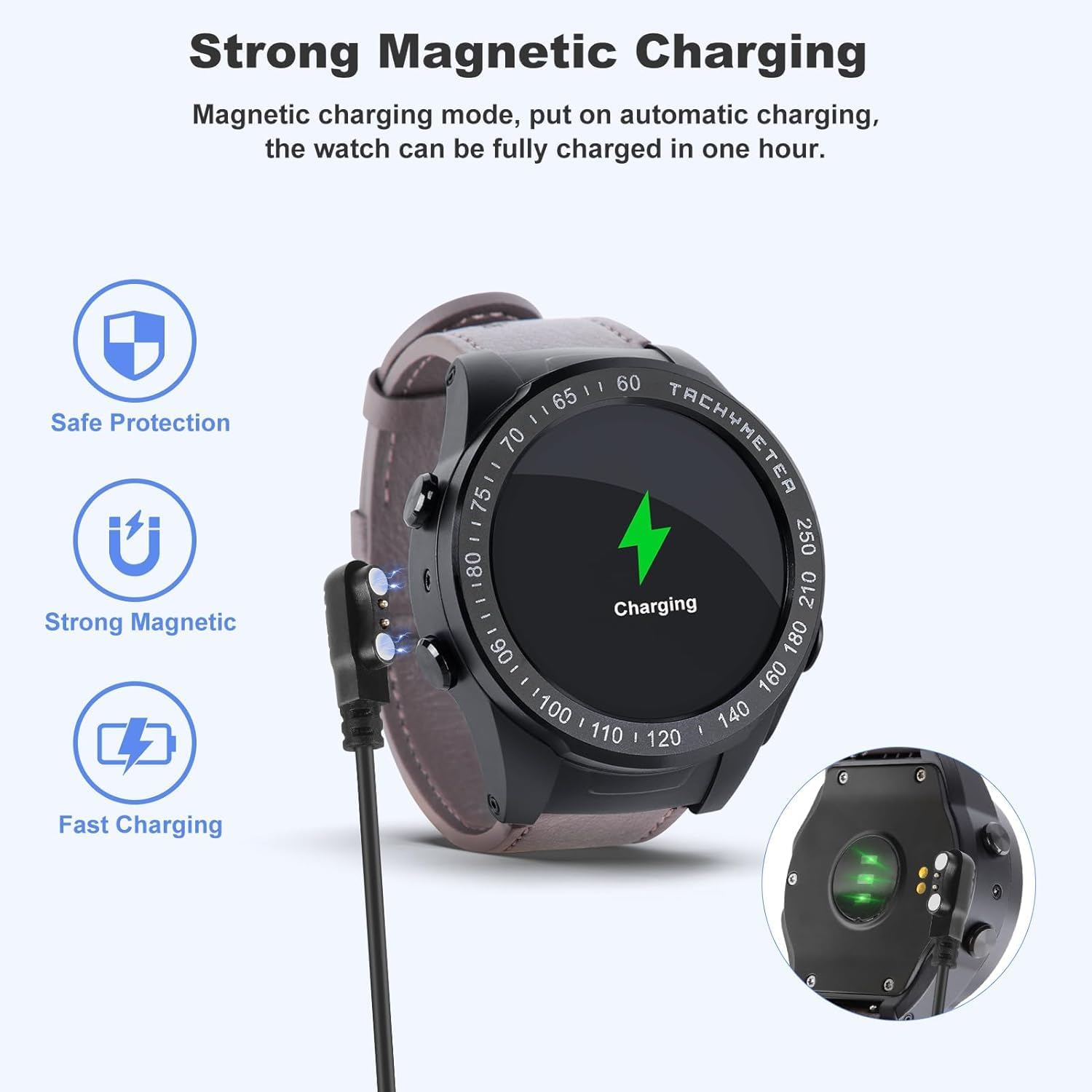
Image: The smartwatch connected to its magnetic charging cable, illustrating the strong magnetic charging feature. The earbuds also charge when placed in the watch.

Image: Illustration showing the earbuds being charged directly within the smartwatch, highlighting the convenience of on-wrist charging.
3. Parring med din smartphone
To unlock the full potential of your KORONA Wearbuds W26, you need to pair it with your smartphone via Bluetooth.
- Download the companion application for the KORONA Wearbuds W26 from your smartphone's app store (e.g., Google Play Store or Apple App Store). Refer to the packaging or quick start guide for the specific app name.
- Sørg for, at Bluetooth er aktiveret på din smartphone.
- Open the companion app and follow the on-screen instructions to search for and connect to your smartwatch. The device uses Bluetooth 5.0 for a stable connection.
- Once connected, the app will guide you through setting up your profile, preferences, and syncing data.
Betjeningsvejledning
1. Smartwatch-funktioner
The KORONA Wearbuds W26 features a large, high-brightness display for enhanced readability and easy navigation.
- On-Wrist Notifications: Receive calls, messages, and other app notifications directly on your wrist.
- Ringer: Make and receive calls directly from the watch when connected to your phone.
- Musik kontrol: Styr musikafspilning på din smartphone.
- Fjernbetjening til kameraet: Brug uret som en fjernbetjent lukker til din telefons kamera.
- Countdown & Stopwatch: Built-in timing functions for various activities.
- Vejr: Få vejropdateringer i realtid.
- Find telefon: Find din forlagte smartphone.
- Time & Brightness: Adjust time settings and screen brightness.
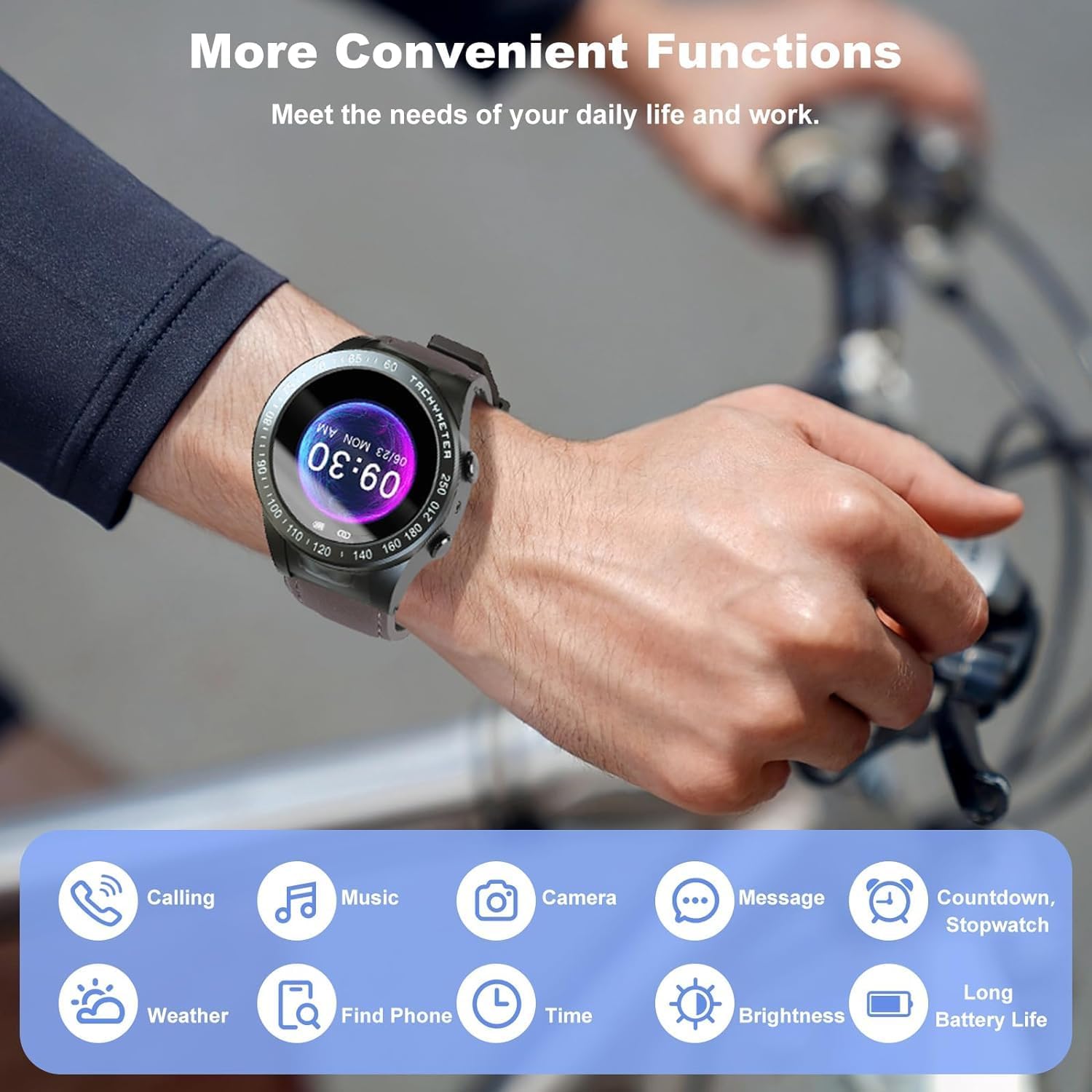
Image: Visual representation of the various convenient functions available on the smartwatch, including calling, music, camera, messages, and more.
2. Earbuds Operation
The integrated earbuds offer high-quality audio and seamless control.
- Integrated Touch Control: Simply tap the earbuds to control music playback (play/pause) and manage calls (answer/reject).
- Batterilevetid: The earbuds provide up to 12 hours of playback with recharges from the smartwatch.
- Forbindelse: Bluetooth 5.0 ensures a stable and powerful listening experience.

Image: Two individuals demonstrating the use of the smartwatch and earbuds for communication and fitness tracking.
3. Sundheds- og fitnesssporing
The Wearbuds Watch is equipped with advanced sensors to monitor your health and fitness data.
- Pulsmåler: Spor din puls i løbet af dagen.
- Søvnmonitor: Analyze your sleep patterns for better rest.
- Fitness sporing: Monitor various fitness metrics including steps, calories burned, and distance.
- Trintæller: Keep track of your daily steps.
- Speedometer: Measure your speed during activities.
- Blood-Oxygen (SpO2) Monitor: Overvåg dit iltniveau i blodet.
- Stillesiddende advarsler: Receive reminders to move after periods of inactivity.

Image: A visual guide to the health tracking features, including heart rate, SpO2, and activity metrics displayed on the watch face.
4. Multiple Exercise Modes
The smartwatch supports various exercise modes to accurately record your workout data.
- Covers common indoor and outdoor sports.
- Records specific data for each exercise mode to help you track progress.

Image: A person hiking with the smartwatch, illustrating the availability of multiple exercise modes for tracking various physical activities.
Opretholdelse
1. Rengøring af din enhed
To maintain the appearance and functionality of your smartwatch and earbuds, clean them regularly.
- Tør urets skærm og kabinet af med en blød, fnugfri klud.
- For the earbuds, gently clean the ear tips and body with a dry cotton swab.
- Undgå at bruge skrappe kemikalier eller slibende materialer.
2. Vandafvisende (IPX7)
The KORONA Wearbuds W26 and its earbuds are IPX7 waterproof, providing protection against rain, water splashes, and sweat.
- IPX7 rating means the device can be submerged in up to 1 meter of water for 30 minutes.
- It is suitable for daily use, including hand washing and light rain.
- Note: Not suitable for swimming, diving, or prolonged submersion in water. Avoid hot water, steam, or strong water jets.

Image: The earbuds submerged in water, visually demonstrating their IPX7 waterproof capability, protecting against rain, water, and sweat.
3. Batteripleje
To prolong battery life, avoid extreme temperatures and fully discharging the device frequently. Charge the device using the provided cable.
Fejlfinding
Fælles problemer og løsninger
| Problem | Mulig årsag/løsning |
|---|---|
| Earbuds require manual Bluetooth connection every time. | This can sometimes occur due to specific phone settings or a temporary software glitch.
|
| Smartwatch tænder ikke. |
|
| Kan ikke parres med smartphone. |
|
| Unøjagtige sundhedsdata. |
|
Specifikationer
| Feature | Detalje |
|---|---|
| Modelnavn | W26 |
| Mærke | Generic (Manufactured by KORONA) |
| Forbindelsesteknologi | Trådløs (Bluetooth 5.0) |
| Skærmstørrelse | 48 millimeter |
| Særlige funktioner | Heart Rate Monitor, Sleep Monitor, Fitness Tracker, Sedentary Alerts, On-Wrist Notifications, Integrated Earbuds |
| Vandmodstand | IPX7 |
| Varens vægt | 8.4 ounce |
| Battericellesammensætning | Lithium Ion |
| Pakkedimensioner | 4.72 x 4.61 x 2.83 tommer |
| Oprindelsesland | Kina |
Garanti og support
For warranty information and technical support, please refer to the documentation included with your purchase or contact the manufacturer, KORONA, directly through their official webwebsted eller kundeservicekanaler.
Gem din købskvittering som købsbevis i tilfælde af garantikrav.


