
1. Introduktion
This manual provides essential information for the proper installation, operation, and maintenance of your ARREGUI Magna 590010 electronic safe. Please read these instructions carefully before using the safe to ensure optimal security and functionality. This safe is designed for secure storage of valuables in homes, offices, or commercial settings.
2. Pakkens indhold
Bekræft at alle komponenter er til stede i pakken:
- 1 x ARREGUI Magna 590010 Safe
- 1 x Brugervejledning
- 2 x User Keys
- 1 x Emergency Opening Key
- Fastgørelse af skruer
3. Fysiske egenskaber
The ARREGUI Magna 590010 safe is constructed from durable steel with a white lacquered finish. It features a robust 6 mm thick front door and a 2 mm thick body for enhanced security. The safe is secured by two nickel-plated steel bolts, each 16 mm in diameter. An internal low-consumption LED light activates automatically when the safe door is opened, providing visibility to its contents.
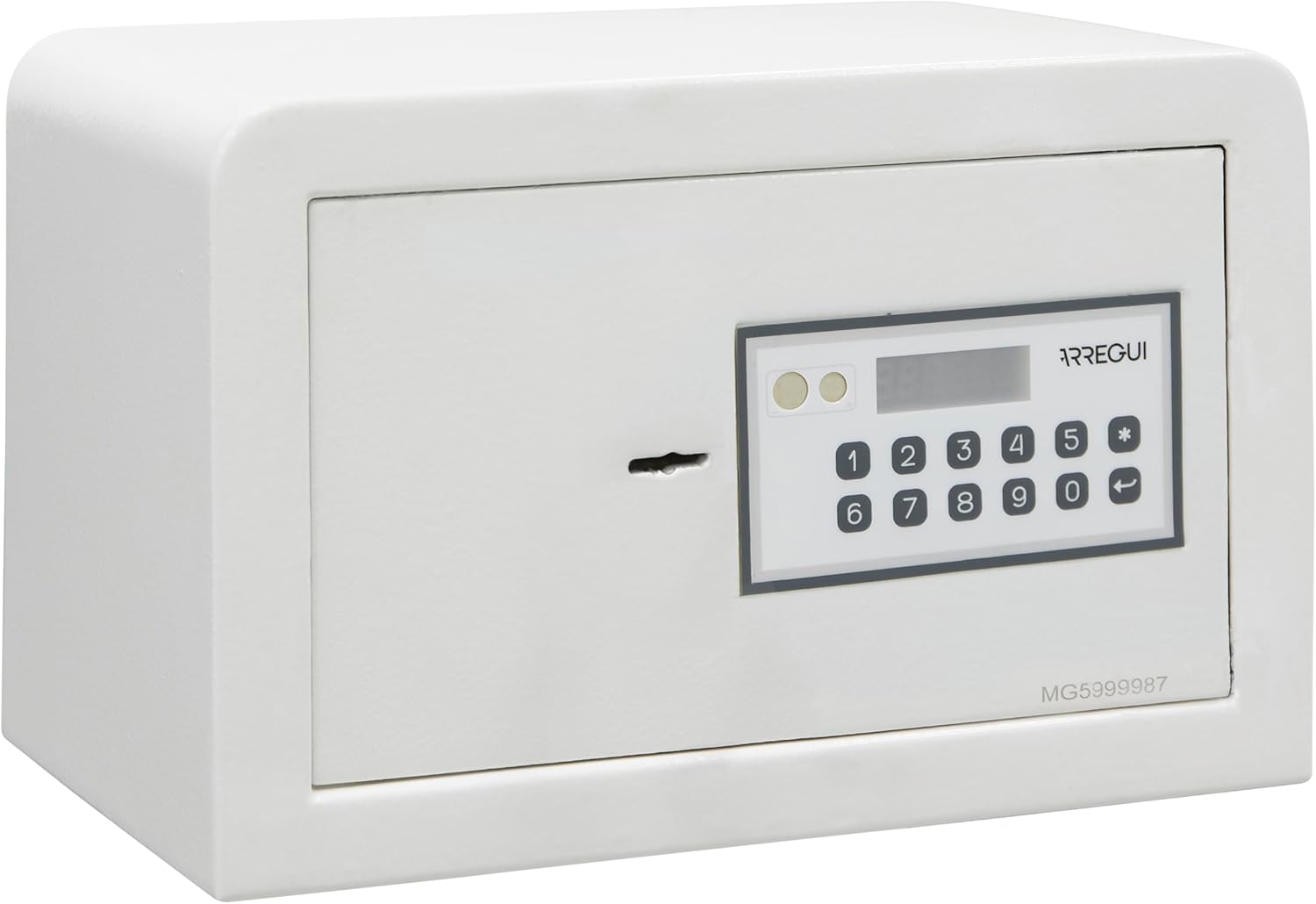
Image: The ARREGUI Magna 590010 safe with its door open, revealing the interior storage space. A smartphone and a small box are visible inside, demonstrating the capacity. The interior is lined with a soft material, and the door mechanism is visible on the right.
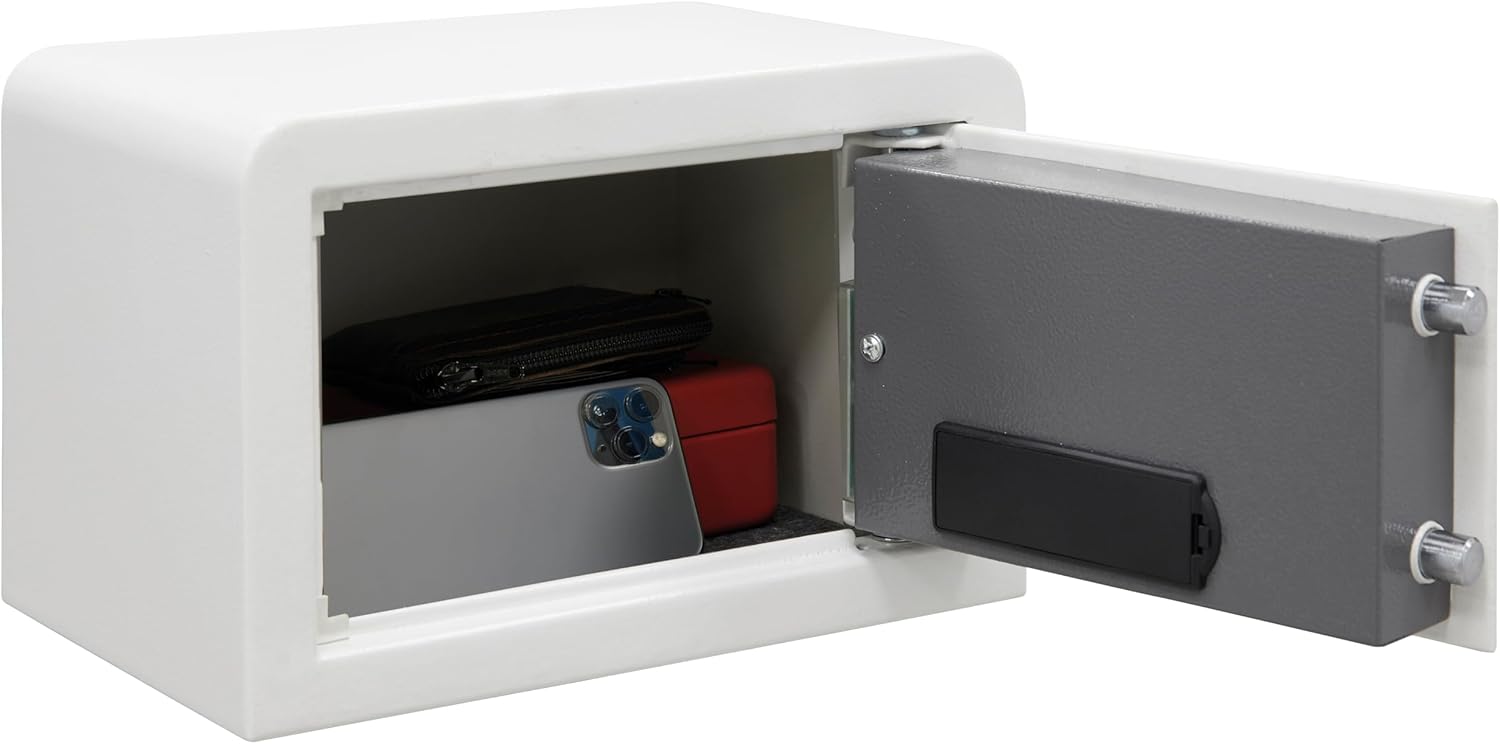
Image: A technical diagram illustrating the external dimensions (20 cm height, 31 cm width, 20 cm depth) and internal dimensions (19.5 cm height, 30.5 cm width, 14 cm depth) of the ARREGUI Magna 590010 safe. It also indicates a weight of 7.5 kg and a capacity of 8 liters.

Billede: En detaljeret view of the interior LED light strip located on the inside of the safe door frame. The light is illuminated, demonstrating its function to brighten the safe's interior when opened.
4. Installation
While the safe does not require structural work for installation, it is highly recommended to fix it to a wall, shelf, cabinet, or floor to minimize the risk of theft. The safe is equipped with pre-drilled holes for easy mounting:
- Two 9 mm diameter holes at the base.
- Two 9 mm diameter holes at the rear.
Fixing screws are included in the package. Ensure the safe is securely fastened to a stable surface.
5. Batteriinstallation
The electronic lock is powered by 4 AA 1.5V alkaline batteries (not included). To install the batteries:
- Open the safe door using the emergency key (see Section 7).
- Find batterirummet på indersiden af døren.
- Insert 4 AA 1.5V alkaline batteries, ensuring correct polarity.
- Luk batterirummets dæksel.
6. Betjeningsvejledning
6.1. Initial Opening and Code Programming
For the first use, open the safe using the emergency key. Once open, you can program your personal codes.
The safe supports two programmable opening codes: a master code and a user code. Both codes can be 3 to 6 digits long, offering up to one million possible combinations.
- With the door open, press the internal programming button (usually red or green, located near the hinge).
- The display will show 'PROG' or 'SET'.
- Enter your desired 3 to 6 digit code on the keypad.
- Press the '#' or 'ENTER' key to confirm. The display will show 'GOOD' or 'SUCCESS'.
- Test den nye kode med døren åben, før du lukker den.
6.2. Opening the Safe with Code and Key
The safe features a dual security system, requiring both the correct code and the key for opening.
- Enter your 3 to 6 digit code on the electronic keypad. The 6-digit digital display will provide helpful messages during entry.
- If the code is correct, the display will indicate 'OPEN' or 'GOOD'.
- Within a few seconds, insert one of the user keys into the keyhole and turn it clockwise to unlock the bolts.
- Træk døren op.
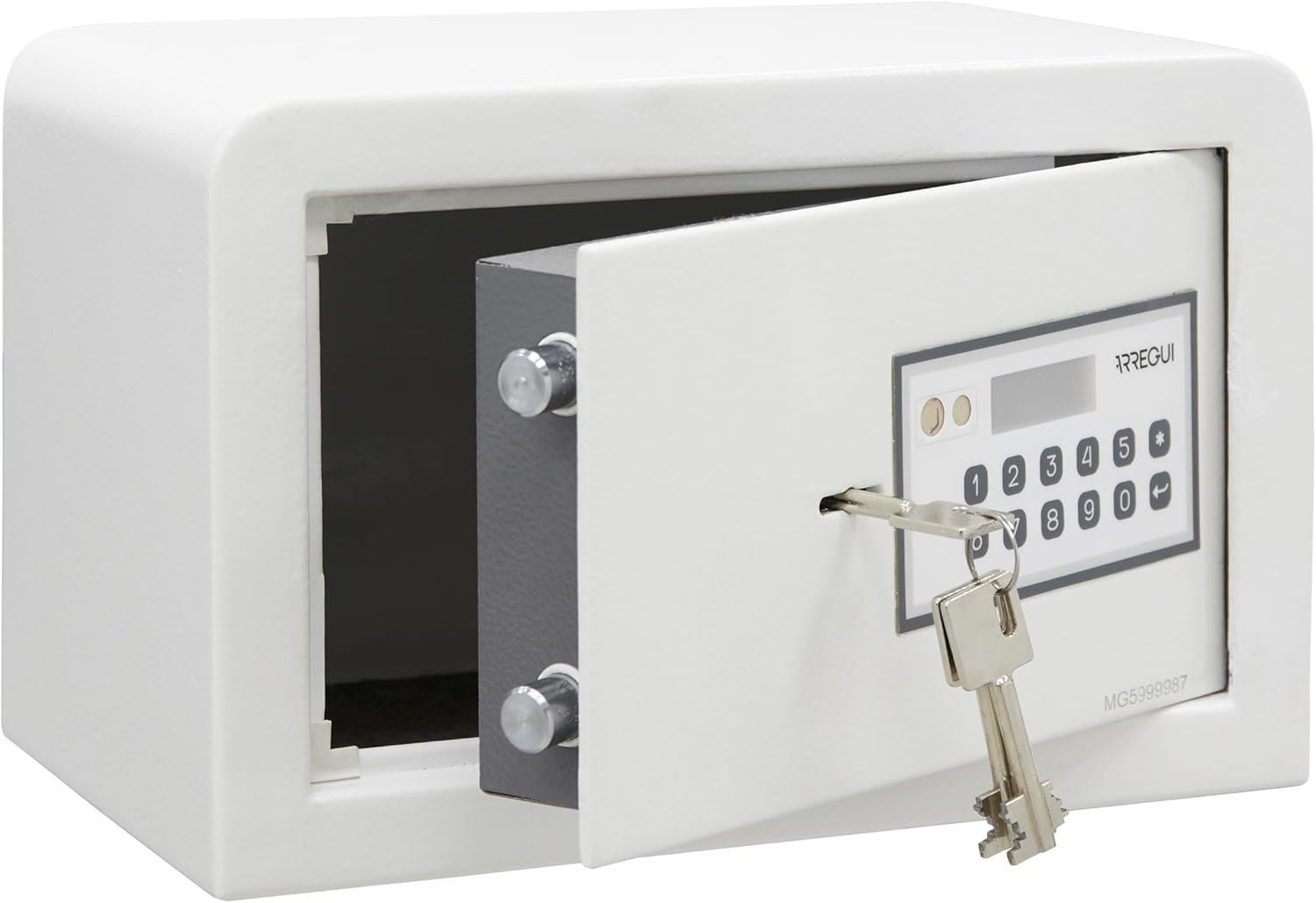
Image: The ARREGUI Magna 590010 safe with its door slightly ajar. A key is inserted into the keyhole on the electronic keypad, which is visible on the front of the safe. This illustrates the dual security mechanism.

Image: The ARREGUI Magna 590010 safe with its door closed. A key is inserted into the keyhole on the electronic keypad, which is prominently displayed on the safe's front panel. This shows the safe in a locked or ready-to-open state.
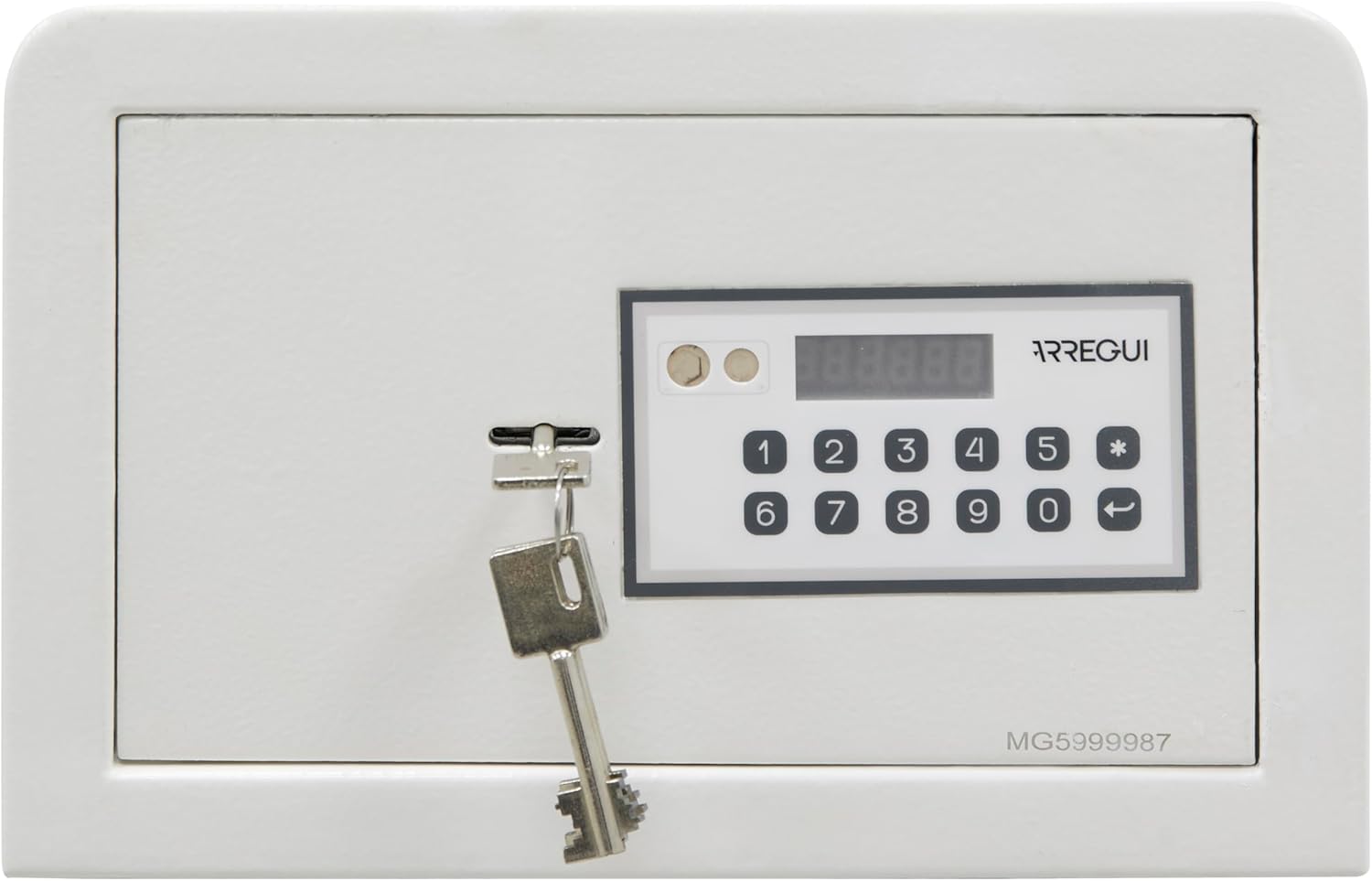
Billede: Et nærbillede view of the electronic keypad and the 6-digit digital display of the ARREGUI Magna 590010 safe. The keypad features numerical buttons from 0-9, an asterisk (*), and an enter/back button, along with indicator lights.
6.3. Låsning af pengeskabet
To lock the safe, simply close the door and turn the key counter-clockwise to engage the bolts. The electronic system will automatically secure the safe.
7. Nødåbning
In case of forgotten code, depleted batteries, or electronic keypad malfunction, the safe can be opened using the emergency key or an external power source.
7.1. Using the Emergency Key
The emergency key bypasses the electronic lock. Keep this key in a secure location outside the safe.
- Find nødnøglehullet, som normalt er skjult bag et lille dæksel på tastaturpanelet.
- Insert the emergency key and turn it to unlock the safe.
- Åbn døren.
7.2. Using External Power
If the internal batteries are dead and the emergency key is not immediately accessible, you can power the keypad externally.
- Locate the external power socket on the keypad panel (often a small port).
- Connect a 9V alkaline battery to this socket.
- While holding the 9V battery in place, enter your code on the keypad.
- Insert a user key and turn it to open the safe.
- Once the safe is open, replace the internal AA batteries immediately.
8. Vedligeholdelse
To ensure the longevity and proper functioning of your safe:
- Regularly check and replace the batteries (approximately once a year, or when the display indicates low battery).
- Keep the keypad clean and free from dust or debris. Use a soft, dry cloth for cleaning.
- Do not use abrasive cleaners or solvents on the safe's surface or keypad.
- Ensure the bolts move smoothly. If necessary, apply a small amount of lubricant to the moving parts of the locking mechanism.
9. Fejlfinding
- Safe does not open after entering code: Ensure the batteries are not depleted. The display will warn if batteries are low. Try using the emergency key or external 9V battery.
- Tastaturet reagerer ikke: Check battery installation and charge. If batteries are new and correctly installed, try the external 9V battery.
- Safe locks temporarily: The safe will temporarily lock for 5 minutes after 3 incorrect code entries. Wait for the lockout period to expire before trying again.
- Cannot program new code: Ensure the safe door is open when attempting to program. Follow the programming steps carefully.
10. Specifikationer
| Feature | Detalje |
|---|---|
| Modelnummer | 590010 |
| Mærke | ARREGUI |
| Udvendige mål (H x B x D) | 20 x 31 x 20 cm |
| Indvendige mål (H x B x D) | 19.5 x 30.5 x 14 cm |
| Kapacitet | 8 liter |
| Vægt | 7.33 kg |
| Materiale | Legeret stål |
| Front Door Thickness | 6 mm |
| Kropstykkelse | 2 mm |
| Låsetype | Electronic Combination Lock, Double-bit Key Lock |
| Kodens længde | 3 til 6 cifre |
| Strømkilde | 4 x AA 1.5V alkaliske batterier (medfølger ikke) |
| Nødstrøm | External 9V Battery |
| Særlige funktioner | Anti-theft, Interior LED Light, Digital Display, Sound Alarm |
| Monteringstype | Wall or Floor Mountable (fixing screws included) |
11. Garanti og support
For garantioplysninger og kundesupport henvises til den dokumentation, der blev leveret ved køb, eller kontakt din forhandler. Gem din købskvittering som købsbevis i tilfælde af garantikrav.