
1. Introduktion
This manual provides comprehensive instructions for the PTHTECHUS 4G Kids Smart Watch, model LT49. It covers product setup, operation, maintenance, and troubleshooting to ensure optimal use of the device. Please read this manual thoroughly before using the watch.
2. Hvad er der i æsken
- PTHTECHUS 4G Kids Smart Watch (Model LT49)
- Ladekabel
- Brugermanual
- Watch Band
- SpeedTalk Mobile SIM Kit (includes SIM card)
3. Produktet er slutview
Familiarize yourself with the physical components of your PTHTECHUS 4G Kids Smart Watch.
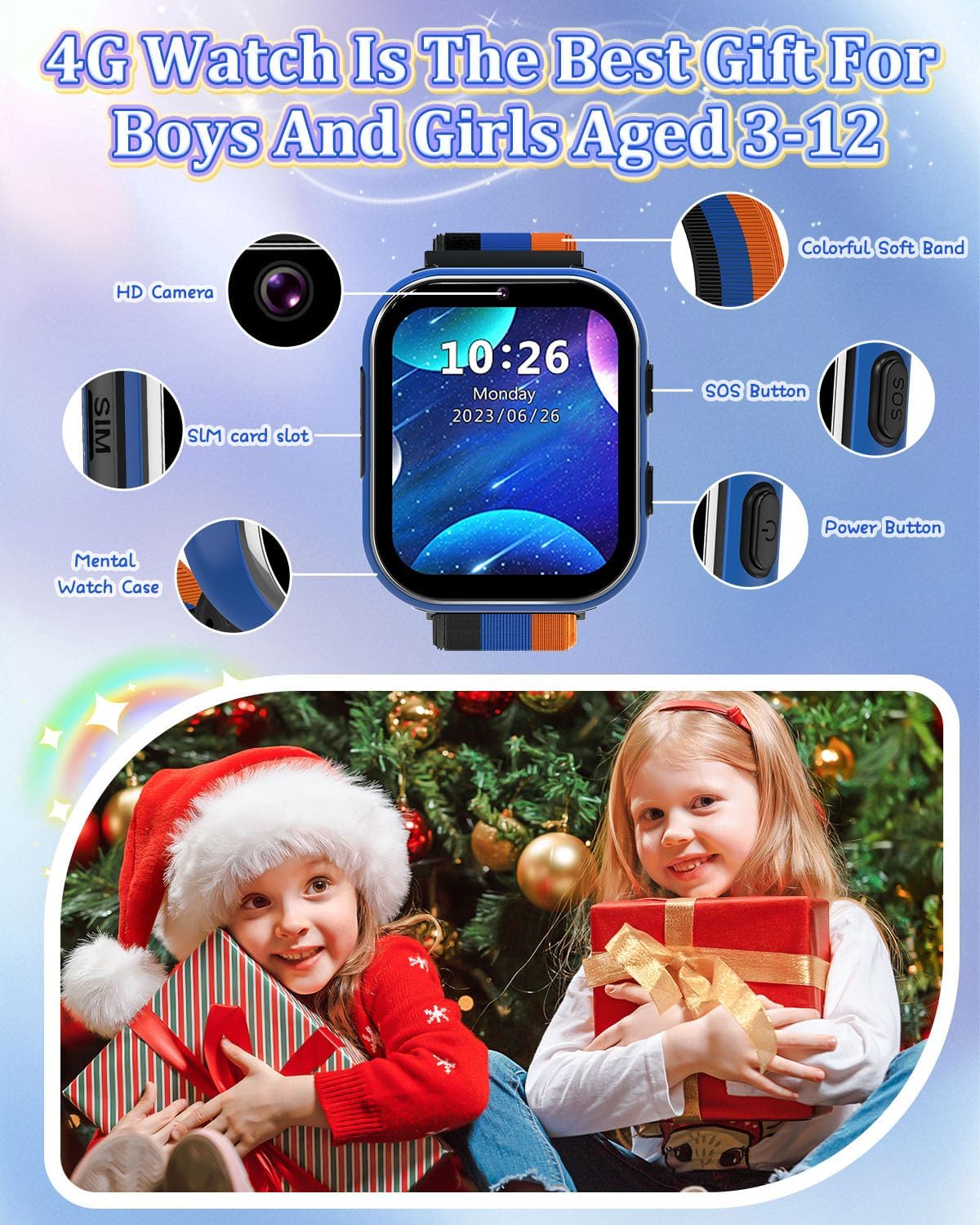
Image: PTHTECHUS 4G Kids Smart Watch LT49 showing its HD Camera, SIM card slot, Mental Watch Case, Colorful Soft Band, SOS Button, and Power Button.
- HD kamera: Located at the top of the watch face, used for taking photos and videos.
- SIM-kortplads: Located on the side, for inserting the Nano SIM card.
- SOS knap: A dedicated button for emergency calls.
- Power knap: Used to power on/off the device and navigate.
- Berøringsskærm: 1.54-inch display for interaction.
4. Opsætningsvejledning
4.1. SIM-kort installation
The PTHTECHUS 4G Kids Smart Watch requires a Nano SIM card for 4G network functionality, including calling. A SpeedTalk Mobile SIM kit is included.

Image: Illustration of a Nano SIM card and its correct orientation for insertion into the watch's SIM card slot, alongside information about SpeedTalk Mobile service.
- Sørg for, at uret er slukket.
- Find SIM-kortstikket på siden af uret.
- Carefully insert the Nano SIM card into the slot with the gold contacts facing up and the notched corner aligned correctly.
- Tryk forsigtigt, indtil SIM-kortet klikker på plads.
4.2. Første opladning og tænding
- Connect the charging cable to the watch's charging port and a compatible USB power adapter.
- Allow the watch to charge fully before first use. The battery indicator will show charging status.
- To power on, press and hold the Power Button until the screen illuminates.
4.3. Network Activation (SpeedTalk Mobile)
The included SpeedTalk Mobile SIM card requires activation to enable calling and data features. Visit the SpeedTalk Mobile website to activate the service. Support is available 7 days a week.
5. Betjeningsvejledning
5.1. Grundlæggende navigation
The watch features an HD touch screen for navigation. Swipe left/right or up/down to access different applications and settings. Tap icons to select.
5.2. Foretage og modtage opkald
With an activated 4G SIM card, the watch supports two-way calling.

Image: The PTHTECHUS 4G Kids Smart Watch displaying an incoming call, illustrating its two-way calling capability.
- Foretag et opkald: Navigate to the 'Phone' application, select a contact from the pre-set list, and initiate the call.
- Modtagelse af et opkald: When a call comes in, tap the green answer icon on the screen.
5.3. SOS-nødopkald
In an emergency, the SOS function allows the child to quickly contact pre-set numbers.
- Aktiver SOS: Press and hold the SOS button for 3-5 seconds.
- Uret ringer automatisk op til 3 forudindstillede nødkontakter i en løkke, indtil en af dem svarer.
- An emergency text message will also be sent to these contacts.
5.4. Kamerabrug
The built-in camera allows for capturing photos and videos.
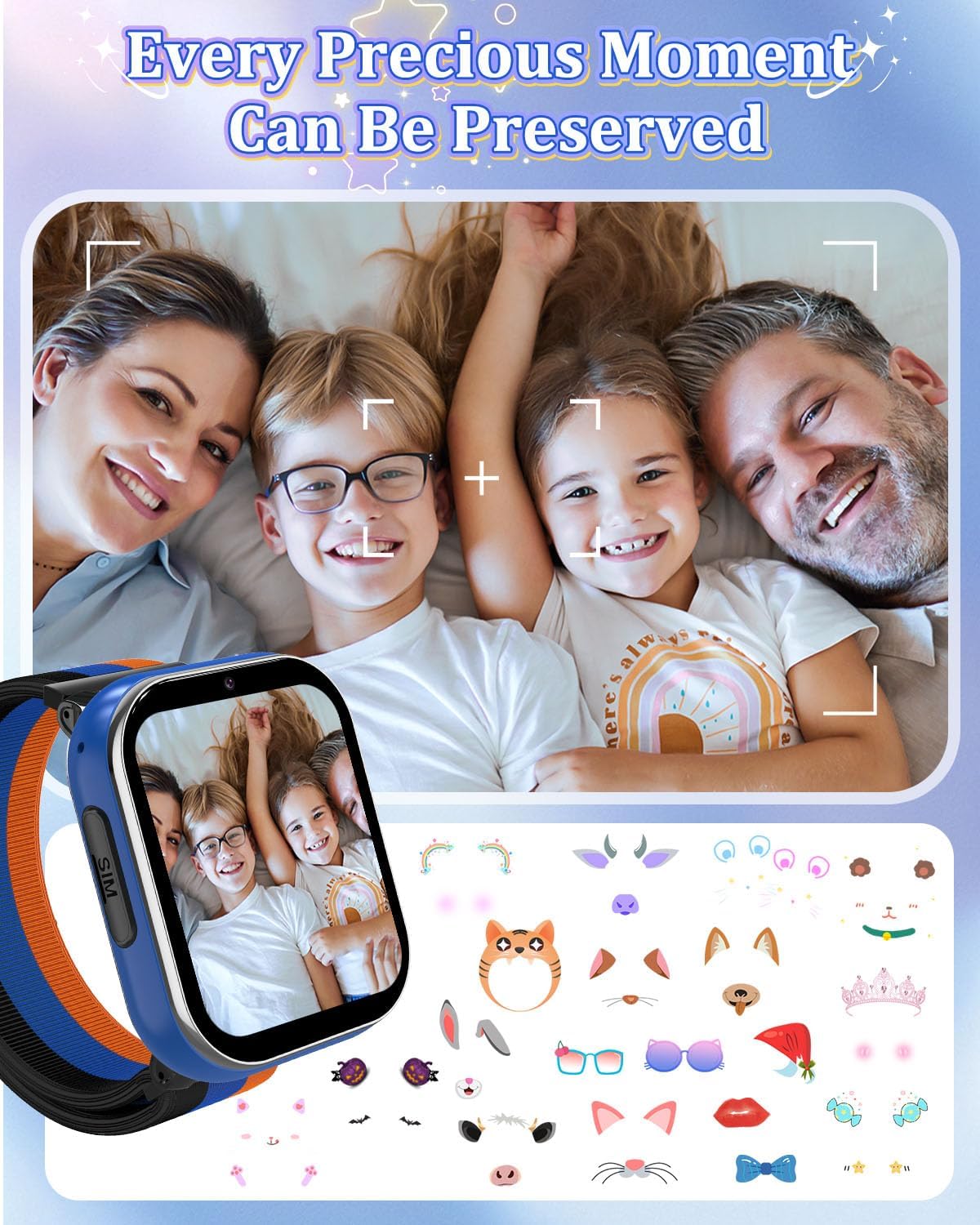
Image: A family portrait displayed on the watch screen, demonstrating the watch's camera function and ability to preserve moments.
- Navigate to the 'Camera' application.
- Tryk på skærmen for at tage et billede eller starte/stoppe videooptagelse.
- Photos and videos are saved to the watch's internal memory.
5.5. Musikafspilning
The watch supports MP3 music playback.
- Overfør MP3 files to the watch's storage via USB connection to a computer.
- Access the 'Music' application to browse and play stored audio files.
5.6. Spil
The watch includes 8 pre-installed puzzle games designed to engage children and develop logical thinking.
- Access games through the 'Games' application.
- Skoletilstand: To prevent distractions during study times, activate 'School Mode' in the settings. This temporarily disables game functions.
5.7. Skridttæller
The built-in pedometer tracks daily steps.
- Access the 'Pedometer' application to view skridttælling.
5.8. Alarm Clock and Habit Tracker
Set up to 13 different alarm clock modes to help establish daily routines.

Image: A visual representation of 13 alarm clock modes, including 'Get Up', 'Brush Your Teeth', 'Breakfast', 'Walk the Dog', 'Go to School', 'Lunch', 'Sports', 'Homework', 'Dinner', 'Housework', 'Reading', and 'Go to Bed', displayed around the watch face.
- Navigate to the 'Alarm' or 'Habit' application to set and manage alarms.
5.9. Learning Features
The watch includes learning cards and audio stories.

Image: Display of various learning cards (e.g., animals, plants) and icons representing audio stories, designed to aid learning.
- Access 'Learning Cards' for educational content.
- Access 'Audio Stories' for pre-loaded narratives.
5.10. Andre funktioner
- Lommeregner: Grundlæggende aritmetiske funktioner.
- Timer og stopur: Til tidsstyringsaktiviteter.
- Indspilning: Voice recording function.
- Tapet: Customize the watch face with multiple wallpaper options.
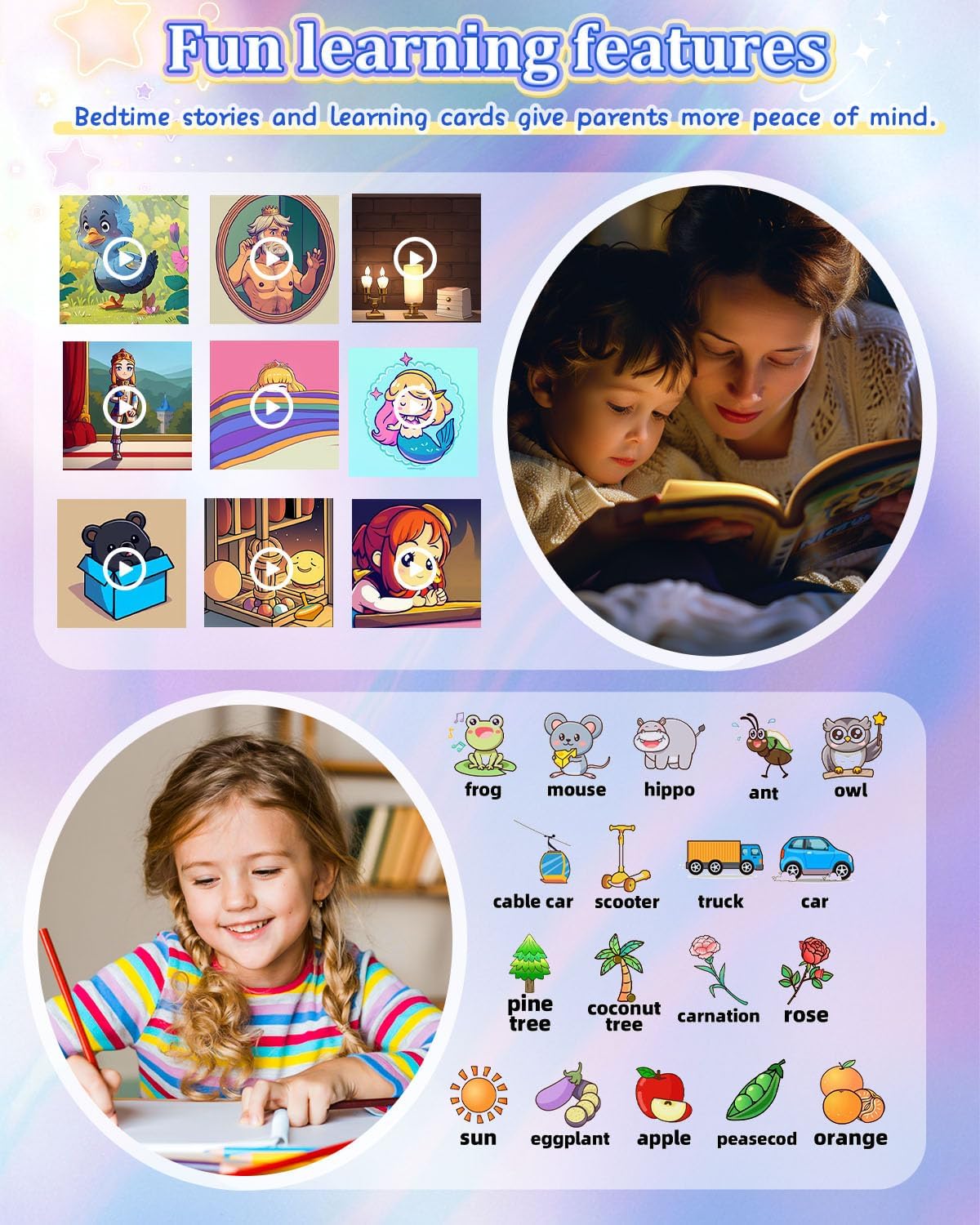
Image: A grid of diverse wallpaper designs available for customization on the watch screen.
6. Vedligeholdelse
6.1. Opladning
- Brug kun det medfølgende ladekabel.
- Oplad uret regelmæssigt for at opretholde batteriets sundhed.
- Undgå at overoplade eller aflade batteriet helt ofte.
6.2. Rensning
- Tør urets skærm og kabinet af med en blød, tør klud.
- Undgå at bruge skrappe kemikalier eller slibende materialer.
6.3. Batteripleje
- The watch is equipped with a 700mAh Lithium Metal battery.
- Opbevar uret et køligt og tørt sted, når det ikke er i brug i længere perioder.
- Hvis uret ikke skal bruges i længere tid, skal det oplades til ca. 50%, før det opbevares.
7. Fejlfinding
- Uret tænder ikke: Sørg for, at uret er fuldt opladet. Tryk på tænd/sluk-knappen og hold den nede i mindst 10 sekunder.
- Kan ikke foretage/modtage opkald: Verify that the SIM card is correctly inserted and activated with a 4G plan. Check network signal strength.
- Skærmen reagerer ikke: Genstart uret. Hvis problemet fortsætter, skal du sørge for, at skærmen er ren og tør.
- Dårlig opkaldskvalitet: Check network signal. Ensure the microphone and speaker are not obstructed.
- Batteriet aflades hurtigt: Reduce screen brightness, close unused applications, and ensure no background processes are consuming excessive power.
8. Specifikationer
| Feature | Specifikation |
|---|---|
| Modelnavn | LT49 |
| Skærmstørrelse | 1.54 tommer |
| Batterikapacitet | 700 mioamp Hours (Lithium Metal) |
| Hukommelseslagringskapacitet | 3.3 GB |
| Forbindelsesteknologi | USB |
| Særlige funktioner | Alarm Clock, Camera, Music Player, Phone Call, SOS Button |
| GPS | Ingen GPS |
| Varens vægt | 60 gram (2.12 ounce) |
| Pakkedimensioner | 3.94 x 2.36 x 1.57 tommer |
9. Garanti og support
PTHTECHUS is committed to providing quality products. For any questions or issues regarding your PTHTECHUS 4G Kids Smart Watch LT49, please contact our customer support. We are available to assist you with product inquiries and troubleshooting.