
1. Introduktion
Tak for købetasing the ZEBRONICS Music Bomb 2 Party Speaker. This manual provides essential information for the safe and efficient use of your speaker. Please read it thoroughly before operating the device and retain it for future reference.
Video 1: Overståetview of the ZEBRONICS Music Bomb 2 Party Speaker, highlighting its key features and design.
2. Sikkerhedsinstruktioner
- Udsæt ikke højttaleren for vand eller fugt.
- Undgå at placere højttaleren i nærheden af varmekilder eller i direkte sollys.
- Forsøg ikke selv at skille højttaleren ad eller reparere den. Overlad al service til kvalificeret personale.
- Brug kun det specificerede opladningskabel og den specificerede adapter.
- Hold højttaleren væk fra børn og kæledyr.
- Sørg for korrekt ventilation for at forhindre overophedning.
3. Pakkens indhold
Pakken indeholder følgende varer:
- ZEBRONICS Music Bomb 2 Party Speaker - 1 unit
- Wireless Microphone - 1 unit
- Type-C Charging Cable - 1 unit
- AUX Cable - 1 unit
- Detachable Carry Strap - 1 unit
- User Manual (this document) - 1 unit
4. Produktet er slutview
The Music Bomb 2 features a robust design with intuitive controls and multiple connectivity options. Familiarize yourself with the various parts of the speaker.

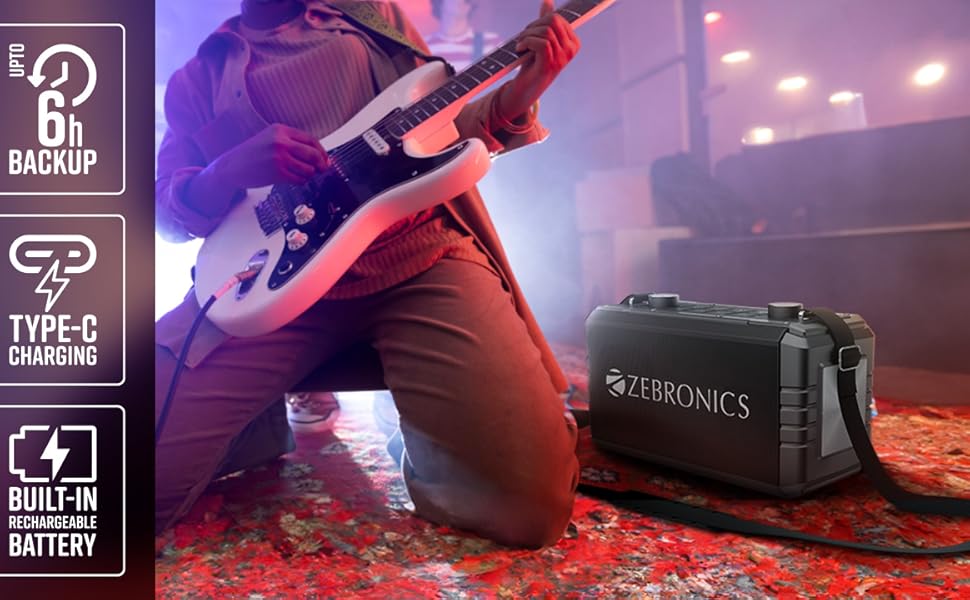
Billede 1: Forside view of the ZEBRONICS Music Bomb 2 Party Speaker, showcasing its grille and overall design.
Billede 2: Bagside view of the speaker, highlighting the Type-C charging port, USB, mSD, AUX, and microphone/guitar input jacks.

Image 3: Close-up of the top control panel, featuring bass and volume knobs, and media control buttons.
5. Opsætning
5.1 Opladning af højttaleren
Before first use, fully charge the speaker. Connect the provided Type-C charging cable to the speaker's charging port and the other end to a compatible USB power adapter (not included). The charging indicator will show the charging status.
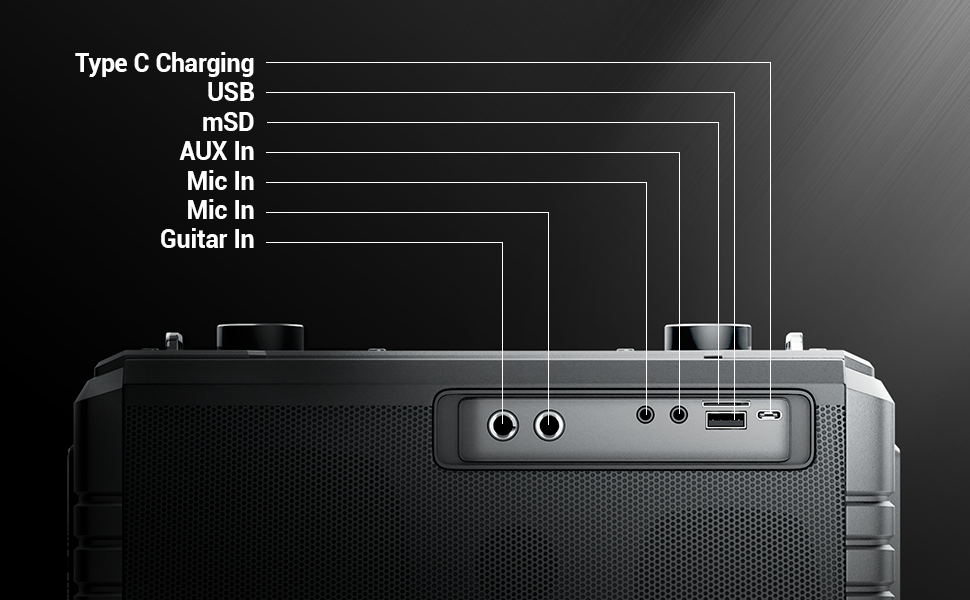
Image 4: Illustration of the speaker being charged via its Type-C port.
5.2 Tænd/sluk
Press and hold the power button on the control panel to turn the speaker on or off. A sound indicator will confirm the action.
6. Betjening
6.1 Bluetooth Connectivity (BT v5.1)
- Tænd højttaleren. Den vil automatisk gå i Bluetooth-parringstilstand.
- Enable Bluetooth on your mobile device and search for "ZEB-MUSIC BOMB 2".
- Select the speaker from the list to pair. A confirmation tone will sound upon successful connection.

Image 5: Visual representation of the speaker's Bluetooth 5.1 capability alongside other input options.
6.2 USB/mSD Playback
Insert a USB drive or mSD card (up to 32GB) into the respective port. The speaker will automatically detect and play audio files from the storage device. Use the media control buttons to navigate tracks.
6.3 AUX-indgang
Connect an external audio device using the provided 3.5mm AUX cable to the AUX input port. The speaker will switch to AUX mode automatically. Ensure the volume on both the speaker and the connected device is adjusted appropriately.
6.4 Guitarindgang
Connect your guitar to the 6.3mm guitar input port. Adjust the volume on your guitar and the speaker for optimal sound. This feature allows for direct amplification of your instrument.
Video 2: Demonstration of connecting a guitar to the ZEBRONICS Music Bomb 2 speaker and playing music.
6.5 Microphone Input (Karaoke)
Connect the wireless microphone or a wired microphone (6.3mm or 3.5mm) to the respective input ports. The speaker supports karaoke functionality, allowing you to sing along with your music. Adjust microphone volume and echo effects using the dedicated controls.

Billede 6: Detaljeret view of the speaker's control panel and the included wireless microphone.
6.6 TWS (ægte trådløs stereo) funktion
To experience True Wireless Stereo, you need two ZEBRONICS Music Bomb 2 speakers. Follow these steps:
- Tænd for begge højttalere.
- Sørg for, at ingen af højttalerne er tilsluttet nogen Bluetooth-enhed.
- On one speaker, press and hold the 'TWS' button. It will search for the other speaker.
- Once connected, a confirmation tone will sound, and the TWS indicator will light up.
- Now, connect your mobile device to one of the speakers via Bluetooth. Both speakers will play audio in stereo.
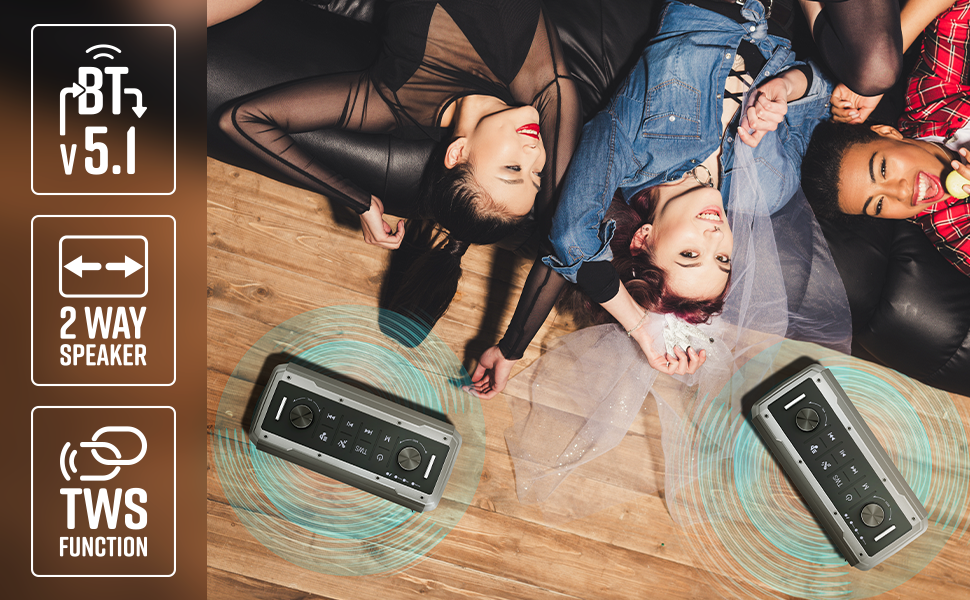
Image 7: Illustration of two Music Bomb 2 speakers paired using the TWS function for an immersive stereo audio experience.
7. Styringer
The speaker features a user-friendly control panel. Here's a breakdown of the main controls:
| Kontrollere | Fungere |
|---|---|
| Power knap | Press and hold to turn the speaker ON/OFF. Short press to change modes (BT/USB/mSD/AUX). |
| TWS knap | Press and hold to initiate TWS pairing with another Music Bomb 2 speaker. |
| M (Mode) -knap | Short press to switch between input modes (Bluetooth, USB, mSD, AUX). |
| Forrige nummer / Lydstyrke ned | Kort tryk for forrige nummer. Langt tryk for at sænke lydstyrken. |
| Afspil/pause | Kort tryk for at afspille eller sætte lyd på pause. |
| Næste spor / lydstyrke op | Kort tryk for næste nummer. Langt tryk for at øge lydstyrken. |
| Bassknop | Drej for at justere basniveauet. |
| Volumenknap | Drej for at justere masterlydstyrken. |
| Mikrofon volumenknap | Justerer lydstyrken på den tilsluttede mikrofon. |
| Ekko-knap | Justerer ekkoeffekten for mikrofonen. |
8. Vedligeholdelse
- Rensning: Brug en blød, tør klud til at rengøre højttaleren. Brug ikke slibende rengøringsmidler eller opløsningsmidler.
- Opbevaring: Opbevar højttaleren et køligt, tørt sted væk fra direkte sollys og ekstreme temperaturer.
- Batteripleje: For at forlænge batteriets levetid bør du undgå at aflade højttaleren helt ofte. Oplad den regelmæssigt, selvom den ikke er i brug i længere perioder.
9. Fejlfinding
| Problem | Løsning |
|---|---|
| Ingen strøm | Ensure the speaker is charged. Connect the Type-C charging cable and allow it to charge for some time before attempting to power on. |
| Ingen lyd | Check the volume levels on both the speaker and the connected device. Ensure the correct input mode is selected. Verify cable connections for AUX/Guitar inputs. |
| Bluetooth-parring mislykkes | Sørg for, at højttaleren er i parringstilstand. Deaktiver og genaktiver Bluetooth på din enhed. Flyt højttaleren tættere på din enhed. Ryd tidligere Bluetooth-forbindelser på din enhed. |
| Mikrofon virker ikke | Ensure the microphone is powered on (if wireless) and properly connected. Adjust the microphone volume and echo knobs. |
| Problemer med TWS-forbindelse | Ensure both speakers are not connected to any other Bluetooth device. Follow the TWS pairing steps carefully. |
10. Specifikationer
| Feature | Detalje |
|---|---|
| Udgangseffekt | 80W RMS |
| Bluetooth version | v5.1 |
| Tilslutningsmuligheder | Bluetooth, USB, mSD, AUX, 6.3mm Guitar Input, 6.3mm & 3.5mm Mic Inputs |
| Batterilevetid | Op til 10 timer (ved 50 % volumen) |
| Opladningstype | Type-C |
| Højttaler type | 2-vejs højttalersystem |
| Dimensioner (L x B x H) | 17.3 x 27.4 x 33.3 centimeter |
| Vægt | 4040 gram |
| Frekvensrespons | 20 Hz (minimum) |
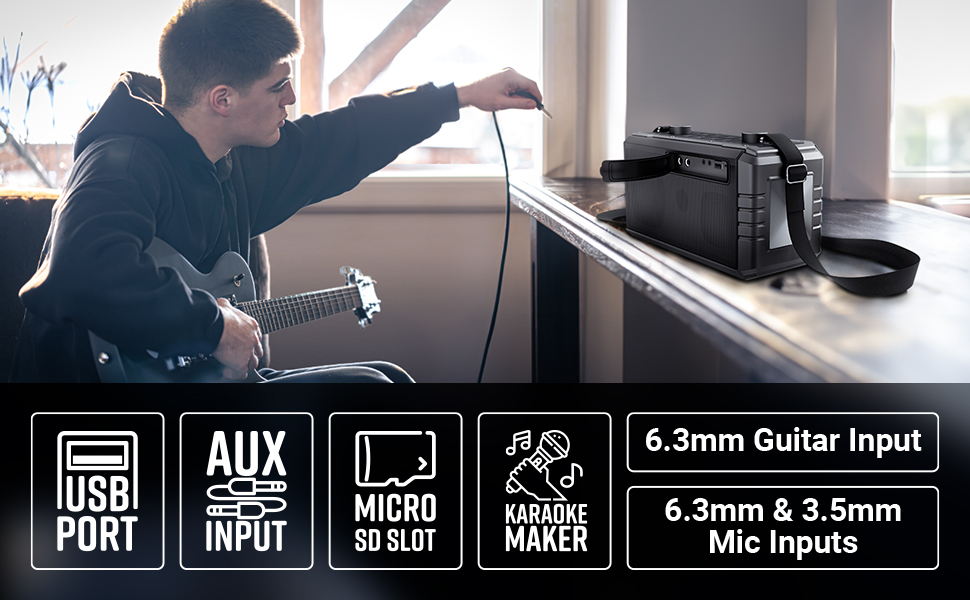
Image 8: Visual summary of the speaker's technical specifications.

Image 9: Diagram illustrating the length, width, and height of the ZEBRONICS Music Bomb 2 speaker.
11. Garanti og support
The ZEBRONICS Music Bomb 2 Party Speaker comes with a 1-year carry-in warranty to the service center. For warranty claims or technical support, please contact ZEBRONICS customer service. Keep your purchase receipt as proof of purchase.
Fabrikantens kontaktoplysninger: 13/7, Smith Road, Royapettah CHENNAI-600002, Zebronics India Private Limited
For mere information, besøg den officielle ZEBRONICS-butik på Amazon.