
1. Introduktion
This manual provides essential information for the safe and efficient use of your Philips 32E1N3100LA monitor. Please read these instructions carefully before operating the device and retain them for future reference.
The Philips 32E1N3100LA is a 32-inch Full HD (1920x1080) monitor featuring a VA panel, 75Hz refresh rate, and 1ms MPRT response time, designed for a clear and smooth visual experience. It includes built-in speakers and supports Adaptive Sync technology.

Front view of the Philips 32E1N3100LA monitor.
2. Sikkerhedsoplysninger
Always follow these basic safety precautions when using your monitor:
- Udsæt ikke skærmen for regn eller fugt.
- Åbn ikke skærmen casing. Der er ingen dele indeni, som kan serviceres af brugeren.
- Sørg for korrekt ventilation omkring skærmen.
- Brug kun den strømadapter, der følger med skærmen.
- Hold skærmen væk fra direkte sollys og varmekilder.
- Refer to the official "Safety Information (PDF)" document for comprehensive safety guidelines.
For detailed safety instructions, please consult the official safety document: Sikkerhedsoplysninger (PDF)
3. Opsætning
3.1 Udpakning
Carefully remove all components from the packaging. Ensure all items listed in the packing list are present and undamaged.
3.2 Samling af stativet
- Placer skærmen med forsiden nedad på en blød, ren overflade for at forhindre ridser.
- Fastgør stativets hals til skærmen med de medfølgende skruer.
- Fastgør basen til stativets hals.

Bag view af skærmen med stativet.
3.3 Tilslutningskabler
Tilslut de nødvendige kabler til skærmens bagporte:
- Strømkabel: Tilslut strømkablet til skærmens strømindgang og derefter til en jordet stikkontakt.
- Video kabel: Connect an HDMI cable from your computer's video output to the monitor's HDMI input. Alternatively, use a D-Sub (VGA) cable if your system supports it.

Rear ports of the monitor for power and video connections.
3.4 Kabelstyring
Utilize the integrated cable management feature on the stand to keep your workspace tidy.
Cable management feature on the monitor stand.
4. Betjening af monitoren
4.1 Tænd/sluk
Press the power button, usually located on the back or bottom edge of the monitor, to turn it on or off. The power LED will indicate the monitor's status.
4.2 On-Screen Display (OSD) menu
The monitor features a micro joystick control, typically located on the rear right side, for navigating the OSD menu. This allows you to adjust various settings.
4.2.1 Billedindstillinger
- Lysstyrke/kontrast: Adjust these settings to optimize image visibility.
- Farvetemperatur: Select predefined color modes or customize RGB levels.
- Lavblå tilstand: Reduces harmful blue light emissions for eye comfort during prolonged use.
- Flimmerfri teknologi: Minimizes screen flickering to reduce eye strain.

LowBlue Mode and Flicker-free technology for eye comfort.
4.2.2 Lydindstillinger
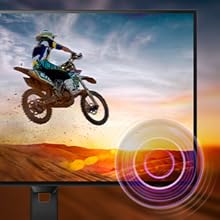
Adjust the volume of the built-in speakers through the OSD menu. An audio output jack is also available for connecting external headphones or speakers.

Monitor with built-in speakers.
4.3 Adaptive Sync (FreeSync)
This monitor supports Adaptive Sync technology, which synchronizes the display's refresh rate with your graphics card's frame rate. This helps eliminate screen tearing and stuttering for smoother gameplay and video playback. Ensure your graphics card supports FreeSync and that the feature is enabled in your graphics card settings and the monitor's OSD.

Adaptive Sync technology for smooth visuals.
5. Vedligeholdelse
5.1 Rengøring af skærmen
Tør forsigtigt skærmen af med en blød, fnugfri klud. Tør forsigtigt genstridige mærker afampen the cloth with a screen cleaner specifically designed for monitors. Do not spray cleaner directly onto the screen.
5.2 Rengøring af Casing
Brug en blød, tør klud til at tørre skærmen afasing. Undgå at bruge slibende rengøringsmidler eller opløsningsmidler.
5.3 Generel pleje
- Undgå at placere tunge genstande på skærmen eller dens kabler.
- Bloker ikke ventilationsåbninger.
- Tag stikket til skærmen ud af stikkontakten under tordenvejr eller når den ikke bruges i længere perioder.
6. Fejlfinding
Hvis du støder på problemer med din skærm, kan du se følgende almindelige problemer og løsninger:
| Problem | Mulig løsning |
|---|---|
| Ingen strøm | Ensure the power cable is securely connected to the monitor and a working electrical outlet. Check the power adapter. |
| Intet billede på skærmen | Verify the video cable (HDMI/D-Sub) is correctly connected to both the monitor and your computer. Ensure the correct input source is selected in the OSD menu. |
| Billedet er sløret eller forvrænget | Adjust the resolution settings on your computer to match the monitor's native resolution (1920x1080). Check video cable quality and connection. |
| Ingen lyd fra højttalerne | Check the volume settings in the OSD menu and on your computer. Ensure the audio source is correctly configured. |
| Adaptiv synkronisering virker ikke | Confirm your graphics card supports FreeSync and that it is enabled in both your graphics card control panel and the monitor's OSD settings. |
7. Specifikationer
| Feature | Detalje |
|---|---|
| Modelnummer | 32E1N3100LA/00 |
| Skærmstørrelse | 32 tommer |
| Paneltype | VA -panel |
| Opløsning | FHD 1080p (1920 x 1080) |
| Aspektforhold | 16:9 |
| Opdateringshastighed | 75 Hz |
| Svartid | 1 Millisecond (MPRT) |
| Kontrastforhold | 3000:1 |
| Lysstyrke | 300 cd/m² |
| Forbindelse | 1x HDMI 1.4, 1x D-Sub (VGA) |
| Lyd | Built-in Speakers, Audio Out |
| Adaptiv synkronisering | FreeSync |
| Strømforbrug | 30.5 watt |
| Dimensioner (DxBxH) | 25P x 72L x 52H cm |
| Vægt | 7 kilo |
| VESA Mount | Yes (Wall Mount Type) |
8. Garanti og support
8.1 Garantioplysninger
This Philips monitor comes with a limited warranty. For specific terms, conditions, and duration of your warranty, please refer to the documentation included with your product or visit the official Philips support webwebsted.
8.2 Kundesupport
For technical assistance, troubleshooting beyond this manual, or warranty claims, please contact Philips customer support. You can find contact information and additional resources on the official Philips webwebsted.
Additional detailed instructions are available in the official user manual: Brugsanvisning (PDF)