
1. Introduktion
Thank you for choosing the EasySMX T37 Wireless Switch Pro Controller. This manual provides detailed instructions for setting up, operating, maintaining, and troubleshooting your controller. Please read this manual carefully before use to ensure optimal performance and longevity of your device. This controller is compatible with Nintendo Switch, Switch Lite, and Switch OLED consoles.
2. Produktet er slutview
The EasySMX T37 is a wireless gamepad designed for an enhanced gaming experience on Nintendo Switch systems. It features an ergonomic design, dual turbo vibration, and 6-axis gyro motion control.

Billede 2.1: Forside view of the EasySMX T37 Wireless Switch Pro Controller, showcasing dens ergonomiske form og knaplayout.
3. Opsætning
3.1 Parring med Nintendo Switch
- Tænd din Nintendo Switch-konsol.
- Vælg HOME-menuen Controllere > Skift greb/rækkefølge.
- On the EasySMX T37 controller, press and hold the SYNC knap (located on the top edge of the controller) for 3 seconds until the LED indicators start flashing rapidly.
- Once the controller is successfully paired, the player LED(s) on the bottom of the controller will light up solid.
3.2 Opladning af controlleren
Connect the provided USB-C charging cable to the USB-C port on the controller and the other end to a USB power source (e.g., Switch dock, USB wall adapter, computer USB port). The LED indicators will show charging status and turn off when fully charged.
4. Betjeningsvejledning
4.1 Grundlæggende kontroller
The controller features standard button layouts for Nintendo Switch compatibility:
- A/B/X/Y-knapper: Handlingsknapper.
- D-Pad: Retningsbestemt input.
- Venstre/højre analoge pinde: Bevægelse og kamerakontrol.
- L/R/ZL/ZR-knapper: Skulder- og aftrækkerknapper.
- HJEM knap: Returns to the Switch HOME Menu.
- OPTAG-knap: Tager skærmbilleder.
- PLUS (+) / MINUS (-) Buttons: Start/vælg funktioner.

Image 4.1: A user holding the EasySMX T37 controller, demonstrating the comfortable grip and accessible button placement during gameplay.
4.2 Turbofunktion
The Turbo function allows for rapid, automatic pressing of a button, useful in action or arcade games.
- Aktivér Turbo: Press and hold the desired action button (A/B/X/Y/L/R/ZL/ZR), then press the Turbo-knap (T button). The button will now auto-fire.
- Juster turbohastighed: Mens du holder Turbo-knap, flytte Højre analog pind op eller ned to cycle through three speeds: 5 shots/s, 12 shots/s, and 20 shots/s.
- Deaktiver Turbo: Repeat the activation step (hold the action button, then press the Turbo button) or press and hold the Turbo-knap for 5 seconds to clear all Turbo settings.
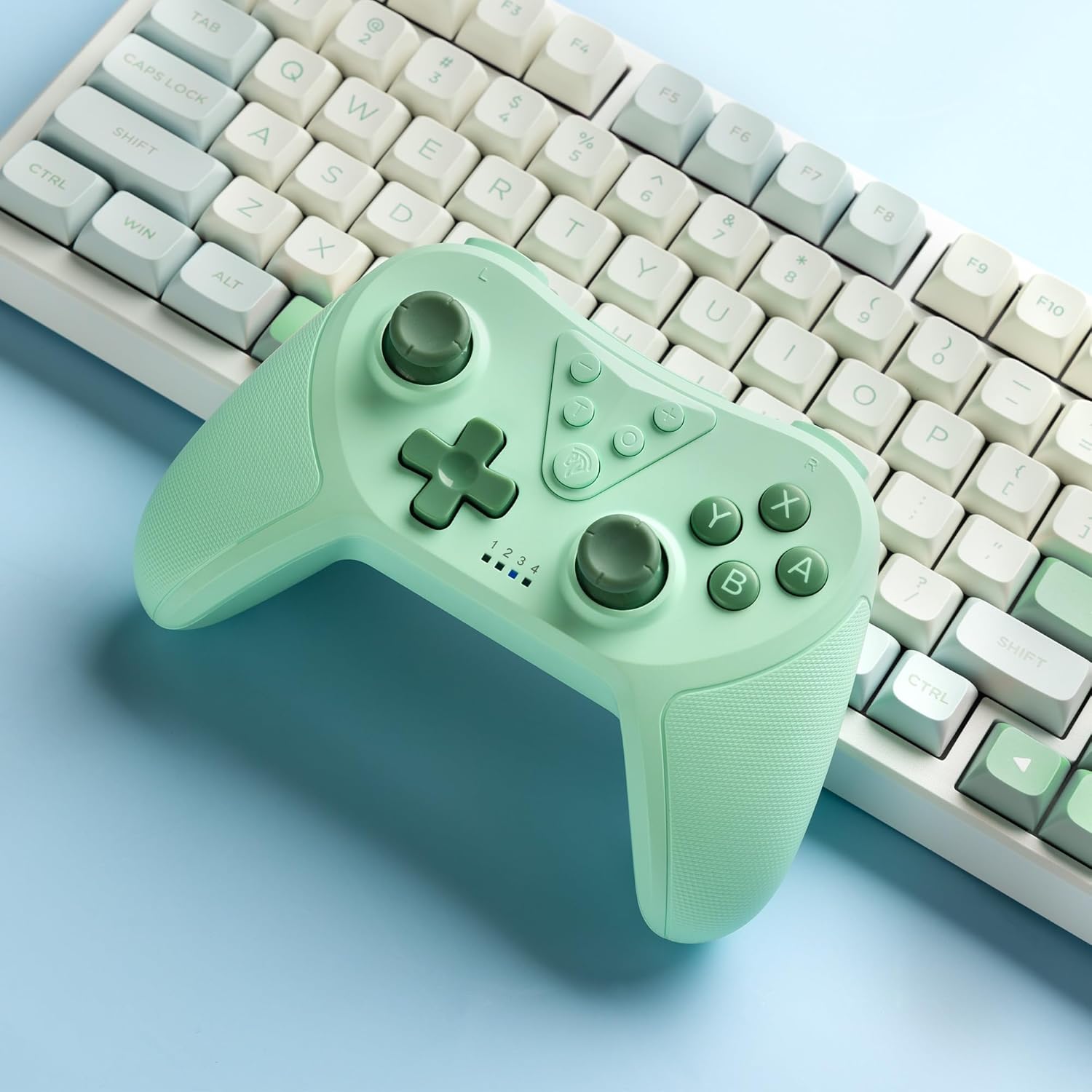
Image 4.2: Illustration of the Turbo function on the EasySMX T37 controller, showing the three adjustable speeds: 5, 12, and 20 shots per second.
4.3 Vibrationsjustering
The controller features dual motors for adjustable vibration feedback, enhancing immersion in games.
- Juster vibrationsintensitet: Tryk og hold på Turbo-knap, og flyt derefter Venstre analog pind op eller ned to cycle through four vibration levels: 0% (off), 30%, 70%, and 100%.

Image 4.3: Visual representation of the Dual Vibration feature on the EasySMX T37 controller, indicating four intensity levels from 0% to 100%.
4.4 6-akset gyro-bevægelseskontrol
The built-in 6-axis gyroscope provides precise motion sensing, allowing for intuitive control in games that support motion input.

Image 4.4: Illustration depicting the 6-Axis Gyro Motion Control feature of the EasySMX T37 controller, showing how it interacts with a game on the Nintendo Switch screen.
5. Vedligeholdelse
- Rensning: Brug en blød, tør klud til at rengøre controlleren. Undgå at bruge skrappe kemikalier eller slibende materialer.
- Opbevaring: Opbevar controlleren et køligt, tørt sted væk fra direkte sollys og ekstreme temperaturer.
- Batteripleje: For at forlænge batteriets levetid bør du undgå at aflade controlleren helt ofte. Oplad den regelmæssigt, selvom den ikke er i brug i længere perioder.
- Undgå dråber: Beskyt controlleren mod fald og stød, som kan beskadige de interne komponenter.
6. Fejlfinding
6.1 Controlleren opretter ikke forbindelse
- Sørg for, at controlleren er opladet.
- Bekræft, at Switch-konsollen er opdateret til den nyeste systemversion.
- Prøv at parre controlleren igen ved at følge trinnene i afsnit 3.1.
- If issues persist, try resetting the controller by inserting a thin object into the small reset hole (if present, usually on the back) for a few seconds.
6.2 Buttons Unresponsive or Lagging
- Sørg for, at controlleren er fuldt opladet.
- Move closer to the Switch console to ensure a strong wireless connection.
- Kontrollér for eventuelle fysiske forhindringer eller snavs omkring knapperne.
- Genpar controlleren.
6.3 Controlleren oplader ikke
- Sørg for, at USB-C-kablet er korrekt tilsluttet til både controlleren og strømkilden.
- Prøv at bruge et andet USB-C-kabel eller en anden strømadapter.
- Sørg for, at strømkilden er funktionel.
7. Specifikationer
- Model: T37
- Forbindelse: Trådløs (Bluetooth)
- Kompatibilitet: Nintendo Switch, Switch Lite, Switch OLED
- Funktioner: Dual Turbo Function, Adjustable Vibration, 6-Axis Gyro Motion Control, Ergonomic Design
- Product Identifier (ASIN): B0CTTWN84L
8. Garanti og support
For warranty information, technical support, or further assistance, please refer to the official EasySMX webwebstedet eller kontakt deres kundesupport direkte. Gem din købskvittering til garantikrav.