
1. Introduktion
Thank you for choosing the GEEKOM Mechanical Keyboard and Mouse Set. This manual provides detailed instructions for setting up, operating, and maintaining your new peripheral devices. Please read this manual thoroughly before use to ensure optimal performance and longevity of your product.
2. Pakkens indhold
Please check the package contents upon unboxing. If any items are missing or damaged, please contact GEEKOM customer support.
- GEEKOM Mechanical Keyboard
- GEEKOM Mouse
- USB Receiver (for wireless connection, if applicable)
- USB-C Charging Cable (for keyboard/mouse, if rechargeable)
- Brugervejledning (dette dokument)
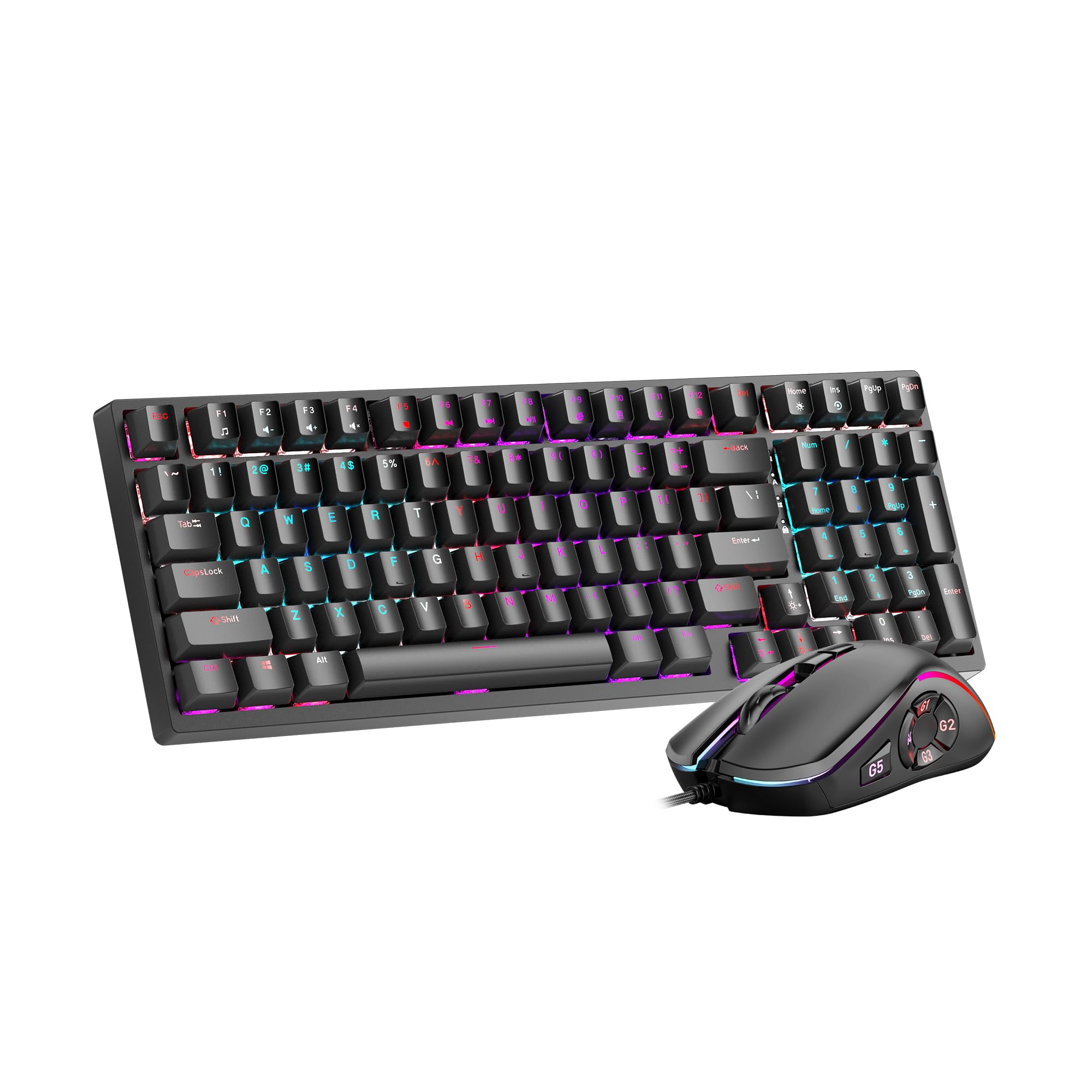
Image 1: GEEKOM Mechanical Keyboard and Mouse Set components.
3. Opsætning
3.1 Tilslutning af tastatur og mus
The GEEKOM Mechanical Keyboard and Mouse Set can be connected via a 2.4GHz wireless USB receiver or a wired USB connection, depending on the model variant. Please refer to your specific product's connection type.
3.1.1 Wireless Connection (2.4GHz USB Receiver)
- Locate the USB receiver, usually stored in a compartment on the mouse or keyboard.
- Sæt USB-modtageren i en ledig USB-port på din computer.
- Turn on the keyboard and mouse using their respective power switches. The devices should automatically connect to the receiver.
- If connection fails, press the pairing button (if available) on the keyboard/mouse and the receiver simultaneously.
3.1.2 Wired Connection (USB Cable)
- Connect the USB-C end of the provided cable to the keyboard/mouse.
- Tilslut USB-A-enden af kablet til en ledig USB-port på din computer.
- The devices will be recognized by your operating system automatically.
3.2 Driverinstallation
The GEEKOM Mechanical Keyboard and Mouse Set is typically plug-and-play, requiring no additional driver installation for basic functionality. For advanced features or customization, please visit the official GEEKOM website to download any optional software or drivers.
4. Betjeningsvejledning
4.1 Tastaturfunktioner
The mechanical keyboard offers a responsive typing experience. Specific functions may vary by model, but common features include:
- Standardnøgler: All standard alphanumeric and symbol keys.
- Funktionstaster (F1-F12): Often combined with the Fn key for multimedia controls (volume, play/pause, etc.) or system shortcuts. Refer to the keycap legends for specific functions.
- Baggrundsbelysning: Many mechanical keyboards feature adjustable backlighting. Use Fn + [Tast] combinations (e.g., Fn + Arrow keys, Fn + Ins/Del/Home/End) to change brightness, mode, or color.
- N-nøgleoverførsel (NKRO): Allows multiple key presses to be registered simultaneously, crucial for fast typing and gaming.
4.2 Musens funktioner
The mouse provides precise tracking and comfortable use. Key features typically include:
- Venstre/højre klik: Standard primary and secondary click functions.
- Scrollhjul: For vertical scrolling and often acts as a middle click button.
- DPI knap: (Dots Per Inch) Allows adjustment of mouse sensitivity on the fly. Press to cycle through different DPI settings.
- Sideknapper: Often programmable for forward/backward navigation in web browsers or custom functions in software.
5. Vedligeholdelse
Proper maintenance ensures the longevity and performance of your GEEKOM Mechanical Keyboard and Mouse Set.
5.1 Rengøring
- Tastatur:
- Frakobl tastaturet fra din computer.
- Use a can of compressed air to blow out dust and debris from between the keycaps.
- Tør tastaturerne og overfladen af med en blød, let fugtig klud.amp, fnugfri klud. Undgå for meget fugt.
- For deeper cleaning, keycaps can often be carefully removed using a keycap puller (not included) and cleaned separately. Ensure they are completely dry before reattaching.
- Mus:
- Frakobl musen fra din computer.
- Tør overfladen af med en blød, let fugtig kludamp, fnugfri klud.
- Clean the optical sensor on the underside with a dry cotton swab to ensure accurate tracking.
5.2 Opbevaring
When not in use for extended periods, store the keyboard and mouse in a dry, cool place away from direct sunlight and extreme temperatures.
6. Fejlfinding
If you encounter issues with your GEEKOM Mechanical Keyboard and Mouse Set, please refer to the following common solutions:
| Problem | Mulig årsag | Løsning |
|---|---|---|
| Keyboard/Mouse not responding (Wireless) | Lavt batteri; USB-modtager ikke tilsluttet; parringsproblem. | Charge devices; Ensure receiver is firmly plugged in; Re-pair devices (refer to Section 3.1.1). |
| Tastatur/mus svarer ikke (kablet) | Loose cable connection; Faulty USB port. | Ensure cable is firmly connected; Try a different USB port; Test with a different cable if possible. |
| Nøgler registreres ikke eller dobbelttastning | Dust/debris under keycap; Switch malfunction. | Clean under keycaps with compressed air (refer to Section 5.1); If issue persists, contact support. |
| Musemarkøren er uregelmæssig eller bevæger sig ikke | Snavset optisk sensor; Uegnet overflade; Lavt batteri. | Clean optical sensor (refer to Section 5.1); Use on a clean, opaque mouse pad; Charge mouse. |
| Baggrundsbelysningen virker ikke | Backlight turned off; Software issue. | Adjust backlight settings using Fn key combinations; Check for software updates. |
7. Specifikationer
The following are general specifications for the GEEKOM Mechanical Keyboard and Mouse Set. Specific details may vary slightly by production batch.
- Mærke: GEEKOM
- Model: Mekanisk tastatur og mus sæt
- Forbindelse: 2.4GHz Wireless (via USB Receiver) / Wired USB
- Tastaturtype: Mekanisk
- Musesensor: Optisk
- DPI Settings (Mouse): Adjustable (e.g., 800/1200/1600/2400 DPI)
- Batteri: Rechargeable Lithium-ion (for wireless models)
- Operativsystemkompatibilitet: Windows, macOS, Linux (grundlæggende funktionalitet)
- Pakkedimensioner: 50 x 15 x 5 cm
- Pakkevægt: 1 kg
- ASIN: B0CTSVD82J
- UPC/GTIN: 850055043657
8. Garanti og support
GEEKOM products are designed for reliability and performance. This product comes with a standard manufacturer's warranty. For detailed warranty terms and conditions, please refer to the warranty card included in your package or visit the official GEEKOM webwebsted.
For technical support, troubleshooting assistance, or warranty claims, please contact GEEKOM customer service through their official webwebstedet eller kontaktoplysningerne i din produktdokumentation.
Official GEEKOM Webwebsted: www.geekom.nl (Bemærk: Dette er en pladsholder URL. Please refer to your product packaging for the correct support webwebsted.)