
1. Produktet er slutview
The MERCUSYS MB130-4G is a powerful 4G LTE router designed to provide high-speed internet access using a SIM card. It supports dual-band Wi-Fi (2.4 GHz and 5 GHz) for flexible connectivity and allows up to 64 devices to connect simultaneously. This manual provides essential information for setting up, operating, maintaining, and troubleshooting your MB130-4G router.

Figur 1.1: The MERCUSYS MB130-4G router alongside its retail packaging, highlighting its key features such as 4G LTE connectivity and AC1200 Wi-Fi.

Figur 1.2: An illustrative diagram detailing the router's capabilities, including 4G LTE Cat 4 speeds up to 150 Mbps, dual-band Wi-Fi up to 1200 Mbps, support for up to 64 connected devices, SIM card plug & play, app management, and WAN connection availability.
2. Opsætningsvejledning
Follow these steps to set up your MERCUSYS MB130-4G router and get connected to the internet.
2.1 Pakkens indhold
Før du begynder, skal du sørge for, at alle varer er til stede i kassen:
- AC1200 Wireless Dual Band 4G LTE Router (MB130-4G)
- Strømadapter
- RJ45 Ethernet-kabel
- Hurtig installationsvejledning
2.2 Hardwareinstallation
- Indsæt SIM-kort: Locate the SIM card slot on the router. Gently insert your standard Nano SIM card into the slot until it clicks into place. Ensure the SIM card is inserted correctly according to the diagram on the router or in the Quick Installation Guide.
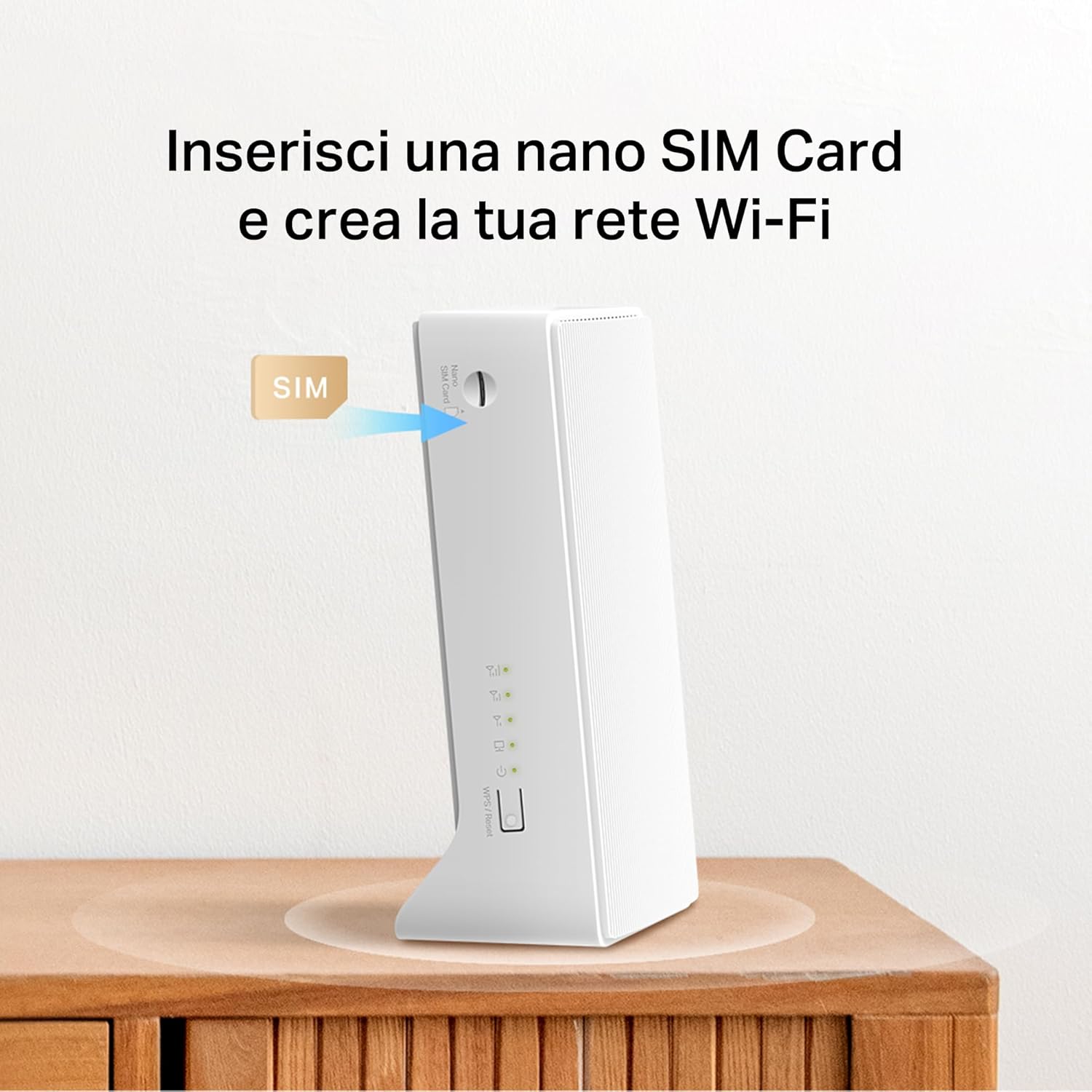
Figur 2.1: Illustration demonstrating the correct method for inserting a Nano SIM card into the designated slot on the MERCUSYS MB130-4G router.
- Tilslut strøm: Connect the provided power adapter to the router's power port and then plug the other end into a standard electrical outlet. The router will power on automatically.
- Valgfrit: Tilslut eksterne antenner: If you have external 4G/3G antennas (sold separately), connect them to the antenna connectors on the back of the router to improve signal reception.

Figur 2.2: En detaljeret view of the rear panel of the MERCUSYS MB130-4G router, showing the LAN/WAN ports, power input, and the two external antenna connectors.
- Vent på forbindelse: The router will automatically detect the SIM card and attempt to establish a 4G LTE connection. The LED indicators on the front panel will show the status of the connection. Refer to the Quick Installation Guide for specific LED behavior.
3. Betjeningsvejledning
Once your router is set up, you can begin using its features.
3.1 Tilslutning til Wi-Fi
The router broadcasts two Wi-Fi networks: 2.4 GHz and 5 GHz. You can find the default Wi-Fi name (SSID) and password printed on a label on the bottom of the router.
- Åbn dine Wi-Fi-indstillinger på din enhed (smartphone, tablet, bærbar computer).
- Select the Wi-Fi network name (SSID) corresponding to your router.
- Indtast Wi-Fi-adgangskoden, når du bliver bedt om det.
3.2 Internethastighed og ydeevne
The MB130-4G supports 4G LTE Cat 4, providing download speeds of up to 150 Mbps and upload speeds of up to 50 Mbps. The dual-band Wi-Fi offers up to 300 Mbps on 2.4 GHz and up to 867 Mbps on 5 GHz for a combined AC1200 speed.

Figur 3.1: A visual representation of the router's high-speed capabilities, showing 4G LTE download speeds and the distribution of Wi-Fi bandwidth across 2.4 GHz and 5 GHz bands for various activities like HD streaming and gaming.
3.3 Avancerede funktioner
- MERCUSYS App Management: Download the MERCUSYS app from your device's app store to manage your router settings, monitor connected devices, and set up guest networks from your smartphone.
- Gæstenetværk: The router supports separate 2.4GHz and 5GHz guest networks, allowing visitors secure internet access without sharing your main network password.
- WAN-forbindelse: The router includes a LAN/WAN port, enabling it to function as a traditional Wi-Fi router by connecting to a fixed broadband line (e.g., DSL/Fiber modem) if 4G LTE is not available or preferred.

Figur 3.2: An illustration demonstrating the flexibility of the MB130-4G router, showing its ability to connect to a wired Ethernet WAN source as a backup or primary internet connection.
4. Vedligeholdelse
Korrekt vedligeholdelse sikrer din routers levetid og optimale ydeevne.
- Rensning: Brug en blød, tør klud til at rengøre routerens yderside. Brug ikke flydende rengøringsmidler eller aerosoler.
- Ventilation: Ensure the router is placed in a well-ventilated area, away from direct sunlight and heat sources, to prevent overheating.
- Firmwareopdateringer: Periodically check the MERCUSYS official website or the MERCUSYS app for available firmware updates. Keeping your firmware up-to-date can improve performance, add new features, and enhance security.
5. Fejlfinding
Hvis du støder på problemer med din router, kan du prøve følgende fejlfindingstrin:
5.1 Ingen internetforbindelse
- Tjek SIM-kort: Sørg for, at SIM-kortet er korrekt isat og aktivt.
- Tjek signalstyrke: Verify the 4G LTE signal strength indicated by the router's LEDs. If the signal is weak, try repositioning the router or connecting external antennas.
- Genstart routeren: Disconnect the power adapter, wait for 10 seconds, and then reconnect it.
- Tjek APN-indstillinger: Få adgang til routerens web management interface or MERCUSYS app to verify that the APN settings are correct for your mobile network provider.
5.2 Problemer med Wi-Fi-forbindelse
- Bekræft Wi-Fi-adgangskode: Sørg for, at du indtaster den korrekte Wi-Fi-adgangskode.
- Tjek Wi-Fi-signal: Flyt tættere på routeren for at forbedre Wi-Fi-signalstyrken.
- Genstart enheder: Restart the device you are trying to connect to Wi-Fi.
- Skift Wi-Fi-kanal: If you experience interference, try changing the Wi-Fi channel in the router's settings.
5.3 Router Not Responding
- Power Cycle: Unplug the power adapter from the router, wait for 30 seconds, and then plug it back in.
- Gendan fabriksindstillinger: If the issue persists, you may need to perform a factory reset. Locate the Reset button (usually a small pinhole) on the router. With the router powered on, use a paperclip to press and hold the Reset button for about 5-10 seconds until the LEDs flash. This will restore the router to its default factory settings, and you will need to reconfigure it.
6. Specifikationer
| Feature | Beskrivelse |
|---|---|
| Modelnavn | MB130-4G |
| Produktdimensioner | 3.74 x 2.4 x 6.54 tommer |
| Varens vægt | 7.7 ounce |
| Forbindelsesteknologi | LTE, Wi-Fi |
| Standard for trådløs kommunikation | 802.11ac |
| Frekvensbåndsklasse | Dobbeltbånd (2.4 GHz og 5 GHz) |
| 4G LTE-hastighed | Up to 150 Mbps (Download), 50 Mbps (Upload) |
| Wi-Fi hastighed | AC1200 (300 Mbps på 2.4 GHz, 867 Mbps på 5 GHz) |
| Kompatible enheder | Personlig computer, smartphone, tablet |
| Speciel funktion | Stråleformning |
| Farve | Hvid |
7. Garanti og support
For detailed warranty information and technical support, please refer to the Quick Installation Guide included with your product or visit the official MERCUSYS webwebsted. Det webWebstedet indeholder typisk ofte stillede spørgsmål, driverdownloads og kontaktoplysninger til kundeservice.
Fabrikant: Mercusys
Dato først tilgængelig: 5. december 2024