
Indledning
This manual provides detailed instructions for the safe and effective operation of your NBD K100 4K Digital Camera. Please read this manual thoroughly before using the camera and retain it for future reference.
The NBD K100 is a versatile digital camera designed for high-quality photography and video recording, featuring 4K video resolution, 56MP photo capability, and a 180-degree rotatable screen for various shooting angles, including vlogging.
Sikkerhedsoplysninger
- Udsæt ikke kameraet for vand eller fugt.
- Undgå at tabe kameraet eller udsætte det for hårde stød.
- Hold kameraet væk fra direkte sollys og høje temperaturer.
- Brug kun de angivne batterier og tilbehør.
- Forsøg ikke selv at skille kameraet ad eller reparere det. Kontakt kundesupport for at få hjælp.
- Opbevares utilgængeligt for børn.
Pakkens indhold
Bekræft at alle varer er til stede i pakken:
- NBD K100 4K Digital Camera
- To genopladelige batterier
- 32 GB hukommelseskort
- USB kabel
- Strømadapter
- Håndledsrem
- Brugervejledning (dette dokument)
Kameraet er slutview
Gør dig bekendt med kameraets komponenter.
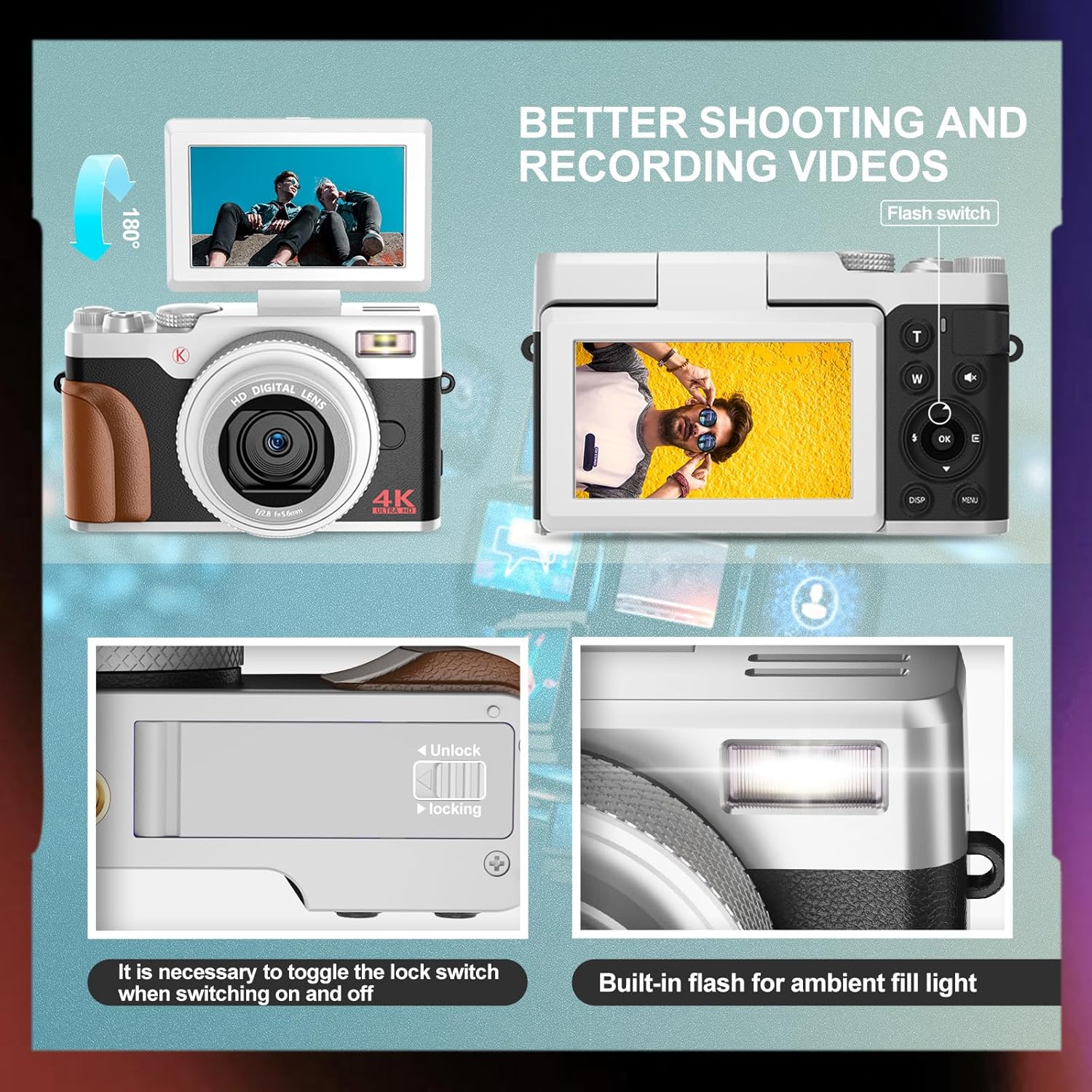
Billede: Forside og bagside view of the NBD K100 camera, highlighting the adjustable screen, built-in flash, and the battery compartment lock switch.
- Linse: Den primære optiske komponent til billedoptagelse.
- Indbygget flash: Giver belysning under forhold med svagt lys.
- 3-inch Rotatable Screen: Viser live view, menus, and playback. Can rotate 180 degrees.
- Udløserknap: Half-press to activate autofocus, full-press to capture.
- Mode Dial/Rotary Button: Selects shooting modes (Photograph, Video, Slow Motion, Time-lapse, Continuous, Self-timer, Special Effects, Beauty Mode).
- Zoom Lever (T/W): Adjusts 16X digital zoom.
- Menu-knap: Giver adgang til kameraindstillinger.
- OK knap: Bekræfter valg.
- Retningsknapper: Naviger i menuer og indstillinger.
- Batterirum: Indeholder det genopladelige batteri.
- Hukommelseskortslot: For inserting the SD card.
- USB-port: Til opladning og dataoverførsel.
Opsætning
1. Batteriinstallation
- Find batteridækslet i bunden af kameraet.
- Slide the lock switch to the "Unlock" position and open the cover.
- Insert the rechargeable battery according to the polarity indicators (+/-).
- Close the battery compartment cover and slide the lock switch to the "Lock" position.
2. Installation af hukommelseskort
The camera supports SD cards up to 32GB (a 32GB card is included).
- Open the memory card slot cover, usually located near the battery compartment or on the side.
- Insert the SD card with the metal contacts facing the correct direction (refer to the diagram inside the slot). Push until it clicks into place.
- Luk dækslet til hukommelseskortet.
3. Opladning af batteriet
The camera comes with two rechargeable batteries.
- Connect the camera to the power adapter using the provided USB cable.
- Sæt adapteren i en stikkontakt.
- Opladningsindikatorlampen lyser. Den slukker eller skifter farve, når opladningen er færdig.
- Kameraet understøtter optagelse under opladning.
Betjening af kameraet
1. Tænd/sluk
- For at tænde skal du trykke på og holde tænd/sluk-knappen nede.
- For at slukke skal du trykke på tænd/sluk-knappen igen og holde den nede.
2. Basic Photography and Video Recording

Image: Visual representation of the camera's 4K video and 56MP photo capabilities, demonstrating 16X digital zoom and the difference between 2K and 4K output.
- Vælg tilstand: Rotate the mode dial (Quick Rotary Button) to select between "Photograph" (still images) or "Video" (video recording).

Image: Diagram illustrating the Quick Rotary Button and its various shooting modes, including Photograph, Video, Slow Motion, and Special Effects.
- Fokus: Half-press the Shutter button to activate autofocus. The camera will adjust focus automatically.
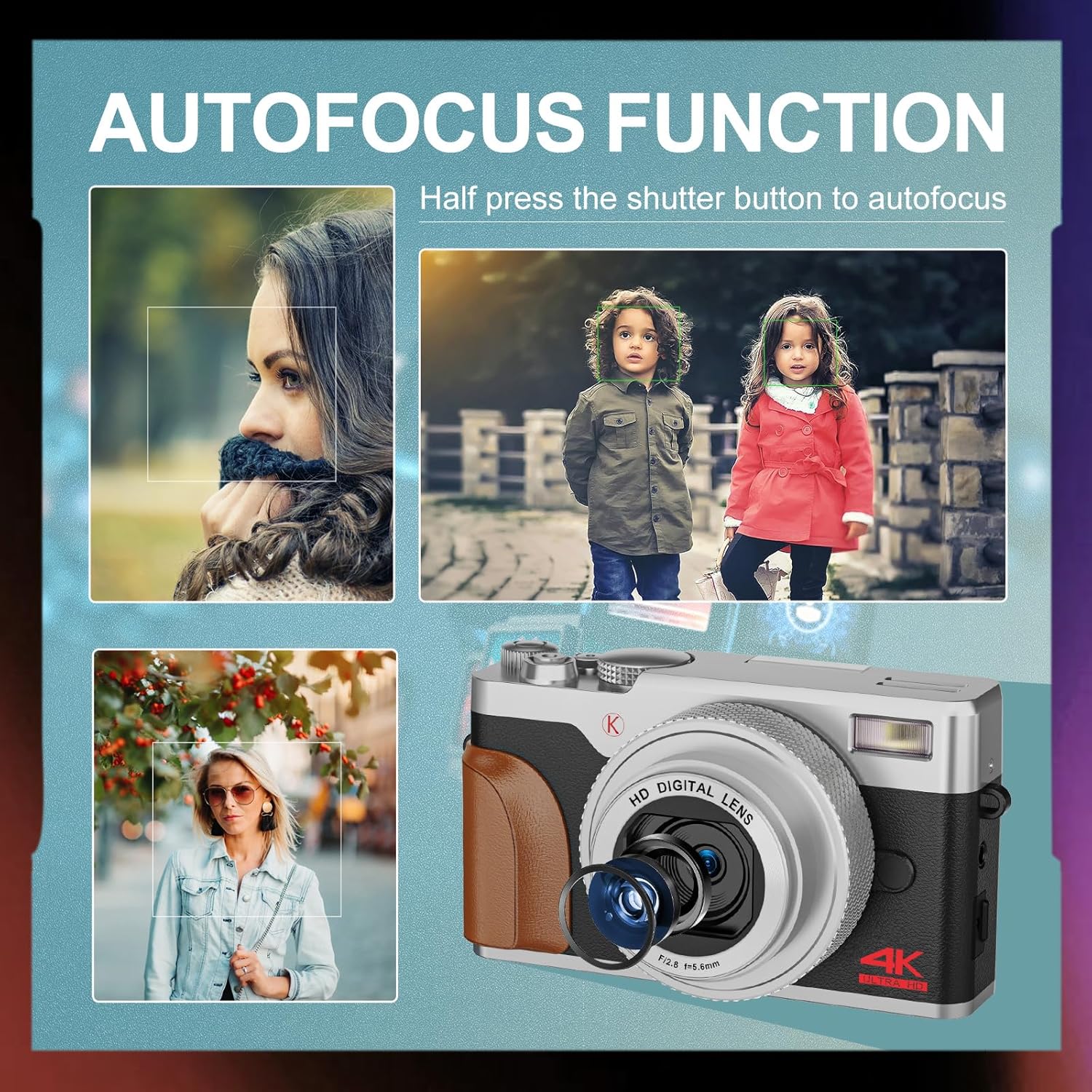
Billede: Eksamples of autofocus in action, showing subjects in sharp focus against blurred backgrounds, with the camera lens visible.
- Fange: Full-press the Shutter button to take a photo or start/stop video recording.
- Zoom: Use the T (Telephoto) and W (Wide) levers to adjust the 16X digital zoom.
- Blitz: The built-in flash can be used for low-light conditions. Access flash settings via the menu or a dedicated button (if available).
3. Avancerede optagelsestilstande
The Quick Rotary Button allows selection of various advanced modes:
- Slow motion video: Optager video med højere billedhastighed til afspilning i slowmotion.
- Time-lapse-video: Captures a series of images over time and compiles them into a video.
- Kontinuerlig optagelse: Tager flere billeder i hurtig rækkefølge.
- Selvudløser: Delays the shutter release for self-portraits or group photos.
- Specialeffekter (filtereffekter): Applies creative filters to your photos.
- Skønhedsfototilstand: Enhances portraits.
4. Adjustable Screen
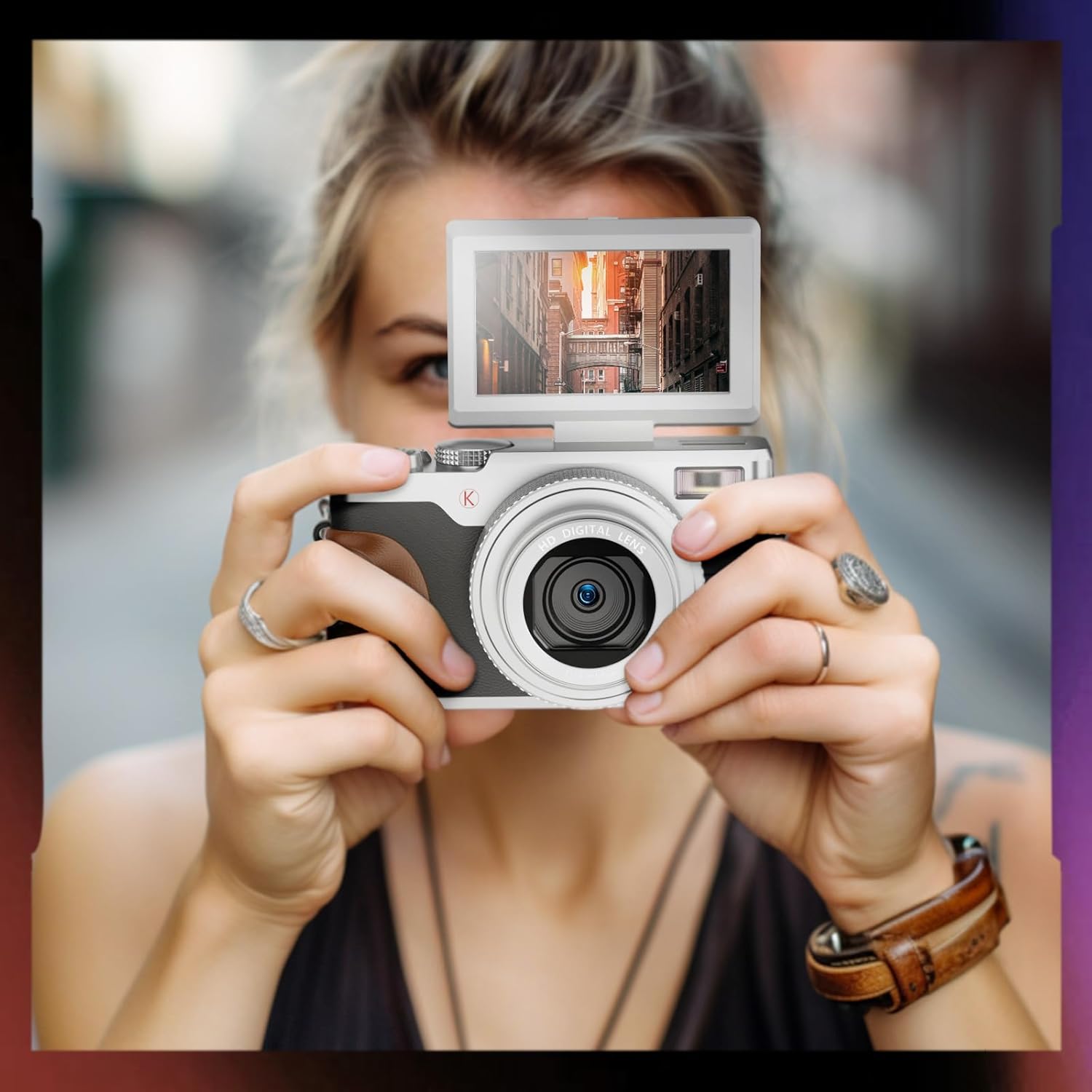
Image: A user holding the NBD K100 camera, demonstrating the 180-degree rotatable screen flipped upwards, ideal for selfies or vlogging.
The 3-inch screen can rotate 180 degrees, allowing for flexible viewing angles. This is particularly useful for vlogging, selfies, or shooting from high or low perspectives.
5. Webcam Funktion

Image: The NBD K100 camera shown in two scenarios: recording video and functioning as a webcam connected to a laptop and a tablet for video conferencing.
Connect the camera to your computer via the USB cable to use it as a webcam for video calls or live streaming. Ensure the camera is powered on and select the webcam option if prompted.
Opretholdelse
- Rengøring af linsen: Use a soft, lint-free cloth specifically designed for camera lenses. Do not use abrasive materials or harsh chemicals.
- Rengøring af skærmen: Wipe gently with a microfiber cloth.
- Opbevaring: When not in use for extended periods, remove the battery and store the camera in a cool, dry place.
- Batteripleje: Recharge batteries regularly, even if not in use, to maintain their lifespan. Avoid fully discharging batteries.
Fejlfinding
| Problem | Løsning |
|---|---|
| Kameraet tænder ikke. | Ensure the battery is correctly inserted and fully charged. Try using the second battery. |
| Kan ikke tage billeder/optage videoer. | Check if the memory card is inserted correctly and has sufficient free space. Ensure the battery has enough charge. |
| Billeder er slørede. | Ensure autofocus is engaged (half-press shutter). Clean the lens if dirty. Check lighting conditions. |
| Flash is not working. | Check flash settings in the menu. Ensure the flash is not physically obstructed. |
| Kameraet genkendes ikke af computeren. | Ensure the USB cable is securely connected. Try a different USB port or cable. Restart both camera and computer. |
Specifikationer
| Feature | Detalje |
|---|---|
| Mærke | NBD |
| Modelnavn | K100 (A1) |
| Fotosensor opløsning | 56 Megapixels (48 Megapixels in some specifications) |
| Videooptagelsesopløsning | 4K (3840x2160) |
| Digital Zoom | 16X |
| Skærmstørrelse | 3.0 inches (180-degree rotatable) |
| Sensor Technology | CMOS |
| Forbindelsesteknologi | USB |
| Understøttelse af hukommelseskort | SD-kort (op til 32 GB inkluderet) |
| Batteritype | Lithium Ion |
| Display Type | OLED (Color Screen) |
| Autofokus | Ja |
| Indbygget Flash | Ja |
| Billedstabilisering | Ingen |
| Lydoptagelse | Ja |
Garanti og support
For warranty information and technical support, please refer to the warranty card included in your package or visit the official NBD website. If you encounter any issues not covered in this manual, please contact NBD customer service for assistance.
Kontaktoplysninger: Please refer to your product packaging or the manufacturer's webhjemmeside for de mest opdaterede kontaktoplysninger.


