
Indledning
This manual provides essential information for the installation, operation, and maintenance of your NVIDIA GeForce RTX 4070 Super 12GB GDDR6X Graphics Card. Designed for high-performance gaming and creative applications, this graphics card leverages the NVIDIA Ada Lovelace architecture to deliver advanced features such as fast ray tracing and AI-accelerated performance with DLSS 3. Please read this guide thoroughly before proceeding with installation or use.
Opsætning
1. Udpakning og pakkeindhold
Carefully open the packaging and ensure all components are present. The package typically includes:
- NVIDIA GeForce RTX 4070 Super Graphics Card
- 16-pin (12VHPWR) to 2x 8-pin PCIe power adapter cable
- Hurtig startvejledning
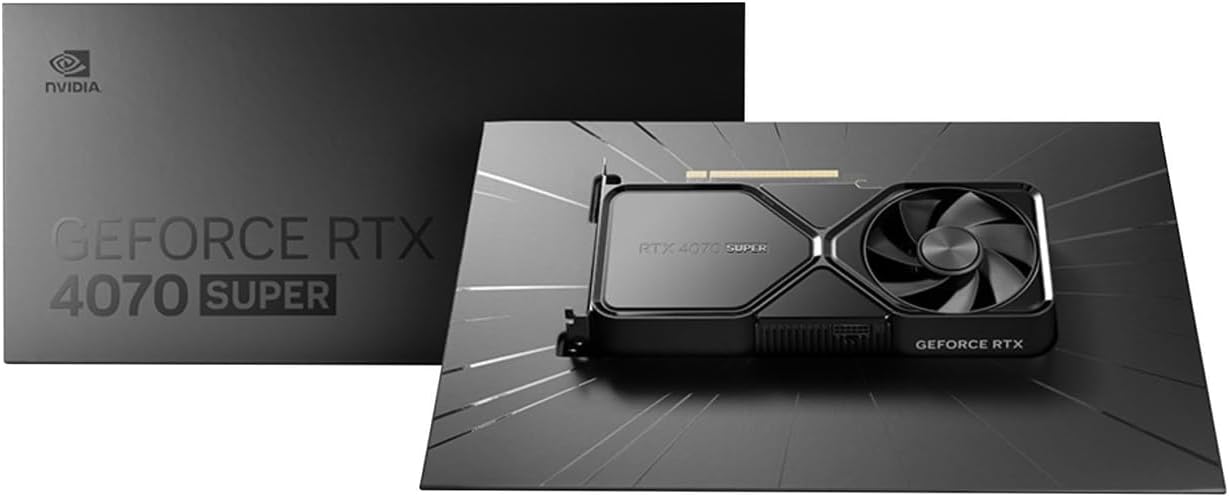
Image: Contents of the NVIDIA GeForce RTX 4070 Super package, including the graphics card and adapter cable.
2. Fysisk installation
Before installation, ensure your computer is powered off and unplugged from the wall outlet. Ground yourself to prevent electrostatic discharge.
- Åbn din computerkasse.
- Find et ledigt PCI Express x16-slot på dit bundkort.
- Fjern metaldækslet/-dækslerne til det/de valgte PCIe-stik.
- Juster forsigtigt grafikkortet med PCIe-stikket, og tryk det godt ned, indtil det sidder ordentligt fast. Der kan muligvis høres et klik.
- Secure the graphics card to the case with the retaining screw(s).

Billede: Forfra vinklet view of the NVIDIA GeForce RTX 4070 Super Graphics Card, showing its cooling fans and shroud.
3. Strømtilslutning
The GeForce RTX 4070 Super requires external power. Use the provided 16-pin (12VHPWR) to 2x 8-pin PCIe power adapter cable.
- Connect the 16-pin end of the adapter cable to the power connector on the graphics card. Ensure it is fully seated.
- Connect two separate 8-pin PCIe power cables from your power supply unit (PSU) to the two 8-pin connectors on the adapter cable. Do not use a single PCIe cable with a pigtail connector for both 8-pin inputs, as this may lead to insufficient power delivery and potential system instability or damage.
4. Driver installation
After physical installation and power connection, close your computer case and reconnect all peripherals. Power on your computer.
- Once your operating system loads, navigate to the official NVIDIA webwebsted (www.nvidia.com/drivers).
- Select your product type (GeForce), product series (GeForce RTX 40 Series), product (GeForce RTX 4070 Super), and your operating system.
- Download the latest recommended drivers.
- Run the installer and follow the on-screen instructions to complete the driver installation. A system restart may be required.
Drift
The NVIDIA GeForce RTX 4070 Super is designed to enhance your computing experience, particularly for gaming, content creation, and professional applications. Once drivers are installed, the card will be fully operational.
- Spil: Experience high frame rates and advanced visual fidelity in modern games with features like Ray Tracing and DLSS 3. Ensure your games are updated to support these technologies for optimal performance.
- Indholdsoprettelse: Accelerate video editing, 3D rendering, and graphic design tasks with NVIDIA's powerful GPU architecture and dedicated AI cores.
- Skærmtilslutning: Connect your monitor(s) to the DisplayPort or HDMI outputs on the graphics card. The card supports multiple displays and high resolutions up to 7680x4320.
Opretholdelse
1. Rensning
Regelmæssig rengøring hjælper med at opretholde optimal ydeevne og forlænger levetiden på dit grafikkort.
- Periodically use compressed air to remove dust from the fans and heatsink fins. Ensure the computer is powered off and unplugged before cleaning.
- Hold forsigtigt på ventilatorbladene for at forhindre dem i at rotere hurtigt under rengøring, hvilket kan beskadige lejerne.
- Avoid using liquid cleaners directly on the card.
2. Driveropdateringer
NVIDIA regularly releases new drivers that include performance optimizations, bug fixes, and support for new games and applications. It is recommended to keep your drivers updated.
- Use the NVIDIA GeForce Experience software (if installed) to automatically check for and install driver updates.
- Alternatively, manually check for updates on the NVIDIA webwebsted (www.nvidia.com/drivers).
Fejlfinding
Hvis du støder på problemer med dit grafikkort, kan du overveje følgende almindelige fejlfindingstrin:
| Spørgsmål | Mulig løsning |
|---|---|
| Ingen skærmudgang |
|
| Systemustabilitet eller nedbrud |
|
| Poor gaming performance |
|
If issues persist, consult the NVIDIA support webwebsted eller kontakt deres kundeservice.
Specifikationer
Key technical specifications for the NVIDIA GeForce RTX 4070 Super Graphics Card:
- Grafisk coprocessor: NVIDIA GeForce RTX 4070 SUPER
- Mærke: NVIDIA
- Graphics RAM Size: 12 GB
- GPU-urhastighed: 2.48 GHz
- Video Output Interface: DisplayPort, HDMI
- Graphics RAM Type: GDDR6X
- Kompatible enheder: Stationær, bærbar
- Maksimal skærmopløsning: 7680x4320
- Grafikkort interface: PCI Express
- Hukommelsesurets hastighed: 21 GHz
- Modelnavn: GeForce RTX 4070 SUPER
- UPC: 812674025575

Billede: Top view of the NVIDIA GeForce RTX 4070 Super Graphics Card, highlighting its cooling design.
Garanti og support
Garantioplysninger
NVIDIA graphics cards typically come with a limited manufacturer's warranty. The duration and terms of the warranty may vary by region and retailer. Please retain your proof of purchase for warranty claims. For detailed warranty information, refer to the official NVIDIA webwebstedet eller den dokumentation, der følger med dit produkt.
Kundesupport
For technical assistance, driver downloads, or further information, please visit the official NVIDIA support resources:
- NVIDIA-understøttelse Webwebsted: www.nvidia.com/support
- Driverdownloads: www.nvidia.com/drivers