
1. Introduktion
This manual provides detailed instructions for the proper use, setup, operation, and maintenance of your Muddy Laser Rangefinder 500 Yard (Model: MUD-LR500). Please read this manual thoroughly before using the device to ensure optimal performance and safety.
The Muddy LR500 Laser Range Finder is designed for accurate distance measurement, featuring 5x magnification and a 500-yard range detection capability. It is built to withstand various environmental conditions with an IPX7 waterproof rating. Users can select between yards and meters for measurement units. Key functionalities include a battery indicator, low reflection mode, and scan mode, all contributing to quick and precise target ranging.
2. Produktet er slutview
2.1 Nøglefunktioner
- 500-yard Range: Capable of measuring distances up to 500 yards.
- 5X Magnification: Provides clear and magnified views of distant targets.
- 24mm Lens: Ensures sufficient light gathering for bright images.
- IPX7 Waterproof Rating: Designed to withstand immersion in water, offering robust protection against the elements.
- Battery Indicator: Displays current battery level.
- Low Reflection Mode: Improves accuracy in challenging light conditions.
- Scan Mode: Allows for continuous measurement as you pan across multiple targets.
- Unit Switching: Easily switch between yards and meters.
- Power Source: Operates on 2 AAA batteries (not included).
2.2 Komponenter
Familiarize yourself with the main components of your Muddy LR500 Laser Rangefinder:

This image shows the Muddy LR500 Laser Rangefinder from a front-side angle, highlighting the objective lens, laser aperture, and the "LR 500" model designation. The Muddy brand logo is visible on the top surface.

Dette billede giver en direkte front view of the Muddy LR500 Laser Rangefinder, clearly showing the objective lens and the laser aperture. The device's compact and ergonomic design is also visible.
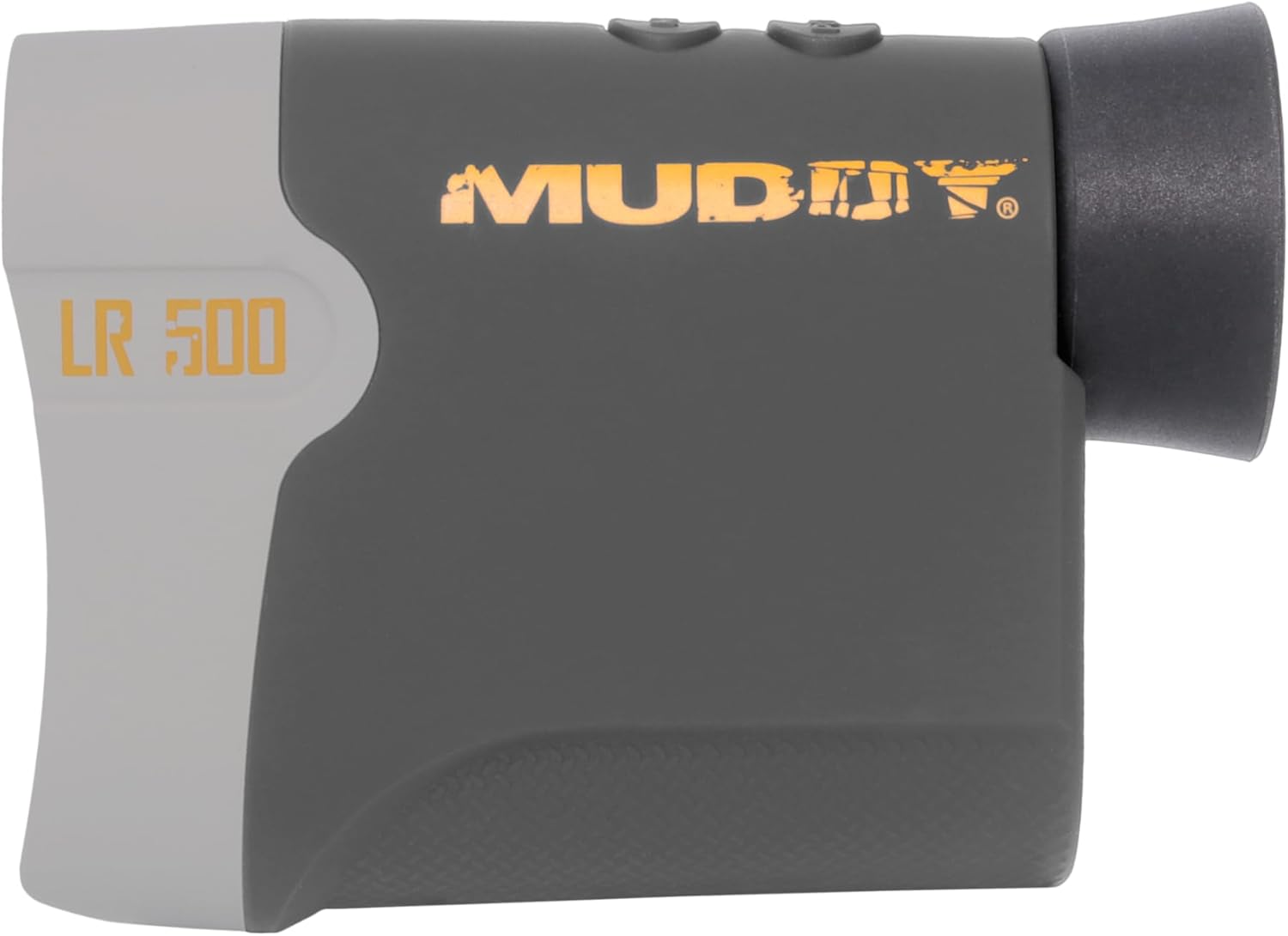
This image displays the Muddy LR500 Laser Rangefinder from a side perspective, showing the eyepiece, control buttons on the top, and the overall profile of the device. The "LR 500" model text is visible on the side.
- Okular: For viewmålet og displayet.
- Objektiv linse: The front lens that gathers light from the target.
- Laserblænde: Emits and receives the laser beam for distance measurement.
- Tænd/sluk-/måleknap: Aktiverer enheden og starter målingerne.
- Mode knap: Skifter mellem forskellige måletilstande og indstillinger.
- Batterirum: Located on the side, holds the AAA batteries.
- Remløkke: Til fastgørelse af en håndledsrem eller et nøglesnor.
3. Opsætning
3.1 Batteriinstallation
- Locate the battery compartment cover on the side of the rangefinder.
- Skub eller oplås dækslet for at åbne rummet.
- Isæt to (2) AAA-batterier, og sørg for korrekt polaritet (+/-) som angivet i batterirummet.
- Luk batteridækslet ordentligt, indtil det klikker på plads.
Note: Batteries are not included with the rangefinder. Use new, high-quality alkaline AAA batteries for best performance.
4. Betjeningsvejledning
4.1 Tænd/sluk
- For at tænde enheden skal du trykke på Tænd/sluk-knap once. The display will illuminate.
- The device will automatically power off after approximately 30 seconds of inactivity to conserve battery life.
4.2 Changing Measurement Units (Yards/Meters)
- With the device powered on, press and hold the Mode knap i cirka 3 sekunder.
- The unit of measurement (Y or M) displayed in the viewfinder will change. Release the button when your desired unit is shown.
4.3 Single Measurement Mode
- Tænd for afstandsmåleren.
- Kig gennem okularet og ret sigtet mod det ønskede mål.
- Tryk på Tænd/sluk-knap once. The measured distance will be displayed in the viewfinderen.
4.4 Scanningstilstand
Scan mode allows for continuous measurement as you pan across multiple targets or a moving target.
- Tænd for afstandsmåleren.
- Tryk og hold på Tænd/sluk-knap.
- While holding the button, slowly pan the rangefinder across your desired area or target. The distance readings will update continuously in the display.
- Slip Tænd/sluk-knap for at stoppe scanningen.
4.5 Low Reflection Mode
This mode is designed to provide more accurate readings in conditions where the target has low reflectivity, such as dark, non-reflective surfaces.
- To activate Low Reflection Mode, cycle through the modes using the Mode knap until the corresponding indicator appears in the display (refer to your device's specific display icons).
- Once activated, proceed with single or scan measurements as described above.
5. Vedligeholdelse
5.1 Rengøring
- Linser: Use a soft, clean optical cloth to gently wipe the lenses. Do not use abrasive materials or harsh chemicals. A lens cleaning solution designed for optics can be used sparingly if needed.
- Legeme: Tør afstandsmålerens hus af med en blød, tør klud.amp klud. Undgå at bruge opløsningsmidler eller stærke rengøringsmidler.
5.2 Opbevaring
- Når enheden ikke er i brug i længere perioder, skal batterierne fjernes for at forhindre lækage og beskadigelse af den.
- Opbevar afstandsmåleren et køligt, tørt sted, væk fra direkte sollys og ekstreme temperaturer.
- Keep the device in its protective case (if included) to prevent scratches and impacts.
6. Fejlfinding
| Problem | Mulig årsag | Løsning |
|---|---|---|
| Enheden tænder ikke. |
|
|
| Unøjagtige eller inkonsistente aflæsninger. |
|
|
| Skærmen er svag eller flimrer. |
|
|
7. Specifikationer
| Feature | Detalje |
|---|---|
| Mærke | MUDRET |
| Modelnummer | MUD-LR500 |
| Måleområde | 500 yards |
| Forstørrelse | 5x |
| Objektiv linsediameter | 24 mm |
| Vandmodstandsniveau | IPX7 (vandtæt) |
| Strømkilde | 2 x AAA alkaliske batterier (medfølger ikke) |
| Produktdimensioner | 1 cm L x 1 cm B x 1 cm H (omtrentligt) |
| Varens vægt | 2.97 pund |
| Farve | Multi |
| Materiale | Blanding |
| Sport | Bueskydning |
| UPC | 888151024829 |
| Fabrikant | GSM udendørs |
8. Garanti og support
8.1 Garantioplysninger
The Muddy Laser Rangefinder 500 Yard is covered by a manufacturer's warranty. For specific details regarding warranty coverage, terms, and conditions, please refer to the documentation provided with your product or visit the official Muddy Outdoors website. The warranty description is generally "See Manufacturer".
8.2 Kundesupport
If you encounter any issues or have questions not addressed in this manual, please contact Muddy Outdoors customer support. You can typically find contact information on the official Muddy Outdoors webhjemmeside eller gennem din forhandler.
For more information about Muddy products, visit the Muddy Store on Amazon.