
1. Introduktion
Thank you for choosing the Micool BT-X Bluetooth V5.3 Clip-On Wireless Headphones. This manual provides essential information for setting up, operating, and maintaining your headphones to ensure optimal performance and longevity. Please read this manual thoroughly before first use and retain it for future reference.
2. Pakkens indhold
- Micool BT-X Wireless Headphones (Left and Right)
- Opladningsetui
- USB-C ladekabel
- Brugermanual
3. Produktet er slutview
The Micool BT-X headphones are designed for comfort and high-quality audio, featuring an open-ear design with earhooks. They incorporate Bluetooth 5.3 technology for stable connections and 28mm speakers for clear stereo sound and powerful bass. Four integrated microphones enhance call clarity by reducing ambient noise.

Image: Micool BT-X Headphones and Charging Case

Image: Internal structure highlighting the 28mm neodymium magnetic horn for enhanced sound quality.

Image: User demonstrating clear call functionality with Micool BT-X headphones, featuring 4 microphones for noise cancellation.
4. Getting Started: First Use and Pairing
4.1 Indledende opsætning
Before first use, ensure you remove the charging protection insulation film from both earbuds. This film prevents charging during shipping.
Video: Demonstrates removing the charging protection insulation film and initiating Bluetooth pairing for first-time use.
4.2 Bluetooth -parring
- Ensure the headphones are fully charged and the insulation film has been removed.
- Open the charging case lid. The headphones will automatically enter Bluetooth pairing mode, indicated by a green light flashing intermittently on the earbuds.
- Aktiver Bluetooth på din enhed (smartphone, tablet, bærbar computer).
- Søg efter available Bluetooth devices and select 'Micool BT-X' from the list.
- Once connected, the green light on the earbuds will stop flashing, indicating successful pairing.
The headphones will automatically reconnect to the last paired device when removed from the charging case and within range.
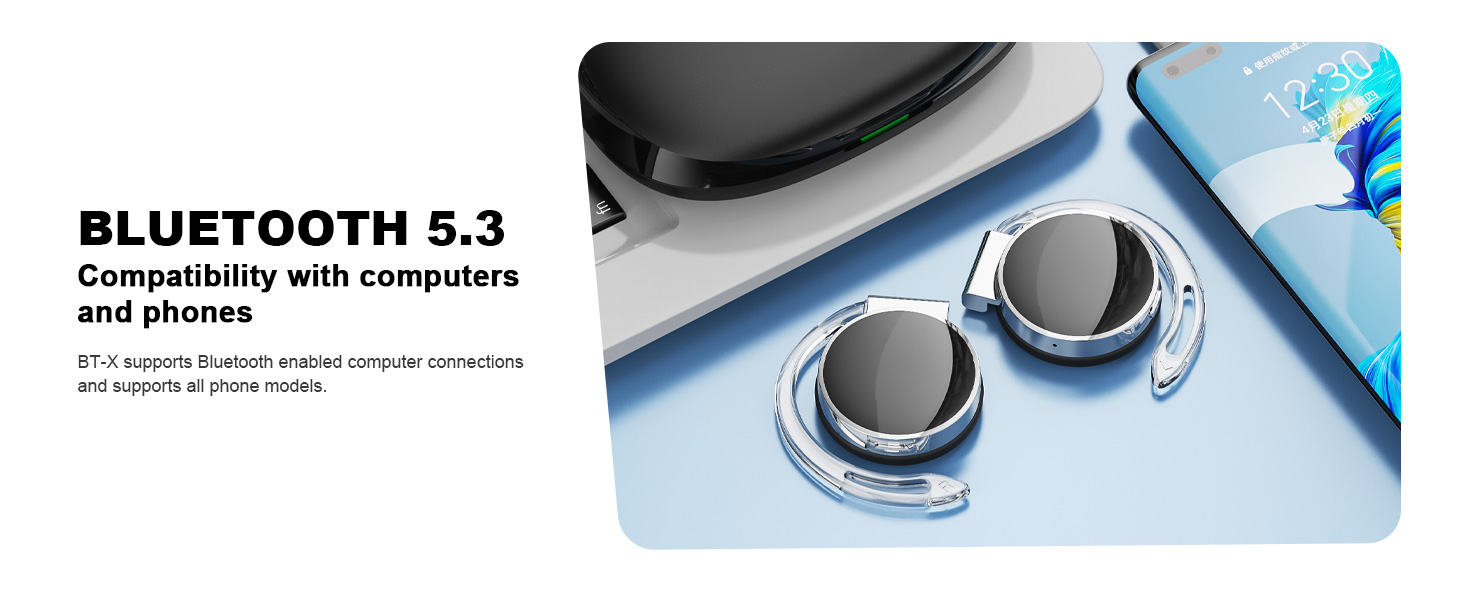
Image: Micool BT-X headphones demonstrating compatibility with various devices including laptops and smartphones via Bluetooth 5.3.
5. Brug af hovedtelefoner
For optimal sound and comfort, wear the headphones correctly as shown below:

Image: Step-by-step guide on how to wear the Micool BT-X headphones.
- Trin 1: Separate the earhooks at a 30-degree angle.
- Trin 2: Rotate the earhook along the inside of your ear to the bottom.
- Trin 3: Press the headphones gently until they feel secure on your ears.
- Trin 4: Adjust for a comfortable and stable fit. The sponge earmuffs are designed for comfort during extended wear.
6. Betjeningsvejledning
The Micool BT-X headphones feature multi-function buttons on each earbud for easy control.
6.1 Musikkontrol
- Afspil/pause: Tryk enkeltvis på multifunktionsknappen på begge øretelefoner.
- Næste sang: Dobbelttryk på multifunktionsknappen på den højre øreprop.
- Forrige sang: Dobbelttryk på multifunktionsknappen på den venstre øreprop.
- Lydstyrke op: Tryk tre gange på multifunktionsknappen på den højre øreprop.
- Skrue ned for lyden: Tryk tre gange på multifunktionsknappen på den venstre øreprop.
6.2 Opkaldskontrol
- Besvar/afslut opkald: Tryk enkeltvis på multifunktionsknappen på begge øretelefoner.
- Afvis opkald: Tryk og hold multifunktionsknappen på begge øretelefoner nede i 2 sekunder.
6.3 Stemmeassistent
- Aktiver stemmeassistent: Tryk og hold multifunktionsknappen på begge øretelefoner nede i 3 sekunder.
7. Opladning
The Micool BT-X headphones offer extended battery life with their charging case.
- Headphone Battery Life: Up to 15 hours of music playback on a single full charge.
- Samlet batterilevetid med etui: The charging case provides approximately 3 additional full charges, extending total listening time up to 42 hours.
- Opladning af etuiet: Connect the provided USB-C cable to the charging port on the case and a power source. The battery indicator on the case will show the charging status and remaining battery capacity.
- Opladning af hovedtelefoner: Placer hovedtelefonerne i opladningsetuiet. De vil automatisk begynde at oplade.

Image: Visual representation of the extended battery life for Micool BT-X headphones and their charging case.
8. Specifikationer
| Feature | Specifikation |
|---|---|
| Mærke | Micool |
| Modelnummer | BT-X |
| Bluetooth version | 5.3 |
| Forbindelsesteknologi | Trådløs |
| Øreplacering | On Ear |
| Batteriets gennemsnitlige levetid | 15 Hours (Headphones), 42 Hours (with Charging Case) |
| Kontroltype | Stemmekontrol |
| Kontrolmetode | Tryk, stemme |
| Audio driver type | Dynamisk driver (28 mm højttalere) |
| Mikrofoner | 4 (with Noise Cancelling) |
| Kompatible enheder | Mobiltelefoner, tablets, bærbare computere, stationære computere |
9. Fejlfinding
- Kan ikke parres med enhed:
Ensure the headphones are charged and the insulation film is removed. Turn off Bluetooth on other nearby devices. Restart your device and try pairing again. If issues persist, reset the headphones (refer to manufacturer's webwebsted for specifikke nulstillingsinstruktioner, hvis de ikke findes i manualen). - Ingen lyd eller lav lydstyrke:
Check the volume levels on both your device and the headphones. Ensure the headphones are properly connected to your device. Try playing audio from a different application or device. - Intermitterende forbindelse:
Ensure there are no obstructions between the headphones and your device. Stay within the Bluetooth range (up to 10 meters). Avoid environments with strong electromagnetic interference. - Hovedtelefoner oplader ikke:
Verify the USB-C cable is securely connected to both the charging case and the power source. Ensure the headphones are correctly seated in the charging case. Check the charging case's battery level.
10. Sikkerhedsoplysninger
- Udsæt ikke hovedtelefonerne eller opladningsetuiet for ekstreme temperaturer, fugtighed eller væsker.
- Undgå at tabe, støde eller skille produktet ad.
- Brug kun det medfølgende opladningskabel eller et certificeret USB-C-kabel til opladning.
- Clean the headphones with a soft, dry cloth. Do not use harsh chemicals.
- Langvarig lytning ved høj lydstyrke kan forårsage høreskader. Juster lydstyrken til et sikkert niveau.
- Be aware of your surroundings when using headphones, especially in traffic or hazardous situations.
11. Garanti og support
Micool products come with a standard warranty. For detailed warranty information, product support, or service inquiries, please refer to the official Micool webwebstedet eller kontakt kundeservice via din købsplatform.
Micool is committed to providing 24-hour after-sales service for all purchased items.
Webwebsted: Visit the Micool Store on Amazon