
1. Introduktion
The Foscam FNA108HE is an 8-channel Network Video Recorder (NVR) designed for surveillance systems. It supports up to 8 PoE (Power over Ethernet) IP cameras, allowing for simplified installation with power and data transmission over a single Ethernet cable. This NVR records video at up to 8MP resolution per channel and utilizes H.264+ video compression for efficient storage. It offers continuous, motion-detection, and scheduled recording options, and supports a hard drive up to 16TB (not included) for extensive storage. View and manage your surveillance system locally via HDMI/VGA monitor or remotely through a web interface.
2. Pakkens indhold
- Foscam FNA108HE 8-Channel PoE NVR
- Strømadapter
- USB-mus
- Ethernet kabel
- Hurtig startvejledning
- Mounting Screws for HDD (Hard Disk Drive not included)
3. Produktet er slutview
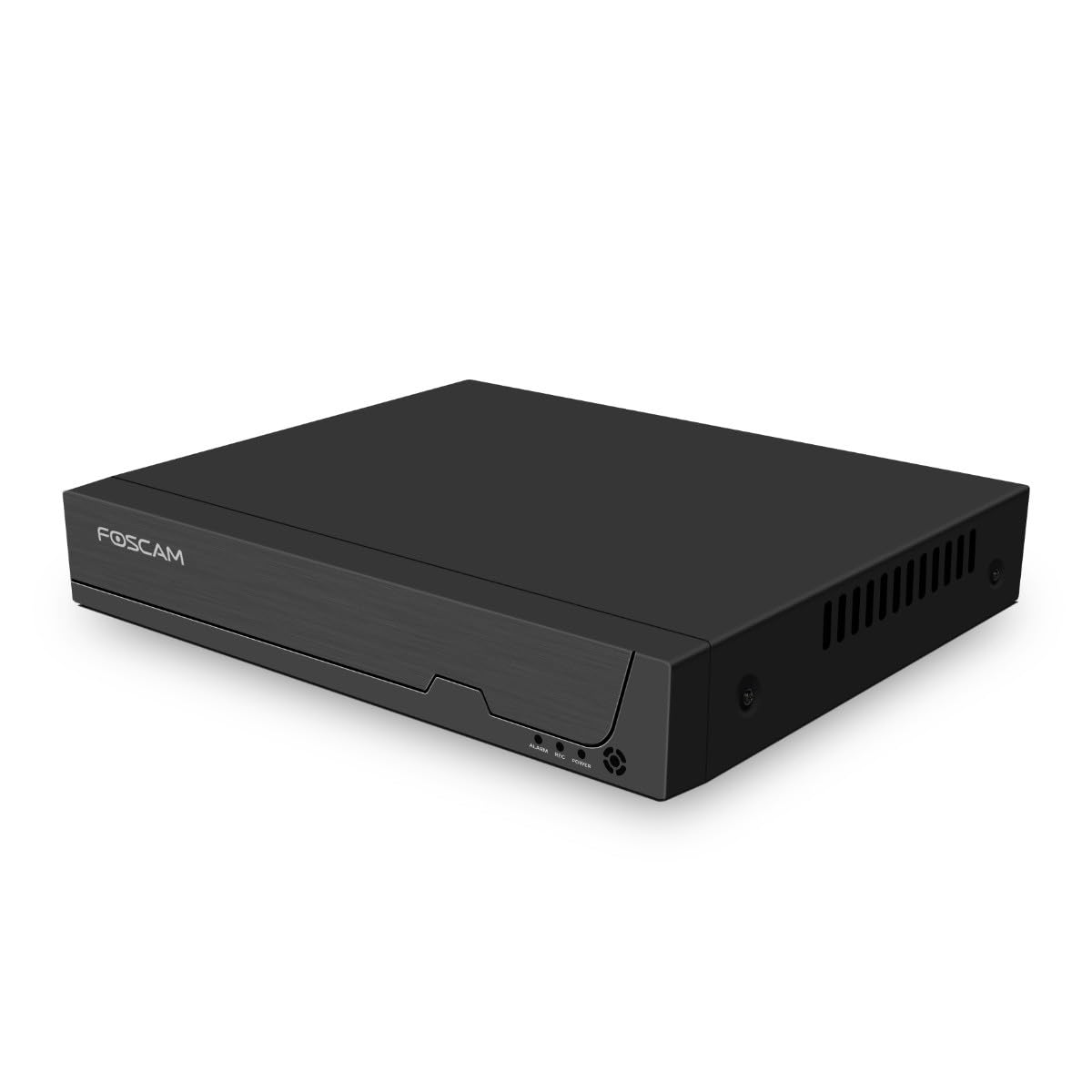
Figur 3.1: Frontpanel
This image shows the front of the Foscam FNA108HE NVR, featuring the Foscam logo on the left and indicator lights (ALARM, REC, POWER) on the right, along with a navigation button.

Figur 3.2: Vinklet View
An angled perspective of the Foscam FNA108HE NVR, highlighting its compact design and the Foscam branding.

Figur 3.3: Bagpanel
This image displays the rear panel of the Foscam FNA108HE NVR, showing various ports including the power switch, DC 48V power input, 8 PoE ports, LAN port, A-OUT (audio output), VGA port, HD-OUT (HDMI port), and two USB ports.
3.1 Frontpanelindikatorer
- MAGT: Angiver, at NVR'en er tændt.
- REC: Flashes when video is being recorded.
- ALARM: Illuminates when an alarm event (e.g., motion detection) is triggered.
3.2 Porte på bagpanelet
- TÆND/SLUK -kontakt: Tænder eller slukker NVR'en.
- DC 48V: Strømindgang til NVR'en.
- PoE-porte (1-8): Connect PoE IP cameras. These ports provide both power and data.
- LAN-port: Forbinder NVR'en til dit lokale netværk/router for internetadgang og fjernbetjening viewing.
- A-OUT (Audio Output): Connects to an external speaker for audio output.
- VGA port: Connects to a VGA monitor for local display.
- HD-OUT (HDMI Port): Connects to an HDMI monitor or TV for local display.
- USB-porte (x2): Connect a USB mouse for local control and for USB backup devices.
4. Opsætning
4.1 Hard Drive Installation (Optional, HDD not included)
For video recording, a 3.5-inch SATA hard drive is required. Ensure the NVR is powered off before installation.
- Skru af og fjern topdækslet på NVR'en.
- Tilslut SATA-data- og strømkablerne fra NVR'en til harddisken.
- Fastgør harddisken til NVR-kabinettet med de medfølgende skruer.
- Sæt topdækslet på igen, og fastgør det med skruer.
4.2 Hardwareforbindelse
- Connect your PoE IP cameras to the PoE ports (1-8) on the NVR's rear panel using Ethernet cables.
- Tilslut en skærm til NVR'ens HD-OUT (HDMI) eller VGA-port.
- Connect the USB mouse to one of the NVR's USB ports.
- Tilslut NVR'ens LAN-port til din router eller netværksswitch med et Ethernet-kabel.
- Connect the power adapter to the DC 48V input on the NVR and then plug it into a power outlet.
- Press the ON/OFF switch to power on the NVR.
5. Betjening
5.1 Initial Setup and Access
Upon first boot, the NVR will guide you through an initial setup wizard (password creation, network settings, etc.). You can access the NVR interface locally via the connected monitor and mouse, or remotely via a web browser på en computer, der er tilsluttet det samme netværk.
5.2 Live View
After logging in, the NVR will display the live video feeds from connected cameras. You can switch between single-camera view, multikameragitter view, and customize the display layout.
5.3 Optagelsestilstande
The NVR supports the following recording modes:
- Kontinuerlig optagelse: Records 24/7 without interruption.
- Optagelse af bevægelsesdetektering: Optager kun, når kameraerne registrerer bevægelse.
- Planlagt optagelse: Records according to a predefined schedule (e.g., specific hours of the day).
Configure these settings in the NVR's menu under 'Record' or 'Schedule'.
5.4 Afspilning
Til review optaget footage:
- Access the 'Playback' menu on the NVR interface.
- Vælg det/de ønskede kamera(er) og dato-/tidsinterval.
- Use the timeline to navigate through recordings and play back events.
5.5 Fjernadgang
Sådan får du fjernadgang til NVR:
- Ensure the NVR is connected to the internet.
- Configure network settings (e.g., port forwarding) on your router if necessary, or use Foscam's cloud service/P2P feature if available.
- Use the Foscam web interface or mobile application to view live feeds and manage settings from anywhere.
6. Vedligeholdelse
6.1 Harddiskstyring
Regularly check the status of your hard drive in the NVR's storage settings. If the hard drive is new or has issues, it may need to be formatted through the NVR interface. Ensure sufficient free space for continuous recording.
6.2 firmwareopdateringer
Tjek regelmæssigt den officielle Foscam-udbyder website for firmware updates. Keeping your NVR's firmware updated ensures optimal performance, security, and access to new features. Follow the instructions provided with the firmware update carefully.
7. Fejlfinding
- Ingen videovisning: Check HDMI/VGA cable connections, ensure monitor is on and set to correct input. Verify NVR is powered on.
- Cameras Not Showing: Ensure cameras are properly connected to PoE ports. Check camera power and network status. Verify camera IP addresses are within the NVR's range.
- Ingen optagelse: Confirm a hard drive is installed and formatted. Check recording schedules and motion detection settings. Ensure HDD has free space.
- Problemer med fjernadgang: Verify NVR has internet access. Check network settings, port forwarding, or P2P status. Ensure correct login credentials.
- NVR tænder ikke: Check power adapter connection and power outlet. Ensure the ON/OFF switch is in the 'ON' position.
8. Specifikationer
| Feature | Specifikation |
|---|---|
| Modelnummer | FNA108HE |
| Mærke | Foscam |
| Antal kanaler | 8 |
| Maks. lagerkapacitet | 16 TB (Hard Drive not included) |
| Videokomprimering | H.264 + |
| Video input type | PoE IP-kamera |
| Video output | HDMI, VGA |
| Lydudgang | A-UD |
| USB-porte | 2 |
| Forbindelsesteknologi | HDMI, USB, VGA, Ethernet (LAN, PoE) |
| Kompatible enheder | Camera, Smartphone, Television |
| Varens vægt | 880 gram |
| Tilgængelighed af reservedele | 1 år |
9. Garanti og support
This Foscam NVR (Model FNA108HE) typically comes with a manufacturer's warranty. Spare parts are available for 1 year. For detailed warranty information, technical support, or service inquiries, please refer to the official Foscam webwebstedet eller kontakt deres kundesupport direkte. Gem din købskvittering til garantikrav.