Indledning
The Ace3ds X is a versatile flashcart designed to enable the playback of NDS games on various Nintendo handheld consoles, including 3DS, 2DS, DSi, DS Lite, and DS. It features a unique switch mechanism to toggle between DS mode for game playback and ntrboothax mode for advanced system modifications. This manual provides essential information for setting up, operating, and maintaining your Ace3ds X.
Pakkens indhold
Kontroller venligst, at alle nedenstående varer er inkluderet i din pakke:
- Ace3ds X Cartridge (x1)
- USB MicroSD Card Reader (x1)
- Small Magnet (x1)
- BANQ 32GB MicroSD (TF) Card (x1)
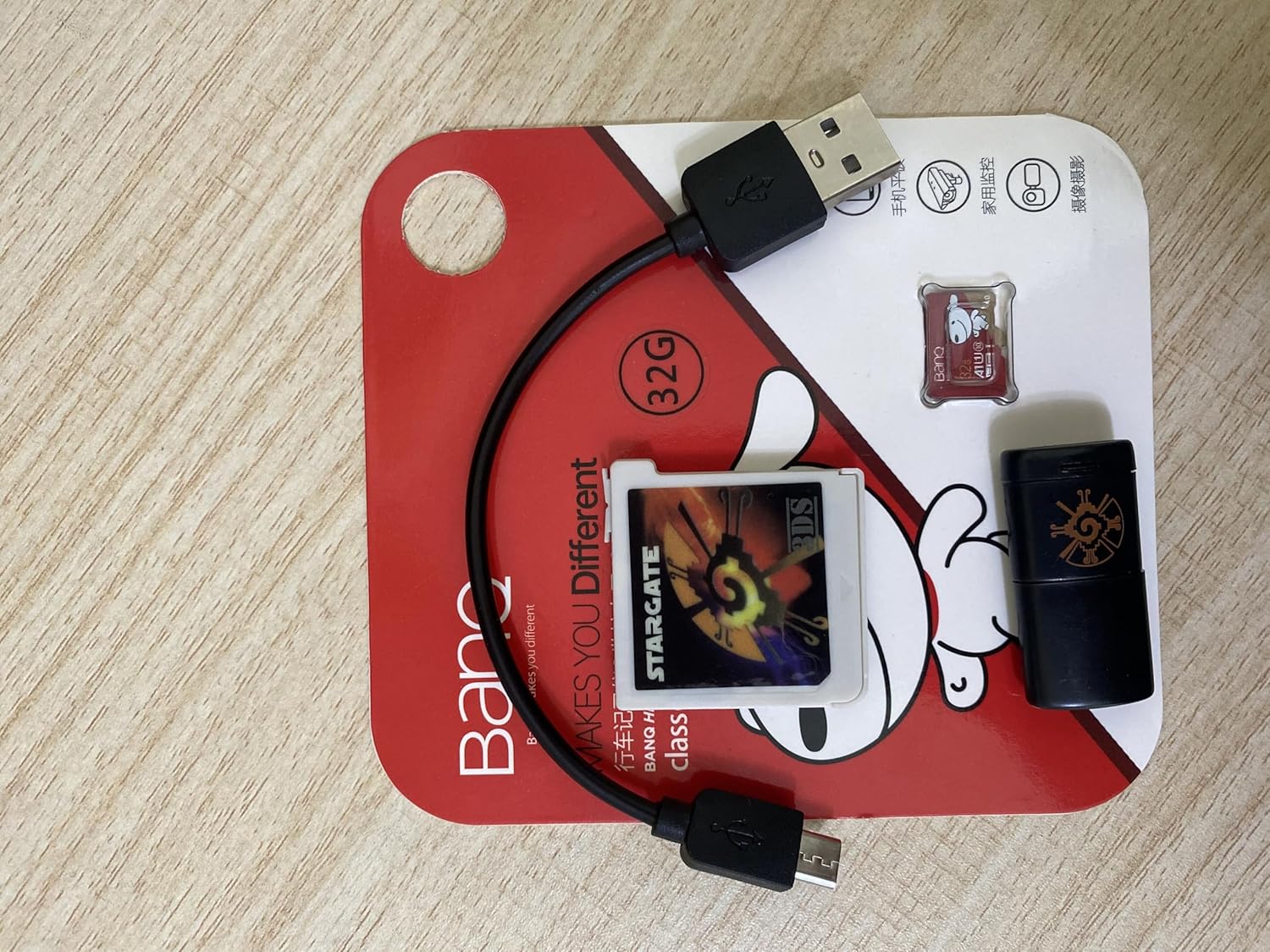
Figure 1: Complete package contents of the Ace3ds X kit.
Opsætning
Indsæt MicroSD-kort:
Locate the MicroSD (TF) card slot on the Ace3ds X cartridge. Gently insert the included BANQ 32GB MicroSD card into the slot until it clicks into place. Ensure the card is inserted correctly to avoid damage.

Figure 2: The included BANQ 32GB MicroSD (TF) card.
Understand the Mode Switch:
The Ace3ds X features a physical switch on the side of the cartridge to toggle between two operational modes: DS mode and ntrboothax mode. This switch is crucial for the intended use of the device.
- Switch Up (Default): This position activates ntrboothax mode. This mode is primarily used for installing custom firmware on compatible 3DS/2DS consoles.
- Slå ned: This position activates DS mode. This mode is used for playing NDS games on all supported consoles (3DS, 2DS, DSi, DS Lite, DS).

Figure 3: Location of the mode switch on the Ace3ds X cartridge.
Insert Ace3ds X into Console:
With the MicroSD card inserted and the desired mode selected via the switch, insert the Ace3ds X cartridge into the game card slot of your Nintendo handheld console (3DS, 2DS, DSi, DS Lite, or DS).
Betjeningsvejledning
Playing NDS Games (DS Mode)
- Ensure the mode switch on the Ace3ds X cartridge is set to the ned position (DS mode).
- Insert the Ace3ds X into your console.
- Power on your console. The Ace3ds X should appear as a game card icon on the console's menu.
- Select the Ace3ds X icon to launch its menu. From here, you can navigate and select NDS game ROMs stored on the MicroSD card.
Using ntrboothax Mode (For 3DS/2DS Consoles)
The ntrboothax mode is intended for advanced users who wish to install custom firmware on their 3DS or 2DS consoles. This process typically involves specific steps and external resources not covered in detail within this manual. Users should refer to dedicated online guides for ntrboothax installation. Ensure the mode switch is in the up position (ntrboothax mode) before attempting any custom firmware procedures.

Figure 4: Front of the Ace3ds X cartridge.
Opretholdelse
- Keep the Ace3ds X cartridge and MicroSD card clean and free from dust and debris. Use a soft, dry cloth for cleaning.
- Undgå at udsætte enheden for ekstreme temperaturer, fugt eller direkte sollys.
- Do not attempt to disassemble the cartridge, as this will void any potential warranty and may damage the device.
- Always eject the cartridge from the console before powering off or when not in use to prevent data corruption.
Fejlfinding
- Patron ikke genkendt:
Ensure the Ace3ds X is fully inserted into the console's game card slot. Check if the MicroSD card is properly seated within the Ace3ds X cartridge. Clean the contacts on the cartridge with a soft, dry cloth if necessary.
- Games Not Loading/Crashing:
Verify that the MicroSD card contains valid NDS game ROMs. Ensure the Ace3ds X mode switch is set to the ned position (DS mode) for playing games. Corrupted files on the MicroSD card can also cause issues; try reformatting the card and re-adding games if problems persist.
- ntrboothax Mode Issues:
Ensure the mode switch is in the up position. ntrboothax is a complex process; refer to specific online guides and forums for detailed troubleshooting steps related to custom firmware installation.
- MicroSD Card Not Detected by PC:
Use the included USB reader to connect the MicroSD card to your computer. Ensure the card is fully inserted into the reader. Try a different USB port or computer if detection issues persist.
Specifikationer
| Mærke | Generisk |
| Modelnavn | x + 32 |
| Hardware platform | Nintendo 3DS, Nintendo DS |
| Inkluderet opbevaring | 32GB MicroSD (TF) Card |
| Understøttede tilstande | DS Mode, ntrboothax Mode |
| Farve | Sort |
| Oprindelsesland | Kina |
Garanti og support
Specific warranty details for the Ace3ds X are not provided in this manual. For any product support, technical assistance, or warranty inquiries, please contact the seller or manufacturer directly through the platform where the product was purchased.


