
Deeyaple S207
Deeyaple S207 Cell Phone Stand with Wireless Bluetooth Speaker and 12H Time Display User Manual
Indledning
This manual provides comprehensive instructions for the Deeyaple S207 Cell Phone Stand with Wireless Bluetooth Speaker and 12H Time Display. Please read this manual thoroughly before using the product to ensure proper operation and to maximize its features. Keep this manual for future reference.
Figur 1: The Deeyaple S207 multi-functional device.
Produkt overview
The Deeyaple S207 is a versatile device combining a cell phone stand, a wireless Bluetooth speaker, and a 12-hour time display. It is designed for convenience and enhanced audio experience.

Figur 2: The Deeyaple S207 functions as a stand, speaker, and digital clock.
Nøglefunktioner:
- Multifunktionelt design: Integrates a Bluetooth speaker, phone stand, and time display.
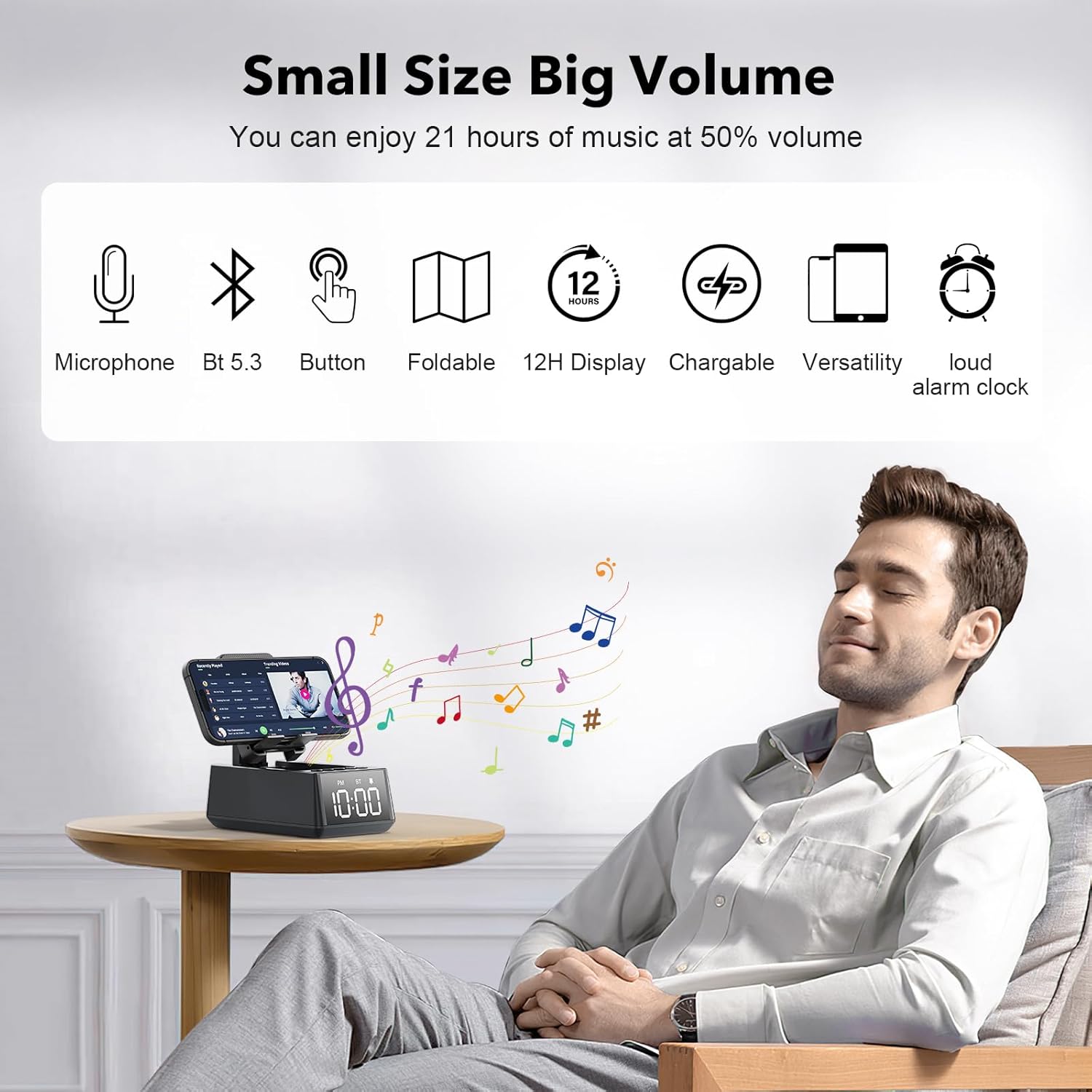
- Bluetooth 5.3-forbindelse: Ensures quick and stable connection to smartphones, tablets, and laptops.
- HD Surround Sound: Delivers clear and powerful audio with low distortion across all frequencies.
- Sammenklappelig stativ: Adjustable angle for optimal viewing of mobile phones and tablets.
- 12H Time Display: Clear LED digital display.
- Indbygget mikrofon: Understøtter håndfri opkald.
- TF-kortlæser: Til afspilning af musik direkte fra et hukommelseskort.
- Loud Alarm Clock: Gradually increases volume up to 100 decibels.
- Genopladeligt batteri: 1200mAh battery provides 12-21 hours of use at 50% volume.
- Type-C opladningsport: Convenient charging for the device.
- USB udgangsport: Allows charging of external devices like mobile phones.

Figur 3: Overview of Deeyaple S207 features, including battery capacity, charging ports, audio capabilities, and stand design.
Pakkens indhold
Tjek venligst pakken for følgende varer:
- Deeyaple S207 Cell Phone Stand with Wireless Bluetooth Speaker
- USB opladningskabel
- Brugermanual
Kontroller og indikatorer
Gør dig bekendt med enhedens knapper og display:

Figur 4: Detaljeret view of the device's adjustable bracket, base, and non-slip mat.
- Power knap: Press and hold to turn on/off. Short press to switch modes.
- Lydstyrke ned / forrige nummer: Kort tryk for at sænke lydstyrken, langt tryk for at sænke forrige nummer.
- Play/Pause / Answer Call: Short press to play/pause, short press to answer/end call.
- Lydstyrke op / næste nummer: Kort tryk for at skrue op for lydstyrken, langt tryk for næste nummer.
- Mode knap: Short press to cycle through Bluetooth, TF Card, and AUX modes.
- Tidsvisning: LED screen shows current time and mode indicators (PM, BT).
Opsætning
Opladning af enheden:
- Connect the provided USB charging cable to the Type-C port on the side of the Deeyaple S207.
- Tilslut den anden ende af USB-kablet til en kompatibel USB-strømadapter (medfølger ikke) eller en computers USB-port.
- The LED display will indicate charging status. A full charge typically takes approximately 2-3 hours.
Video 1: Demonstration of the Deeyaple S207 speaker's display and basic operation, including volume adjustment and mode switching.
Operation
Bluetooth-parring:
- Turn on the Deeyaple S207 by pressing and holding the Power button. The device will enter Bluetooth pairing mode, indicated by a flashing "BT" on the display.
- Aktiver Bluetooth på din smartphone, tablet eller bærbare computer, og søg efter tilgængelige enheder.
- Select "Deeyaple S207" from the list of devices.
- Once paired, the "BT" indicator will stop flashing and remain solid. You can now play audio through the speaker.

Figur 5: Bluetooth 5.3 technology allows quick and easy connection to smart devices.
Indstilling af tid og alarm:
- The device features a 12-hour time display. For iPhone users, the clock will automatically sync with your phone's time upon Bluetooth connection.
- To manually adjust the time or set an alarm, refer to the specific button functions described in the "Controls and Indicators" section. (Note: Detailed manual time setting steps are not provided in the product data.)

Figur 6: The LED digital display shows the current time.
Using as a Phone/Tablet Stand:
- The integrated stand is foldable and adjustable. Gently pull the stand upwards to deploy it.
- Place your smartphone or tablet (4-13 inches) onto the stand.
- Adjust the angle of the stand for optimal viewing.
- A small hole at the bottom of the phone holder allows for charging your device while it is on the stand.

Figur 7: The stand is highly adaptable for various mobile phones and tablets.

Figur 8: A small hole at the base of the stand allows for charging your phone while in use.
TF-kortafspilning:
- Indsæt et TF-kort (MicroSD) med musik files ind i den angivne plads.
- Press the Mode button to switch to TF Card mode. The device will automatically begin playing music from the card.
- Use the Volume/Track buttons to control playback.
Håndfri opkald:
- When connected via Bluetooth to your phone, incoming calls can be answered by pressing the Play/Pause button.
- Speak into the built-in microphone for your conversation.
- Tryk på Afspil/Pause-knappen igen for at afslutte opkaldet.
Specifikationer
| Feature | Detalje |
|---|---|
| Modelnavn | S207 |
| Mærke | Deeyaple |
| Forbindelsesteknologi | Bluetooth 5.3 |
| Højttaler type | Surround Sound |
| Speciel funktion | Built-in Microphone, 12H Time Display, Foldable Stand, TF Card Reader |
| Produktdimensioner | 6.61" D x 2.46" B x 3.54" H |
| Varens vægt | 15.8 ounce (0.45 kilo) |
| Batteri | 1 litium-ion-batteri (inkluderet), 1200 mAh |
| Batterilevetid | 12-21 timer ved 50 % volumen |
| Kompatible enheder | Smartphones (iPhone 4S to 15 Pro Max), Tablets (iPad, iPad Air, iPad Mini, iPad Pro, Microsoft Surface series), e-readers (Kindle) |
| UPC | 728990656310 |
Fejlfinding
| Problem | Mulig løsning |
|---|---|
| Enheden tændes ikke. | Ensure the device is fully charged. Connect to a power source using the USB charging cable. |
| Kan ikke parres via Bluetooth. | Make sure the device is in Bluetooth pairing mode (flashing "BT"). Ensure your phone's Bluetooth is enabled and within range. Forget previous pairings on your phone and try again. |
| Ingen lyd eller lav lydstyrke. | Check the volume levels on both the Deeyaple S207 and your connected device. Ensure the device is not muted. |
| Tidsvisningen er forkert. | For iPhones, ensure Bluetooth is connected for automatic sync. Manual adjustment steps are not detailed in product information, refer to device buttons for potential setting options. |
| Bluetooth-forbindelsen afbrydes ofte. | Ensure there are no obstructions between the speaker and your device. Move closer to the speaker. Reduce interference from other wireless devices. |
Opretholdelse
- Rengør enheden med en blød, tør klud. Brug ikke slibende rengøringsmidler eller opløsningsmidler.
- Hold enheden væk fra vand, fugt og ekstreme temperaturer.
- Opbevares på et køligt, tørt sted, når det ikke er i brug i længere perioder.
- Undgå at tabe enheden eller udsætte den for kraftige stød.
Garanti og support
For warranty information or technical support, please contact Deeyaple customer service through the retailer where the product was purchased. Please retain your proof of purchase for warranty claims.
Ask a question about this manual
Ask about setup, troubleshooting, compatibility, parts, safety, or missing instructions. Manuals+ will review the question and use this page’s manual context to help answer it.