
1. Introduktion
This manual provides essential information for the safe and efficient use of your GOBOULT Y1 Wireless Ear Buds. Please read it thoroughly before using the product and retain it for future reference.
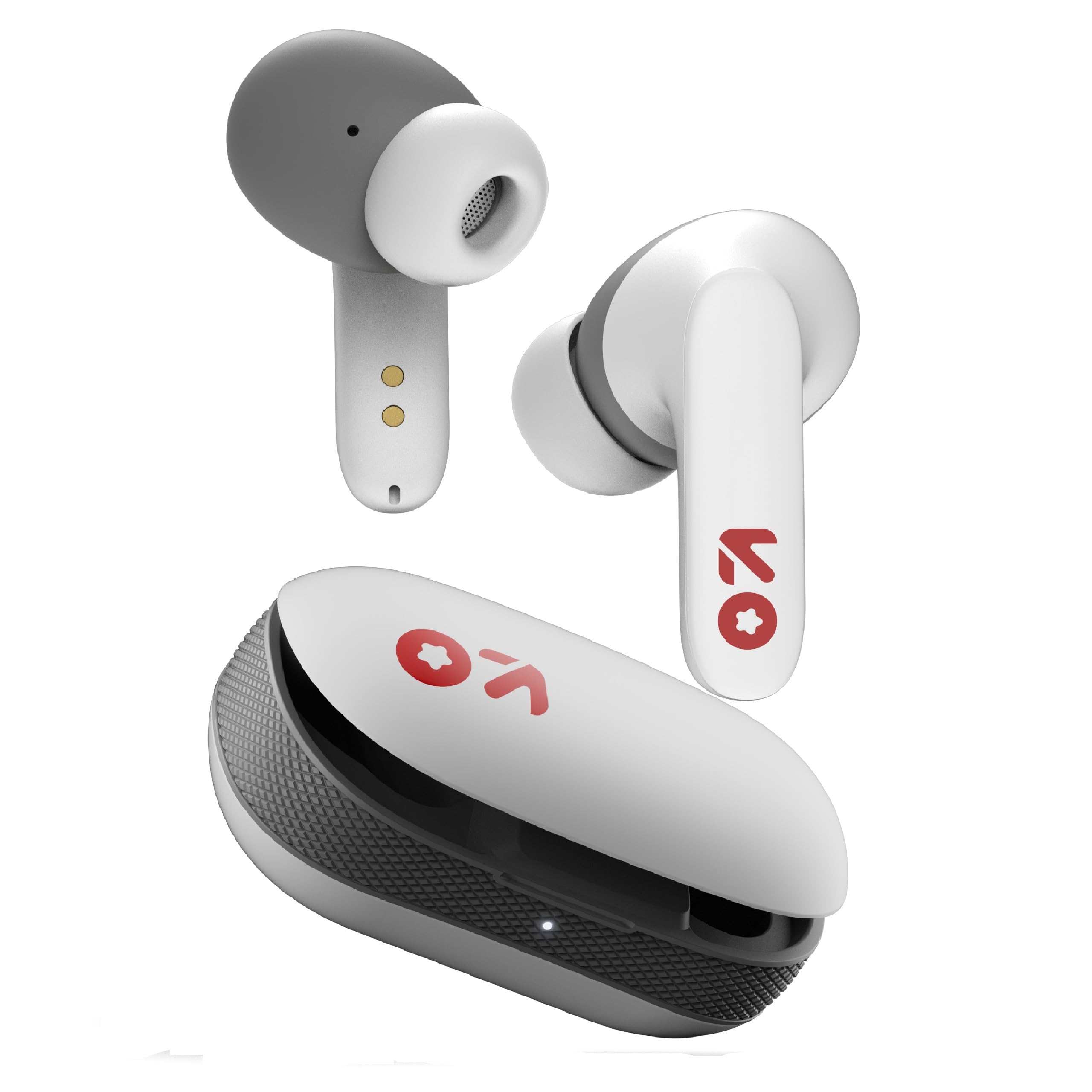
Image: GOBOULT Y1 Wireless Ear Buds and their charging case. The earbuds are white with grey tips and red GOBOULT logos, resting beside the matching white charging case.
2. Hvad er der i æsken
Kontroller, at alle varer er til stede i emballagen:
- Y1 Earphones (Left and Right)
- Y1 Charging Case
- USB Type-C opladerkabel
- Ekstra ørepropper (forskellige størrelser)
- Brugervejledning (dette dokument)
3. Opsætning
3.1 Indledende opladning
Before first use, fully charge the ear buds and the charging case.
- Place the ear buds into the charging case. Ensure they are correctly seated.
- Connect the provided USB Type-C cable to the charging port on the case and to a compatible USB power source (e.g., wall adapter, computer USB port).
- The indicator light on the charging case will show charging status. A full charge typically takes approximately 90 minutes.
- En 10 minutters opladning giver cirka 100 minutters spilletid.

Image: GOBOULT Y1 Ear Buds and their charging case, illustrating the Type-C fast charging port and cable connection. Text indicates "10 mins = 100 mins playtime".
3.2 Bluetooth -parring
The GOBOULT Y1 Ear Buds feature Blink & Pair™ Bluetooth 5.3 for fast and stable connection.
- Ensure the ear buds are charged.
- Open the lid of the charging case. The ear buds will automatically enter pairing mode, indicated by flashing LED lights.
- Aktiver Bluetooth på din enhed (smartphone, tablet, bærbar computer).
- Søg efter "GOBOULT Y1" in the list of available Bluetooth devices.
- Select "GOBOULT Y1" to connect. Once connected, a voice prompt will confirm successful pairing, and the LED lights on the ear buds will stop flashing.
- For subsequent use, the ear buds will automatically connect to the last paired device when removed from the case.

Image: GOBOULT Y1 Ear Buds and case with a smartphone displaying music, highlighting Bluetooth v5.3, Blink & Pair, Stable Connection, and Power efficient features.
4. Betjeningsvejledning
4.1 Tryk på kontrolelementer
The GOBOULT Y1 Ear Buds feature intuitive touch controls on each ear bud. The specific functions are as follows:

Image: A detailed diagram showing the touch control functions for the GOBOULT Y1 Ear Buds. It illustrates single taps, double taps, triple taps, and long presses for various actions like music playback, call management, and voice assistant activation.
- Single Tap (Left/Right Bud): Afspil/pause musik, besvar opkald
- Double Tap (Left Bud): Forrige sang
- Double Tap (Right Bud): Næste sang
- Triple Tap (Left Bud): Lydstyrke ned
- Triple Tap (Right Bud): Lydstyrke op
- Long Press (Left/Right Bud): Activate Voice Assistant (Google Assistant/Siri), Reject Call, End Call
- Four Taps (Left/Right Bud): Activate Combat Mode (Low Latency Gaming)
4.2 Stemmeassistent
Activate your device's voice assistant (Google Assistant or Siri) by long-pressing either ear bud.
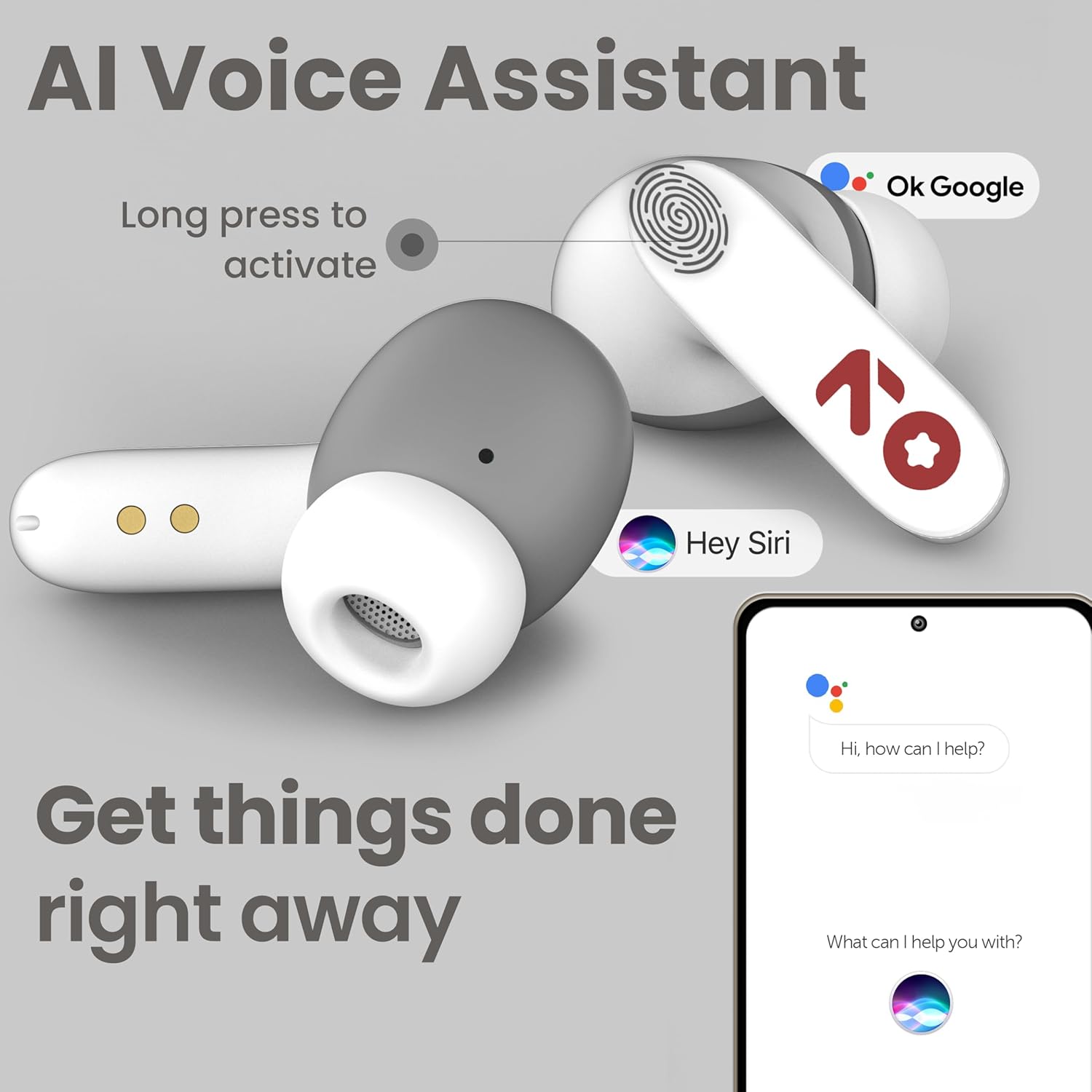
Image: GOBOULT Y1 Ear Buds with an illustration of a long press gesture activating a voice assistant like Google Assistant or Siri on a smartphone.
4.3 Calling with Zen ENC Mic
The GOBOULT Y1 Ear Buds are equipped with a Zen ENC (Environmental Noise Cancellation) microphone for clear call quality.
- Besvar opkald: Single tap either ear bud.
- Afvis opkald: Long press either ear bud.
- Afslut opkald: Long press either ear bud during a call.

Image: A diagram illustrating how Environmental Noise Cancellation (ENC) works, showing a user's voice being filtered from environmental noise for clear communication. A detailed view of an earbud highlights the ENC microphone.
4.4 Spiltilstand med lav latenstid
Activate Combat Mode for a low-latency gaming experience, ensuring audio sync with minimal delay.
- Aktivér spiltilstand: Four taps on either ear bud.
- Deaktiver spiltilstand: Four taps on either ear bud again.
5. Vedligeholdelse
5.1 Rengøring
For at opretholde optimal ydeevne og hygiejne:
- Gently wipe the ear buds and charging case with a soft, dry, lint-free cloth.
- Brug ikke slibende rengøringsmidler, opløsningsmidler eller aerosolspray.
- Fjern ørepropperne, og rengør dem separat med mild sæbe og vand, hvis det er nødvendigt. Sørg for, at de er helt tørre, før du sætter dem på igen.
- Clean the charging contacts on both the ear buds and the case periodically with a dry cotton swab.
5.2 Vandtæthed (IPX5)
The GOBOULT Y1 Ear Buds are IPX5 water-resistant, meaning they are protected against low-pressure water jets from any direction. This makes them suitable for workouts and light rain.

Image: GOBOULT Y1 Ear Buds shown with water droplets, indicating IPX5 water resistance. Icons for sweatproof, rainproof, and splashproof are also displayed.
Vigtig:
- Do not submerge the ear buds in water.
- Opladningsetuiet er ikke vandtæt.
- Avoid exposing the ear buds to saltwater, chlorinated water, or other chemicals.
- If the ear buds get wet, dry them thoroughly before placing them back in the charging case.
6. Fejlfinding
| Problem | Mulig løsning |
|---|---|
| Ear buds not pairing |
|
| Ingen lyd eller lav lydstyrke |
|
| Ear buds not charging |
|
| Problemer med opkaldskvaliteten |
|
7. Specifikationer
| Feature | Detalje |
|---|---|
| Mærke | GOBOULT |
| Modelnavn | Y1 (also referred to as Airbass) |
| Bluetooth version | 5.3 |
| Bluetooth rækkevidde | Op til 10 meter (33 fod) |
| Øreplacering | In Ear |
| Audio driver type | Dynamic Driver (10mm Bass Drivers) |
| Impedans | 32 Ohm |
| Frekvensrespons | 20 Hz |
| Følsomhed | 117 dB |
| Støjkontrol | Miljømæssig støjreduktion (ENC) |
| Batterilevetid (i alt) | Op til 51 timer (med opladningsetui) |
| Batteriopladningstid | Ca. 90 minutter |
| Opladningsport | USB Type-C |
| Vandmodstand | IPX5 (Ear Buds only) |
| Kontrolmetode | Tryk, stemme |
| Kompatible enheder | Android, Cellphones, Desktops, Laptops, Tablets |
| Materiale | Plast |
| Weight (Carrying Case) | 65 gram |
| Oprindelsesland | Indien |
8. Garanti og support
8.1 Producentgaranti
The GOBOULT Y1 Wireless Ear Buds come with a 1 års producentgaranti fra købsdatoen. Denne garanti dækker fabrikationsfejl. Gem venligst din købsbevis i tilfælde af garantikrav.
For warranty service or support, please contact the manufacturer or authorized service center.
8.2 Kontaktoplysninger
Fabrikant: Eksotisk Mile Private Limited
Adresse: B-67 Wazirpur Industrial Area, New Delhi 110052, India
Importør: Exotic Mile Pvt. Ltd.
For further assistance, please refer to the contact details provided on the product packaging or the official GOBOULT webwebsted.