
1. Produktet er slutview
The POLONO P31S is a compact and portable thermal label printer designed for various labeling needs in home, office, and school environments. It connects wirelessly via Bluetooth to your smartphone or tablet, allowing you to design and print labels using the dedicated mobile application. This device features a built-in cutter and operates without ink, utilizing thermal printing technology for clear, durable labels.
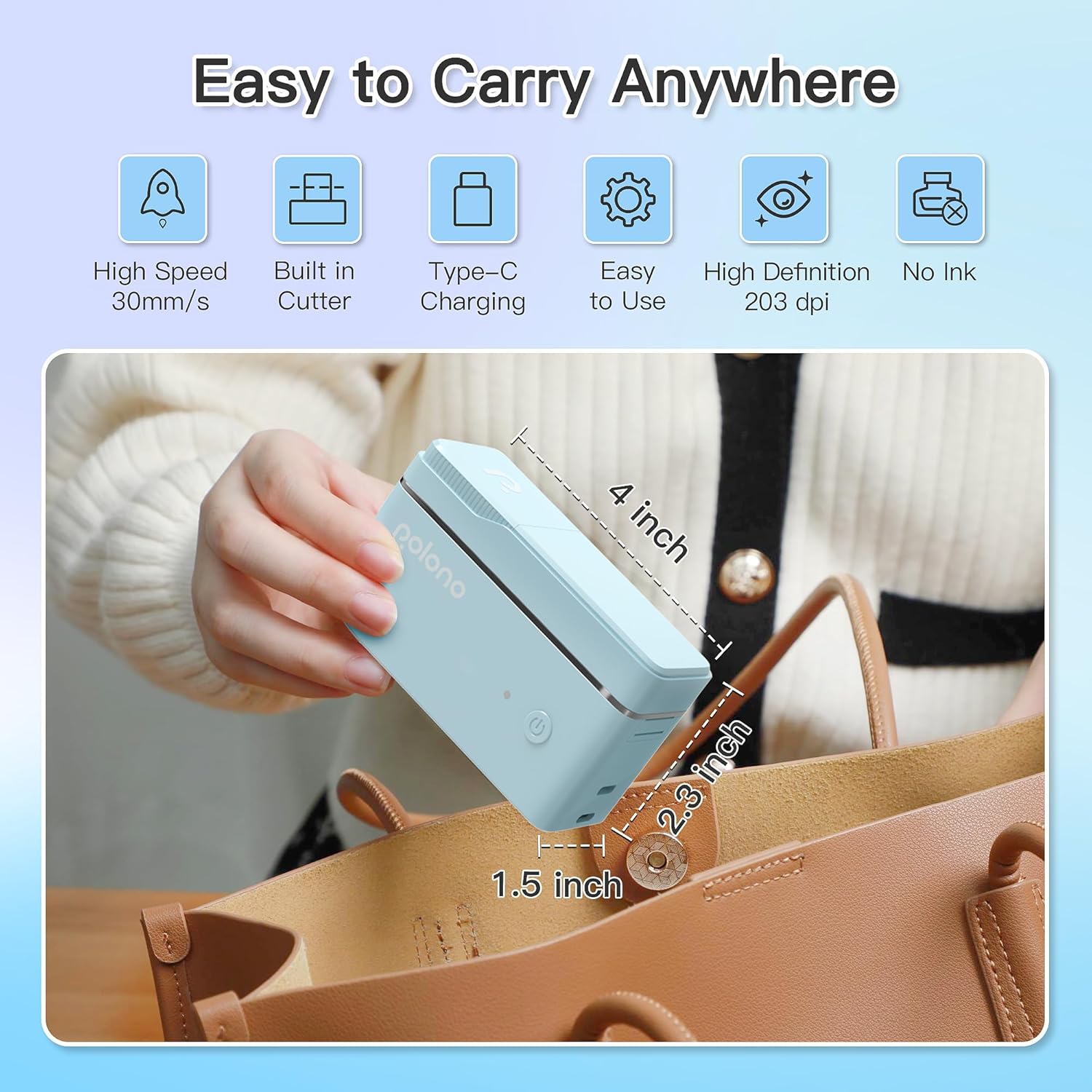
Figur 1: POLONO P31S Label Printer highlighting its compact design and dimensions (approximately 4 inches long, 2.3 inches high, 1.5 inches wide).
Nøglefunktioner:
- Bærbart og let design.
- Bluetooth connectivity for wireless printing.
- Thermal printing technology (no ink required).
- Built-in label cutter.
- Supports various label types including text, QR codes, barcodes, and images.
- Genopladeligt batteri.
2. Sikkerhedsoplysninger
Please read and understand all safety instructions before using the POLONO P31S label printer to prevent injury or damage to the device.
- Enheden må ikke skilles ad, repareres eller modificeres.
- Hold enheden væk fra vand, fugt og ekstreme temperaturer.
- Use only POLONO-approved label tapes to ensure optimal performance and prevent damage.
- Undgå at røre ved printhovedet umiddelbart efter udskrivning, da det kan være varmt.
- Opbevares utilgængeligt for børn.
- Use the provided charging cable or a certified equivalent.
3. Pakkens indhold
Bekræft at alle varer er til stede i pakken:
- POLONO P31S Label Printer
- Label Tape Roll (starter roll)
- USB opladningskabel
- Brugervejledning (dette dokument)
4. Opsætning
4.1 Opladning af enheden
Before first use, fully charge the label printer. Connect the provided USB charging cable to the printer's charging port and to a USB power adapter (not included) or a computer's USB port. The indicator light will show charging status.
4.2 Montering af etiketbånd
- Åbn dækslet til etiketrummet.
- Insert the label tape roll with the printing surface facing up, ensuring it is properly seated.
- Pull a small portion of the label tape out, extending it past the cutter blade.
- Luk låget til etiketrummet forsvarligt.

Figur 2: Proper installation of POLONO P31S label tape. Ensure the green sticker on the tape is not removed or damaged, as it contains chip technology for optimal performance. Do not pull the label out directly; use the cutting blade.
4.3 App-download og Bluetooth-forbindelse
- Download the "Labelnize" app from the Apple App Store or Google Play Store.
- Turn on the POLONO P31S label printer by pressing and holding the power button.
- Aktiver Bluetooth på din smartphone eller tablet.
- Open the "Labelnize" app. The app will prompt you to allow Bluetooth access. Grant permission.
- Within the app, search for available devices and select "P31S" to connect.
- Once connected, the app will indicate a successful connection, and you are ready to create labels.
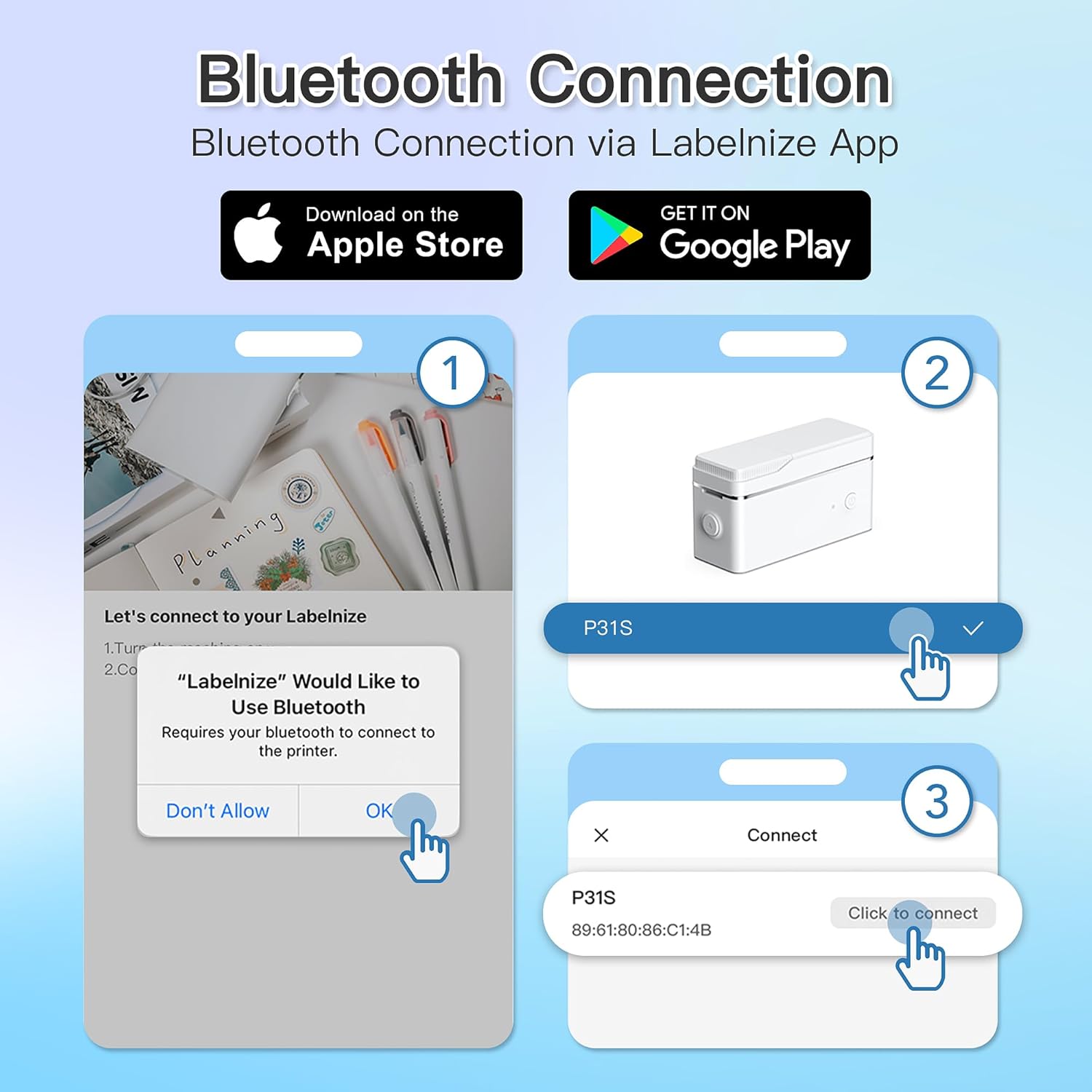
Figur 3: Steps for Bluetooth connection via the Labelnize App. Download the app, allow Bluetooth access, select "P31S" from the device list, and click "Connect".
5. Betjeningsvejledning
5.1 Creating Labels with the Labelnize App
The Labelnize app offers a variety of tools to design your labels:
- Tekst: Enter custom text, choose from over 90 fonts, adjust size, style (bold, italic), and alignment.
- Grænser: Select from over 95 border designs to frame your labels.
- Icons/Graphics: Access a library of over 670 tab icons and other graphics to enhance your labels.
- QR Code/Barcode: Generate QR codes or barcodes for various applications.
- Billeder: Insert images from your device's gallery.
- Skabeloner: Brug prædesignede skabeloner til almindelige mærkningsopgaver.

Figur 4: The Labelnize app interface for creating labels, offering extensive customization options including borders, fonts, and icons. The app supports multiple languages.
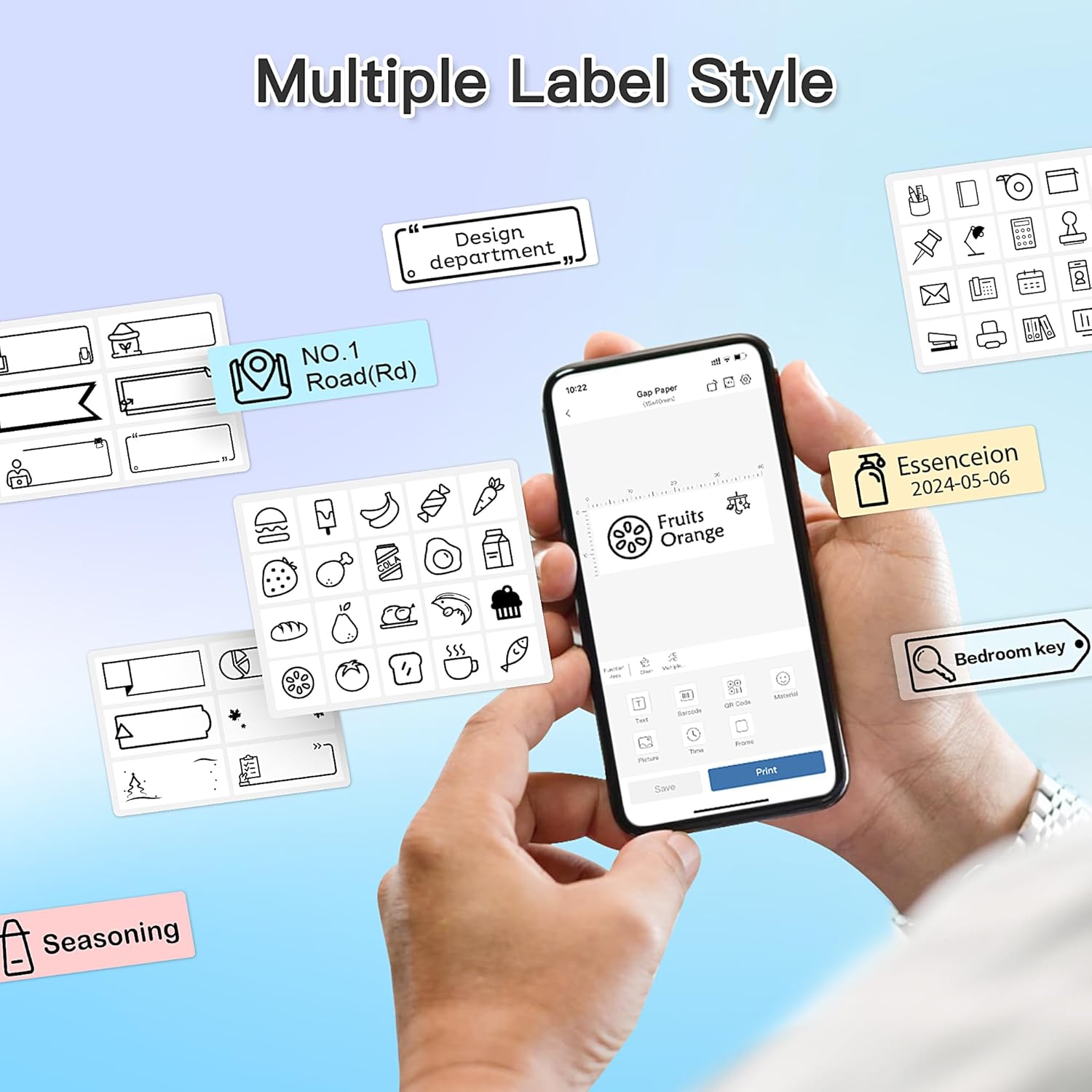
Figur 5: Examples of diverse label styles achievable with the POLONO P31S, demonstrating the flexibility in design for different organizational needs.
5.2 Udskrivning af etiketter
After designing your label in the Labelnize app:
- Review dit etiketdesign på appens skærm.
- Tryk på knappen "Udskriv" i appen.
- Confirm print settings (e.g., number of copies) if prompted.
- Printeren vil automatisk fremføre og udskrive etiketten.
5.3 Brug af den indbyggede skærer
The POLONO P31S features a built-in cutter for clean and precise label separation. After printing, gently press the cutter button or lever (depending on model variation) to cut the label. Do not pull the label manually to tear it, as this may damage the printer or result in uneven cuts.
6. Vedligeholdelse
6.1 Rengøring af printhovedet
For at opretholde udskriftskvaliteten skal du rengøre printhovedet med jævne mellemrum:
- Sluk printeren, og frakobl strømkablet.
- Åbn dækslet til etiketrummet.
- Tør forsigtigt printhovedet af med en vatpind.ampafsluttet med isopropylalkohol.
- Lad printhovedet tørre helt, før du lukker dækslet og tænder printeren.
6.2 Pleje af batterier
- Charge the battery regularly, even if the printer is not used frequently, to prolong its lifespan.
- Undgå at aflade batteriet helt i længere perioder.
- Opbevar printeren på et køligt, tørt sted, når den ikke er i brug.
7. Fejlfinding
| Problem | Mulig årsag | Løsning |
|---|---|---|
| Printeren tænder ikke. | Lavt batteri eller ingen strøm. | Oplad printeren ved hjælp af det medfølgende USB-kabel. |
| Kan ikke oprette forbindelse via Bluetooth. | Bluetooth is off, printer is off, or app issue. | Ensure printer is on, Bluetooth is enabled on your device, and restart the Labelnize app. Try re-pairing. |
| Dårlig printkvalitet. | Dirty print head, incorrect label tape, or low battery. | Clean the print head (Section 6.1). Ensure you are using POLONO P31S compatible label tape. Charge the printer. |
| Etiketstop. | Improper tape installation or foreign object. | Turn off the printer, open the cover, carefully remove any jammed tape. Reinstall tape correctly. |
| Printeren svarer ikke. | Midlertidig softwarefejl. | Restart the printer and the Labelnize app. |
8. Specifikationer
| Feature | Detalje |
|---|---|
| Model | P31S |
| Udskrivningsteknologi | Termisk |
| Forbindelse | Bluetooth |
| Udskriftsopløsning | 203 x 203 DPI |
| Maksimal udskrivningshastighed (monokrom) | 15 ppm |
| Max mediestørrelse | Label rolls (2 inches / 24 millimeters) |
| Blækfarve | Black (thermal print) |
| Strømkilde | 1 Lithium Polymer batteri (medfølger) |
| Produktdimensioner | 7.2 x 7.4 x 12.7 cm; 260 g |
| Inkluderede komponenter | Etiketter |
9. Garanti og support
For warranty information and technical support, please refer to the official POLONO webwebstedet eller kontakt deres kundeservice. Gem din købskvittering som købsbevis i tilfælde af garantikrav.
Officiel Webwebsted: www.polono.com (Bemærk: Dette er en pladsholder URL, bekræft venligst den faktiske officielle website for POLONO products.)