
1. Introduktion
The Yintar X17 Bone-Conduction Headphones offer an open-ear listening experience, transmitting sound through your cheekbones to your inner ear. This design allows you to remain aware of your surroundings while enjoying audio, making them ideal for various activities such as sports, driving, and daily commutes. Featuring IPX8 waterproofing, Bluetooth 5.3 connectivity, and 32GB of built-in storage, these headphones are designed for durability and versatility.
2. Pakkens indhold
Bekræft, at alle nedenstående varer er inkluderet i din pakke:
- Yintar X17 Bone-Conduction Headphones
- Magnetic Charging Data Cable
- Brugermanual
- Pair of Ear Plugs

3. Nøglefunktioner
- Design med åbent øre: Ensures situational awareness by not covering your ears, enhancing safety during outdoor activities.
- IPX8 Vandtæt: Fully submersible and resistant to water, sweat, and rain, making them suitable for swimming and intense workouts.
- Indbygget 32 GB lagerplads: Allows you to store up to 9,000 songs directly on the device for MP3 playback without needing a Bluetooth connection.
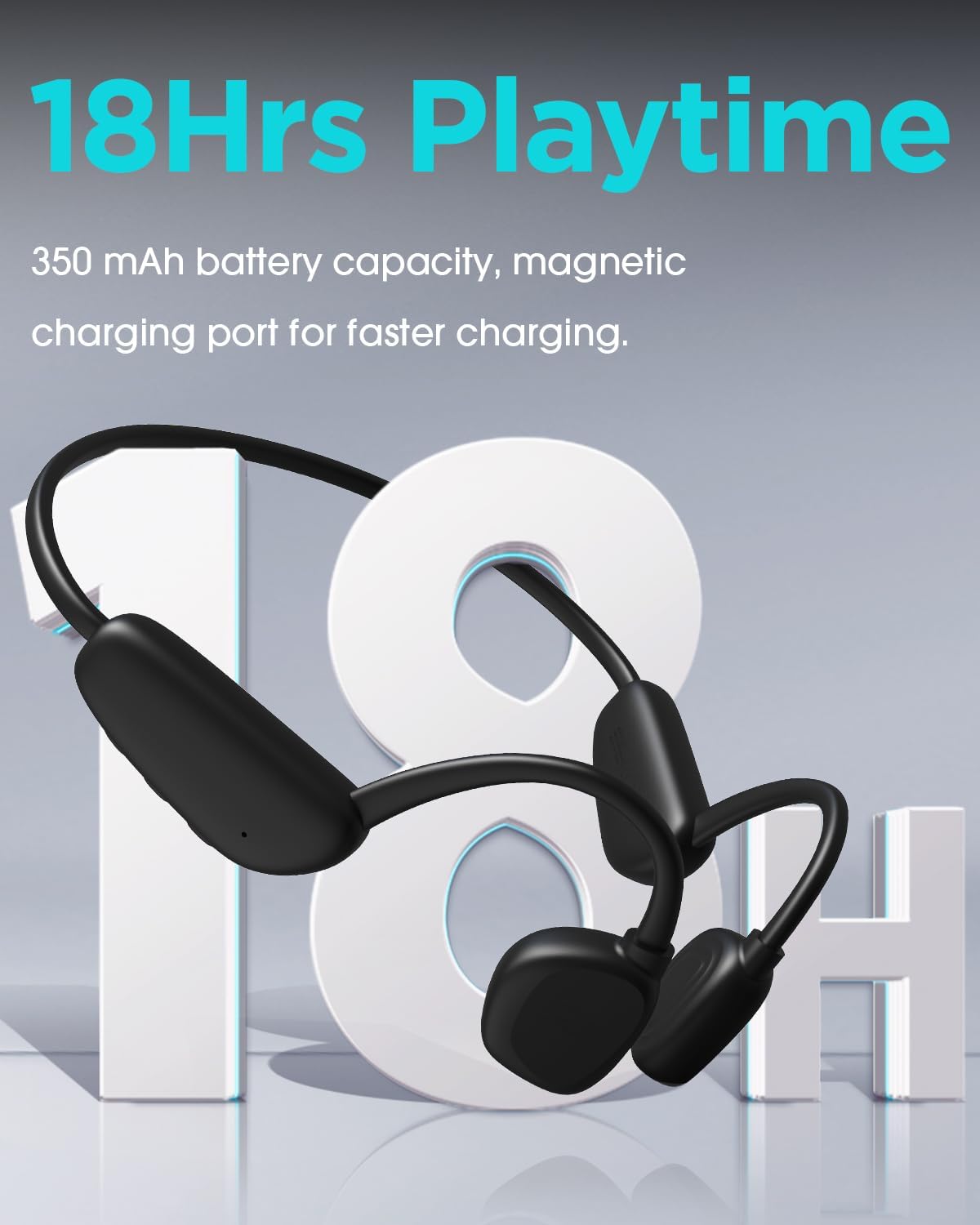
- Forlænget spilletid: Offers up to 18 hours of continuous music playback and 35 days of standby time on a single charge.
- Bluetooth 5.3: Provides a stable and efficient wireless connection with a range of up to 10 meters (33 feet).
- Sikker og behagelig pasform: Designed to stay in place during rigorous activities like running, cycling, and gym workouts.
- Indbygget mikrofon: Enables hands-free calls with clear audio.


4. Opsætning
4.1 Opladning af hovedtelefonerne
Before first use, fully charge your Yintar X17 headphones. Use the provided magnetic charging cable. Connect the magnetic end to the charging port on the headphones and the USB end to a power source (e.g., computer USB port, wall adapter). The LED indicator will show charging status.
4.2 Tænd/sluk
- Tænd: Tryk på tænd/sluk-knappen, og hold den nede, indtil LED-indikatoren blinker.
- Sluk: Tryk på tænd/sluk-knappen, og hold den nede, indtil LED-indikatoren slukker.
4.3 Bluetooth -parring
- Sørg for, at hovedtelefonerne er slukket.
- Tryk på tænd/sluk-knappen og hold den nede i cirka 5-7 sekunder, indtil LED-indikatoren blinker skiftevis rødt og blåt, hvilket angiver parringstilstand.
- Aktiver Bluetooth på din enhed (smartphone, tablet osv.) og søg efter tilgængelige enheder.
- Select "Yintar X17" from the list of devices.
- Når den er tilsluttet, blinker LED-indikatoren langsomt blåt.
4.4 MP3 Mode Activation
To switch to MP3 mode and play music from the built-in 32GB storage, press the Mode button (if available, or refer to specific button functions in the manual). To transfer music, connect the headphones to a computer using the magnetic charging cable; the headphones will appear as a removable disk.
5. Betjeningsvejledning
5.1 Knapfunktioner
- Power knap: Tryk og hold nede for at tænde/slukke. Tryk kort for at afspille/sætte musik på pause.
- Lydstyrke op (+): Kort tryk for at øge lydstyrken. Langt tryk for næste nummer.
- Skrue ned for lyden (-): Kort tryk for at sænke lydstyrken. Langt tryk for forrige nummer.
- Multi-function Button (often integrated with Power): Answer/End calls (short press), Reject call (long press), Activate voice assistant (double press).
- Mode Button (if separate): Switch between Bluetooth mode and MP3 mode.
5.2 Opkaldshåndtering
- Besvar/afslut opkald: Tryk kort på multifunktionsknappen.
- Afvis opkald: Tryk længe på multifunktionsknappen.
6. Vedligeholdelse
- Rensning: After use, especially after swimming or heavy sweating, rinse the headphones with fresh water and wipe them dry with a soft cloth. Do not use harsh chemicals or abrasive materials.
- Opbevaring: Store the headphones in a cool, dry place away from direct sunlight and extreme temperatures. Use the provided pouch for protection.
- Batteripleje: For at forlænge batterilevetiden bør du undgå at aflade hovedtelefonerne helt ofte. Oplad dem regelmæssigt, selvom de ikke er i brug i længere perioder.
7. Fejlfinding
- Hovedtelefoner vil ikke tænde: Sørg for, at hovedtelefonerne er fuldt opladede.
- Kan ikke parres med enhed: Ensure headphones are in pairing mode (flashing red/blue). Turn off and on your device's Bluetooth. Move closer to your device.
- Ingen lyd: Check volume levels on both headphones and connected device. Ensure headphones are correctly paired. If in MP3 mode, ensure music files er indlæst.
- Dårlig lydkvalitet: Ensure there are no obstructions between the transducers and your cheekbones. Adjust placement. If using Bluetooth, reduce distance to the device or minimize interference.
- Vandskade: While IPX8 rated, always ensure the charging port is dry before charging. If water enters the port, allow it to air dry completely before attempting to charge.
8. Specifikationer
| Feature | Specifikation |
|---|---|
| Modelnavn | X17 |
| Forbindelsesteknologi | Trådløs (Bluetooth) |
| Trådløs kommunikationsteknologi | Bluetooth 5.3 |
| Kompatible enheder | Bluetooth-enabled devices (e.g., smartphones, tablets, laptops, smart speakers) |
| Kontroltype | Mediekontrol |
| Kabelfunktion | Uden kabel |
| Kontrolmetode | Fjern |
| Audio driver type | Knogleledningsdriver |
| Bluetooth rækkevidde | 10 meter (33 fod) |
| Indbygget hukommelse | 32 GB |
| Vandtæt vurdering | IPX8 |
| Spilletid | Op til 18 timer |
| Standby tid | Op til 35 dage |
| Varens vægt | 5.9 ounce |
| Produktdimensioner | 5.4 x 1.9 x 4 tommer |
| Farve | Sort |
| Øreplacering | Åbent øre |
9. Garanti og support
For warranty information and customer support, please refer to the documentation included in your product package or visit the official Yintar webwebsted. Gem din købsbevis til garantikrav.