Indledning
Thank you for choosing the Generic TWS-S23 Wireless Earbuds. These earbuds are designed to provide a superior audio experience with advanced Bluetooth V5.3 technology, Hi-Fi stereo sound, and convenient features like smart touch control and an intelligent LED power display. This manual will guide you through the setup, operation, and maintenance of your new earbuds to ensure optimal performance.

Figure 1: Generic TWS-S23 Wireless Earbuds and Charging Case
Hvad er der i æsken
Når du åbner din pakke, skal du sørge for, at alle følgende varer er til stede:
- Trådløse øretelefoner (venstre og højre)
- Charging Case with LED Power Display
- USB-opladerkabel (Type-C)
- Brugermanual
- Ekstra ørepropper (forskellige størrelser)

Figur 2: Pakkeliste overview
Opsætning
1. Opladning af øretelefoner og etuiet
Before first use, fully charge the earbuds and the charging case. Connect the provided USB Type-C cable to the charging port on the case and a power source. The LED display on the charging case will show the battery percentage, indicating the charging status. Each earbud also has an independent battery indicator.

Figur 3: Type-C hurtigopladning
2. Bluetooth-parring
- Sørg for, at øretelefonerne er opladet.
- Åbn opladningsetuiet. Ørepropperne tændes automatisk og går i parringstilstand.
- Aktiver Bluetooth på din enhed (smartphone, tablet osv.).
- Søg efter "TWS-S23" in the list of available Bluetooth devices and select it to connect.
- Once connected, the earbuds will automatically pair with your device each time you open the charging case.

Figure 4: Earbuds in Charging Case with LED Display
Betjeningsvejledning
Smart Touch-kontrol
The earbuds are equipped with sensitive touch control panels for easy management of music and calls. Refer to the diagram below for specific functions:

Figure 5: Simple Touch Control Functions
- Afspil/pause: Et enkelt tryk på begge øretelefoner.
- Besvar/læg på opkald: Et enkelt tryk på begge øretelefoner.
- Forrige sang: Dobbeltklik på den venstre øreprop.
- Næste sang: Dobbeltklik på den højre øreprop.
- Aktivér stemmeassistent (Siri): Tryk og hold på en af øretelefonerne i 2 sekunder.
Opkaldsfunktioner
The earbuds feature a built-in high-sensitive microphone with call noise reduction, ensuring clear communication. You can answer and end calls directly from the earbuds using the touch controls.

Figure 6: Call Noise Reduction for Clear Calls
Funktioner
Hi-Fi stereolyd
Experience rich and detailed audio with the 10mm graphene composite diaphragm drivers. The earbuds deliver deep bass, crisp mids, and crystal-clear highs for an immersive listening experience, whether for music, movies, or games.
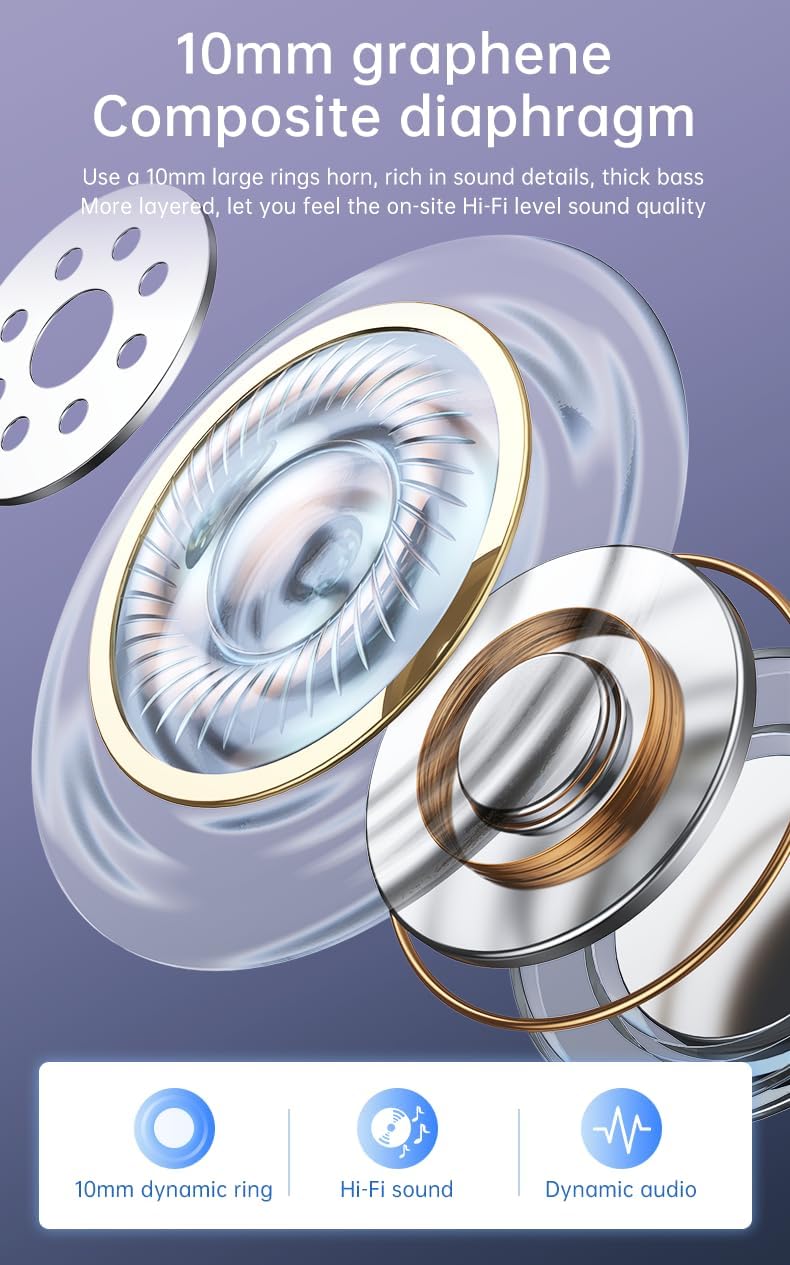
Figure 7: 10mm Graphene Composite Diaphragm
Lightweight, Portable & Ergonomic Design
Each earbud weighs only 0.14 ounces (approximately 4g), making them incredibly light and comfortable for extended wear. The ergonomic design ensures a firm and comfortable fit, suitable for various activities.

Figure 8: Comfortable and Stable Fit

Figure 9: Small and Portable Design
IP7 vandtæt klassificering
The IP7 waterproof rating effectively protects the headphones from sweat and rain, making them ideal for sports and outdoor activities.
Zero Latency for Gaming
With an ultra-low latency of 0.05 seconds and a stable signal connection, these earbuds provide a seamless audio experience for gaming, ensuring you hear every detail without delay.

Figure 10: Perfect Headset for Gaming with Zero Latency
Opretholdelse
For at sikre dine øreproppers levetid og optimale ydeevne skal du følge disse retningslinjer for vedligeholdelse:
- Rensning: Rengør regelmæssigt ørepropperne og opladningsetuiet med en blød, tør og fnugfri klud. Undgå at bruge slibende materialer eller barske kemikalier.
- Vandeksponering: While the earbuds are IP7 waterproof, avoid prolonged submersion in water. Dry them thoroughly if they get wet from sweat or rain before placing them back in the charging case.
- Opbevaring: Opbevar ørepropperne i deres opladningsetui, når de ikke er i brug, for at beskytte dem mod støv og skader.
- Opladning: Use only the provided charging cable or a certified Type-C cable. Avoid overcharging or completely draining the battery for extended periods.
Fejlfinding
Hvis du støder på problemer med dine ørepropper, bedes du følge disse almindelige fejlfindingstrin:
| Problem | Mulig løsning |
|---|---|
| Øretelefoner parrer ikke | Ensure earbuds are charged. Turn off and on your device's Bluetooth. Forget "TWS-S23" from your device's Bluetooth list and re-pair. |
| Ingen lyd fra et ørepropp | Place both earbuds back in the charging case, close the lid, wait a few seconds, then open and try again. Check device's audio balance settings. |
| Ladeetui oplader ikke | Ensure the USB cable is securely connected to both the case and the power source. Try a different charging cable or power adapter. |
| Berøringsknapper reagerer ikke | Sørg for, at ørepropperne er rene og tørre. Genstart ørepropperne ved at placere dem i etuiet og tage dem ud. |
Hvis problemet fortsætter efter at have prøvet disse trin, bedes du kontakte kundesupport for yderligere assistance.
Specifikationer
| Feature | Detalje |
|---|---|
| Modelnavn | TWS-S23 |
| Trådløs kommunikationsteknologi | Bluetooth V5.3 |
| Formfaktor | In Ear |
| Kontrolmetode | Røre |
| Kontroltype | Siri (Voice Assistant) |
| Vandtæt vurdering | IP7 |
| Driver størrelse | 10 mm |
| Varens vægt | 3.95 g (samlet pakke) |
| Spilletid | 22+ timer (med opladningsetui) |
| Opladningsport | USB Type-C |
Garanti og support
For warranty information and customer support, please refer to the documentation included with your purchase or contact the retailer/manufacturer directly. Keep your proof of purchase for any warranty claims.


