
Indledning
Tak for købetasing the GoolRC 4K Dual Camera Foldable Drone. This manual provides essential information for the safe operation, setup, and maintenance of your drone. Please read it thoroughly before first use to ensure proper functionality and to prevent damage or injury. Keep this manual for future reference.

Image: The GoolRC DRONEmax drone, featuring dual cameras and obstacle avoidance capabilities, shown in flight over a mountainous landscape.
Vigtige sikkerhedsretningslinjer
Operating a drone requires responsibility. Adhere to the following safety precautions:
- Tjek før flyvning: Always inspect the drone, remote control, and batteries for any damage before each flight. Ensure propellers are securely attached and free from obstructions.
- Miljøforhold: Fly in open areas, away from people, animals, buildings, and trees. Avoid flying in strong winds, rain, snow, or fog.
- Synslinje: Hold altid synslinjen i forhold til dronen.
- Batterisikkerhed: Use only the provided or approved batteries and charging cables. Do not overcharge or puncture batteries. Discontinue use if batteries show signs of swelling or damage.
- Aldersanbefaling: This product is recommended for adults (16 years and older).
- Lokale regler: Vær opmærksom på og overhold alle lokale love og regler vedrørende droneoperation.
Pakkens indhold
Bekræft at alle varer er til stede i din pakke:
- 1 x GoolRC Drone
- 1 x fjernbetjening
- 3 x 3.7V 1800mAh dronebatteri
- 4 x Wind Blades (Spare Propellers)
- 4 x beskyttelsesrammer
- 1 x USB ladekabel
- 1 x skruetrækker
- 1 x Opbevaringsboks
Opsætningsvejledning
1. Charge Drone Batteries
Connect the 3.7V 1800mAh drone battery to the USB charging cable, then plug the cable into a USB power adapter (not included). The charging time is approximately 100 minutes. The indicator light will show charging status.
2. Install Remote Control Batteries
Open the battery compartment on the back of the remote control and insert 3 x AA batteries (not included), ensuring correct polarity.
3. Attach Propellers and Protective Frames
Carefully attach the propellers to the motor shafts. Ensure each propeller is correctly oriented (A and B types). Then, snap the protective frames onto the drone's arms to shield the propellers from impact.
4. Unfold the Drone
Gently unfold the drone's arms until they lock into position. The drone is now ready for flight.

Image: The GoolRC drone in its unfolded state, highlighting its design for stable and easy flight, suitable for beginners.
5. Download og tilslutning af appen
Download the dedicated drone control app from your device's app store. The app is compatible with Android 5.0 or above and iOS 9.0 or above. Power on the drone, then connect your smartphone to the drone's Wi-Fi network (2.4G WiFi signal) as displayed in your phone's Wi-Fi settings. Open the app to establish a connection for real-time image transmission and advanced controls.
Betjeningsvejledning
1. Tænd/sluk og parring
- Tænd: Place the drone on a flat surface. Press and hold the power button on the drone until the indicator lights turn on. Turn on the remote control.
- Parring: Push the left joystick on the remote control up then down. The drone's lights will stop flashing and become solid, indicating successful pairing.
- Sluk: Press and hold the power button on the drone and remote control until they turn off.
2. Kalibrering
After pairing, perform a gyroscope calibration. Push both joysticks on the remote control to the bottom-right corner simultaneously. The drone's lights will flash rapidly and then become solid, indicating successful calibration. This ensures stable flight.
3. Start og landing
- Manuel start: Push both joysticks to the bottom-left corner simultaneously to unlock the motors. Then, slowly push the left joystick (throttle) upwards to take off.
- Start/landing med én knap: Press the dedicated one-key take-off/landing button on the remote control for automatic take-off or landing.
4. Grundlæggende flyvekontrol
- Venstre joystick (gas/drej): Op/Ned for højde, venstre/højre for rotation.
- Højre joystick (Hældning/Rulning): Up/Down for forward/backward flight, Left/Right for left/right sideward flight.
- Hovedløs tilstand: Press the headless mode button. In this mode, the drone's orientation is relative to the pilot, regardless of its actual front.
- Optisk flowpositionering: The drone utilizes optical flow sensors for stable hovering and precise positioning, especially indoors or at low altitudes.

Image: A visual representation of the drone's optical flow hovering for stability, four-way obstacle avoidance, and upgraded high-brightness LED color lights.
5. Avancerede funktioner
- Four-directional Obstacle Avoidance: The drone is equipped with sensors to detect and avoid obstacles from four directions, enhancing flight safety.
- Gestusoptagelse: While in the air, perform specific hand gestures (refer to app instructions for details) to trigger photo or video recording.
- Intelligent følg: Activate this feature via the app, and the drone will automatically follow a designated subject, capturing dynamic footage.
- Baneflyvning: Draw a flight path on your smartphone screen within the app, and the drone will automatically follow the specified route.

Image: The GoolRC drone following a pre-drawn trajectory path over a river landscape, demonstrating its autonomous flight capability.
- 360° rulle: Press the dedicated button on the remote control to perform an aerial 360-degree flip. Ensure sufficient altitude before attempting this maneuver.
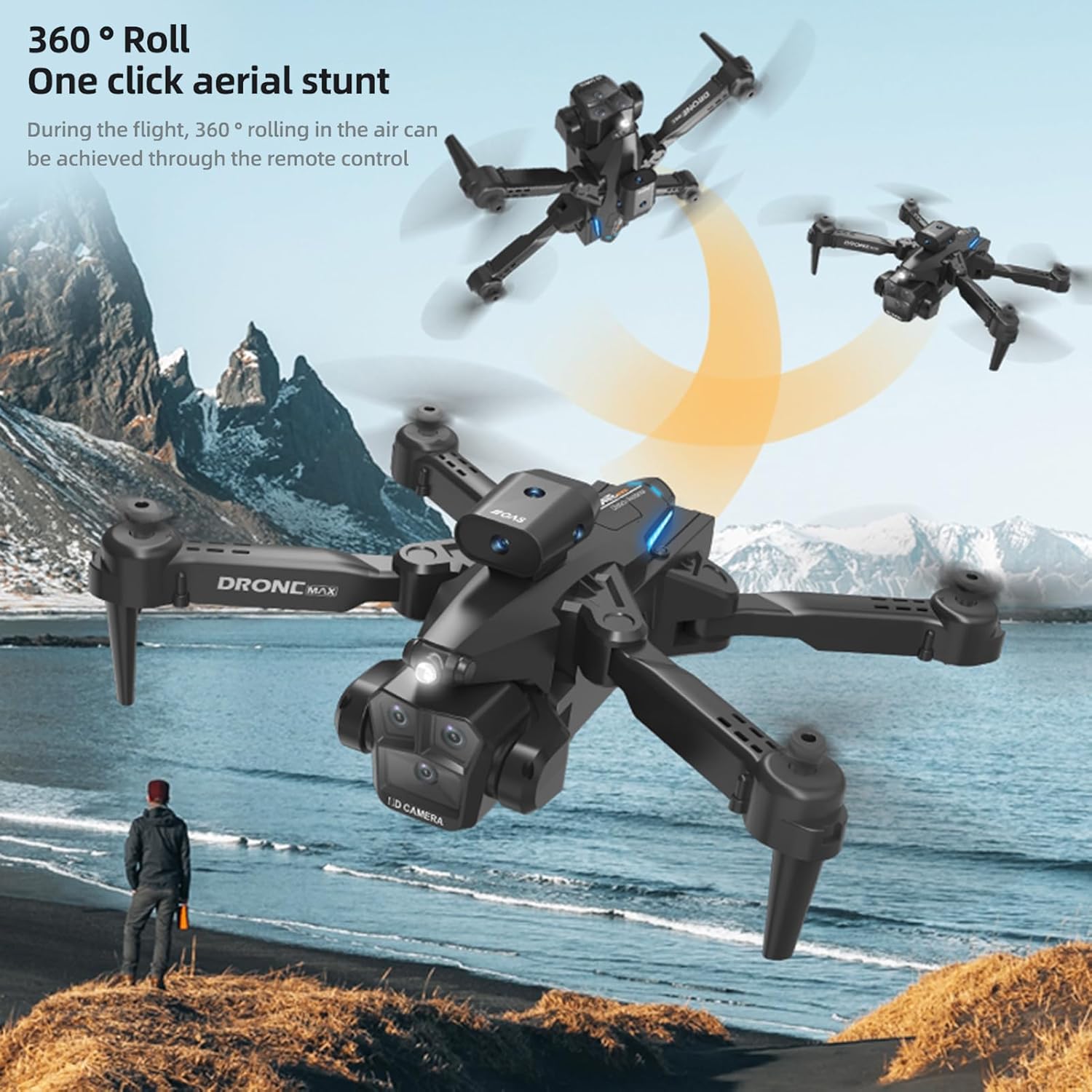
Image: The GoolRC drone executing a 360-degree roll in the air, illustrating its one-click aerial stunt capability.
6. 4K Dual Camera Operation and Real-Time Transmission
- Foto/video: Use the dedicated buttons on the remote control or the app interface to capture 4K photos and videos. The drone features both a front and bottom camera.
- Electric Tuning Lens: Adjust the camera angle dynamically via the remote control or app for optimal shots.
- Real-Time Image Transmission: View live footage from the drone's camera directly on your connected smartphone via the app, with high-definition transmission.

Image: A GoolRC drone flying over mountains, with a remote control and smartphone in the foreground displaying the drone's real-time camera view.

Billede: En detaljeret view of the GoolRC drone's 4K dual camera system, emphasizing its capability for high-quality aerial photography and videography.
- Beauty Filter Shooting: The app may offer beauty filters and post-production options for enhancing captured images.

Image: A comparison showing the effect of a beauty filter on a photograph, illustrating the drone's potential for enhanced image capture and post-processing.
Opretholdelse
- Rensning: Brug en blød, tør klud til at rengøre dronen og fjernbetjeningen. Undgå at bruge vand eller opløsningsmidler.
- Udskiftning af propel: If propellers are damaged, use the provided screwdriver to replace them with spare parts. Ensure correct A/B propeller types are installed in their respective positions.
- Batteripleje: Opbevar batterier et køligt og tørt sted. Opbevar ikke fuldt opladede eller helt afladede batterier i længere perioder. Oplad dem til ca. 50% ved langtidsopbevaring.
- Opbevaring: When not in use, fold the drone and store it in the provided storage box to protect it from dust and damage.
Fejlfinding
| Problem | Mulig årsag | Løsning |
|---|---|---|
| Dronen reagerer ikke på fjernbetjeningen. | Ikke parret, lavt batteri, interferens. | Ensure drone and remote are powered on and paired correctly. Charge batteries. Fly in an open area away from other wireless devices. |
| Drone flies unstably or drifts. | Not calibrated, damaged propellers, strong wind. | Perform gyroscope calibration. Check and replace damaged propellers. Avoid flying in windy conditions. |
| No real-time image on smartphone. | Not connected to drone's Wi-Fi, app not open, weak signal. | Ensure phone is connected to the drone's Wi-Fi. Open the control app. Move closer to the drone for a stronger signal. |
| Kort flyvetid. | Batteriet er ikke fuldt opladet, gammelt batteri, aggressiv flyvning. | Sørg for, at batteriet er fuldt opladet. Overvej at udskifte gamle batterier. Flyv mere forsigtigt. |
| Forhindringsundgåelse virker ikke. | Sensors obstructed, flying too fast, specific lighting conditions. | Ensure sensors are clean and unobstructed. Fly at moderate speeds. Obstacle avoidance may be less effective in certain lighting or with very thin objects. |
Specifikationer
| Feature | Detalje |
|---|---|
| Varens navn | Drone med fjernbetjening |
| Hovedmateriale | Plast |
| Motor | 816 brush motor |
| Drone-batteri | 3.7V 1800mAh |
| Fjernbetjenings batteri | 3*AA batteri (medfølger ikke) |
| Opladningstid | Cirka 100 minutter |
| Flight Time (Single Battery) | 15-18 minutter |
| Billedtransmissionssignal | 2.4G WiFi |
| Fjernbetjening afstand | 100 meter |
| Billedtransmissionsafstand | 100 meter |
| Kamera | 4K Dual Camera (Front & Bottom) |
| Foto opløsning | 4096*2160P |
| Video opløsning | 4096*2160P |
| Kompatibelt system | Android 5.0 eller nyere, iOS 9.0 eller nyere |
| Farve | Sort |
| Foldet størrelse | 13.5*8.5*7 cm |
| Udfoldet størrelse | 26*26*7 cm |
| Producentens varenummer | ZDC6494289347415LT |
Garanti og support
For warranty information and customer support, please refer to the documentation provided with your purchase or visit the official GoolRC webDu kan også kontakte den forhandler, hvor du købte produktet, for at få hjælp.
Fabrikant: GoolRC