
FOREVER SW-320
Forever Smartwatch 3 SW-320 User Manual
Model: SW-320 | Mærke: FOREVER
Indledning
Thank you for choosing the Forever Smartwatch 3 SW-320. This device is designed to assist you in monitoring your daily activities, health metrics, and staying connected. This manual will guide you through the essential steps to get started and make the most of your smartwatch.

Image: The Forever Smartwatch 3 SW-320, displaying both digital and analog watch face options.
Opsætning
1. Opladning af smartwatchet
Before initial use, fully charge your smartwatch. Connect the charging cable to the charging contacts on the back of the watch and to a USB power source. The watch display will indicate charging status.
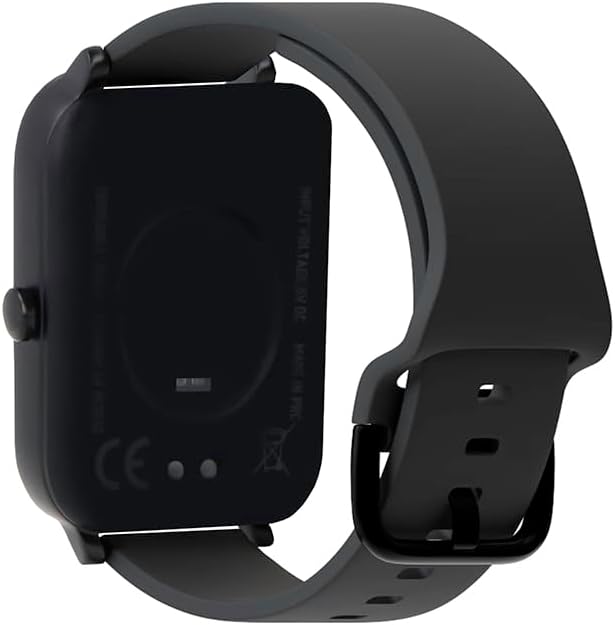
Billede: Bagside view af smartwatchet, der fremhæver opladningskontakterne og sundhedssensorerne.
2. Tænd/sluk
To power on, press and hold the side button until the screen lights up. To power off, navigate to the power off option in the settings menu or press and hold the side button and select "Power Off".
3. Parring med din smartphone
- Download the official Forever Smartwatch application from your smartphone's app store (iOS or Android).
- Sørg for, at Bluetooth er aktiveret på din smartphone.
- Open the Forever Smartwatch app and follow the on-screen instructions to search for and pair with your SW-320 smartwatch.
- Bekræft parringsanmodningen på både din smartphone og dit smartwatch.
The smartwatch is compatible with smartphones and tablets via Bluetooth connectivity.
Betjeningsvejledning
Grundlæggende navigation
The Forever Smartwatch 3 SW-320 features a full touchscreen interface. Swipe left, right, up, or down to navigate through menus and features. Tap to select an option or open an application.
Nøglefunktioner
- Aktivitetssporing: Monitor steps, distance, calories burned, and active minutes.
- Heart Rate Monitoring: Hold løbende øje med din puls hele dagen.
- Skridttæller: Counts your steps automatically.
- Søvnanalyse: Sporer dine søvnmønstre, herunder dyb og let søvntages.
- Meddelelser: Modtag advarsler om opkald, beskeder og app-notifikationer direkte på dit håndled.
- Tilpasbare urskiver: Personalize your smartwatch with various pre-installed watch faces or upload your own images.
- Sportstilstande: Access various sports modes for accurate tracking during different physical activities.
- Påmindelse om hydrering: Set reminders to drink water throughout the day.
- Termometer: Measures body temperature.
- Oximeter (SpO2): Overvåger iltniveauet i blodet.
- Sporing af menstruationscyklus: Hjælper med at spore og forudsige menstruationscyklusser.

Image: Smartwatch screen showing real-time activity data during a workout, including heart rate and calories burned.

Image: Visual representation of key features: sports modes, thermometer, oximeter, IP68 water resistance, sleep analysis, dual strap options, and 1.7-inch display.

Image: The smartwatch showing sleep duration and quality metrics, with a person sleeping peacefully.
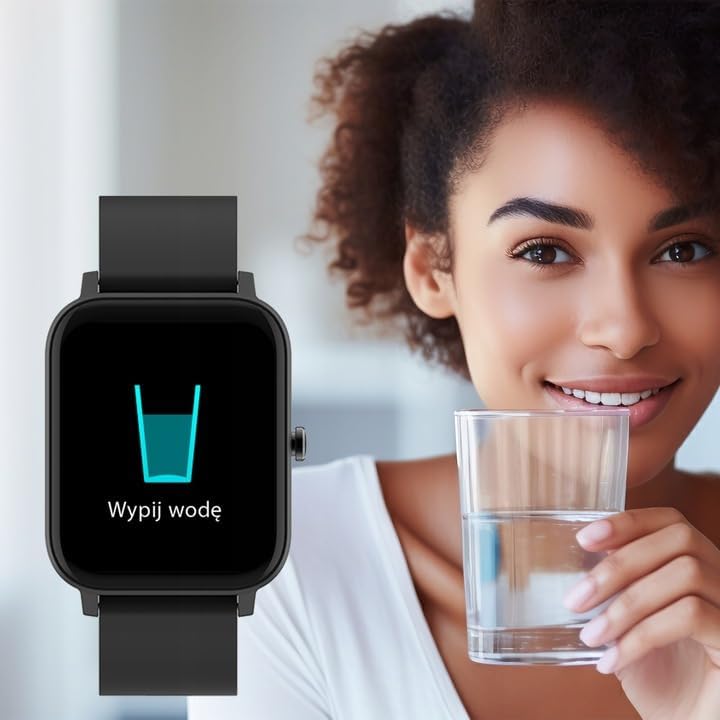
Image: Smartwatch displaying a "Drink Water" reminder, encouraging hydration.
Opretholdelse
Rengøring af dit smartwatch
Rengør dit smartwatch og din rem regelmæssigt for at forhindre hudirritation og bevare enhedens funktionalitet. Brug en blød, tøramp kluden til at tørre skærmen af og casing. For the strap, follow the manufacturer's recommendations based on the material. Avoid harsh chemicals or abrasive materials.
Vandmodstand
The Forever Smartwatch 3 SW-320 features IP68 water resistance. This means it is protected against dust and can withstand immersion in water up to 1.5 meters for up to 30 minutes. It is suitable for daily use and light water activities, but not recommended for diving, hot showers, or high-pressure water exposure.
Batteripleje
To prolong battery life, avoid exposing the smartwatch to extreme temperatures. Charge the device fully before its first use and when the battery is low. Do not leave the battery completely drained for extended periods.
Fejlfinding
Smartwatch Not Turning On
Ensure the smartwatch is fully charged. Connect it to the charger for at least 30 minutes before attempting to power it on again.
Kan ikke parres med smartphone
- Make sure Bluetooth is enabled on your smartphone and the smartwatch.
- Ensure the smartwatch is within the Bluetooth range of your phone (typically 10 meters).
- Genstart både din smartphone og dit smartwatch.
- Check if the Forever Smartwatch app is updated to the latest version.
- Hvis enheden tidligere har været parret, kan du prøve at ophæve parringen og parre den igen via din telefons Bluetooth-indstillinger og appen.
Unøjagtige sundhedsmålinger
For accurate heart rate and activity tracking, ensure the smartwatch is worn snugly on your wrist, about one finger's width above your wrist bone. Avoid excessive movement during measurements. Environmental factors and skin conditions can affect sensor accuracy.
Notifikationer vises ikke
Verify that notification permissions are granted for the Forever Smartwatch app in your smartphone's settings. Also, check the app's settings to ensure notifications are enabled for the desired applications.
Specifikationer
| Mærke | FOR ALTID |
| Modelnavn | 3 SW-320 |
| Modelnummer | GSM169759 |
| Skærmstørrelse | 1.7 tommer |
| Skærmopløsning | 240 x 280 |
| Forbindelse | Bluetooth |
| Kompatible enheder | Smartphone, tablet |
| Særlige funktioner | Heart Rate Monitor, Pedometer, Thermometer, Oximeter |
| Batteritype | 1 Lithium Ion |
| Gennemsnitlig batterilevetid | Up to 1 Day (usage dependent) |
| Vægt | 180 g |
| Dimensioner | 11.5 x 9 x 7 cm |
| Vandmodstand | IP68 |
| Human Interface Input | Touchskærm |
Note: Battery life and charging times can vary based on usage and environmental conditions. The "1 Day" for charging time in the original data is likely an error and typically refers to battery life.
Garanti og support
For garantioplysninger og teknisk support henvises til den dokumentation, der følger med dit produkt, eller besøg den officielle FOREVER-side. webwebsted. Gem din købsbevis til garantikrav.
If you encounter issues not covered in this manual, please contact FOREVER customer service for assistance.
Relaterede dokumenterSW-320


Ask a question about this manual
Ask about setup, troubleshooting, compatibility, parts, safety, or missing instructions. Manuals+ will review the question and use this page’s manual context to help answer it.