
Indledning
Tak for købetasing the ASHATA Mini 6-Key 1-Knob Mechanical Keyboard. This compact and versatile keyboard is designed for enhanced productivity and gaming, featuring hot-swappable blue switches, custom macro programming, and a detachable cable for convenience. This manual provides detailed instructions for setup, operation, maintenance, and troubleshooting to ensure optimal performance.
Pakkens indhold
Kontroller venligst pakken omhyggeligt for at sikre, at alle varer er til stede:
- 1 x ASHATA Mini 6-Key 1-Knob Keyboard
- 1 x USB Data Cable (approx. 1m / 3.28ft)
- 1 x USB Flash Drive (containing software/drivers)
- 1 x brugermanual

Image: Contents of the ASHATA Mini Keyboard package, including the keyboard, USB cable, and USB flash drive.
Opsætning
- Tilslut tastaturet:
Connect the provided USB data cable to the mini keyboard's USB port and then to an available USB port on your computer. The keyboard is plug-and-play and should be recognized automatically by your operating system.

Image: The ASHATA Mini Keyboard with its detachable USB cable connected to a laptop, demonstrating flexible cable management.
- Install Software (for Macro Programming):
Insert the included USB flash drive into your computer. Locate and install the corresponding macro programming software. Follow the on-screen instructions to complete the installation. This software is essential for customizing key functions and macros.
- Indledende test:
After connecting and installing the software, open a text editor or a test application to verify that all 6 keys and the knob are responsive.
Betjeningsvejledning
6-Key 1-Knob Functionality
The keyboard features 6 programmable keys and 1 rotary knob. The knob can be used for various functions such as volume control, screen brightness adjustment, scrolling, or other custom actions defined through the software.

Billede: Et nærbillede view of the ASHATA Mini Keyboard highlighting its 6 keys and the multi-functional rotary knob.
Brugerdefineret makroprogrammering
The ASHATA Mini Keyboard supports extensive customization through its dedicated software. This allows you to:
- Omkort nøgler: Assign any standard keyboard key, mouse function, or multimedia control to any of the 6 keys.
- Opret makroer: Record a sequence of keystrokes and mouse clicks, then assign the entire sequence to a single key. This is ideal for complex commands in gaming or productivity tasks.
- Tilpasning af knap: Define actions for turning the knob clockwise, counter-clockwise, and pressing the knob.
Refer to the software's built-in guide for detailed instructions on creating and managing macros.
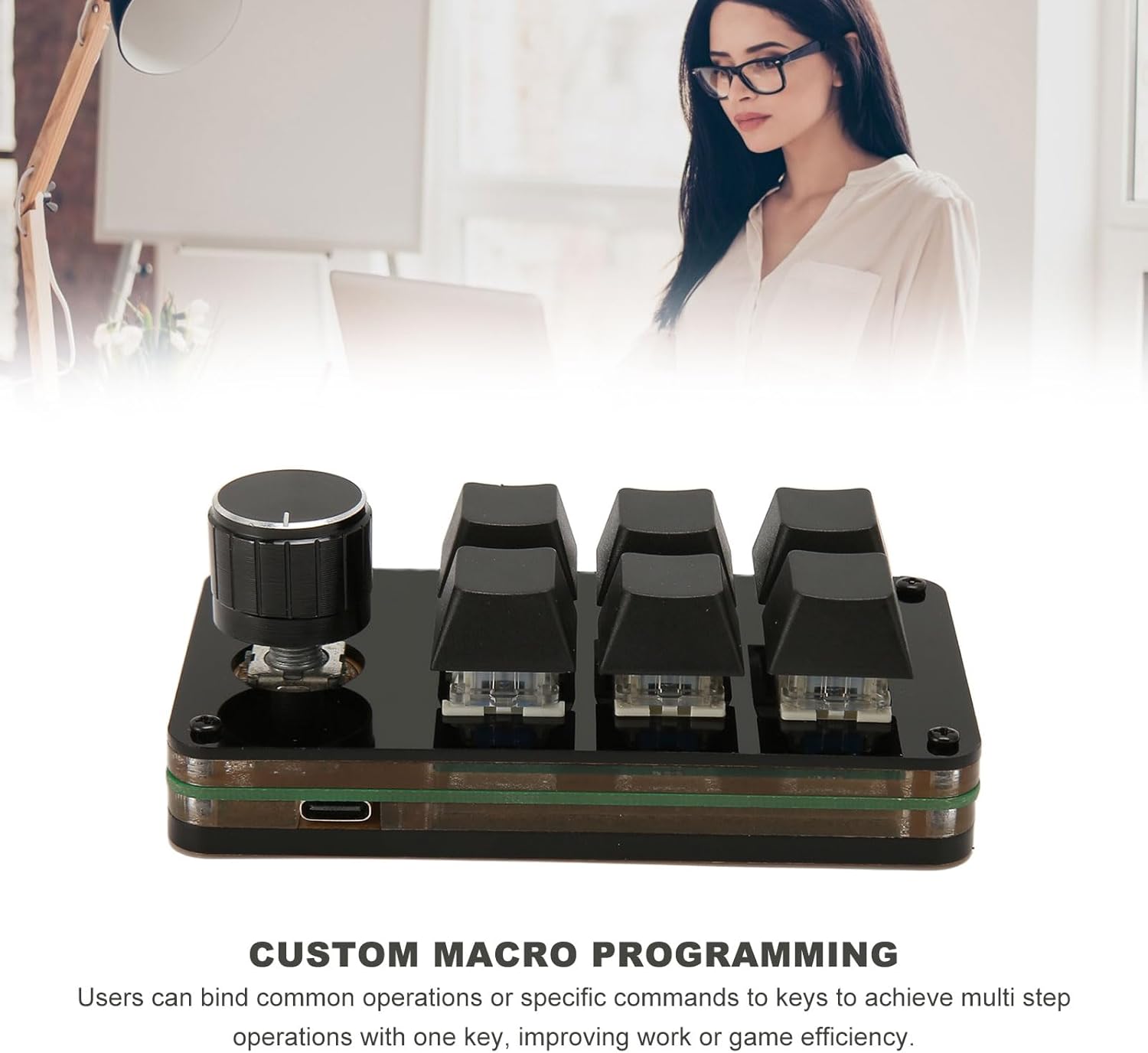
Image: The ASHATA Mini Keyboard in use, demonstrating its capability for custom macro programming to enhance workflow.
Hot-Swappable Design (Blue Switches)
The keyboard features hot-swappable sockets, allowing you to easily change the mechanical switches without soldering. This enables quick customization of the typing feel and sound. The pre-installed switches are Blue Switches, known for their tactile bump and audible click, providing distinct feedback for gaming and typing.
To change a switch:
- Træk forsigtigt tastaturet af kontakten med en tastaturaftrækker (medfølger ikke).
- Use a switch puller (not included) to carefully remove the switch from its socket.
- Align the pins of the new switch with the holes in the PCB and press firmly until it clicks into place. Ensure the pins are not bent.
- Udskift tastaturdækslet.

Billede: A view of the ASHATA Mini Keyboard demonstrating its hot-swappable design, allowing for easy switch replacement.

Billede: Side view of the ASHATA Mini Keyboard, clearly showing the blue mechanical switches beneath the keycaps.
Opretholdelse
- Rensning: Use a soft, dry cloth to wipe the keyboard surface. For deeper cleaning, remove keycaps and use compressed air to clear dust and debris from between switches.
- Kabelpleje: Avoid sharp bends or excessive pulling on the USB cable to prevent damage. The detachable design allows for easy replacement if needed.
- Opbevaring: Opbevar tastaturet et køligt, tørt sted væk fra direkte sollys og ekstreme temperaturer.
Fejlfinding
| Problem | Løsning |
|---|---|
| Tastaturet genkendes ikke af computeren. |
|
| Keys or knob not responding. |
|
| Macro programming software not working. |
|
Specifikationer
| Feature | Detalje |
|---|---|
| Modelnummer | ASHATAnycpmv130f |
| Type | Mini 6-Key 1-Knob Mechanical Keyboard |
| Materiale | Akryl |
| Forbindelse | Kablet (aftageligt USB-kabel) |
| Kabellængde | Ca. 1 m / 3.28 fod |
| Afbrydere | Hot-Swappable Blue Mechanical Switches |
| Dimensioner (pakke) | 14 x 9 x 6 cm |
Garanti og support
ASHATA products are designed for reliability and performance. For warranty information, please refer to the documentation included with your purchase or contact your retailer. For technical support or further assistance, please visit the ASHATA brand store on Amazon or contact customer service through the platform where you purchased the product.
ASHATA Brand Store: Visit ASHATA Store