
1. Introduktion
This manual provides detailed instructions for the proper installation, operation, and maintenance of your Eiszuso Bluetooth 5.3 USB Adapter, Model 06H. Please read this manual thoroughly before using the device to ensure optimal performance and to prevent any potential issues.

Billede 1.1: The Eiszuso Bluetooth 5.3 USB Adapter. This compact device enables Bluetooth connectivity for compatible computers.
2. Produktet er slutview
The Eiszuso Bluetooth 5.3 USB Adapter is designed to provide wireless Bluetooth connectivity to desktop PCs and laptops that lack built-in Bluetooth functionality. It supports the latest Bluetooth 5.3 standard, offering enhanced performance and compatibility.
Nøglefunktioner:
- Avanceret Bluetooth 5.3-teknologi: Equipped with Bluetooth 5.3 + EDR, supporting Dual Mode (BR/EDR + Low Energy Controller) for quick responses and improved anti-interference capabilities.
- Effortless Plug & Play: Designed for immediate use without the need for driver installations on supported operating systems.
- Robust and Rapid Connection: Enhances connection stability and minimizes signal interruptions. Achieves a maximum transmission rate of 3 Mbps and a range of up to 20 meters (66 feet) in open spaces.
- Kompakt og bærbart design: Its mini size allows it to remain inserted in a USB port without obstructing other ports, making it ideal for travel.
- Bred enhedskompatibilitet: Supports various Bluetooth-enabled devices such as speakers, headphones, keyboards, mice, and printers.

Billede 2.1: The adapter facilitates wireless connections to earphones, mice, gamepads, and other Bluetooth-enabled devices, reducing latency.
3. Opsætningsvejledning
Systemkrav:
- Operating Systems: Windows 8.1, Windows 10, Windows 11, Linux.
- Tilgængelig USB-port.
- Note: Denne adapter er ikke compatible with Mac OS, car stereo systems, XBOX, PS4, or TVs.
Installationstrin:
- Indsæt adapteren: Locate an available USB port on your desktop PC or laptop. Gently insert the Eiszuso Bluetooth 5.3 USB Adapter into the USB port.
- Automatisk genkendelse: The adapter is designed for plug-and-play functionality. Your operating system (Windows 8.1/10/11 or Linux) should automatically detect and install the necessary drivers. This process may take a few moments.
- Verifikation: Once installed, a Bluetooth icon should appear in your system tray (Windows) or notification area (Linux), indicating that Bluetooth is active and ready for use.
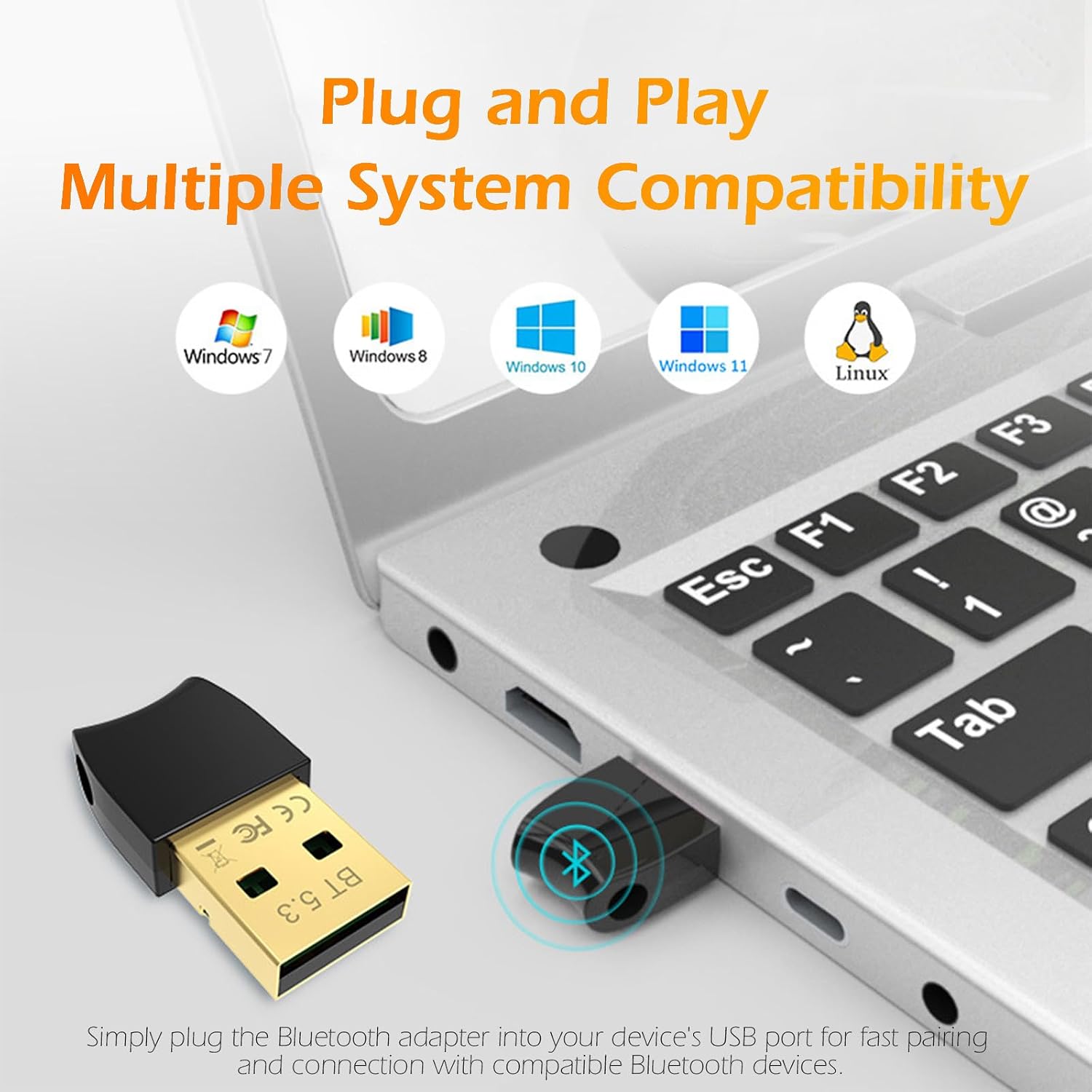
Billede 3.1: The adapter is plug-and-play compatible with Windows 7, 8, 10, 11, and Linux operating systems.
4. Betjeningsvejledning
Parring af Bluetooth -enheder:
After successful installation, you can connect your Bluetooth-enabled devices to your computer.
- Enable Bluetooth on your Computer: Ensure Bluetooth is turned on in your computer's settings. On Windows, go to Indstillinger > Enheder > Bluetooth og andre enheder and toggle Bluetooth to 'On'.
- Put your Device in Pairing Mode: Refer to your Bluetooth device's instruction manual to put it into pairing mode. This usually involves holding a button until an indicator light flashes.
- Tilføj en enhed: On your computer, click 'Add Bluetooth or other device' (Windows) or navigate to the Bluetooth settings (Linux). Select 'Bluetooth' from the options.
- Select and Connect: Din computer vil søge efter Bluetooth-enheder i nærheden. Vælg din enhed på listen, og følg eventuelle instruktioner på skærmen for at fuldføre parringsprocessen.
Tilslutning til flere enheder:
The adapter supports simultaneous connections with multiple Bluetooth devices, allowing you to connect headphones, a mouse, and a keyboard concurrently.

Billede 4.1: The adapter enables simultaneous connectivity with various devices including computers, phones, mice, earphones, gamepads, and printers.
5. Vedligeholdelse
The Eiszuso Bluetooth 5.3 USB Adapter requires minimal maintenance. To ensure its longevity and optimal performance:
- Hold adapteren ren og fri for støv. Brug en blød, tør klud til rengøring.
- Undgå at udsætte adapteren for ekstreme temperaturer, fugtighed eller direkte sollys.
- Do not attempt to disassemble or repair the adapter yourself. This will void any potential warranty and may damage the device.
- Når den ikke er i brug i længere perioder, kan du fjerne adapteren fra USB-porten og opbevare den et sikkert og tørt sted.
6. Fejlfinding
If you encounter issues with your Eiszuso Bluetooth 5.3 USB Adapter, refer to the following troubleshooting steps:
| Problem | Mulig løsning |
|---|---|
| Adapter not recognized / No Bluetooth icon |
|
| Kan ikke parre enheder |
|
| Unstable connection / Frequent disconnections |
|
| "Ghost" Bluetooth devices appearing / Pairing issues after re-pairing |
|
7. Specifikationer
| Feature | Detalje |
|---|---|
| Modelnummer | 06H |
| Bluetooth version | 5.3 + EDR (Dual Mode) |
| Hardware-interface | USB |
| Data Link Protocol | Bluetooth |
| Dataoverførselshastighed | Op til 3 Mbps |
| Maksimal rækkevidde | Op til 20 meter (66 fod) i åbent rum |
| Kompatible operativsystemer | Windows 8.1 / 10 / 11, Linux |
| Kompatible enheder | Speakers, Headphones, Keyboards, Mice, Printers |
| Pakkedimensioner | 4.17 x 2.64 x 0.35 tommer |
| Varens vægt | 0.634 ounce (0.02 kilo) |
8. Kontakt og support
For further assistance, technical support, or warranty inquiries, please contact Eiszuso customer service through the retailer's platform or the official Eiszuso website. Please have your product model number (06H) and purchase information ready when contacting support.