
1. Introduktion
Thank you for choosing the EMANER Smart Security Light Motion Sensor. This device combines advanced motion detection with smart control features, offering adjustable brightness, color temperature, and seamless integration with smart home systems like Alexa and Google Home. This manual provides detailed instructions for safe installation, configuration, and operation of your new security light.

Image 1.1: EMANER Smart Security Lights with smart home integration.
2. Sikkerhedsoplysninger
WARNING: Risk of electric shock. Installation should be performed by a qualified electrician or a person with electrical knowledge. Disconnect power at the fuse box or circuit breaker before installation or servicing.
- Sørg for, at strømforsyningen er slukket før installation.
- Følg alle lokale elektriske forskrifter og bestemmelser.
- Forsøg ikke at ændre produktet.
- Hold produktet væk fra brændbare materialer.
- This product is designed for outdoor use and is water-resistant. However, do not submerge it in water.
3. Pakkens indhold
Kontroller, at alle komponenter er til stede, før installationen påbegyndes:
- EMANER Smart Security Light (2 units for 2-Pack)
- Monteringsudstyr (skruer, trådmøtrikker, monteringsplade)
- Instruktionsmanual (dette dokument)
4. Specifikationer
| Feature | Detalje |
|---|---|
| Mærke | EMANER |
| Modelnavn | EMR-8030 |
| Lysudgang | 2800 lumen (maks.) |
| Farvetemperatur | 2700K-6500K (justerbar) |
| Dæmpbar | 1% to 100% via App |
| Strømkilde | Elektrisk ledning (120 volt) |
| Forbindelse | 2.4 GHz Wi-Fi |
| Kontrolmetoder | App (Smart Life/Tuya Smart), Voice (Alexa, Google Assistant) |
| Bevægelsessensor rækkevidde | Op til 26 meter (justerbar) |
| Lys Varighed | 5 seconds to 60 minutes (adjustable) |
| Materiale | Plast |
| Dimensioner | 12 cm L x 6.7 cm B x 6 cm H |
| Vandmodstand | Water Resistant (Weatherproof) |

Image 4.1: Product dimensions and adjustable light heads.
5. Opsætning
5.1. Installation
- Sluk for strømmen: Før du starter, skal du sørge for, at strømmen til samledåsen er slukket ved afbryderen.
- Forbered montering: Attach the mounting plate to your outdoor junction box using the provided screws.
- Ledningsforbindelser: Connect the light's wires to your household wiring:
- Black wire (Live) to Black wire (Live)
- White wire (Neutral) to White wire (Neutral)
- Green/Bare Copper wire (Ground) to Green/Bare Copper wire (Ground)
- Monteringsbeslag: Carefully tuck the wires into the junction box and secure the light fixture to the mounting plate.
- Juster lyshoveder: The three light heads and the motion sensor are rotatable. Adjust them to cover your desired area.
- Gendan strøm: Tænd for strømmen igen ved afbryderen.
5.2. App Connection (Smart Life / Tuya Smart)
The EMANER Smart Security Light connects via 2.4GHz Wi-Fi to the Smart Life or Tuya Smart app.
- Download app: Download appen "Smart Life" eller "Tuya Smart" fra din smartphones appbutik (iOS eller Android).
- Registrer/Log ind: Åbn appen, og opret en ny konto, eller log ind, hvis du allerede har en.
- Tilføj enhed:
- Sørg for, at din telefon er tilsluttet et 2.4 GHz Wi-Fi-netværk.
- I appen skal du trykke på "+"-ikonet i øverste højre hjørne for at tilføje en enhed.
- Select "Lighting" or "Security & Sensor" and then "Light Source (Wi-Fi)" or "Floodlight (Wi-Fi)".
- Follow the in-app instructions to put the light into pairing mode. This usually involves turning the light off and on a few times until it blinks rapidly.
- Indtast din Wi-Fi-netværksadgangskode, når du bliver bedt om det.
- Wait for the app to discover and connect to the device. Once connected, you can rename the light.
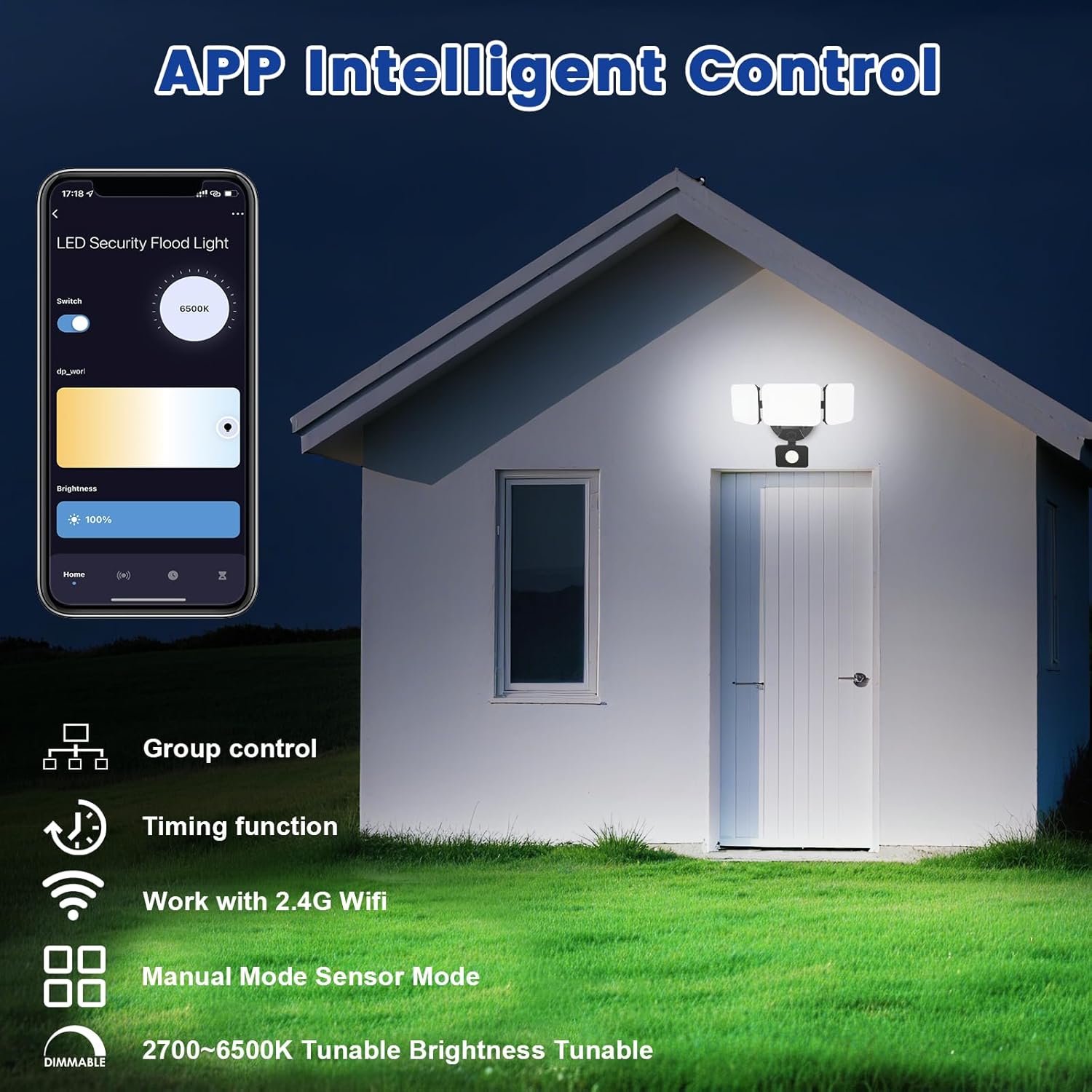
Billede 5.1: App-grænseflade til intelligent styring.
6. Betjeningsvejledning
6.1. Appkontrol
Once connected, use the Smart Life/Tuya Smart app to control your security light:
- Justering af lysstyrke: Juster lysintensiteten fra 1% til 100%.
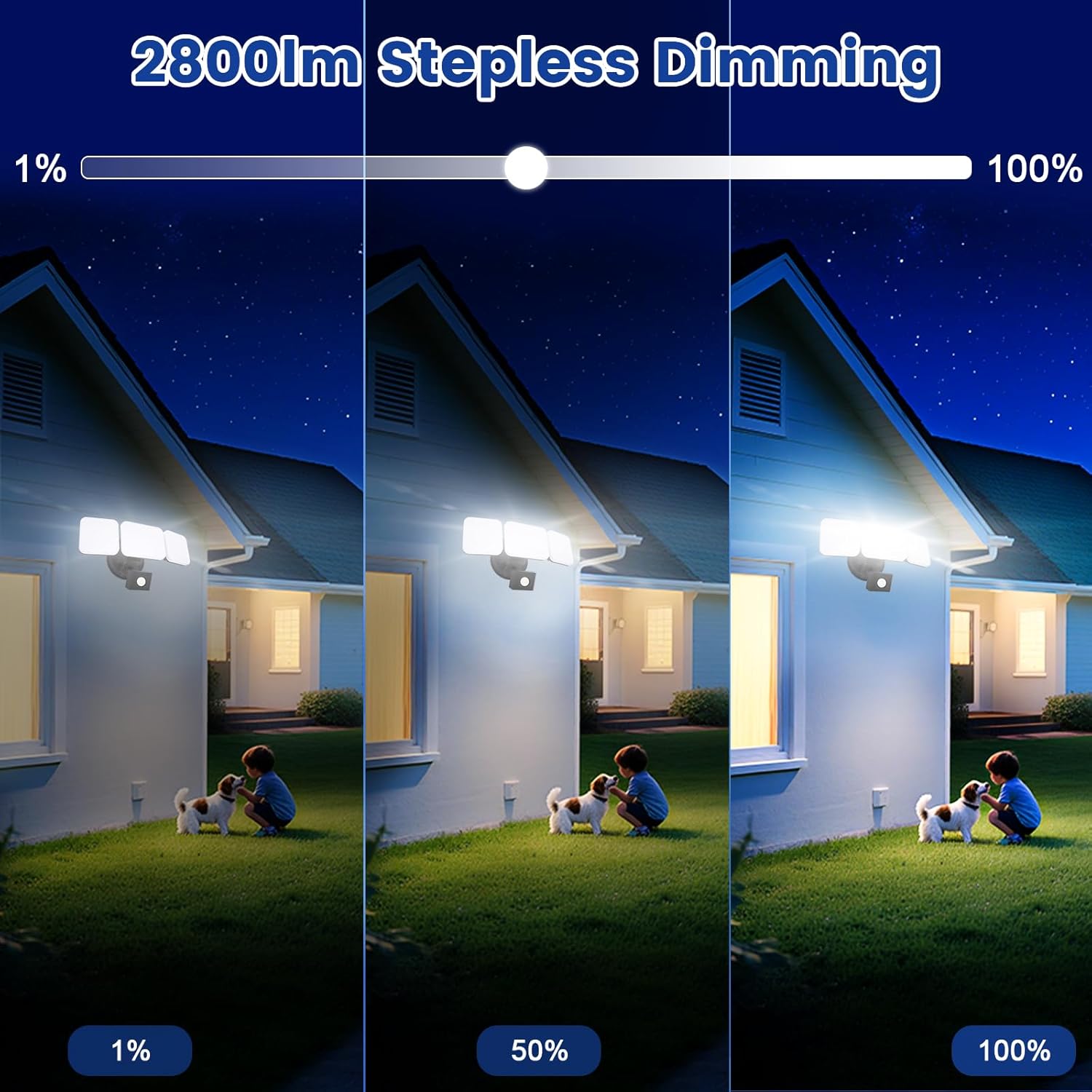
Image 6.1: Stepless dimming from 1% to 100% brightness.
- Farvetemperaturjustering: Change the light color from warm white (2700K) to daylight white (6500K).
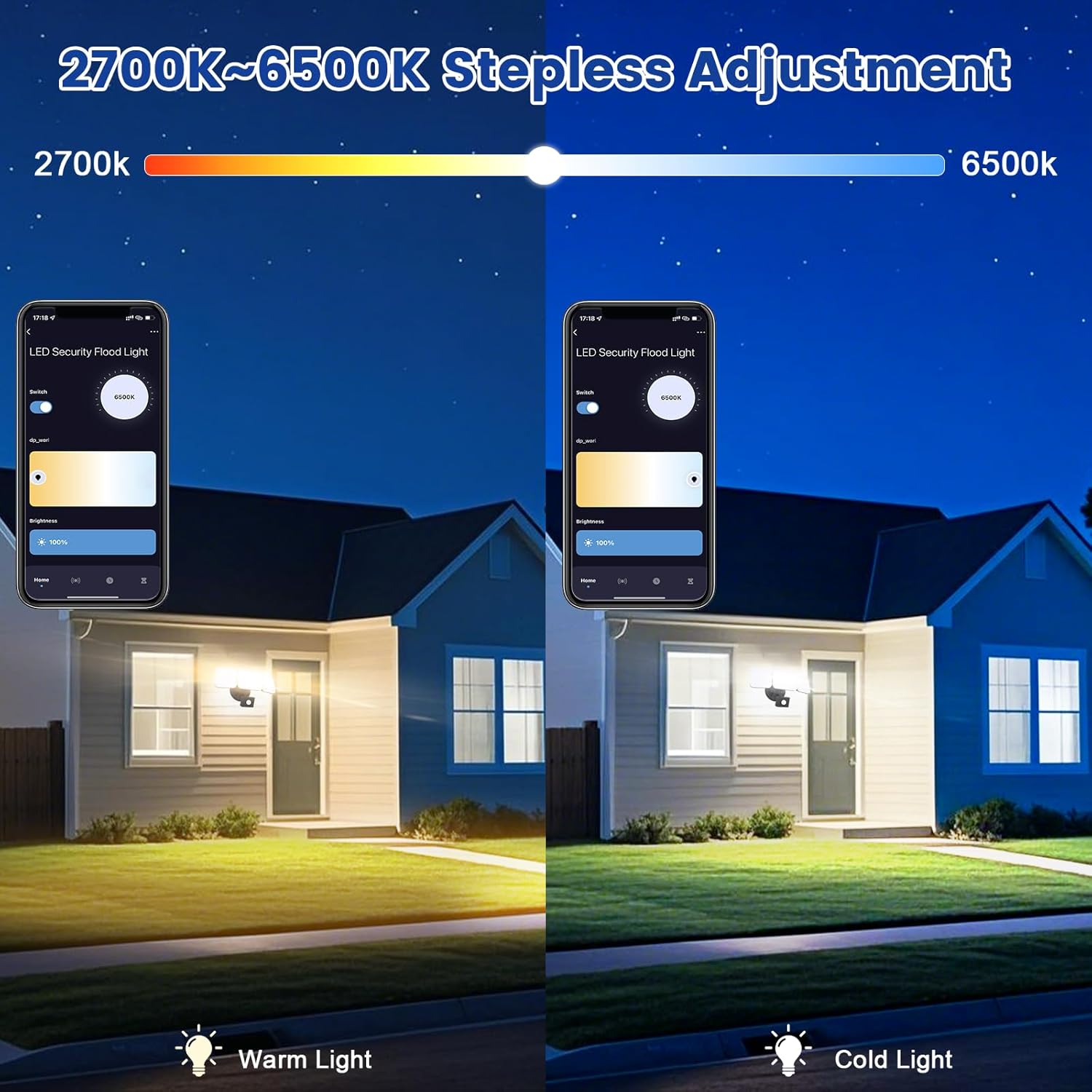
Image 6.2: Tunable white from 2700K (Warm) to 6500K (Daylight).
- Driftstilstande:
- Manuel tilstand: Functions as a regular light. You can set it to turn on/off at specific times and adjust brightness/color temperature.
- Sensortilstand: Activates the motion sensor. Customize sensor settings like sensitivity and light duration.
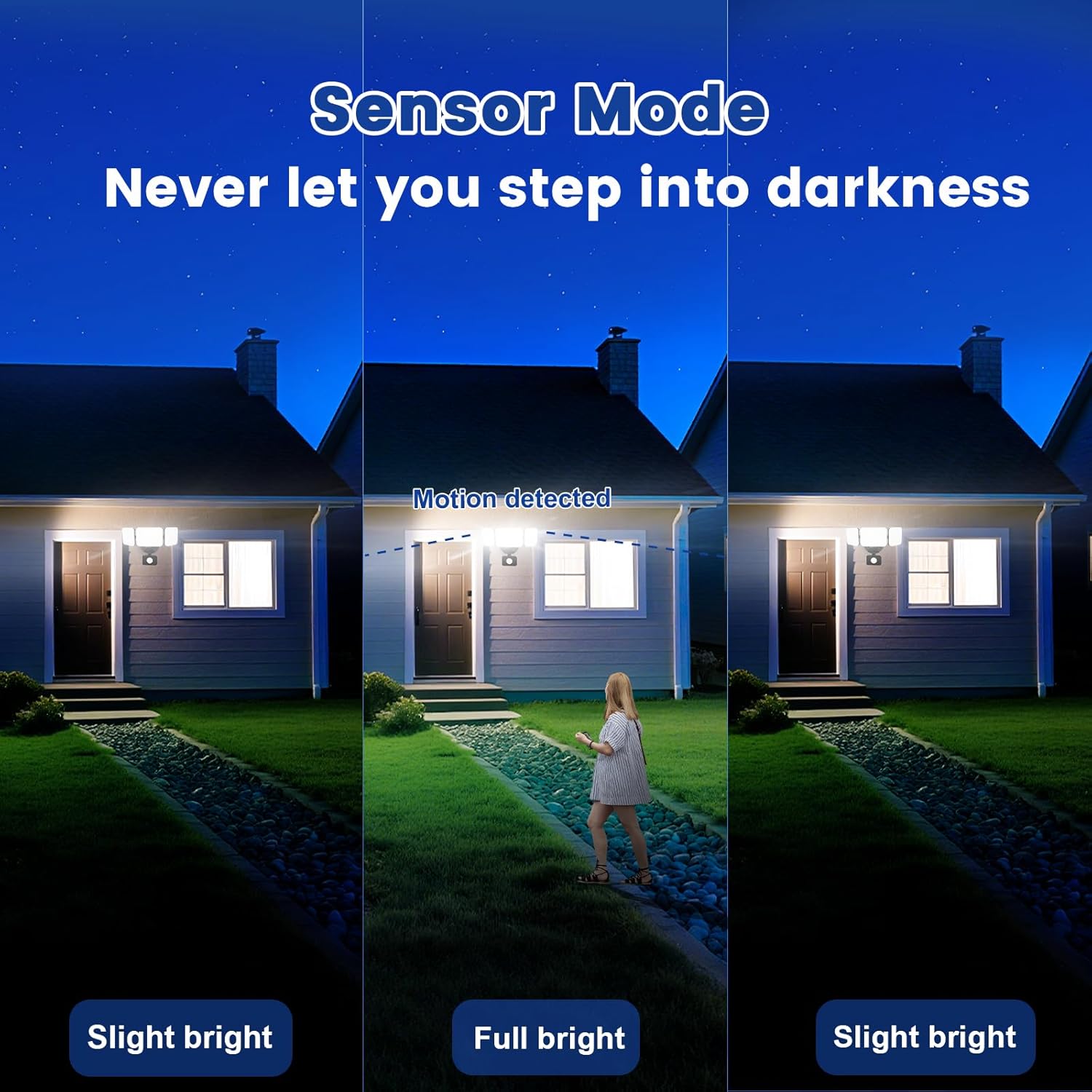
Image 6.3: Sensor Mode operation, detecting motion and adjusting brightness.
- Indstillinger for bevægelsessensor: Adjust the detection range (up to 26ft) and the duration the light stays on after motion is detected (5 seconds to 60 minutes).

Image 6.4: Adjustable full light duration time.
- Planlægning: Set schedules for the light to turn on or off at specific times.

Image 6.5: Time scheduling and delay settings.
- Gruppekontrol: Group multiple EMANER smart lights together for simultaneous control.
6.2. Stemmestyring (Alexa / Google Assistant)
Integrate your EMANER Smart Security Light with Amazon Alexa or Google Assistant for convenient voice commands.
- Tilknyt konto: In the Alexa or Google Home app, enable the "Smart Life" or "Tuya Smart" skill/service and link your account.
- Opdag enheder: Ask Alexa or Google Assistant to "Discover devices."
- Stemmekommandoer: Brug kommandoer som:
- "Alexa, turn on the security light."
- "Hey Google, set the security light to 50% brightness."
- "Alexa, change the security light to warm white."
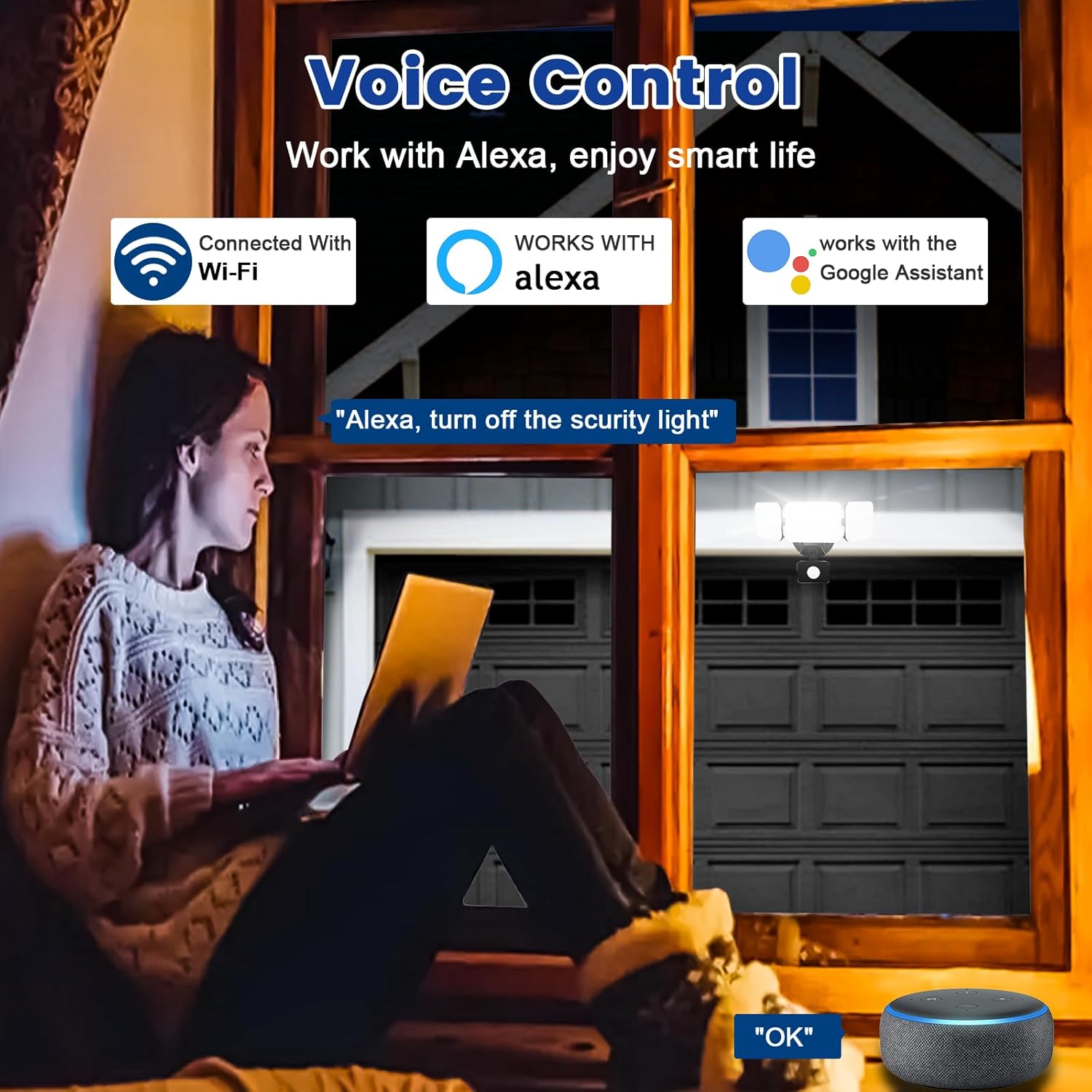
Image 6.6: Voice control integration with Alexa and Google Assistant.
7. Vedligeholdelse
- Rensning: Rengør lampen med jævne mellemrum med en blød kludamp klæde. Brug ikke slibende rengøringsmidler eller opløsningsmidler.
- Inspektion: Regularly check for any loose wiring or damage to the fixture.
- Firmwareopdateringer: Keep the Smart Life/Tuya Smart app updated to ensure your device receives the latest firmware for optimal performance and security.
8. Fejlfinding
| Problem | Mulig årsag | Løsning |
|---|---|---|
| Lyset tændes ikke. | No power, loose wiring, faulty fixture. | Check circuit breaker. Ensure all wiring connections are secure. Contact support if issue persists. |
| Kan ikke oprette forbindelse til Wi-Fi. | Incorrect Wi-Fi band (not 2.4GHz), wrong password, light not in pairing mode, weak signal. | Ensure your router is broadcasting 2.4GHz Wi-Fi. Verify password. Put light into pairing mode (turn off/on several times). Move router closer or use a Wi-Fi extender. |
| Bevægelsessensoren virker ikke eller er for følsom. | Incorrect settings in app, obstruction, environmental factors. | Adjust sensitivity and detection range in the Smart Life/Tuya Smart app. Ensure sensor is not obstructed. Avoid aiming at heat sources or reflective surfaces. |
| Stemmestyringen svarer ikke. | App account not linked, device not discovered, incorrect commands. | Ensure Smart Life/Tuya Smart skill is enabled and linked in Alexa/Google Home app. Ask to "Discover devices." Use correct voice commands. |
9. Garanti og support
EMANER provides a Lifetime Warranty for this product, ensuring quality and customer satisfaction. For technical support, warranty claims, or any questions regarding your EMANER Smart Security Light, please contact EMANER customer service through the retailer's platform or visit the official EMANER webwebsted for kontaktoplysninger.
Online ressourcer:
- For app-related issues, refer to the help section within the Smart Life or Tuya Smart application.
- Besøg EMANER Store on Amazon for produktinformation og support.