
Indledning
The PAPIFEED Automatic Pet Feeder is designed to provide convenient and consistent feeding for your pets. With remote app control, customizable feeding schedules, and dual power options, it ensures your pet receives their meals on time, every time. This manual provides detailed instructions for setup, operation, and maintenance of your new pet feeder.
Produkt overview og komponenter
Familiarize yourself with the various parts of your PAPIFEED Automatic Pet Feeder:

Figur 1: Eksploderet View of Feeder Components. This diagram illustrates the main parts of the feeder, including the feeder lid, desiccant compartment, food storage bin, control panel, removable stainless steel feeding bowl, and the outer bowl.

Figure 2: Product Dimensions and Included Accessories. The feeder measures 10.9 inches in height, 8.15 inches in width, and 10.47 inches in depth. It comes with a power adapter, charging cable, and desiccant bag.
Opsætningsvejledning
1. Udpakning og indledende inspektion
Fjern forsigtigt alle komponenter fra emballagen. Sørg for, at alle dele, der er angivet i "Produktoversigten", erview" section are present and undamaged. The feeder includes a removable stainless steel bowl for easy cleaning.
Video 1: How to Use the PAPIFEED Automatic Pet Feeder. This video demonstrates the unboxing, assembly, and basic operation of the feeder, including filling and manual dispensing.
2. Strømforsyning
The PAPIFEED feeder supports dual power modes:
- DC 5V strømadapter: For long-term, stable power. Connect the provided adapter to the feeder and a wall outlet.
- 4 AA-batterier (medfølger ikke): For emergency backup power. Insert 4 AA batteries into the battery compartment at the bottom of the feeder. The battery backup provides approximately 15 hours of standby time and ensures feeding continues during power outages. Note: Wi-Fi connectivity is not available when operating solely on battery power.

Figur 3: Dobbelt strømforsyning. The feeder can be powered by the included adapter or 4 AA batteries for backup. Always use the original adapter to prevent device abnormalities.
3. Fyldning af madtanken
Open the feeder lid and pour dry pet food into the storage bin. The 3.5L capacity can hold up to 15 cups of food. Ensure the food kibble size is between 0.2-0.47 inches (5-12mm) for optimal dispensing. Avoid using larger freeze-dried foods, wet foods, irregularly shaped foods, or soft foods to prevent clogging.

Figure 4: Recommended Food Size. The feeder supports dry food kibble between 5-12mm. Wet, irregularly shaped, or large freeze-dried foods are not recommended.
4. Securing the Safety Lock
Attach the provided safety lock strap over the feeder lid to prevent pets from accidentally knocking over the food tank or accessing stored food. This also helps maintain food freshness.

Figur 5: Sikkerhedslåsemekanisme. The safety lock strap secures the lid, preventing accidental spills and unauthorized access to food.
Betjeningsvejledning
1. Connecting to the Smart Life APP (2.4G WiFi Only)
To unlock the full features of your PAPIFEED feeder, connect it to the "Smart Life" APP. Ensure your Wi-Fi network is 2.4GHz (5GHz is not supported).
- Download the "Smart Life" APP from your device's app store or by scanning the QR code on the feeder's packaging. You can also visit smartapp.tuya.com/smartlife.
- Ensure Bluetooth and location permissions are enabled on your mobile phone.
- Power on the feeder. Press and hold the "+" key on the control panel for 10 seconds until the blue light flashes, indicating it's in network configuration mode.
- Open the "Smart Life" APP, tap the "+" icon in the upper right corner to add the device. The app will automatically search for nearby devices.
- Follow the in-app prompts to complete the connection process.

Figure 6: APP Remote Feeding Interface. The Smart Life app allows you to customize feeding plans, initiate immediate feeding, view daily feeding records, and monitor battery levels.
2. LED-indikatorens betydning
- Grønt lys: Ikke tilsluttet Wi-Fi.
- Blåt lys blinker: Venter på Wi-Fi-forbindelse.
- Always Blue Light: Wi-Fi er tilsluttet.
- Rødt lys blinker: Lavt batteri voltage.

Figur 7: LED-indikatorstatus. Understand the feeder's status at a glance using the LED light.
3. Indstilling af fodringsplan
Customize a healthy eating habit for your pet. You can set up to 10 meals per day, with 1-6 portions per meal, via the "Smart Life" APP. This ensures consistent feeding even when you are away.
4. Manuel fodring
To manually dispense food, short press the "Feed" button on the control panel. This is useful for providing extra treats or adjusting feeding intervals for greedy pets.
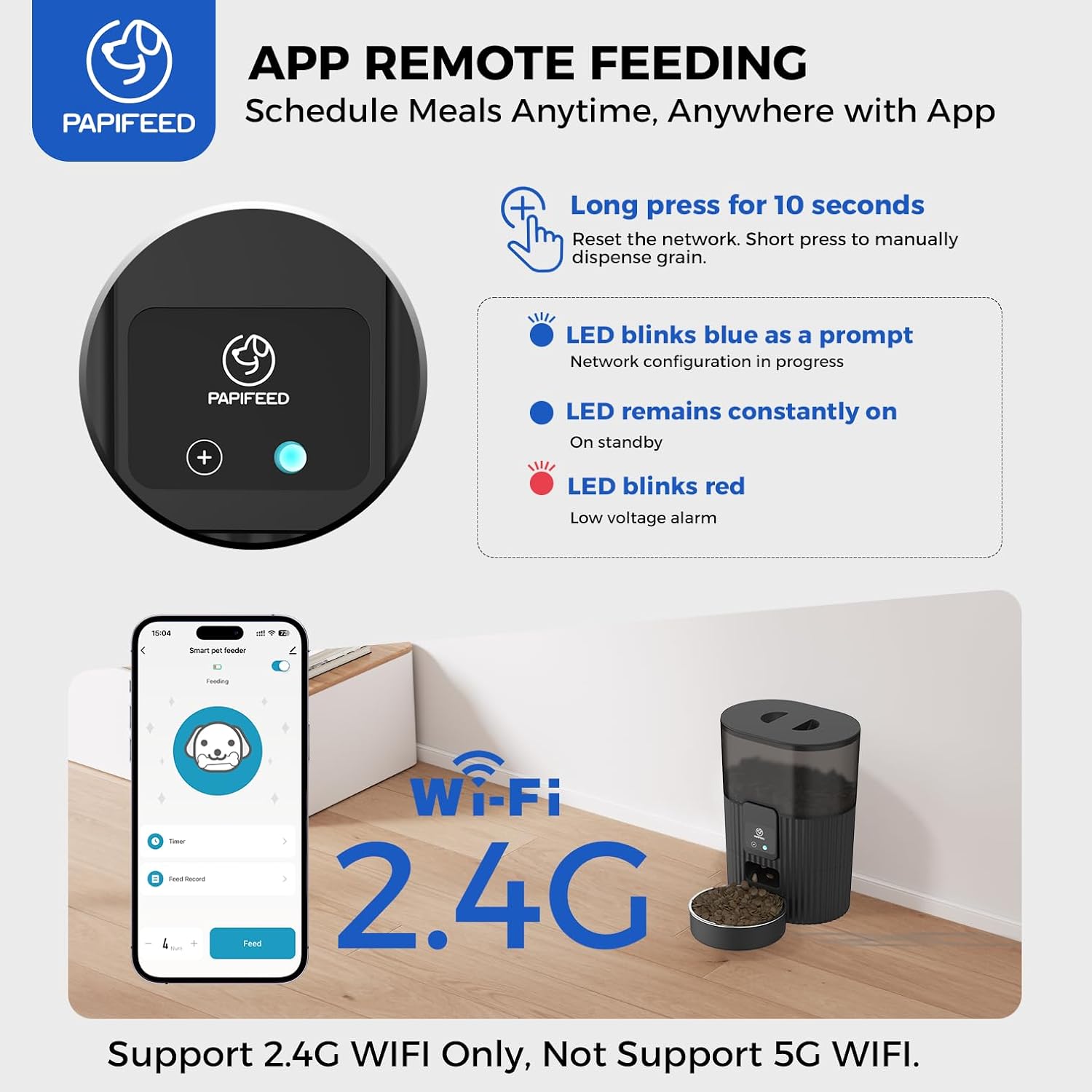
Figure 8: Manual Dispense Button. Press the circular button on the control panel to manually dispense a portion of food.
5. Alexa-integration
The feeder supports Amazon Echo devices with Alexa. You can customize voice commands and the number of servings to feed your pet from anywhere in your home using simple voice commands.
6. Sharing Control
The "Smart Life" APP allows you to share control of the feeder with family members, enabling multiple users to manage feeding tasks remotely.

Figure 9: APP Sharing Function. Share access to the feeder with up to 5 family members to manage pet feeding tasks collaboratively.
Opretholdelse
1. Rensning
The food-grade, safe, and odorless removable stainless steel bowl is dishwasher safe for easy cleaning. The main unit (control panel and storage bin) should be wiped clean with a dry cloth. Do not immerse the main unit in water.
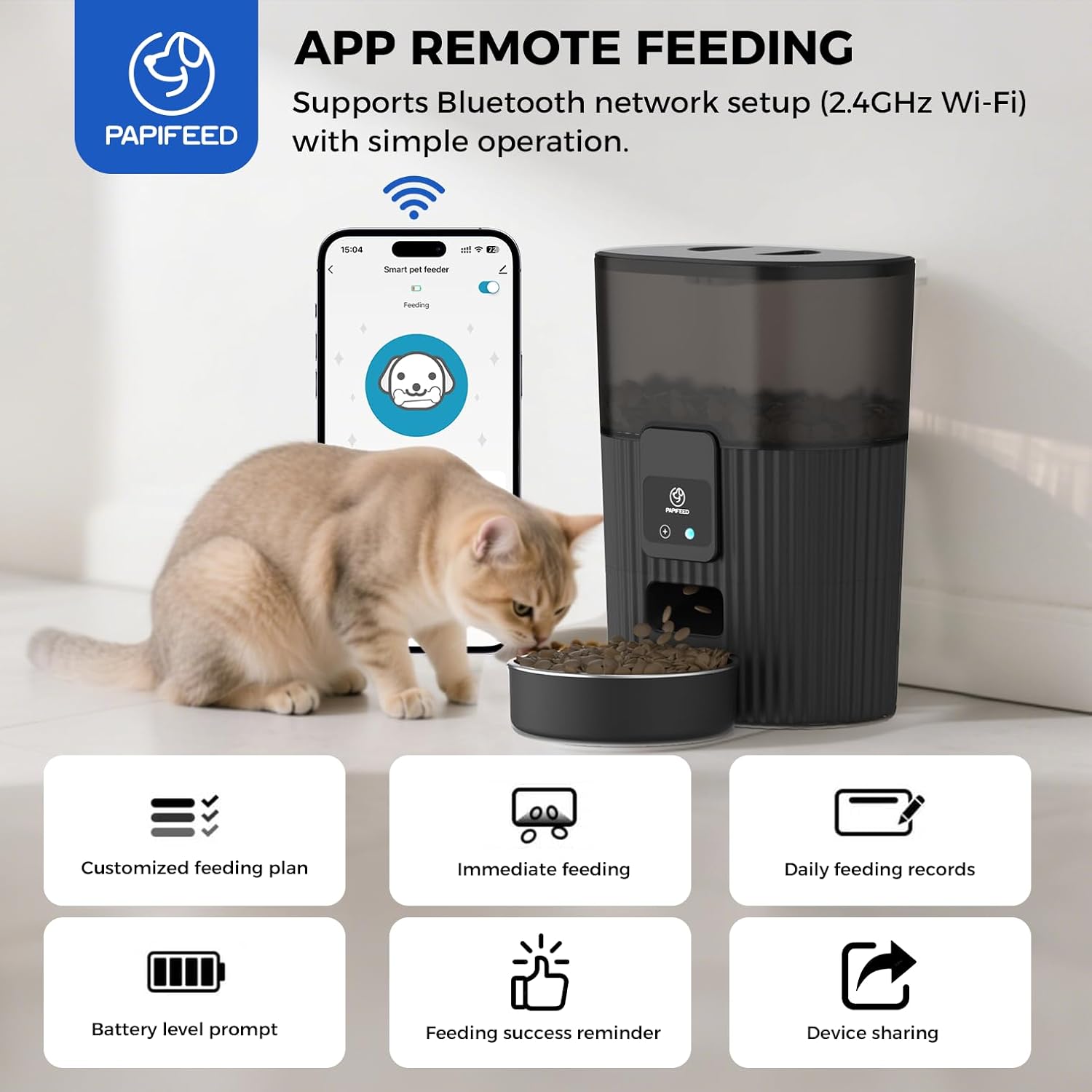
Figure 10: Detachable Stainless Steel Bowl. The stainless steel bowl can be easily removed for cleaning, ensuring hygiene for your pet.
2. Udskiftning af tørremiddelpose
The air-sealed design and desiccant bag help keep food fresh. Replace the desiccant bag periodically to ensure optimal food freshness.
Fejlfinding
- Feeder Offline: Ensure the feeder is connected to a 2.4GHz Wi-Fi network. If using battery power, Wi-Fi connectivity is not available. If power is restored after an outage, meal settings will be remembered.
- Food Clogging: Verify that the kibble size is within the recommended 0.2-0.47 inch (5-12mm) range. Avoid wet, irregularly shaped, or large freeze-dried foods.
- No Dispense: Check power supply (adapter or batteries). Ensure the food tank is not empty and there are no obstructions in the dispensing mechanism.
- Alexa svarer ikke: Confirm the feeder is connected to Wi-Fi and properly linked to your Alexa account. Check customized voice commands in the app.
Specifikationer
| Feature | Detalje |
|---|---|
| Mærke | PAPIFEED |
| Modelnavn | WiFi Automatic Pet Feeder |
| Varemodelnummer | Cactus Feeder-WIFI |
| Kapacitet | 3.5L / 15 kopper |
| Forbindelse | 2.4G WiFi (Not 5G) |
| Strømkilde | DC 5V Power Adapter, 4 AA Batteries (Backup) |
| Materiale | Stainless Steel, Plastic (BPA Free) |
| Dimensioner (LxBxH) | 8.2 x 5.8 x 10.9 tommer |
| Varens vægt | 2.6 pund |
| Plejevejledning | Dishwasher Safe (Bowl), Wipe Clean (Main Unit) |
Garanti og support
PAPIFEED provides a et års gratis garanti for this product. For any inquiries, technical assistance, or warranty claims, please contact PAPIFEED customer service. We are committed to ensuring the most enjoyable purchase experience for all pet owners.