
1. Introduktion
The Cherry KC 200 MX Mechanical Office Keyboard is designed for enhanced typing and gaming experiences. Featuring advanced MX2A switches, a durable metal plate frame, and white LED indicators, this keyboard combines modern design with precision engineering for reliable performance in both office and gaming environments.
2. Nøglefunktioner
- CHERRY MX2A-switche: Equipped with German-made MX2A mechanical switches featuring Gold-Crosspoint contact precision for smooth and responsive keystrokes. Available in Silent Red for quiet operation (50 million keystrokes) and Brown for tactile feedback (100 million keystrokes).
- White LED Indicators: Integrated LEDs in CAPS Lock, SCROLL Lock, and NUM Lock keys provide immediate visual feedback for activated functions.
- Moderne design: Features an anodized metal plate, minimalist dimensions, and molded keycaps for a sleek and durable build.
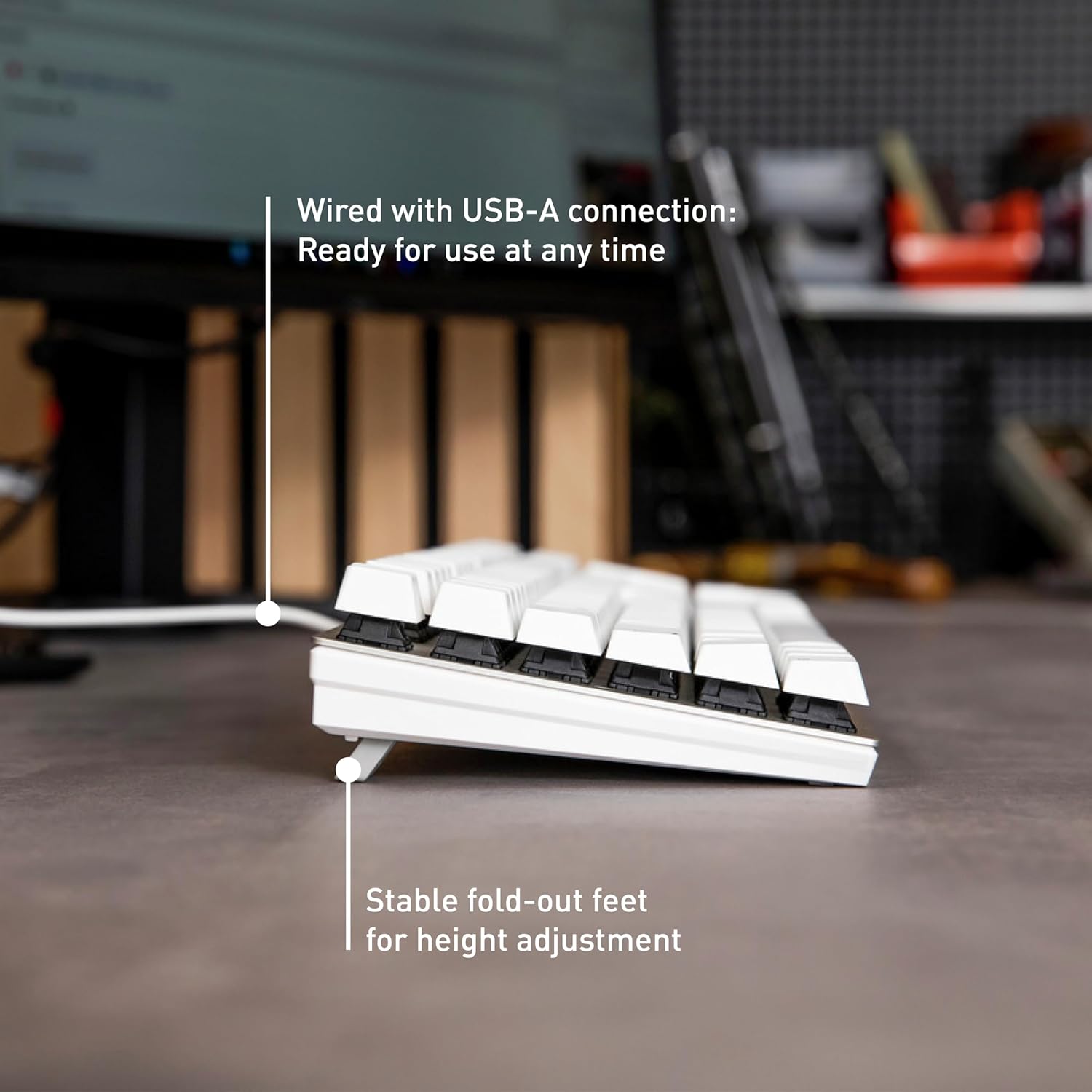
- USB-A Connectivity: Wired connection ensures reliable and instant response without the need for batteries.
- Justerbar højde: Stable fold-out feet allow for height adjustment to suit your ergonomic preferences.
- Anti-ghosting og N-nøgleovergang: Sikrer, at alle tastetryk registreres nøjagtigt, selv under hurtig indtastning eller komplekse spilkommandoer.
- Yderligere nøgler: Quick access keys for calculator application and volume adjustment enhance productivity.
3. Opsætningsvejledning
- Udpakning: Carefully remove the keyboard and any accessories (such as the keycap puller) from the packaging.
- Tilslut til pc: Plug the USB-A connector of the keyboard cable into an available USB-A port on your computer.
- Driver installation: The keyboard is plug-and-play and typically does not require additional drivers for basic functionality. Your operating system should automatically detect and install the necessary components.
- Juster højde (valgfrit): Flip out the feet on the underside of the keyboard to adjust the typing angle for optimal comfort.
4. Betjeningsvejledning
4.1 Grundlæggende skrivning
The Cherry KC 200 MX functions as a standard full-size keyboard. Simply begin typing. The MX2A switches provide a consistent and comfortable typing experience.
4.2 LED-indikatorer
The keyboard features white LED indicators integrated into the CAPS Lock, SCROLL Lock, and NUM Lock keys. These LEDs illuminate when the respective function is active, providing clear visual confirmation.

4.3 Specielle funktionstaster
The keyboard includes dedicated keys for quick access to common functions:
- Lommeregnernøgle: Press to open the calculator application.
- Lydstyrkeknapper: Adjust audio volume directly from the keyboard.

4.4 Keycap Removal (for cleaning or switch replacement)
A keycap puller is included for easy removal of keycaps. Gently use the keycap puller to grasp and lift the desired keycap. Be careful not to damage the switch underneath.

5. Vedligeholdelse
- Rensning: Use a soft, dry cloth to wipe the surface of the keyboard. For deeper cleaning, remove keycaps using the provided keycap puller and use compressed air to clear debris.
- Undgå væsker: While durable, avoid spilling liquids directly onto the keyboard to prevent damage to internal components.
- Opbevaring: Opbevar tastaturet et køligt, tørt sted væk fra direkte sollys og ekstreme temperaturer, når det ikke er i brug i længere perioder.
6. Fejlfinding
6.1 Tastaturet reagerer ikke
- Sørg for, at USB-A-kablet er korrekt tilsluttet både tastaturet og computeren.
- Prøv at tilslutte tastaturet til en anden USB-A-port på din computer.
- Genstart din computer.
- Test tastaturet på en anden computer for at afgøre, om problemet er med tastaturet eller den originale computer.
6.2 Nøgler registreres ikke eller dobbelttastes
- Rengør under den berørte tastaturhætte med trykluft for at fjerne eventuelt snavs.
- If the issue persists, the switch may be faulty. Contact customer support for assistance.
6.3 LED Indicators Not Working
- Sørg for, at tastaturet er korrekt tilsluttet.
- If only specific indicators are not working, ensure the corresponding function (CAPS Lock, NUM Lock, SCROLL Lock) is enabled.
7. Tekniske specifikationer
| Mærke | Kirsebær |
| Modelnummer | G80-3950LHBUS-1 |
| Produktdimensioner | 16.93 x 4.76 x 1.54 tommer |
| Varens vægt | 2.29 pund |
| Forbindelsesteknologi | USB-A |
| Tastaturbeskrivelse | Mekanisk |
| Speciel funktion | MX2A-switche |
| Kompatible enheder | PC |
| Materiale | Metal |
| Inkluderede komponenter | Keycap aftrækker |
8. Garanti og support
For warranty information and technical support, please refer to the documentation included with your product or visit the official Cherry webwebsted. Gem din købsbevis til garantikrav.
9. Produktet er slutview Video
Video: Et officielt produkt overståetview of the Cherry MX2A KC 200 Mechanical Keyboard, showcasindens funktioner og design.