
HICON HICON Mondo
HICON Mondo Gaming Chair User Manual
Model: HICON Mondo
1. Introduktion
Thank you for choosing the HICON Mondo Gaming Chair. This manual provides essential information for the assembly, operation, maintenance, and troubleshooting of your new gaming chair. Please read this manual thoroughly before assembly and use to ensure proper function and safety. The HICON Mondo Gaming Chair is designed to provide superior comfort and ergonomic support for both gaming and office environments, promoting a healthy posture during extended periods of use.

Figure 1: HICON Mondo Gaming Chair. The HICON Mondo Gaming Chair features a sleek black and grey design, combining ergonomic support with a racing-style aesthetic. It includes a headrest pillow and lumbar support cushion.
2. Sikkerhedsinstruktioner
- Always assemble the chair according to the instructions. Ensure all screws and bolts are securely tightened before use.
- Stå ikke på stolen, og brug den ikke som skammel.
- Overskrid ikke den maksimale vægtkapacitet for 150 kg (330 lbs).
- Hold børn og kæledyr væk fra stolen under montering.
- Avoid exposing the chair to direct sunlight or extreme temperatures, as this may damage the materials.
- Regularly check all components for wear and tear. Replace damaged parts immediately.
- Brug stolen på en flad, stabil overflade for at forhindre den i at vælte.
3. Komponentliste
Before assembly, ensure all parts are present and undamaged. While specific part names may vary, a typical HICON Mondo Gaming Chair package includes:
- Ryglæn
- Sædeunderlag
- Armlæn (2)
- Gas Lift cylinder
- Stjernebase (5-stjernet)
- Hjul (5)
- Mechanism/Tilt Control Unit
- Hovedpude
- Lumbar Support Cushion (with USB massage function)
- Footrest (retractable)
- Samlebeslag (skruer, skiver, unbrakonøgle)
4. Opsætning og montering
Assembly typically requires one person and takes approximately 30-60 minutes. Follow the step-by-step instructions provided in the separate assembly guide included with your chair. General steps include:
- Fastgør hjulene til stjernebasen.
- Indsæt gasløftecylinderen i centerhullet på stjernebasen.
- Attach the mechanism/tilt control unit to the underside of the seat base using the provided screws. Ensure the front of the mechanism faces the front of the seat.
- Attach the armrests to the seat base.
- Connect the backrest to the seat base and armrests, securing with screws.
- Placer det samlede sæde og ryglæn på gasløftcylinderen.
- Attach the headrest pillow and lumbar support cushion.
- Sørg for, at alle skruer er strammet, men overspænd dem ikke.

Figure 2: Robust Metal Frame. Underneath its durable exterior, the HICON Mondo Gaming Chair is built with a robust metal frame, ensuring high stability, safety, and long-term durability. The wide backrest frame supports multiple sitting postures.
5. Betjeningsvejledning (Justeringer)
The HICON Mondo Gaming Chair offers multiple adjustment options to customize your seating experience for optimal comfort and ergonomic support.
5.1. Sædehøjdejustering
To adjust the seat height, locate the lever on the right side, beneath the seat.
- Sådan hæver du sædet: Løft håndtaget, mens du aflaster sædet. Sædet hæves automatisk.
- Sådan sænkes sædet: Løft håndtaget, mens du forbliver siddende. Sædet sænkes under din vægt.
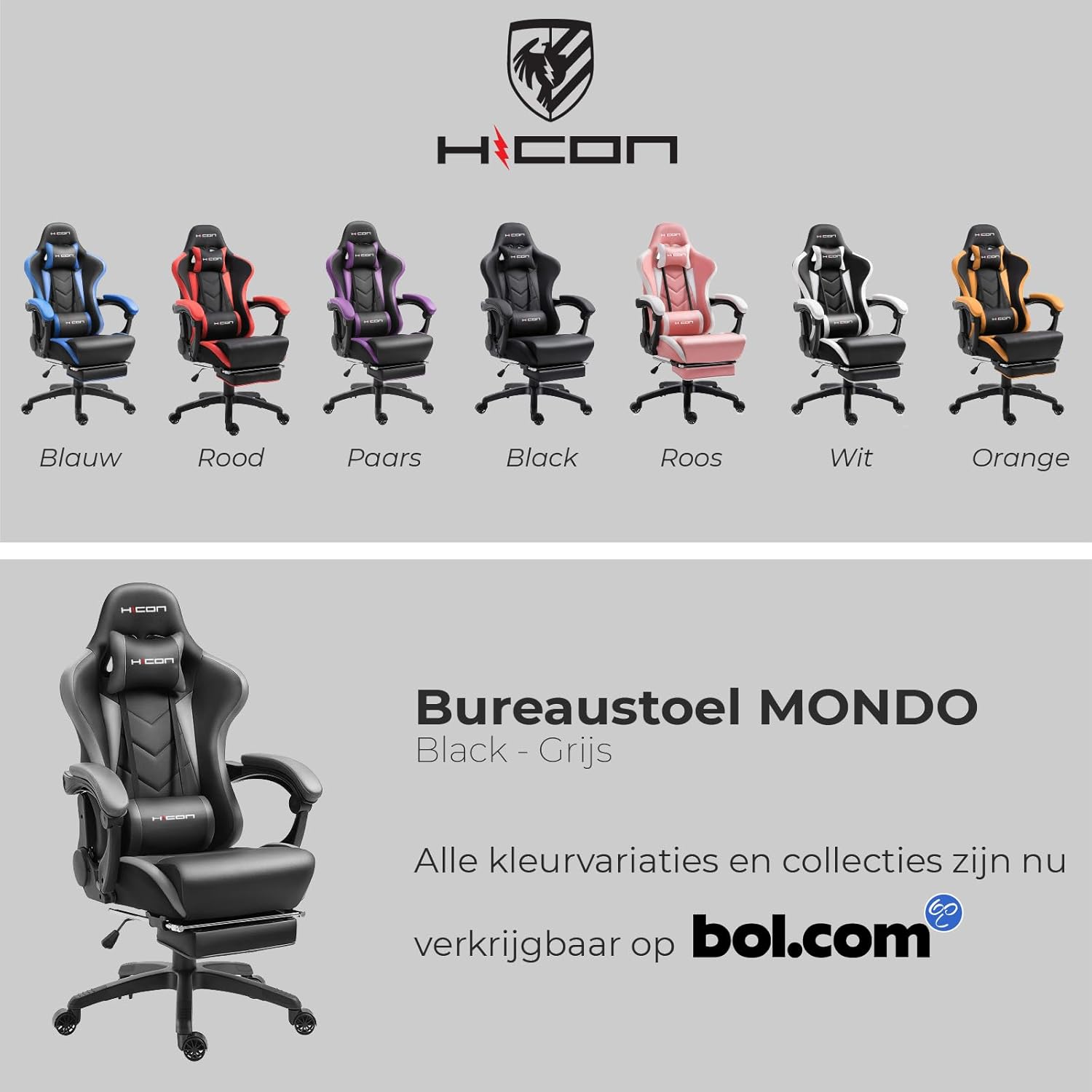
Figure 3: Adjustable Seat Height and Massage Function. The HICON Mondo Gaming Chair features a mechanical gas spring system with a heavy-duty Class 4 gas lift for smooth and reliable height adjustment. The lumbar cushion includes a USB-powered massage function, providing comfort during long sitting periods.
5.2. Ryglænets tilbagelæning
The backrest can be reclined from 90° to 165°. Locate the recline lever on the right side of the chair, near the seat base.
- To recline: Pull the lever upwards and lean back to the desired angle. Release the lever to lock the backrest in place.
- To return to upright position: Pull the lever upwards and lean forward. The backrest will return to its upright position.

Figure 4: Backrest Recline. The HICON Mondo Gaming Chair offers a versatile recline function, allowing the backrest to adjust from 90 degrees (working position) to a near-flat 165 degrees (rest position), providing flexibility for various activities.
5.3. Justering af armlæn
The armrests are designed to move with the chair's recline, providing continuous support. While they are not independently height-adjustable, their linkage design ensures comfort across various recline angles. Ensure your forearms rest comfortably on the armrests, ideally at the same height as your desk.

Figure 5: Soft Padded Linkage Armrest. The chair features soft, padded armrests with a patented linkage structure from HICON, designed to move smoothly with the chair's recline, ensuring continuous arm support and stability.
5.4. Lumbar Support and Headrest
The chair includes a removable headrest pillow and a lumbar support cushion.
- Headrest Pillow: Can be adjusted vertically by sliding the straps along the backrest. Position it to support your neck and head comfortably.
- Lumbar Support Cushion: Can also be adjusted vertically. Position it so the support falls into the natural curve of your lower back.

Figure 6: Memory Foam Headrest and Lumbar Cushion. The HICON Mondo Gaming Chair comes with a memory foam headrest and a lumbar cushion. The lumbar cushion features a built-in massager, powered via a USB cable, designed to alleviate lower back fatigue during extended use.
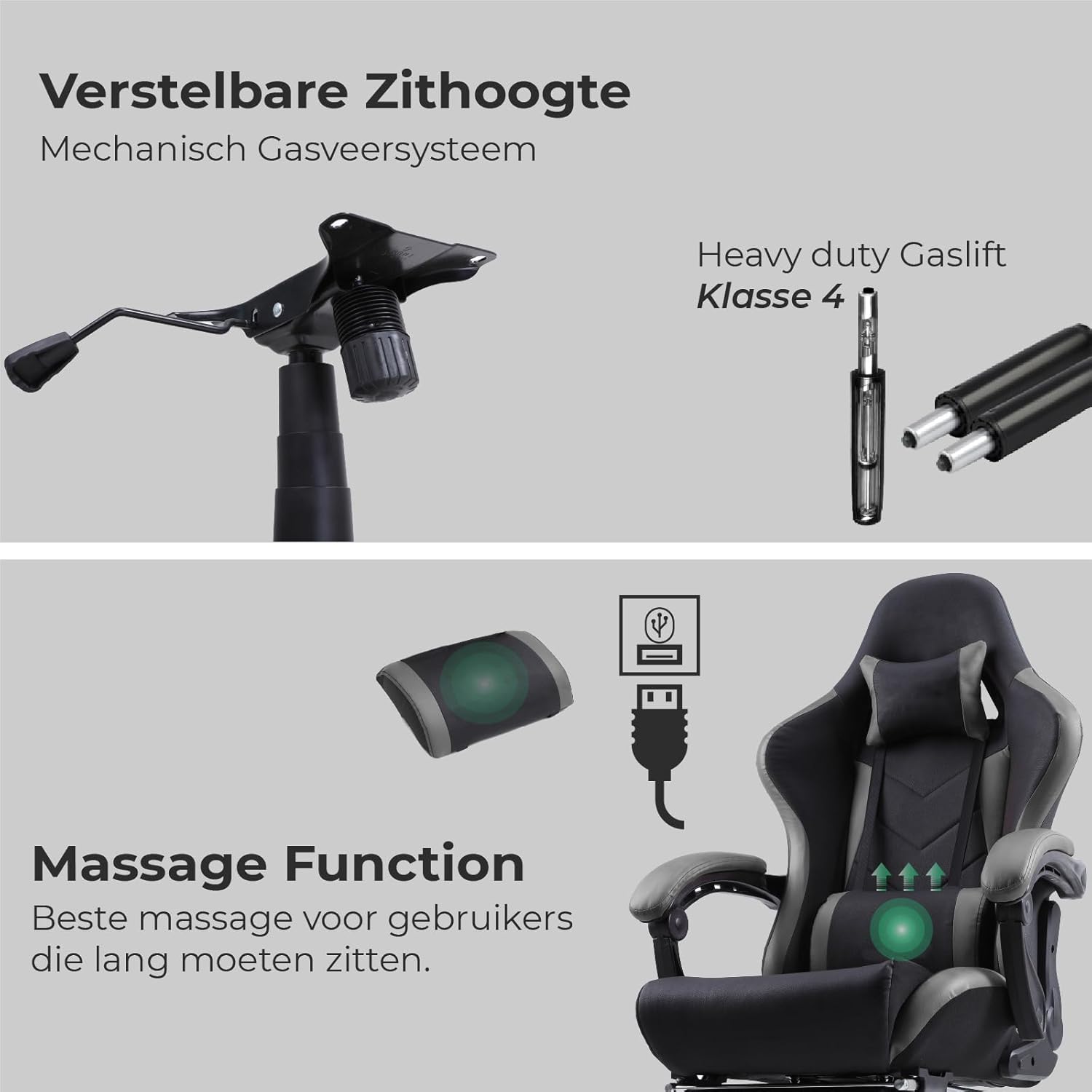
Figure 7: Better Lumbar Support and Updated PU Wheels. The chair includes a robust and flexible foam lumbar cushion for enhanced lower back support. It is also equipped with updated, floor-friendly PU wheels, designed for smooth movement and to prevent scratching floors.
5.5. Massage Function (Lumbar Cushion)
The lumbar support cushion features a built-in massage function.
- To activate: Connect the USB cable from the lumbar cushion to any standard USB power source (e.g., computer USB port, USB wall adapter, power bank).
- To deactivate: Disconnect the USB cable.
5.6. Udtrækkelig fodstøtte
The HICON Mondo Gaming Chair includes a retractable footrest for added comfort, especially when reclining.
- To extend: Pull the footrest out from underneath the seat.
- To retract: Push the footrest back underneath the seat until it is fully stored.
6. Ergonomic Guidelines
Proper ergonomic setup is crucial for long-term comfort and health. Follow these guidelines for optimal posture:
- Sædehøjde: Adjust so your feet are flat on the floor or on a footrest, and your knees are at a 90-110 degree angle.
- Sædedybde: Ensure there is a gap of about four fingers (a clenched fist) between the front edge of the seat and the back of your knees. This prevents pressure on blood vessels and nerves.
- Ryglæn: Sit as far back as possible in the chair. Adjust the lumbar support to fit the natural curve of your lower back, providing firm but comfortable support. The backrest should support your entire back.
- Armlæn: Adjust armrests so your elbows are at a 90-degree angle when typing, keeping your shoulders relaxed. Your forearms should rest mostly on your desk, with armrests providing additional support.
- Monitor Position: Position your monitor at arm's length, with the top of the screen at or slightly below eye level.

Figure 8: Ergonomic Design. This diagram illustrates the ergonomic design of the HICON Mondo Gaming Chair, highlighting key support areas for the neck, shoulders, back, and lumbar region to promote a healthy posture and reduce strain.
7. Vedligeholdelse
Regular maintenance will extend the life and appearance of your HICON Mondo Gaming Chair.
- Rensning:
- Tør overflader af med en blød klud, der dækker PU-læder.amp cloth. For stubborn stains, use a mild soap solution and wipe dry immediately.
- Avoid harsh chemicals, abrasive cleaners, or solvents, as these can damage the material.
- Vacuum fabric areas (if any) regularly to remove dust and debris.
- Hardwarekontrol: Periodically check all screws and bolts to ensure they are tight. Retighten if necessary, but do not overtighten.
- Hjul: Clean casters regularly to remove hair and debris that can impede movement.
- Gaslift: Smør ikke gasløftcylinderen. Kontakt kundesupport, hvis den ikke fungerer korrekt.
8. Fejlfinding
| Problem | Mulig årsag | Løsning |
|---|---|---|
| Stolen holder sig ikke i den ønskede højde. | Gas lift cylinder malfunction or loose connection. | Ensure the gas lift is properly seated in the mechanism and base. If the issue persists, the gas lift may need replacement. Contact customer support. |
| Stolen knirker eller vakler. | Løse skruer eller komponenter. | Check and tighten all assembly screws. Ensure the star base and casters are securely attached. |
| Hjulene ruller ikke jævnt. | Rester (hår, fnug) sidder fast i hjulene. | Fjern hjulene, og fjern eventuelt snavs fra hjul og aksler. |
| Ryglænet kan ikke lænes tilbage eller låses. | Recline mechanism issue or obstruction. | Check if the recline lever is fully engaged. Ensure no obstructions are preventing movement. If the mechanism is faulty, contact customer support. |
| Lumbar massage not working. | USB power issue or cable damage. | Ensure the USB cable is securely connected to a working power source. Try a different USB port or power adapter. Check for visible damage to the cable. |
9. Specifikationer
| Feature | Detalje |
|---|---|
| Modelnavn | HICON Mondo |
| Mærke | HICON |
| Materiale | Durable PU Leather, High-Density Foam, Metal Frame |
| Vægt kapacitet | Op til 150 kg (330 lbs) |
| Stolens vægt | 23 kg (50.7 lbs) |
| Hældningsvinkel | 90° til 165° |
| Gasliftklasse | Class 4 (SGS Certified) |
| Hjul | Floor-friendly PU Wheels (BIFMA Authenticated Wheelbase) |
| Særlige funktioner | Ergonomic Design, Retractable Footrest, USB-Powered Lumbar Massage, Adjustable Headrest & Lumbar Cushions, Padded Linkage Armrests |

Figure 9: Enlarged Backrest and Seat. The HICON Mondo Gaming Chair boasts an oversized design for its backrest, seat, and armrests, providing a more spacious and comfortable experience compared to standard gaming chairs, accommodating a wider range of users.
10. Garanti og support
HICON stands behind the quality of its products. For specific warranty details, including coverage period and terms, please refer to the warranty card included with your purchase or visit the official HICON website. If you encounter any issues or require assistance with your HICON Mondo Gaming Chair, please contact our customer support team. Have your purchase receipt and model number ready for faster service.
Kundesupport: Please refer to the contact information provided on your product packaging or the official HICON webwebsted.