
Indledning
Thank you for choosing Micool T35 Open Ear Headphones. These headphones are designed to provide a comfortable and safe listening experience, allowing you to enjoy high-quality audio while remaining aware of your surroundings. Featuring Bluetooth 5.3 connectivity, IPX6 waterproofing, and a long-lasting battery, they are ideal for sports and daily use.
Pakkens indhold
Tjek venligst pakken for følgende varer:
- Micool T35 Open Ear Headphones
- Trådløs opladningsetui
- USB Type-C opladerkabel
- Brugermanual
Produkt overview
The Micool T35 headphones feature an open-ear design with earhooks for secure and comfortable wear. The charging case protects and recharges your headphones.

Image: Micool T35 Open Ear Headphones and Charging Case. The image displays the charging case with one earbud inside and the other earbud placed next to it, showcasing the open-ear design and earhook.
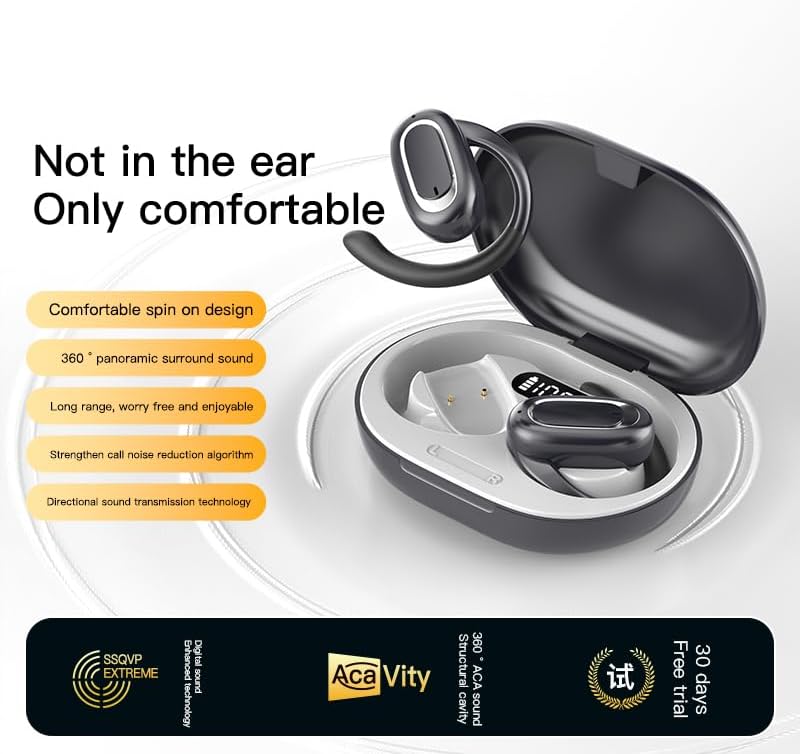
Image: Micool T35 Open Ear Headphones. This image shows both left and right earbuds with their earhooks, highlighting their ergonomic shape.
Nøglefunktioner:
- Åbent øredesign: Rests gently on the ear without blocking the ear canal, reducing ear fatigue and maintaining environmental awareness.
- Bluetooth 5.3: Sikrer stabil og effektiv trådløs forbindelse.
- Ergonomic Earhooks: Provides a secure and comfortable fit, even during extended use or physical activity.
- IPX6 Vandtæt: Resistant to sweat and splashes, suitable for sports.
- Lang batterilevetid: Up to 12 hours of playback on a single charge, extended to 34 hours with the charging case.
- Retningsbestemt lydtransmission: Minimizes sound leakage while delivering clear audio.
Opsætning
1. Opladning af hovedtelefoner og etuiet
Oplad hovedtelefonerne og opladningsetuiet helt inden første brug.
- Placer hovedtelefonerne i opladningsetuiet.
- Tilslut USB Type-C-kablet til opladningsporten på etuiet og en strømkilde.
- The charging case takes approximately 1-2 hours to fully charge.
- A full charge provides up to 12 hours of listening time for the headphones, with the charging case extending total playback to 34 hours.
2. Bluetooth-parring
To connect your Micool T35 headphones to a device:
- Sørg for, at hovedtelefonerne er opladet og i opladningsetuiet.
- Åbn opladningsetuiet. Hovedtelefonerne går automatisk i parringstilstand, hvilket indikeres af en blinkende LED-lampe på ørepropperne.
- Gå til Bluetooth-indstillingerne på din enhed (smartphone, tablet osv.).
- Søg efter available devices and select "Micool T35" from the list.
- Når der er tilsluttet, holder LED-indikatoren på hovedtelefonerne op med at blinke.
- Hovedtelefonerne genopretter automatisk forbindelse til den sidst parrede enhed, når de tages ud af etuiet, hvis Bluetooth er aktiveret på enheden.
Betjeningsvejledning
1. Brug af hovedtelefoner
The Micool T35 headphones are designed for an open-ear fit with rotatable earhooks.
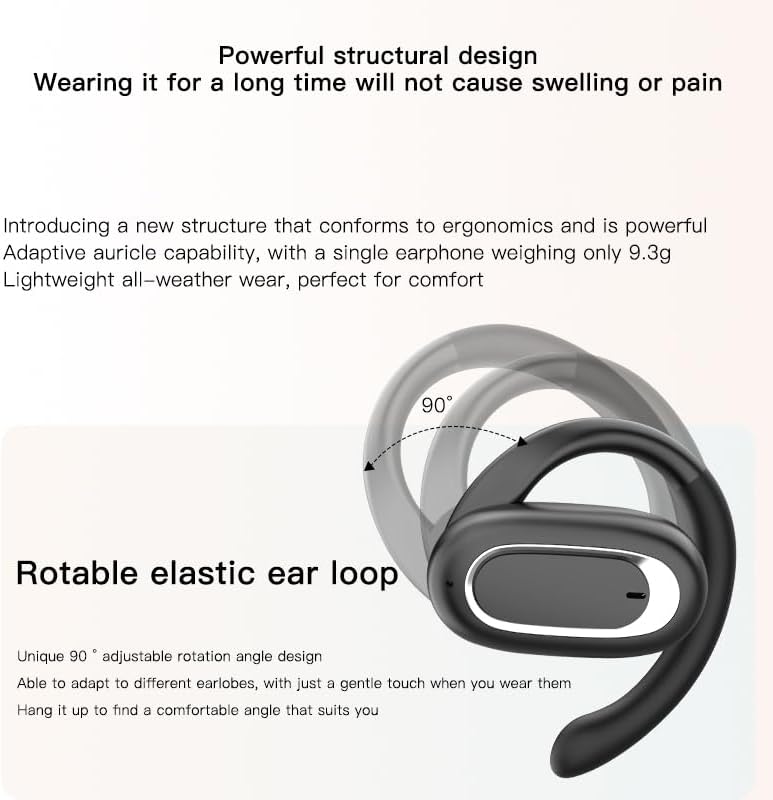
Image: Micool T35 Headphones: Rotatable Earhook Adjustment. The image illustrates the 90-degree rotation capability of the earhook for a customized fit.
- Gently place the earbud on your ear, ensuring the earhook wraps securely around the back of your ear.
- Adjust the rotatable earhook to find the most comfortable and stable position for your earlobe.
- The open-ear design ensures comfort and allows you to hear your surroundings.

Image: Micool T35 Headphones: Usage Scenarios. This image shows individuals using the headphones in various settings: during fitness activities, in an office environment, outdoors while running, and during leisure time.
2. Tryk på Kontrolelementer
The Micool T35 headphones feature intuitive touch controls on each earbud.
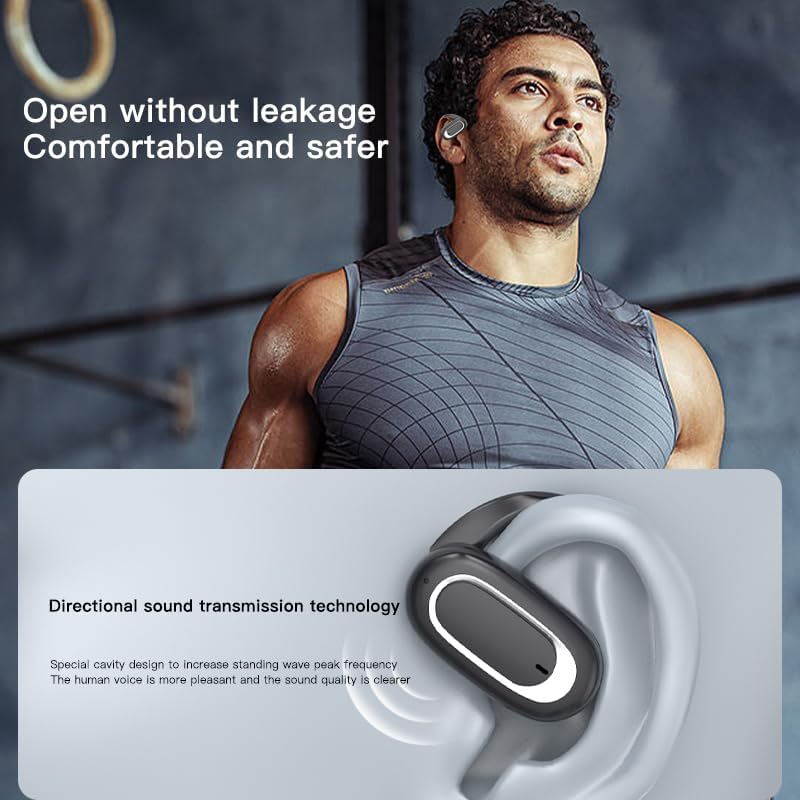
Image: Micool T35 Headphones: Touch Controls Diagram. This diagram illustrates the touch-sensitive area on the earbud and lists the corresponding functions for single tap, double tap, triple tap, and long press.
- Musikafspilning/pause: Tap the function key once.
- Besvar/afslut opkald: Click the function key.
- Tilkald stemmeassistent: Long press the function key for 2 seconds.
- Opkaldsafvisning: Long press the function key for 2 seconds during an incoming call.
- Switching Up/Down Tracks: Triple click the left/right ear function keys.
- Lydstyrke øge/sænke: Double click the right/left ear function keys.
3. Spiltilstand
The Micool T35 headphones support a low-latency game mode for improved audio-video synchronization.

Image: Micool T35 Headphones: Low Latency Game Mode. The image shows a smartphone displaying a mobile game, indicating the headphones' capability for synchronized audio and video during gaming.
To activate game mode, refer to the specific instructions provided in the quick start guide or product packaging, as this feature often requires a specific touch gesture or setting within the connected device.
Opretholdelse
Korrekt vedligeholdelse sikrer dine hovedtelefoners levetid og ydeevne.
- Rensning: Brug en blød, tør og fnugfri klud til at rengøre hovedtelefonerne og opladningsetuiet. Brug ikke slibende rengøringsmidler eller opløsningsmidler.
- Vandtæthed: The headphones are IPX6 waterproof, meaning they are resistant to strong jets of water. They are suitable for use during workouts and in light rain, but should not be submerged in water. Dry them thoroughly before placing them back in the charging case.
- Opbevaring: Når hovedtelefonerne ikke er i brug, skal de opbevares i deres opladningsetui for at beskytte dem mod støv og skader. Opbevares køligt og tørt, væk fra ekstreme temperaturer.
- Batteripleje: For at forlænge batteriets levetid skal du oplade hovedtelefonerne regelmæssigt, selvom de ikke bruges i længere tid. Undgå at aflade batteriet helt ofte.
Fejlfinding
If you encounter issues with your Micool T35 headphones, try the following solutions:
- Ingen lyd:
- Sørg for, at hovedtelefonerne er opladet.
- Kontroller, om hovedtelefonerne er korrekt parret med din enhed.
- Juster lydstyrken på både hovedtelefonerne og din enhed.
- Prøv at afspille lyd fra et andet program eller en anden kilde.
- Parringsfejl:
- Sluk Bluetooth på din enhed, og tænd den igen.
- Forget "Micool T35" from your device's Bluetooth list and attempt to pair again.
- Sørg for, at hovedtelefonerne er i parringstilstand (LED'en blinker).
- Flyt hovedtelefonerne tættere på din enhed.
- Opladningsproblemer:
- Sørg for, at opladningskablet er korrekt tilsluttet til både etuiet og strømkilden.
- Prøv et andet USB Type-C-kabel eller en anden strømadapter.
- Clean the charging contacts on the headphones and inside the case with a dry cotton swab.
- Dårlig opkaldskvalitet:
- Sørg for, at mikrofonen ikke er blokeret.
- Flyt til et område med mindre miljøstøj.
- Tjek din enheds netværkssignal.
Specifikationer
| Mærke | Micool |
| Modelnavn | T35 |
| Forbindelsesteknologi | Trådløs (Bluetooth 5.3) |
| Øreplacering | Åbent øre |
| Formfaktor | On Ear (with earhooks) |
| Vandtæt vurdering | IPX6 |
| Afspilningstid | Up to 12 hours (single charge), 34 hours (with charging case) |
| Opladningsport | USB Type-C |
| Kontroltype | Mediekontrol (berøring) |
| Materiale | Plast |
| Kompatible enheder | Mobiltelefoner |
Garanti og support
Micool T35 Open Ear Headphones come with a 1-year limited warranty from the date of purchase. This warranty covers manufacturing defects and workmanship under normal use.
For technical support, warranty claims, or any questions regarding your product, please contact Micool customer service through the retailer where you purchased the product or visit the official Micool brand store:
Please have your purchase receipt and product model number (T35) ready when contacting support.