
Edifier WH700NB
Edifier WH700NB Wireless Active Noise Cancellation Over-Ear Headphones
Model: WH700NB | Mærke: Edifier
Indledning
Welcome to the user manual for your new Edifier WH700NB headphones. These over-ear headphones are engineered to deliver an immersive audio experience with advanced features such as Active Noise Cancellation, seamless Bluetooth 5.3 connectivity, and convenient dual device connection. Designed for comfort and extended use, the WH700NB boasts an ultra-long battery life, making them ideal for travel, home office, and daily listening.

Figure 1: Edifier WH700NB Navy Blue Over-Ear Headphones.
Nøglefunktioner
The Edifier WH700NB headphones are equipped with a range of features designed to enhance your audio experience:
- Ultra-Long Playback: Up to 68 hours with ANC off, 45 hours with ANC on. Fast charging provides 8 hours of listening from a 10-minute charge.
- Avanceret støjreduktion: Active Noise Cancellation (ANC) for immersive audio and Ambient Mode for environmental awareness.
- Krystalklar kommunikation: Single microphone with DNN noise cancellation for clear calls in noisy environments.
- Versatile Dual Connection: Skift problemfrit mellem to tilsluttede enheder.
- Gamer-Friendly Features: Ultra-low latency of 0.08s in Game Mode for a synchronized gaming experience.
- Foldable & Lightweight Design: Ideal for portability and comfortable for extended wear.
- Bluetooth 5.3: Sikrer stabil og effektiv trådløs forbindelse.
- Edifier Connect App: Customize settings and controls via the dedicated mobile application.

Figur 2: Overview of key features of the Edifier WH700NB headphones.

Figure 3: Edifier WH700NB feature summary.
Ultralang batterilevetid
Experience extended listening sessions with up to 68 hours of continuous playback when Active Noise Cancellation is off, and 45 hours with ANC activated. A quick 10-minute charge provides an additional 8 hours of playtime, ensuring your music is always ready when you are.
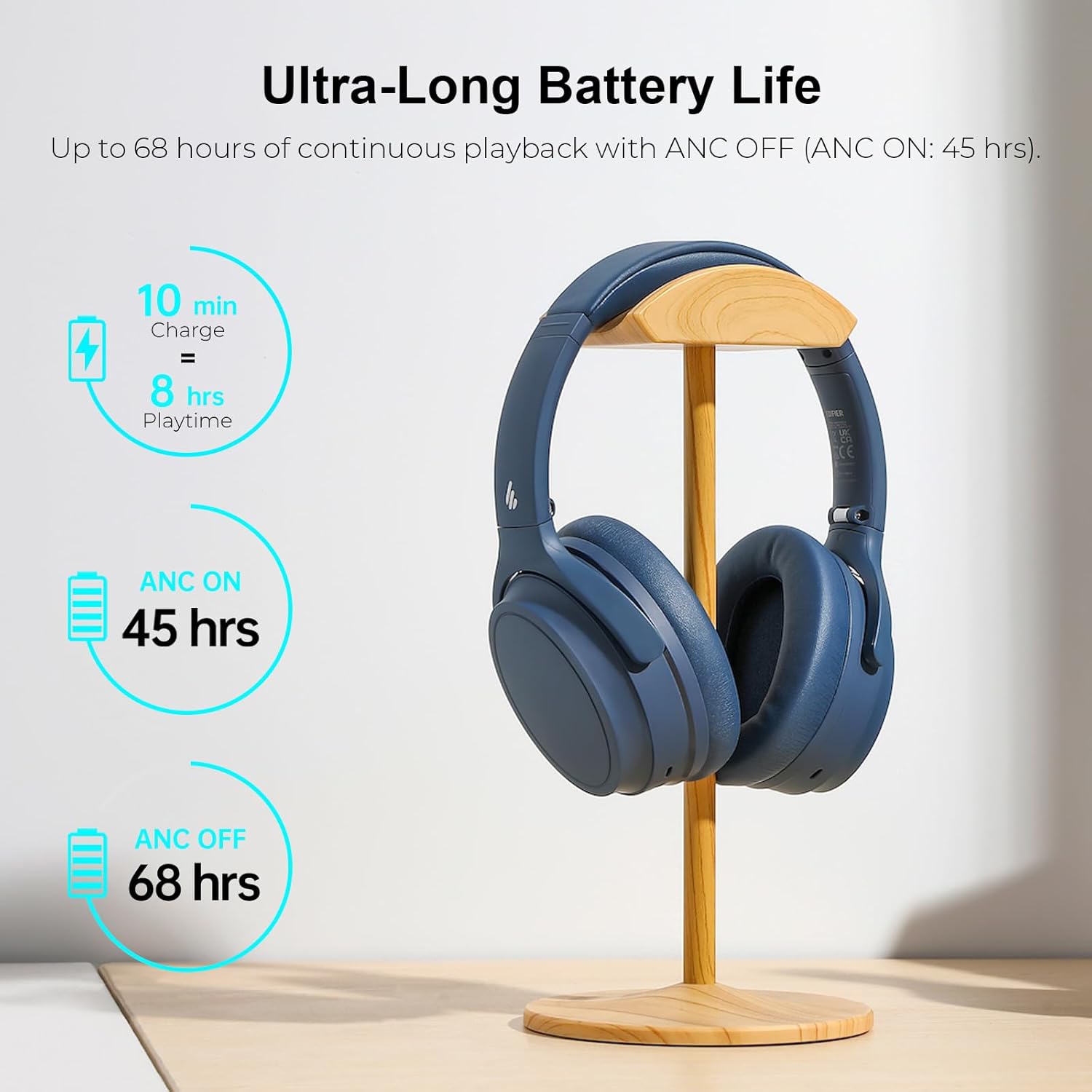
Figur 4: Detaljer om batteriets ydeevne.
Active Noise Cancellation with Ambient Mode
Immerse yourself in your audio by activating the Active Noise Cancellation (ANC) feature, which effectively isolates unwanted environmental noise. For situations where you need to be aware of your surroundings, switch to Ambient Mode to hear external sounds without removing your headphones.

Figur 5: Aktiv støjreduktion i aktion.
Crystal Clear Call Quality
The integrated single microphone with Deep Neural Network (DNN) noise cancellation ensures your voice is transmitted clearly during calls, even in environments with significant background noise.

Figure 6: Enhanced call clarity.
Dobbelt enhedsforbindelse
Effortlessly connect your WH700NB headphones to two devices simultaneously. This feature allows you to seamlessly switch between listening to music on your laptop and taking a call on your smartphone without needing to re-pair.

Figure 7: Dual device connectivity setup.
Foldable & Lightweight Design
The WH700NB headphones feature a lightweight and foldable design, making them highly portable and easy to store. This design ensures comfort during long listening periods and convenience for travel.

Figure 8: Design features for comfort and portability.

Figure 9: Headphones folded for easy storage.
Game Mode & Bluetooth 5.3
Activate Game Mode for an ultra-low latency of 0.08 seconds, providing a highly synchronized audio-visual experience crucial for gaming. The headphones utilize Bluetooth 5.3 for a stable, efficient, and reliable wireless connection.

Figure 10: Immersive gaming experience with Game Mode.

Figure 11: Stable Bluetooth 5.3 connectivity.
Edifier Connect App
Unlock the full potential of your WH700NB headphones by downloading the Edifier Connect App. The app provides access to various settings, including sound modes, EQ adjustments, and control customization, allowing you to personalize your listening experience.

Figure 12: Edifier Connect App for personalized control.
Pakkens indhold
Upon unboxing your Edifier WH700NB headphones, please verify that all components are present:
- Edifier WH700NB Wireless Active Noise Cancellation Over-Ear Headphones
- USB-C Charging Cable (Note: The product is listed as "without cable" in some specifications, but a charging cable is typically included for operation.)
- Brugervejledning (dette dokument)
Opsætningsvejledning
Opladning af hovedtelefoner
Before first use, fully charge your headphones. Connect the USB-C charging cable to the charging port on the headphones and the other end to a USB power adapter (not included) or a computer's USB port. The indicator light will show charging status and turn off when fully charged.
Tænd/sluk
- Tænd: Tryk på tænd/sluk-knappen og hold den nede i cirka 3 sekunder, indtil indikatorlampen lyser.
- Sluk: Tryk på tænd/sluk-knappen og hold den nede i cirka 3 sekunder, indtil indikatorlampen slukker.
Bluetooth-parring
- Sørg for, at hovedtelefonerne er slukket.
- Tryk på tænd/sluk-knappen og hold den nede i cirka 5 sekunder, indtil indikatorlampen blinker hurtigt, hvilket angiver parringstilstand.
- Aktiver Bluetooth på din enhed (smartphone, tablet, computer) og søg efter tilgængelige enheder.
- Select "Edifier WH700NB" from the list of found devices.
- Once connected, the indicator light on the headphones will stop flashing and remain solid blue.
Betjeningsvejledning
Knap kontrol
The Edifier WH700NB headphones feature intuitive button controls located on the earcup. Refer to the diagram below for a visual guide to each button's function:

Figure 13: Headphone control layout and functions.
| Knap/handling | Fungere |
|---|---|
| Tænd/sluk-knap (tryk og hold nede i 3 sekunder) | Tænd/sluk |
| Tænd/sluk-knap (tryk og hold nede i 5 sekunder) | Gå ind i Bluetooth-parringstilstand |
| Volume Up (+) (Single Press) | Lydstyrke op |
| Volume Down (-) (Single Press) | Lydstyrke ned |
| Multifunktionsknap (enkelt tryk) | Afspil/pause musik, besvar/afslut opkald |
| Multifunktionsknap (dobbelttryk) | Næste spor |
| Multifunktionsknap (Trippeltryk) | Forrige spor |
| ANC-knap (enkelt tryk) | Cycle ANC On / Ambient Mode / ANC Off |
| Game Mode Button (Double Press) | Toggle Game Mode On/Off |
Active Noise Cancellation (ANC) and Ambient Sound Mode
Press the dedicated ANC button to cycle through the noise control modes:
- ANC til: Reducerer omgivende støj for en fordybende lytteoplevelse.
- Ambient tilstand: Giver dig mulighed for at høre dine omgivelser, mens du stadig nyder din lyd, hvilket er nyttigt for at øge opmærksomheden i offentlige rum.
- ANC slukket: Standard listening mode without noise cancellation.
Dobbelt enhedsforbindelse
To utilize the dual device connection feature:
- Pair the headphones with your first device (e.g., smartphone) as described in the "Bluetooth Pairing" section.
- After successful connection, disable Bluetooth on the first device.
- Put the headphones back into pairing mode (press and hold Power button for 5 seconds).
- Par hovedtelefonerne med din anden enhed (f.eks. bærbar computer).
- Once connected to the second device, re-enable Bluetooth on your first device. The headphones should automatically connect to both devices.
- The headphones will intelligently switch audio sources between the two connected devices.
Spiltilstand
Double-press the designated Game Mode button to activate or deactivate the ultra-low latency Game Mode. This mode is optimized for gaming to minimize audio delay and provide a more synchronized experience.
Using the Edifier Connect App
Download the "Edifier Connect" app from your device's app store. Once installed and your headphones are connected via Bluetooth, open the app to access advanced features such as:
- Customizing sound modes and equalizer settings.
- Adjusting ANC and Ambient Sound levels.
- Firmwareopdateringer.
- Visning af batteriniveau.
Pleje og vedligeholdelse
- Rensning: Brug en blød, tør klud til at rengøre hovedtelefonerne. Brug ikke flydende rengøringsmidler eller aerosoler.
- Opbevaring: When not in use, store the headphones in a cool, dry place, ideally in their original packaging or a protective case. The foldable design allows for compact storage.
- Batteripleje: For at forlænge batterilevetiden bør du undgå at aflade hovedtelefonerne helt ofte. Oplad dem regelmæssigt, selvom de ikke er i konstant brug.
- Undgå ekstreme forhold: Udsæt ikke hovedtelefonerne for ekstreme temperaturer, fugtighed eller direkte sollys.
- Håndteres med forsigtighed: Undgå at tabe hovedtelefonerne eller udsætte dem for kraftige stød.
Fejlfinding
If you encounter any issues with your Edifier WH700NB headphones, refer to the following common problems and solutions:
| Problem | Mulig løsning |
|---|---|
| Hovedtelefonerne tændes ikke. | Sørg for, at hovedtelefonerne er fuldt opladet. Tilslut dem til en strømkilde, og prøv igen. |
| Kan ikke parres med en enhed. |
|
| Ingen lyd eller lav lydstyrke. |
|
| Dårlig opkaldskvalitet. |
|
| ANC fungerer ikke effektivt. |
|
Tekniske specifikationer
| Specifikation | Detalje |
|---|---|
| Modelnavn | WH700NB |
| Forbindelsesteknologi | Trådløs (Bluetooth 5.3) |
| Bluetooth version | 5.3 |
| Bluetooth rækkevidde | 10 meter |
| Støjkontrol | Aktiv støjreduktion |
| Batterilevetid | Up to 68 Hours (ANC Off), 45 Hours (ANC On) |
| Opladningstid | 10 minutes for 8 hours playtime (Fast Charging) |
| Audio driver type | Dynamisk Driver |
| Frekvensrespons | 20Hz - 20KHz |
| Følsomhed | 91 dB |
| Lydforsinkelse (spiltilstand) | 80 Milliseconds (0.08s) |
| Mikrofon | Single MIC with DNN noise cancellation |
| Kontroltype | Knapstyring, App-styring |
| Materiale | Plastic (Headphones), Nylon (Carrying Case) |
| Farve | Marineblå |
| Varens vægt | 1.1 pund |
Garanti og kundesupport
Edifier products are manufactured to the highest quality standards and are backed by a limited warranty. For specific warranty terms and conditions, please refer to the warranty card included with your product or visit the official Edifier webwebsted.
For technical assistance, troubleshooting beyond this manual, or warranty claims, please contact Edifier Customer Support:
- Officiel Webwebsted: www.edifier.com
- Support e-mail: Der henvises til webwebsted for regionale supportkontakter.
- Telefonsupport: Der henvises til webhjemmeside for regionale telefonnumre.
Please have your product model number (WH700NB) and purchase information ready when contacting support.
Ask a question about this manual
Ask about setup, troubleshooting, compatibility, parts, safety, or missing instructions. Manuals+ will review the question and use this page’s manual context to help answer it.