
Indledning
This manual provides essential instructions for the safe and efficient operation, maintenance, and troubleshooting of your SOFLOW SO ONE PRO 1 Electric Scooter. Please read this manual thoroughly before using the scooter to ensure proper handling and to maximize its lifespan. Retain this manual for future reference.
Sikkerhedsretningslinjer
Operating an electric scooter carries inherent risks. Adhering to these safety guidelines is crucial for your safety and the safety of others.
- Brug altid hjelm og passende beskyttelsesudstyr (knæbeskyttere, albuebeskyttere) under kørsel.
- Sæt dig bekendt med lokale love og regler vedrørende brug af elektriske løbehjul.
- Perform a pre-ride inspection: check brakes, tire pressure, and ensure all components are secure.
- Kør ikke i dårligt vejr (kraftig regn, sne, is).
- Undgå at køre på ujævne overflader, huller eller forhindringer, der kan forårsage tab af kontrol.
- Hold en sikker hastighed og afstand til andre køretøjer og fodgængere.
- Do not carry passengers or exceed the maximum weight capacity of 120 kg.
- Sørg for, at scooteren er fuldt opladet inden lange ture.
- Undlad at modificere scooteren på nogen måde, da dette kan kompromittere sikkerheden og ugyldiggøre garantien.
Pakkens indhold
Ved udpakning skal du kontrollere, at alle genstande er til stede og i god stand:
- SOFLOW SO ONE PRO 1 Electric Scooter
- Strømoplader
- Brugervejledning (dette dokument)
Opsætning
1. Udfoldning af scooteren
The SOFLOW SO ONE PRO 1 is designed for easy portability. To unfold the scooter:
- Placer scooteren på en flad overflade.
- Placer foldemekanismen nær bunden af styrfrempinden.
- Release the locking lever or pin.
- Carefully lift the handlebar stem until it clicks into its upright, locked position. Ensure the locking mechanism is fully engaged before use.

Image: The SOFLOW SO ONE PRO 1 Electric Scooter shown in its folded configuration, illustrating its compact design for storage and transport.

Billede: En side view of the SOFLOW SO ONE PRO 1 Electric Scooter fully unfolded and ready for use.
2. Første opladning
Oplad scooterens batteri helt før første brug.
- Locate the charging port, typically near the base of the scooter.
- Tilslut opladeren til scooterens opladningsport, og sæt derefter opladeren i en almindelig stikkontakt.
- Ladeindikatoren på opladeren viser opladningsstatussen (f.eks. rød for opladning, grøn for fuldt opladet).
- Charging time is approximately 3.5 hours. Disconnect the charger once the battery is full.
3. App Connection (Apple Find My & FlowDirections™)
The SOFLOW SO ONE PRO 1 features integrated Apple Find My compatibility and the FlowDirections™ navigation system.
- Apple Find min: Follow the instructions provided with your scooter or refer to the official SOFLOW website to link your scooter with the Apple Find My network for tracking purposes.
- FlowDirections™: This navigation system is displayed on the integrated 2.8" TFT color display. Consult the SOFLOW app or website for detailed instructions on setting up and using FlowDirections™ for route guidance.
Betjeningsvejledning
1. Tænd/sluk
- To power on, press and hold the power button on the handlebar until the display illuminates.
- For at slukke skal du trykke på tænd/sluk-knappen igen, indtil skærmen slukker.
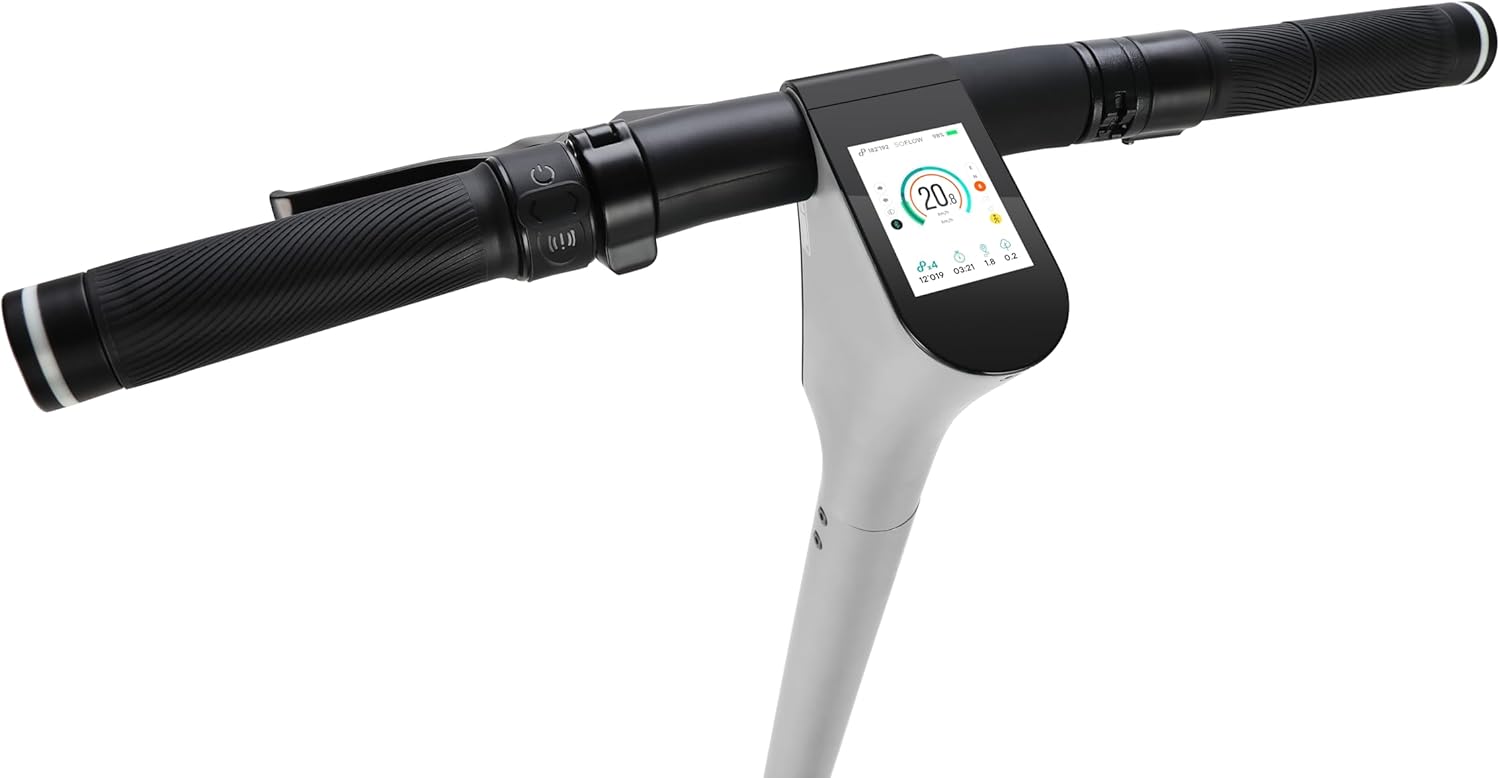
Billede: En detaljeret view of the SOFLOW SO ONE PRO 1 handlebar, showing the integrated 2.8" TFT color display and control buttons.
2. Kørsel på scooteren
- Starter: Place one foot on the deck and push off with the other foot to gain initial momentum. Once moving, gently press the accelerator lever.
- Acceleration: Use the thumb throttle on the right handlebar to control speed. Apply gentle pressure for smooth acceleration.
- Bremsning: The scooter is equipped with a front drum brake and a rear electric brake. Use the brake levers on the handlebars to slow down or stop. Apply both brakes simultaneously for optimal stopping power.
- Drejning: Læn dig let i den retning, du ønsker at dreje, og styr forsigtigt styret.
3. Lights and Turn Signals
- The scooter features a 60 lux front light, a brake light, and integrated turn signals for enhanced visibility and safety.
- Refer to the scooter's display or the SOFLOW app for controls to activate and manage the lighting system.
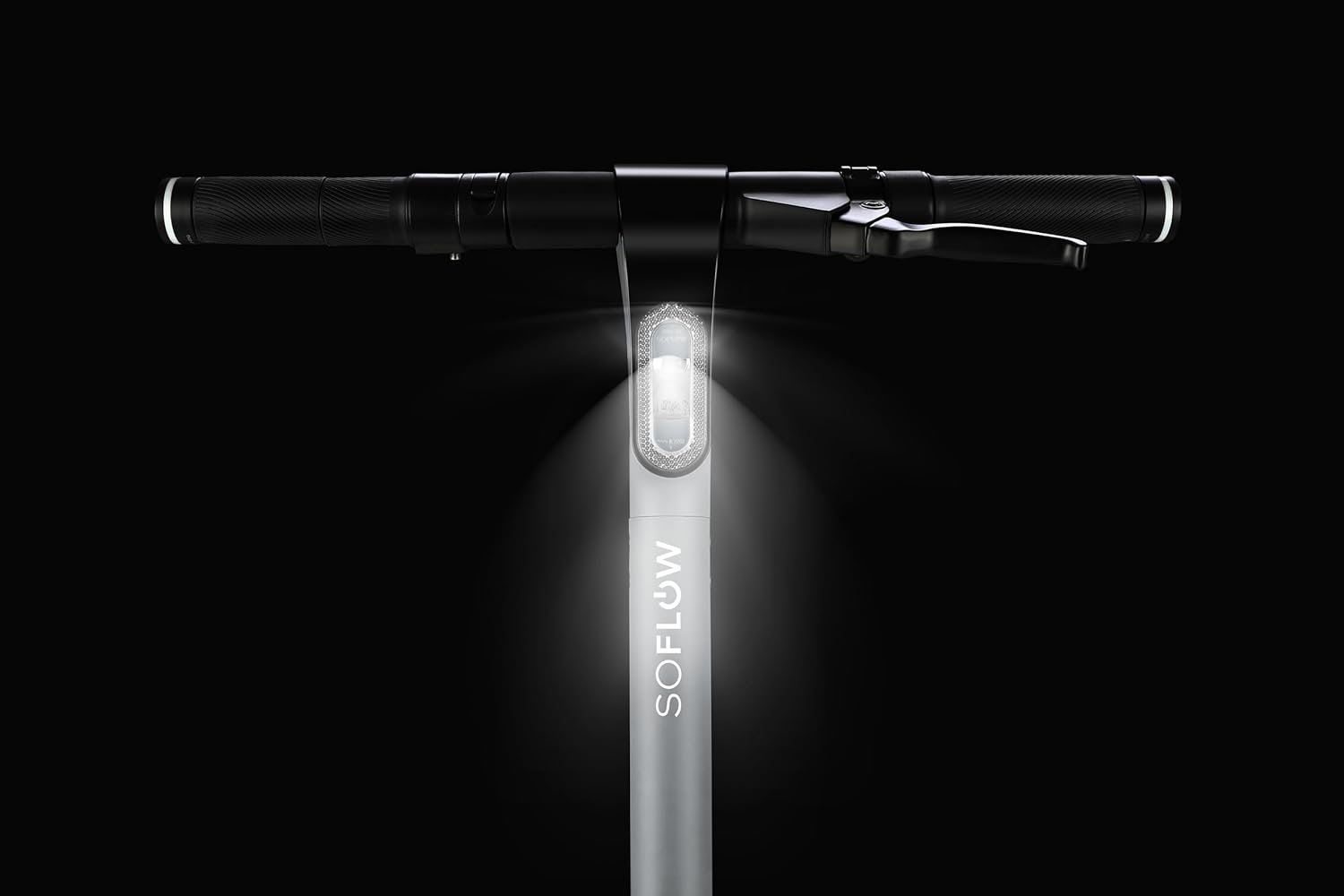
Image: The SOFLOW SO ONE PRO 1 Electric Scooter with its powerful 60 lux front light illuminated, providing visibility in low-light conditions.
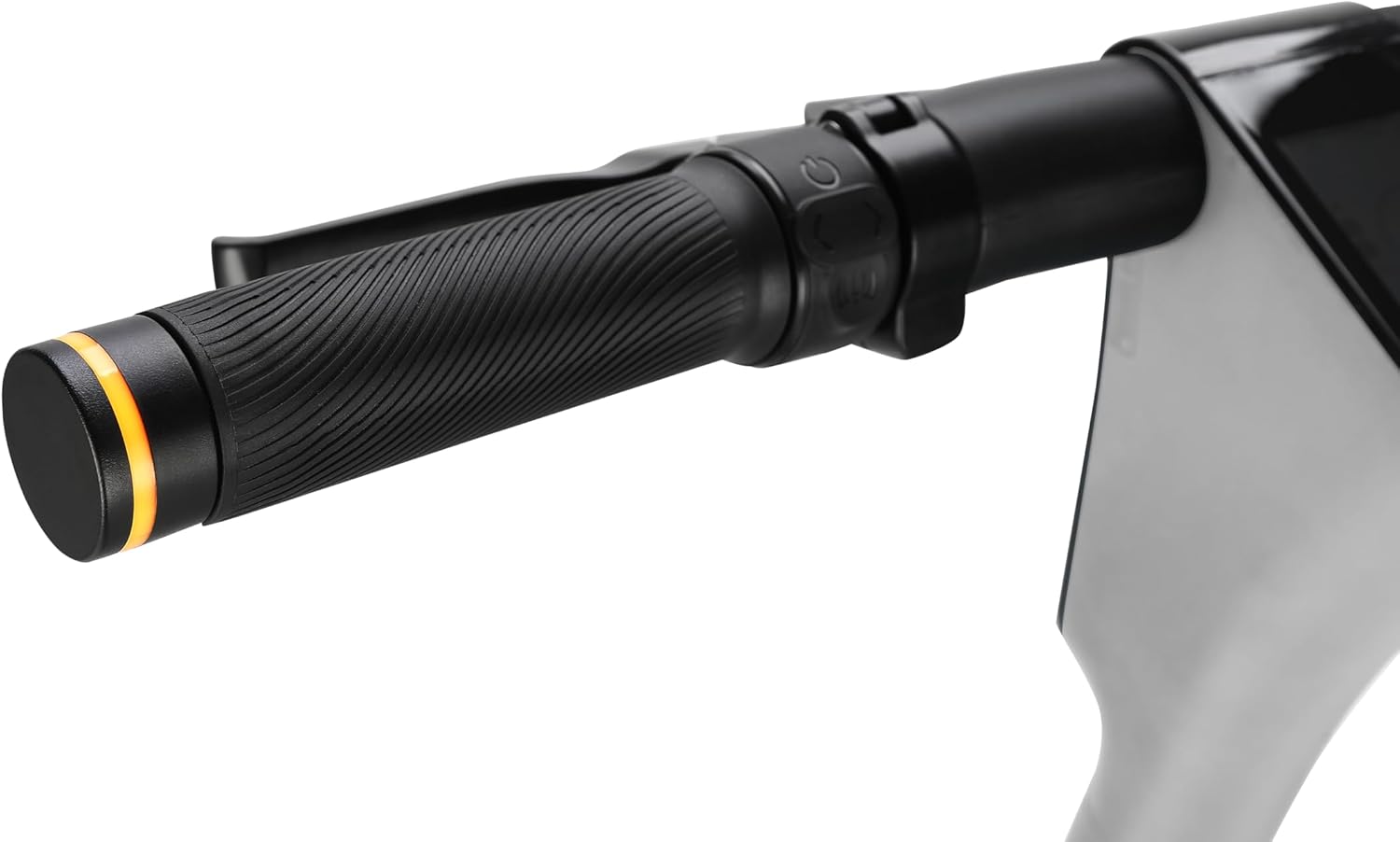
Image: A close-up of the handlebar grip, highlighting the integrated turn signal indicator for signaling intentions to other road users.
4. Folding for Storage/Transport
To fold the scooter for storage or transport, reverse the unfolding steps:
- Sørg for, at scooteren er slukket.
- Locate and release the handlebar stem locking mechanism.
- Carefully fold the handlebar stem downwards until it locks into the folded position.
Opretholdelse
Regelmæssig vedligeholdelse sikrer din scooters lange levetid og sikre drift.
- Rensning: Tør scooteren af med reklameamp klud. Brug ikke højtryksvand, og nedsænk ikke nogen del af scooteren i vand.
- Dæktryk: Regularly check and maintain the recommended tire pressure for the 10-inch air tires. Proper inflation improves ride quality and battery range.
- Bremseinspektion: Periodically check the front drum brake and rear electric brake for wear and proper function. Adjust or replace components as needed by a qualified technician.
- Batteripleje:
- Undgå at dræne batteriet helt.
- Oplad batteriet regelmæssigt, selvom scooteren ikke er i brug i længere perioder (f.eks. en gang om måneden).
- Opbevar scooteren et køligt og tørt sted, væk fra direkte sollys og ekstreme temperaturer.
- Generel kontrol: Ensure all screws and fasteners are tight. Check for any loose parts or unusual noises.
Fejlfinding
Dette afsnit omhandler almindelige problemer, du kan støde på. Kontakt kundesupport, hvis du har problemer, der ikke er nævnt her.
| Problem | Mulig årsag | Løsning |
|---|---|---|
| Scooteren tænder ikke. | Lavt batteri; løse forbindelser; funktionsfejl på tænd/sluk-knappen. | Charge the battery; check all visible connections; contact support if issue persists. |
| Reduceret rækkevidde eller effekt. | Under-inflated tires; battery degradation; riding uphill frequently. | Check and inflate tires to recommended pressure; ensure full charge; adjust riding style. |
| Bremserne føles svage. | Bremseklodser slidte; kabelspænding forkert. | Inspect brake pads for wear; have brakes adjusted by a professional. |
| Usædvanlige lyde under drift. | Løse komponenter; snavs i hjul; motorproblem. | Inspect scooter for loose parts; clear any debris; contact support if noise persists. |
Specifikationer
| Feature | Detalje |
|---|---|
| Model | SO ONE PRO 1 (300.531.02) |
| Mærke | SOFLOW |
| Farve | Sølvgrå |
| Aldersinterval (beskrivelse) | Voksen |
| Motorkraft | 500 W |
| Batteri | 10.0 Ah litium-ion (inkluderet) |
| Max rækkevidde | Op til 65 km (40 miles) |
| Opladningstid | Ca. 3.5 timer |
| Max vægtkapacitet | 120 kilo (265 lbs) |
| Produktmål (L x B x H) | 116 x 51.8 x 119 cm (45.7 x 20.4 x 46.9 tommer) |
| Netto produktvægt | 15.5 kilo (34.2 lbs) |
| Rammemateriale | Aluminium |
| Hjulstørrelse | 10 tommer |
| Hjul materiale | Air Tires |
| Bremser | Front Drum Brake, Rear Electric Brake |
| Affjedring | Double Suspension |
| Særlige funktioner | 50 Nm Torque, 60 lux Front Light, Brake Light, Turn Signals, Apple Find My, 2.8" TFT Color Display |
| Inkluderede komponenter | Scooter, Charger |
Garanti og support
For warranty information, product support, or to purchase replacement parts, please visit the official SOFLOW webwebstedet eller kontakt deres kundeserviceafdeling. Gem din købsbevis til garantikrav.
Fabrikant: SoFlow
Webwebsted: www.soflow.com (Eksamplinket, bekræft venligst det officielle webwebsted)