
1. Introduktion
This manual provides detailed instructions for the installation, operation, and maintenance of your Ernitec WOLF-PX-515IR Turret Camera. This camera is designed for surveillance applications, offering high-resolution video recording, motion detection, night vision, and remote viewing capabilities via a smartphone application.
Please read this manual thoroughly before operating the device to ensure proper use and to prevent damage.
1.1 Sikkerhedsoplysninger
- Strømforsyning: Brug kun den angivne strømadapter. Forkert lydstyrketage may damage the camera and void the warranty.
- Installationsmiljø: Avoid installing the camera in extreme temperatures, high humidity, or dusty environments. Ensure the mounting surface is strong enough to support the camera's weight.
- Rensning: Afbryd strømmen før rengøring. Brug en blød, tør klud. Brug ikke stærke rengøringsmidler eller slibende rengøringsmidler.
- Service: Forsøg ikke selv at skille kameraet ad eller reparere det. Overlad al service til kvalificeret personale.
- Kabler: Sørg for, at alle kabler er korrekt fastgjort og beskyttet mod skader.
2. Pakkens indhold
Kontroller, at alle varer er til stede i pakken. Hvis der mangler eller er beskadigede varer, skal du kontakte din leverandør.
- Ernitec WOLF-PX-515IR Turret Camera
- Monteringsskabelon
- Monteringsskruer og vægdyvler
- Hurtig startvejledning
- Waterproof Connector Kit (for outdoor installations)
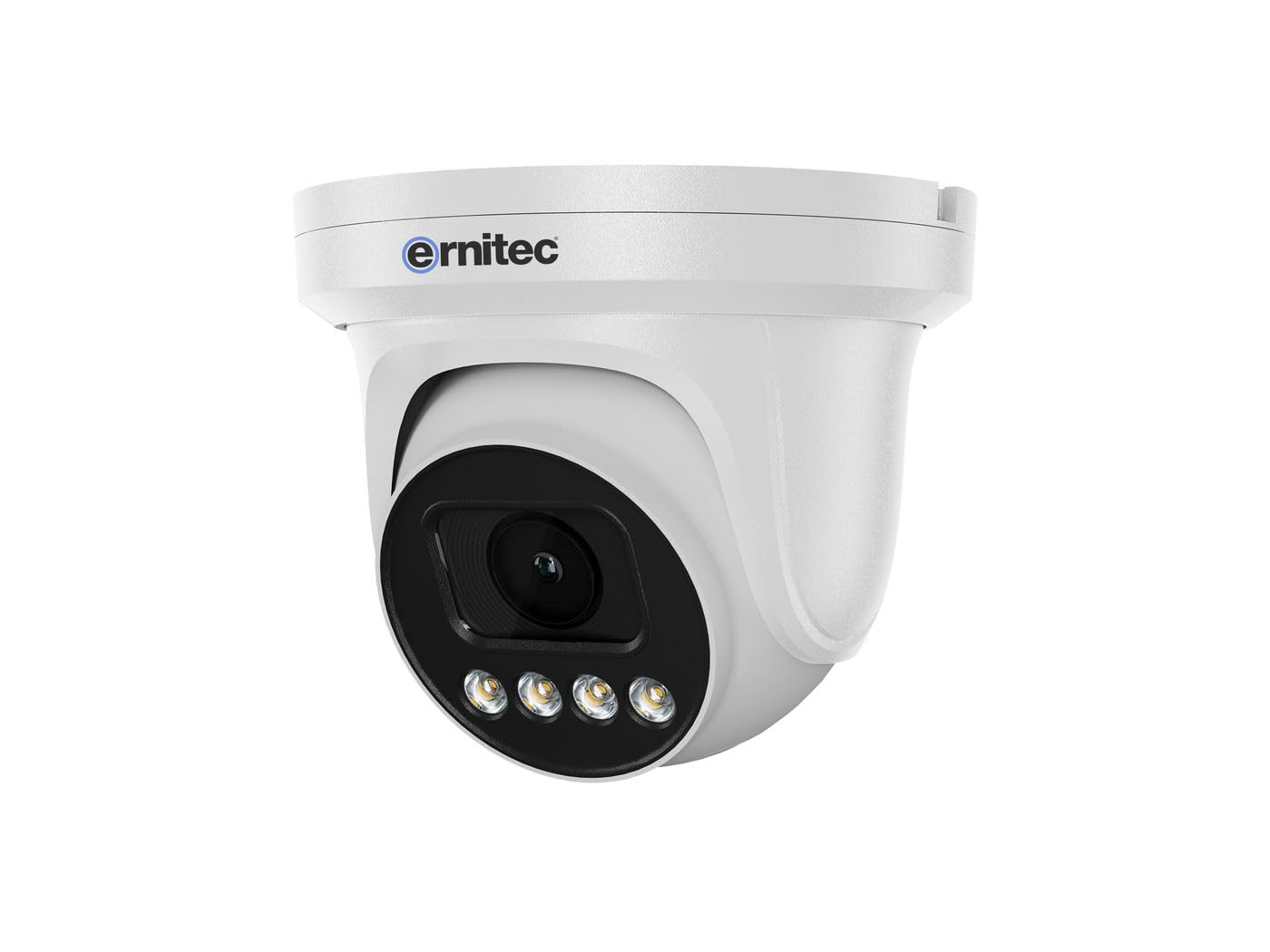
Image 2.1: Ernitec WOLF-PX-515IR Turret Camera with typical accessories.
3. Opsætning
3.1 Fysisk installation
- Vælg placering: Choose a suitable location for the camera, ensuring it provides the desired field of view og er inden for rækkevidde af strøm- og netværksforbindelser.
- Montering:
- Use the provided mounting template to mark drill holes on the wall or ceiling.
- Bor huller og isæt vægdyvler om nødvendigt.
- Fastgør kamerabasen til monteringsfladen med de medfølgende skruer.
- Juster vinkel: Løsn justeringsskruerne på kamerahuset for at indstille den ønskede viewing angle. Tighten the screws once the position is finalized.
3.2 Ledningsføring
Connect the necessary cables to the camera's ports:
- Strømkabel: Connect the power adapter to the camera's power input port. Ensure the power source matches the camera's requirements (e.g., 12V DC).
- Network Cable (Ethernet): Connect an Ethernet cable from the camera's RJ45 port to your network router or PoE switch. If using Power over Ethernet (PoE), a separate power adapter is not required.
3.3 Netværkskonfiguration
After physical installation and wiring, configure the camera for network access:
- Indledende forbindelse: Tilslut din computer til det samme netværk som kameraet.
- IP-adresse: The camera typically obtains an IP address automatically via DHCP. Use the Ernitec IP Search Tool (available on the Ernitec website) for at finde kameraets IP-adresse på dit netværk.
- Adgang Web Interface: Åbn a web browser and enter the camera's IP address. Log in using the default username and password (refer to the Quick Start Guide for default credentials).
- Skift adgangskode: Af sikkerhedsmæssige årsager skal du straks ændre standardadgangskoden ved første login.
- Netværksindstillinger: Configure network settings as needed, such as assigning a static IP address or adjusting port forwarding for remote access.
4. Betjening af kameraet
4.1 Grundlæggende funktioner
- Levende View: Få adgang til kameraets web interface or dedicated software to view live video-feedet.
- Indspilning:
- Kontinuerlig optagelse: Configure the camera to record continuously to a Network Video Recorder (NVR) or local storage (if supported).
- Optagelse af bevægelsesdetektering: Set up motion detection zones and sensitivity. The camera will record when motion is detected.
- Planlagt optagelse: Definer specifikke tidsperioder for optagelse.
- Nattesyn: The camera automatically switches to infrared (IR) night vision in low-light conditions. Ensure the IR illuminators are not obstructed.
4.2 Fjernbetjening Viewing via Smartphone Application
- Download app: Download the official Ernitec surveillance application from your smartphone's app store.
- Registrer konto: Opret en konto og log ind.
- Tilføj enhed: Follow the in-app instructions to add your WOLF-PX-515IR camera. This typically involves scanning a QR code on the camera or manually entering its serial number/IP address.
- Levende View og afspilning: Når du har tilføjet det, kan du view live footage, access recorded videos, and receive motion detection alerts directly on your smartphone.
5. Vedligeholdelse
5.1 Rengøring
- Rengør jævnligt kameralinsen og huset for at sikre en klar billedkvalitet.
- Use a soft, lint-free cloth. For stubborn dirt, slightly dampen klud med vand.
- Do not use harsh chemicals, solvents, or abrasive materials, as these can damage the lens coating or camera finish.
5.2 firmwareopdateringer
Periodically check the Ernitec official webwebsted for firmwareopdateringer. Firmwareopdateringer kan forbedre ydeevnen, tilføje nye funktioner og forbedre sikkerheden. Følg vejledningen, der følger med firmwareopdateringspakken, omhyggeligt.
6. Fejlfinding
| Problem | Mulig årsag | Løsning |
|---|---|---|
| Ingen strøm | Power adapter disconnected or faulty; no PoE. | Check power connections. Ensure PoE switch is active if using PoE. Test power adapter. |
| Intet video-feed | Network connection issue; incorrect IP address; camera offline. | Verify network cable connection. Check camera's IP address. Ensure camera is powered on and connected to the network. Restart camera and router. |
| Dårlig billedkvalitet | Snavset objektiv; svagt lys; forkerte indstillinger. | Clean the camera lens. Adjust camera settings (e.g., exposure, brightness). Ensure adequate lighting or proper night vision activation. |
| Kan ikke få adgang via fjernadgang | Network configuration issues (e.g., port forwarding); app not configured correctly. | Check router settings for port forwarding. Ensure the camera is connected to the internet. Reconfigure the smartphone application. |
7. Specifikationer
| Feature | Detalje |
|---|---|
| Modelnummer | 0070-08113 |
| Mærke | Ernitec |
| Strømforbrug | 10 watt |
| Kanaler | 1 |
| Nøglefunktioner | High-resolution video, motion detection, night vision, remote viewvia en smartphone-app. |
| ASIN | B0CKJ4KDNX |
| Fabrikant | Ernitec |
8. Garanti og support
For warranty information, please refer to the warranty card included with your product or visit the official Ernitec website. Technical support is available through the Ernitec customer service channels, which can typically be found on their webwebsted.
Note: Information regarding spare parts availability and software updates is not available at the time of this manual's publication. Please check the manufacturer's webwebsted for de nyeste oplysninger.