
Indledning
Tak for købetasing the Volkano Cosmic Series Bluetooth Headphones VK-2013-BK. These headphones are designed to provide a comfortable and immersive audio experience with wireless convenience. Featuring a folding design, soft ear cushions, and a padded headband, they offer versatility for various uses. This manual provides essential information for setting up, operating, and maintaining your headphones.
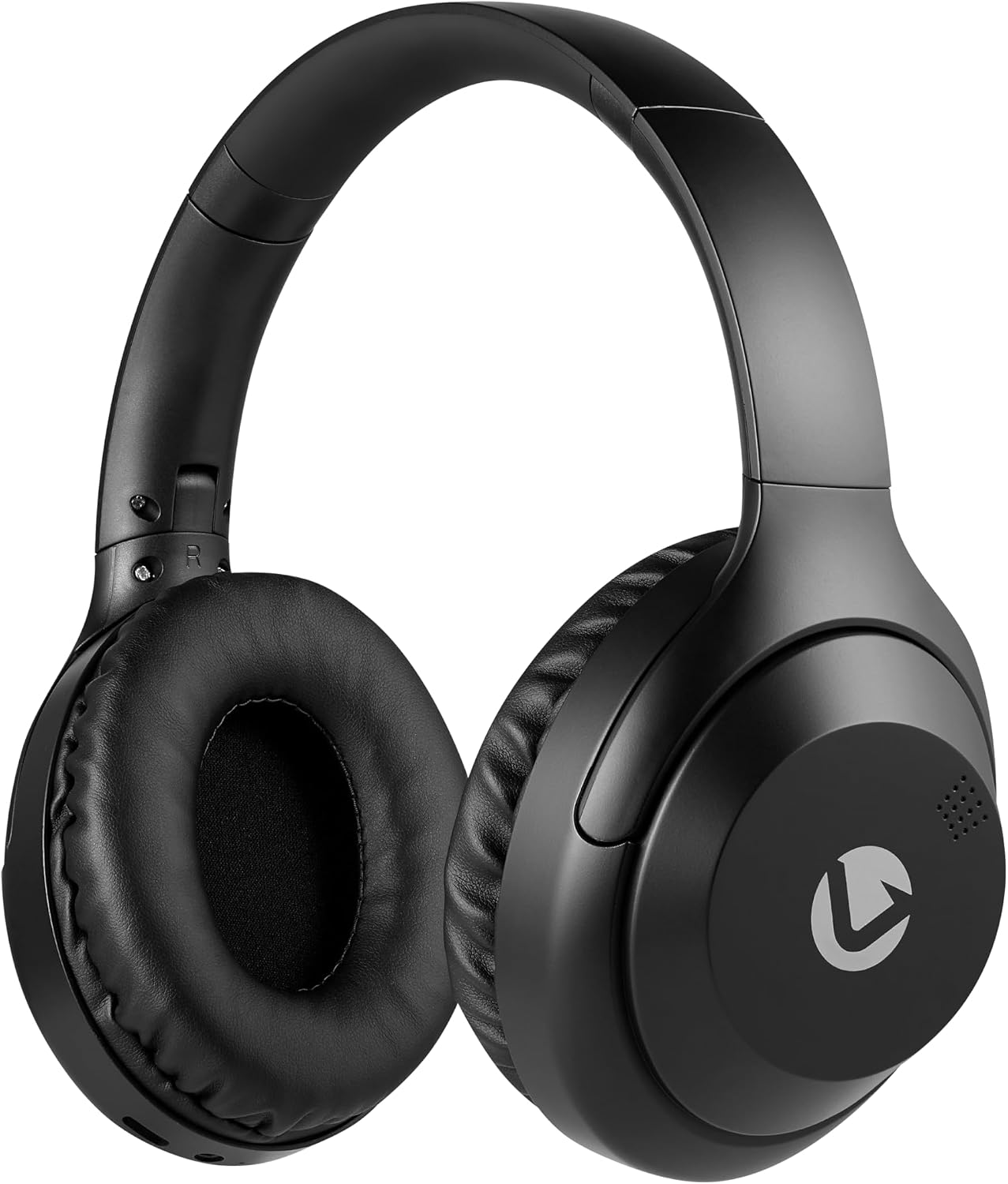
Front view of the Volkano Cosmic Series Bluetooth Headphones.
Pakkens indhold
Sørg venligst for, at alle varer er til stede i din pakke:
- Volkano Cosmic Series Bluetooth Headphones
- USB opladningskabel
- 3.5 mm AUX-kabel
- Instruktionsmanual

Image showing the folding headphones and the included USB charging cable and AUX cable.
Produkt overview
Familiarize yourself with the various parts and controls of your headphones:

Side view of the headphones, highlighting the control panel.
- Power / Multi-function Button: Bruges til at tænde/slukke, afspille/pause og besvare/afslutte opkald.
- Knap til lydstyrke op / Næste nummer: Kort tryk for at skrue op for lydstyrken, langt tryk for næste nummer.
- Knap til lydstyrke ned / forrige nummer: Kort tryk for at sænke lydstyrken, langt tryk for at sænke forrige nummer.
- Mode knap: Skifter mellem Bluetooth, FM-radio og Micro SD-korttilstande.
- Micro USB-opladningsport: Til opladning af høretelefoner.
- 3.5 mm AUX-indgang: Til kabelbaseret forbindelse til lydenheder.
- Micro SD -kortplads: Til afspilning af lyd direkte fra et Micro SD-kort.
- Mikrofon: Til håndfri opkald.
- LED-indikator: Viser status for strøm, opladning og Bluetooth.

Overview of key features including Bluetooth, FM Radio, SD Card, Aux Input, and Hands-free calling.
Opsætning
Opladning af hovedtelefoner
- Connect the small end of the USB charging cable to the Micro USB port on the headphones.
- Tilslut den større ende af USB-opladerkablet til en USB-strømkilde (f.eks. en computers USB-port eller en USB-vægadapter).
- The LED indicator will illuminate red during charging.
- Once fully charged, the LED indicator will turn off or change color (refer to specific product behavior if different).
Tænd/sluk
- For at tænde: Press and hold the Power / Multi-function Button for approximately 3 seconds until the LED indicator flashes blue.
- For at slukke: Press and hold the Power / Multi-function Button for approximately 3 seconds until the LED indicator turns off.
Bluetooth-parring
- Sørg for, at hovedtelefonerne er slukket.
- Press and hold the Power / Multi-function Button for approximately 5-7 seconds until the LED indicator flashes blue and red alternately. This indicates pairing mode.
- Enable Bluetooth on your audio device (smartphone, tablet, computer).
- Søg efter tilgængelige Bluetooth-enheder.
- Select "Volkano Cosmic" or similar name from the list of devices.
- Når parringen er afsluttet, blinker LED-indikatoren langsomt blåt.
Betjeningsvejledning
Music Playback (Bluetooth Mode)
- Afspil/pause: Short press the Power / Multi-function Button.
- Næste nummer: Long press the Volume Up / Next Track Button.
- Forrige nummer: Long press the Volume Down / Previous Track Button.
- Lydstyrke op: Short press the Volume Up / Next Track Button.
- Skrue ned for lyden: Short press the Volume Down / Previous Track Button.
Opkaldsfunktioner
- Besvar/afslut opkald: Short press the Power / Multi-function Button.
- Afvis opkald: Long press the Power / Multi-function Button.
- Genopkald sidste nummer: Double-press the Power / Multi-function Button.
FM-radiotilstand
- Tryk på Mode-knappen for at skifte til FM-radiotilstand.
- Long press the Power / Multi-function Button to automatically scan and save available FM stations.
- Short press the Volume Up / Next Track Button or Volume Down / Previous Track Button to switch between saved stations.
AUX-tilstand (kablet forbindelse)
- Tilslut den ene ende af 3.5 mm AUX-kablet til AUX-indgangsporten på hovedtelefonerne.
- Tilslut den anden ende af 3.5 mm AUX-kablet til lydudgangsstikket på din enhed.
- Hovedtelefonerne skifter automatisk til AUX-tilstand.
- Control playback and volume directly from your connected audio device.

Connecting the headphones via the 3.5mm AUX cable for a wired audio experience.
Micro SD -korttilstand
- Indsæt et Micro SD-kort (med lyd) files) i Micro SD-kortstikket på hovedtelefonerne.
- Press the Mode Button to switch to Micro SD card mode.
- The headphones will automatically begin playing audio files fra kortet.
- Use the Play/Pause, Next Track, Previous Track, and Volume buttons as in Bluetooth mode.
Opretholdelse
Rensning
- Tør hovedtelefonerne af med en blød, tør klud.
- Brug ikke slibende rengøringsmidler, alkohol eller kemiske opløsningsmidler.
- Keep the charging port and other openings free from dust and debris.
Opbevaring
- Opbevar hovedtelefonerne et køligt, tørt sted væk fra direkte sollys og ekstreme temperaturer.
- When not in use for extended periods, charge the headphones at least once every three months to maintain battery health.
- The folding design allows for compact storage.
Fejlfinding
| Problem | Mulig årsag | Løsning |
|---|---|---|
| Hovedtelefonerne tændes ikke. | Lavt batteri. | Oplad hovedtelefonerne helt. |
| Kan ikke parres via Bluetooth. | Hovedtelefoner er ikke i parringstilstand; Bluetooth slukket på enheden; enheden er for langt væk. | Sørg for, at hovedtelefonerne er i parringstilstand (blinker blåt/rødt). Slå Bluetooth til på din enhed. Flyt enheden tættere på hovedtelefonerne (inden for 10 meter). |
| Ingen lyd. | Lydstyrken er for lav; forkert tilstand; enhed er ikke tilsluttet. | Increase headphone and device volume. Ensure correct mode (Bluetooth, AUX, SD). Verify successful Bluetooth connection or AUX cable insertion. |
| FM-radiomodtagelsen er dårlig. | Svagt signal; miljøforstyrrelser. | Gå til et åbent område. Søg efter stationer igen. |
Specifikationer
| Feature | Detalje |
|---|---|
| Mærke | Volkano |
| Modelnummer | VK-2013-BK |
| Modelnavn | Cosmic 2.0 Series |
| Forbindelsesteknologi | Wireless (Bluetooth) / Wired (3.5 mm Jack) |
| Trådløs teknologi | Bluetooth |
| Øreplacering | Over Ear |
| Formfaktor | Over Ear |
| Impedans | 32 Ohm |
| Frekvensrespons | 20 KHz |
| Følsomhed | 95 dB |
| Støjkontrol | Ingen |
| Indkapslingsmateriale | Polyurethan (PU) |
| Specifikke anvendelser af produktet | Underholdning |
| Foldefunktioner til hovedtelefoner | Sammenfoldelig |
| Indbygget medie | FM Radio, Micro SD Card Slot |
| Fabrikant | SMD Technologies LLC |
Garanti og support
Garantioplysninger
Volkano products are backed by a 1 års begrænset garanti. This warranty reflects our commitment to quality and dependable performance. For additional coverage, you may be eligible to register your product for an extended 12-month warranty, totaling 24 months of coverage.
Kundesupport
Should you have any questions or require assistance with your Volkano Cosmic Series Bluetooth Headphones, please contact Volkano customer support. Your satisfaction is important to us.
For more information or to register your product, please visit the official Volkano page or contact their support channels as indicated on their webwebsted eller produktemballage.