
Indledning
Tak for købetasing the Emerson EPD-1001 Portable 10-inch DVD Player. This manual provides essential information for setting up, operating, and maintaining your device. Please read these instructions carefully before use to ensure proper functionality and to maximize your viewoplevelse.
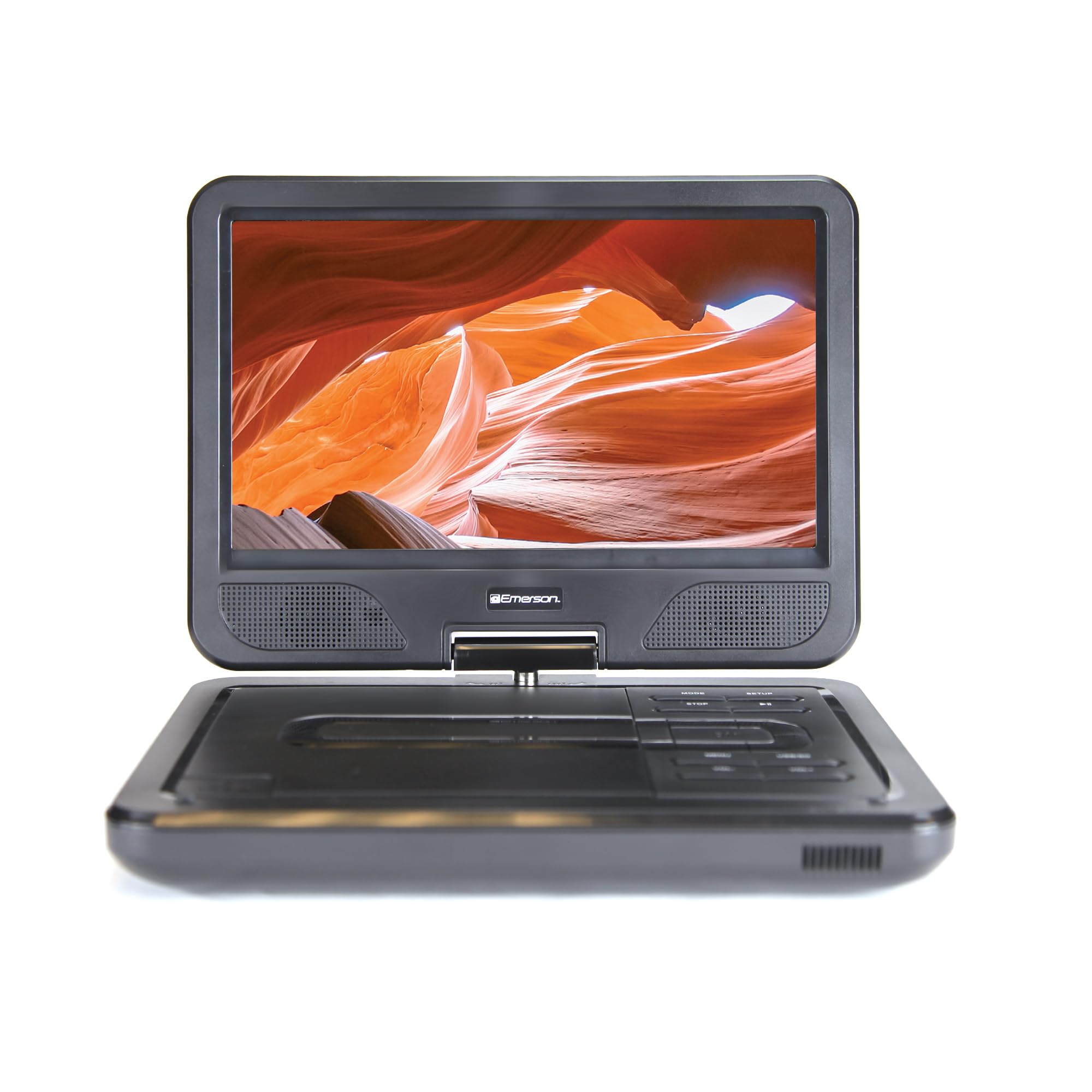
Image: The Emerson EPD-1001 Portable 10-inch DVD Player shown with its screen open, displaying a vibrant image.
Hvad er der i æsken
Kontroller, at alle varer er til stede i emballagen:
- Emerson EPD-1001 Portable 10-inch DVD Player
- Fjernbetjening
- AC strømadapter
- DC Car Cord
- AV-kabel
- Brugervejledning (dette dokument)
- Garantikort

Image: The Emerson EPD-1001 Portable 10-inch DVD Player displayed alongside its remote control.
Produktegenskaber
- 10-tommer drejelig skærm: The large 10-inch screen swivels 180 degrees, allowing for flexible viewing vinkler.
- Indbygget højttaler: Integrated speaker provides clear audio for an immersive experience.
- Genopladeligt batteri: Enjoy portable viewing with the built-in rechargeable battery, offering hours of playback.
- Fjernbetjening: Navigate menus and control playback effortlessly with the included remote.
- Kompakt design: Lightweight and compact for easy transport during travel.
- Kompatibilitet med flere formater: Supports a wide range of DVD formats, as well as media from USB flash drives and SD cards.
Video: A 360-degree product overview of the Emerson EPD-1001 Portable DVD Player, showcasing dens design og funktioner fra forskellige vinkler.
Opsætning
- Udpakning: Fjern forsigtigt alle komponenter fra emballagen. Gem emballagen til senere opbevaring eller forsendelse.
- Opladning af batteriet: Before first use, fully charge the internal rechargeable battery. Connect the AC power adapter to the DC IN 9-12V port on the DVD player and plug it into a standard wall outlet. The charging indicator light will illuminate. A full charge typically takes several hours.
- Car Power (Optional): For in-car use, connect the DC car cord to the DC IN 9-12V port and plug the other end into your vehicle's 12V accessory socket.
- External Display Connection (Optional): To connect to an external display (e.g., TV), use the provided AV cable. Connect the AV OUT port on the DVD player to the corresponding AV IN ports on your television.

Image: A hand plugging a 12V car adapter into a vehicle's power outlet, demonstrating how to power the DVD player on the go.
Betjeningsvejledning
Tænd/sluk
- For at tænde skal du trykke på og holde nede MAGT knappen, indtil skærmen lyser.
- For at slukke, skal du trykke på og holde nede MAGT knappen igen, indtil skærmen slukker.
Inserting and Playing a DVD
- Open the disc cover by gently lifting the ÅBEN låsen.
- Place a DVD disc onto the spindle with the label side facing up. Gently press the center of the disc to secure it.
- Luk diskdækslet.
- The player will automatically detect the disc and begin playback. If not, press the AFSPIL/PAUSE knap.
Using the Swivel Screen
The screen can be rotated up to 180 degrees. Gently swivel the screen to your desired viewing angle. You can also fold the screen flat against the base for a tablet-like viewoplevelse.

Image: A woman using the Emerson EPD-1001 Portable DVD Player, demonstrating the swivel screen feature for comfortable viewing.
Media Playback (USB/SD Card)
- Indsæt et USB-flashdrev i USB port eller et SD-kort i SD KORT slot.
- Brug MODE button on the player or remote to select the appropriate input (USB or SD).
- Naviger gennem dine medier files using the arrow buttons and press ENTER at spille.

Image: A hand inserting a USB flash drive into the side port of the portable DVD player, illustrating media playback from external storage.
Brug af fjernbetjeningen
Point the remote control directly at the infrared sensor on the DVD player. The remote allows access to functions such as Play, Pause, Stop, Fast Forward, Rewind, Chapter Skip, Volume Control, Menu Navigation, and Input Selection.
Lydudgang
- Indbyggede højttalere: Audio will play automatically through the integrated speakers. Adjust volume using the VOL+ og VOL- knapper.
- Hovedtelefonstik: For private listening, plug standard 3.5mm headphones into the HOVEDTELEFON jack. This will mute the built-in speakers.
Opretholdelse
- Rensning: Use a soft, dry cloth to clean the exterior of the DVD player. For the screen, use a soft, lint-free cloth specifically designed for electronics screens. Do not use liquid cleaners or abrasive materials.
- Diskpleje: Handle discs by their edges. Keep discs clean and free of scratches. Use a soft, lint-free cloth to wipe discs from the center outwards if cleaning is necessary.
- Batteripleje: For at forlænge batteriets levetid bør du undgå at aflade batteriet helt ofte. Hvis enheden opbevares i længere tid, skal du oplade batteriet til ca. 50% og opbevare det et køligt og tørt sted. Genoplad det med et par måneders mellemrum for at forhindre dyb afladning.
- Opbevaring: Store the DVD player in a cool, dry environment away from direct sunlight, extreme temperatures, and excessive dust.
Fejlfinding
| Problem | Mulig årsag | Løsning |
|---|---|---|
| Afspilleren tænder ikke. | Batteriet er fladt, eller strømadapteren er ikke tilsluttet. | Connect the AC power adapter and allow the battery to charge. Ensure the power button is pressed and held. |
| Intet billede på skærmen. | Disc is dirty/scratched, incorrect input selected, or screen is folded incorrectly. | Clean the disc. Ensure the screen is properly opened and swiveled. If connected to an external display, verify AV cable connections and TV input selection. |
| Ingen lyd. | Volume is too low, headphones are connected, or disc has no audio track. | Increase the volume. Disconnect headphones if using built-in speakers. Check disc for audio content. |
| Disken afspilles ikke eller springer over. | Disken er snavset, ridset eller har et inkompatibelt format. | Clean the disc thoroughly. Try a different disc. Ensure the disc format is supported by the player. |
| Fjernbetjening virker ikke. | Batteries are dead or remote is not pointed at sensor. | Replace remote control batteries. Ensure direct line of sight to the player's IR sensor. |
Specifikationer
| Feature | Detalje |
|---|---|
| Mærke | Emerson |
| Modelnummer | EPD-1001 |
| Skærmstørrelse | 10 tommer |
| Display Type | LCD |
| Indfødt opløsning | 1280x720 |
| Forbindelsesteknologi | USB |
| Kompatible enheder | Mobile Phone, Television (via AV out) |
| Medietype | DVD, CD, MP3, USB, SD Card |
| Varedimensioner (L x B x H) | 10 cm L x 1.8 cm B x 7.35 cm H |
| Varens vægt | 2.2 pund |
| Farve | Sort |
| Strømindstillinger | Built-in rechargeable battery, AC adapter, 12V car adapter |

Image: A diagram illustrating the dimensions (length, width, height) and weight of the Emerson EPD-1001 Portable DVD Player.
Garanti og support
The Emerson EPD-1001 Portable 10-inch DVD Player comes with a warranty covering 1 Year for Parts og 90 Days for Labor fra købsdatoen.
For technical support, warranty claims, or service inquiries, please contact the manufacturer, Naxa Electronics, Inc. Refer to the warranty card included in your product packaging for specific contact details and procedures.
Gem venligst din købsbevis for at validere garantien.