
Brugermanual til HyperGear Stealth2 ANC trådløse hovedtelefoner
Model: 15860
Indledning
Thank you for choosing the HyperGear Stealth2 ANC Wireless Headphones. These headphones are designed to provide a superior audio experience with advanced active noise cancellation, comfortable over-ear design, and convenient wireless connectivity. This manual will guide you through the setup, operation, and maintenance of your new headphones.

Image: HyperGear Stealth2 ANC Wireless Headphones in black, shown with its retail packaging highlighting features like ANC, battery life, and rapid charge.
Pakkens indhold
Sørg venligst for, at alle varer er til stede i din pakke:
- HyperGear Stealth2 ANC Wireless Headphones
- USB-C ladekabel

Billede: En detaljeret view of the HyperGear Stealth2 ANC Headphones, illustrating features such as Premium HD Sound, Rapid Charging, Memory Foam Comfort, Quick Pair Bluetooth, No Lag Mode, and Hands-Free Control.
Produkt overview & Kontrolelementer
Gør dig bekendt med hovedtelefonernes knapper og porte for optimal brug.
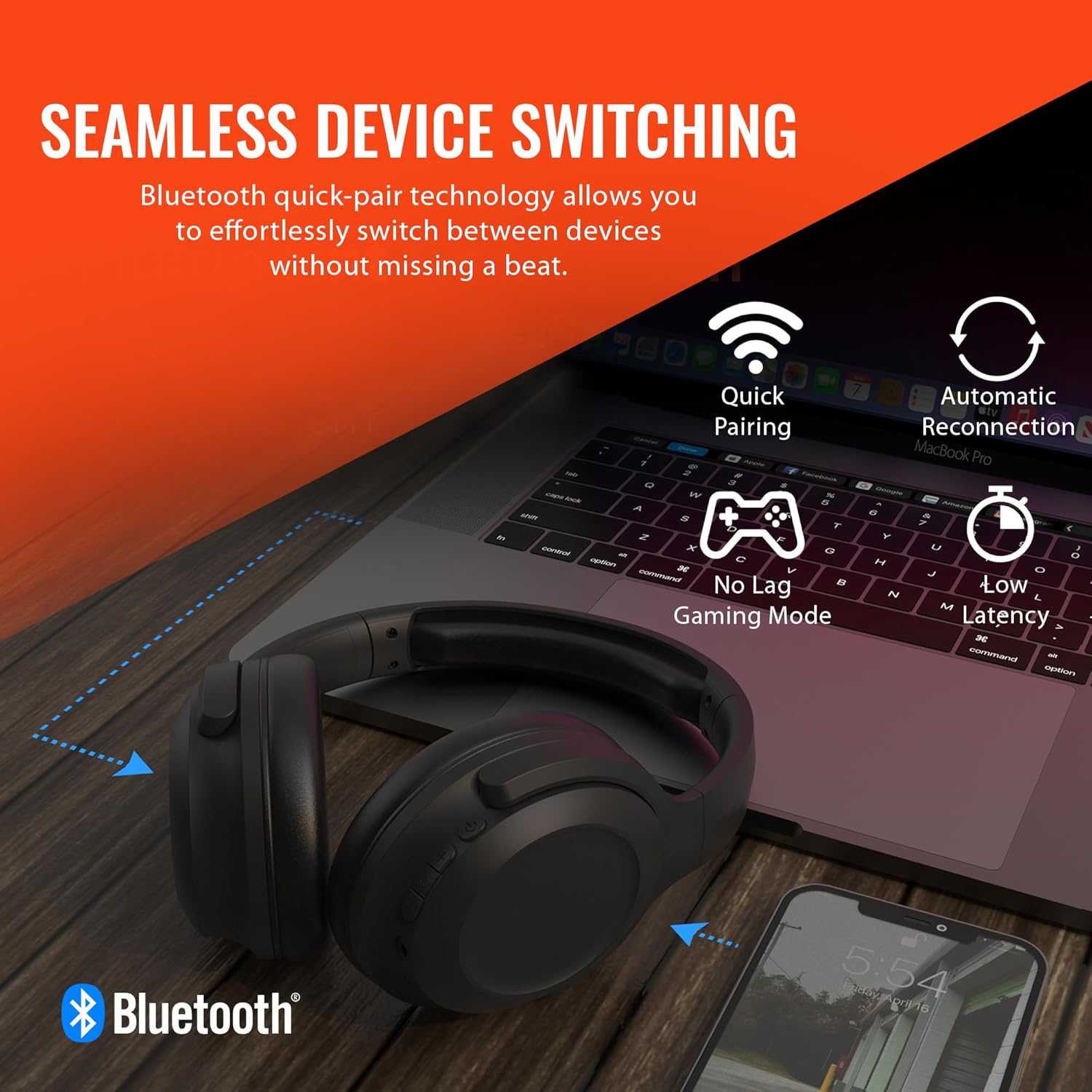
Image: A diagram illustrating the location and function of the on-ear controls for the HyperGear Stealth2 ANC Headphones, including Volume Down, Previous Track, Play/Pause, Answer/End Call, Reject Call, Activate Voice Assistant, Gaming Mode On/Off, Volume Up, Next Track, Power On/Off, Entering Pairing Mode, and ANC On/Off.
- Power knap: Tryk og hold for at tænde/slukke.
- Lydstyrke op/Næste nummer: Kort tryk for at skrue op for lydstyrken, langt tryk for næste nummer.
- Lydstyrke ned/Forrige nummer: Kort tryk for at sænke lydstyrken, langt tryk for at sænke forrige nummer.
- Multifunktionsknap (MFB): Play/Pause, Answer/End Call.
- ANC knap: Slå aktiv støjreduktion til/fra.
- Gaming Mode Button: Activate/Deactivate low-latency gaming mode.
Opsætning
Opladning af hovedtelefoner
Oplad dine hovedtelefoner helt inden første brug. En fuld opladning tager cirka 2 timer.
- Tilslut USB-C-opladerkablet til opladningsporten på hovedtelefonerne.
- Tilslut den anden ende af kablet til en USB-strømkilde (f.eks. en vægadapter eller en computers USB-port).
- LED-indikatoren viser opladningsstatus og slukker, når den er fuldt opladet.
Hurtig opladningsfunktion: En 10 minutters opladning giver cirka 3 timers spilletid.

Image: The HyperGear Stealth2 ANC Headphones folded, illustrating their lightweight and foldable design, along with battery life details: 18 hours with ANC on, up to 24 hours with ANC off, and a rapid charge feature providing 3 hours of play from a 10-minute charge.
Bluetooth-parring
Par dine hovedtelefoner med din enhed for trådløs lyd.
- Sørg for, at hovedtelefonerne er slukket.
- Press and hold the Power button until the LED indicator flashes rapidly (indicating pairing mode).
- Aktiver Bluetooth på din enhed (smartphone, tablet, computer) og søg efter tilgængelige enheder.
- Select "HyperGear Stealth2 ANC" from the list of devices.
- Når den er tilsluttet, holder LED-indikatoren op med at blinke og forbliver konstant blå.
The headphones feature quick-pair technology for seamless switching between devices.

Image: HyperGear Stealth2 ANC Headphones connected wirelessly to a laptop and a smartphone, illustrating the seamless device switching capability with quick pairing and automatic reconnection.
Betjeningsvejledning
Tænd/sluk
- Tænd: Tryk og hold tænd/sluk-knappen nede i 3 sekunder.
- Sluk: Tryk og hold tænd/sluk-knappen nede i 3 sekunder.
Musikafspilning
- Afspil/pause: Tryk én gang på MFB.
- Næste nummer: Tryk længe på lydstyrke op-knappen.
- Forrige nummer: Tryk længe på lydstyrke ned-knappen.
- Lydstyrke op: Tryk kort på lydstyrke op-knappen.
- Skrue ned for lyden: Tryk kort på lydstyrke ned-knappen.
Opkaldsstyring
- Besvar/afslut opkald: Tryk én gang på MFB.
- Afvis opkald: Tryk og hold MFB nede i 2 sekunder.
Aktiv støjafbrydelse (ANC)
The headphones feature dual built-in ANC microphones to block out external distractions.
- Aktivér/deaktiver ANC: Press the dedicated ANC button.

Image: A close-up of the HyperGear Stealth2 ANC Headphones with sound waves emanating, indicating noise cancellation. Icons represent common noises like a basketball, dog barking, train, and airplane, with text stating "UP TO 8X QUIETER".
Stemmeassistent
- Aktivér stemmeassistent (Siri/Google Assistant): Dobbelttryk på MFB.
Spiltilstand
Activate gaming mode for reduced audio latency.
- Aktivér/deaktiver spiltilstand: Press the Gaming Mode button.
Opretholdelse
Korrekt pleje vil forlænge dine hovedtelefoners levetid.
- Rensning: Tør hovedtelefonerne af med en blød, tør klud. Brug ikke skrappe kemikalier eller slibende materialer.
- Opbevaring: Store the headphones in a cool, dry place away from direct sunlight and extreme temperatures. When not in use, it is recommended to fold them for compact storage.
- Vandtæthed: Disse hovedtelefoner er ikke vandafvisende. Undgå kontakt med væsker.

Billede: En side view of the HyperGear Stealth2 ANC Headphones, folded for travel, highlighting the adjustable headband, ultra-lightweight materials, oversized breathable ear cups with plush memory foam padding, and dual-axis hinges.
Fejlfinding
Hvis du støder på problemer, kan du prøve disse almindelige løsninger:
| Problem | Løsning |
|---|---|
| Hovedtelefonerne tændes ikke | Ensure the headphones are fully charged. Press and hold the Power button for a longer duration (up to 5 seconds). |
| Kan ikke parres med enheden | Ensure headphones are in pairing mode (flashing LED). Turn off and on Bluetooth on your device. Move headphones closer to your device. Forget the device in your Bluetooth settings and try pairing again. |
| Ingen lyd eller lav lydstyrke | Check volume levels on both headphones and your device. Ensure headphones are properly connected. Try playing different audio sources. |
| Poor Active Noise Cancellation (ANC) | Ensure ANC is activated. Adjust headphone position on your ears for a better seal. ANC is most effective for low-frequency constant noises. |
| Lyden skærer ind og ud | Move closer to your device (within 33 feet/10 meters). Avoid obstacles between headphones and device. Reduce interference from other wireless devices. |
Specifikationer
| Feature | Detalje |
|---|---|
| Modelnavn | HyperGear Stealth2 ANC Headphones |
| Forbindelsesteknologi | Trådløs (Bluetooth 5.0) |
| Bluetooth rækkevidde | 33 fod (10 meter) |
| Støjkontrol | Aktiv støjreduktion |
| Audio driver type | Dynamisk Driver |
| Audio driver størrelse | 40 mm |
| Frekvensområde | 20 Hz - 20,000 Hz |
| Batterilevetid (ANC slukket) | Op til 24 timer |
| Batterilevetid (ANC tændt) | Op til 18 timer |
| Opladningstid | 2 timer (fuld opladning) |
| Materiale | Plast |
| Dimensioner | 7.88 x 2.25 x 10.51 tommer |
| Varens vægt | 13.4 ounce |
| Inkluderede komponenter | USB-C ladekabel |
Garanti og support
HyperGear products are designed with quality and reliability in mind. For information regarding warranty coverage and customer support, please visit the official HyperGear webwebsted eller kontakt deres kundeserviceafdeling.
Du kan finde mere information og support på HyperGear Amazon Store.