
1. Sikkerhedsoplysninger
Læs venligst alle sikkerhedsinstruktioner omhyggeligt inden montering og brug. Manglende overholdelse af disse instruktioner kan medføre personskade eller beskadigelse af produktet.
- Always operate the desk within its maximum weight capacity of 176 lbs (80 kg).
- Exercise caution when adjusting the desk height, especially if children or pets are nearby. Ensure no obstructions are in the desk's path.
- Do not force the desk to move if it encounters an obstruction or appears stuck.
- Ensure the desk is placed on a stable, level surface and properly anchored to prevent tipping.
- If you experience any discomfort during use, adjust your posture and take breaks.
- Hold alle elektriske komponenter tørre og væk fra væsker.
2. Produktet er slutview
The BANTI Electric Height Adjustable Standing Desk is designed to provide a versatile workspace, allowing seamless transitions between sitting and standing positions. This desk features a robust steel frame and an electric motor for smooth height adjustments.
Nøglefunktioner:
- Motorized Height Adjustment: Customize your working height from 27.3 inches to 45.5 inches with three programmable preset buttons.
- Robust konstruktion: Industrial-grade steel frame supports up to 176 lbs (80 kg).
- Collision Avoidance Technology: Sensors detect obstacles to prevent bumps and scratches during height adjustments.
- Stille drift: Desktop lifting speed of 20mm/s with noise levels below 55db.
- Nem montering: Desk platform is designed for straightforward assembly with precision screws and fittings.
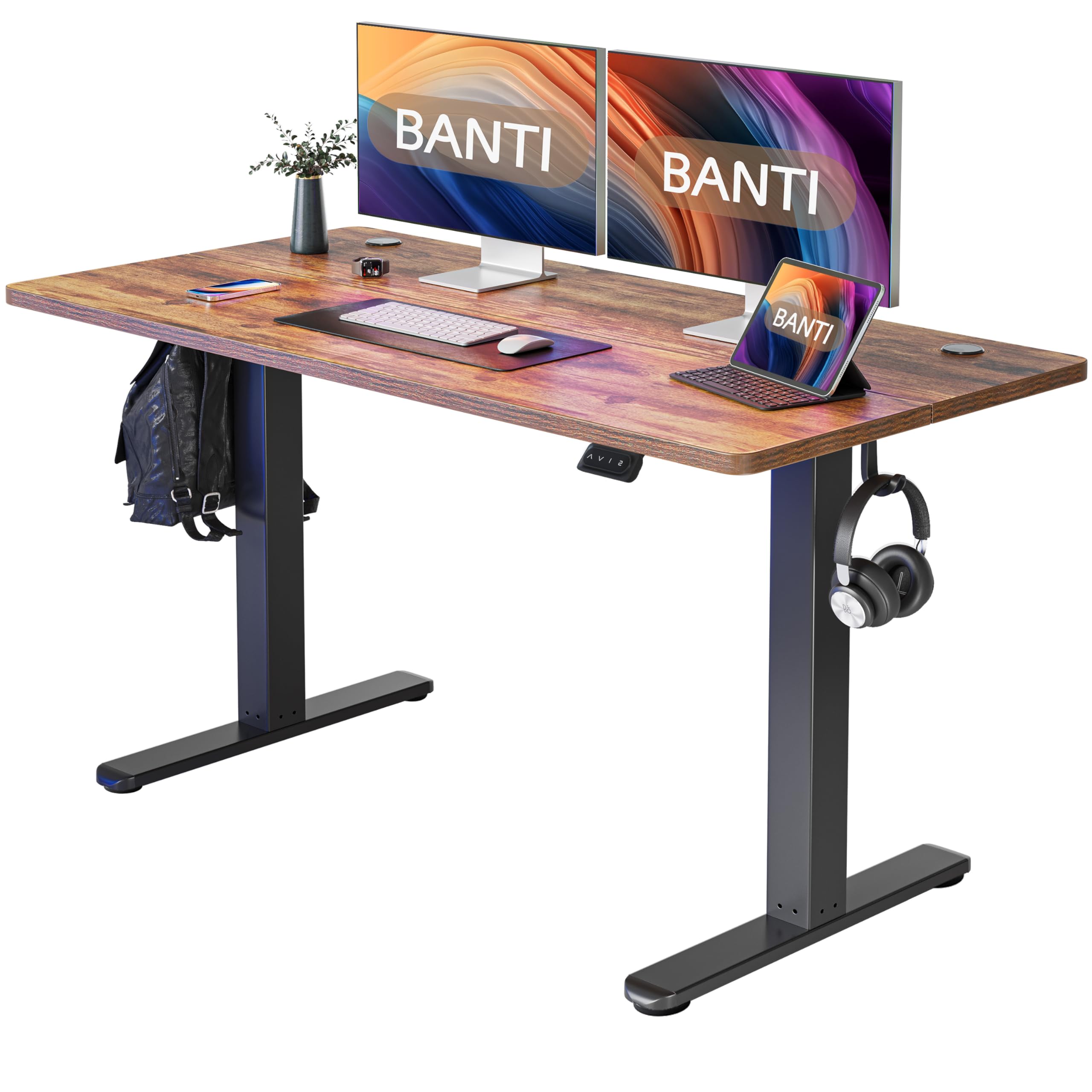
Image: Product dimensions of the BANTI 55x24 inch standing desk, showing a width of 55 inches, depth of 24 inches, and adjustable height from 28.3 inches to 45 inches.

Image: Illustration of the BANTI standing desk supporting a load, highlighting its 176 lbs weight capacity.
3. Opsætning og montering
Assembly of the BANTI standing desk is designed to be straightforward. It is recommended that to personer perform the assembly to ensure safety and ease.
Inkluderede komponenter:
- Desk platform (2 sections)
- Desk frame components
- Kontrolpanel
- Motor and power supply
- 4 track rollers (optional installation)
- Høretelefonkrog
- All necessary installation tools
- Installationsvejledning
Nødvendige værktøjer:
A drill is recommended for assembly, though all necessary tools are included.
Monteringstrin:
- Pak alle komponenter ud, og verificer dem i forhold til delelisten i den medfølgende instruktionsmanual.
- Assemble the desk frame according to the detailed diagrams in the manual. Ensure all screws are securely tightened.
- Attach the two desk platform sections using the provided precision screws and fittings.
- Mount the assembled desktop onto the frame.
- Install the control panel and connect all electrical cables as indicated in the manual.
- Optionally, attach the 4 track rollers for mobility or the height-adjustable feet for stationary use.
- Attach the headphone hook to your preferred location on the desk.
- Tilslut strømforsyningen til en passende stikkontakt.
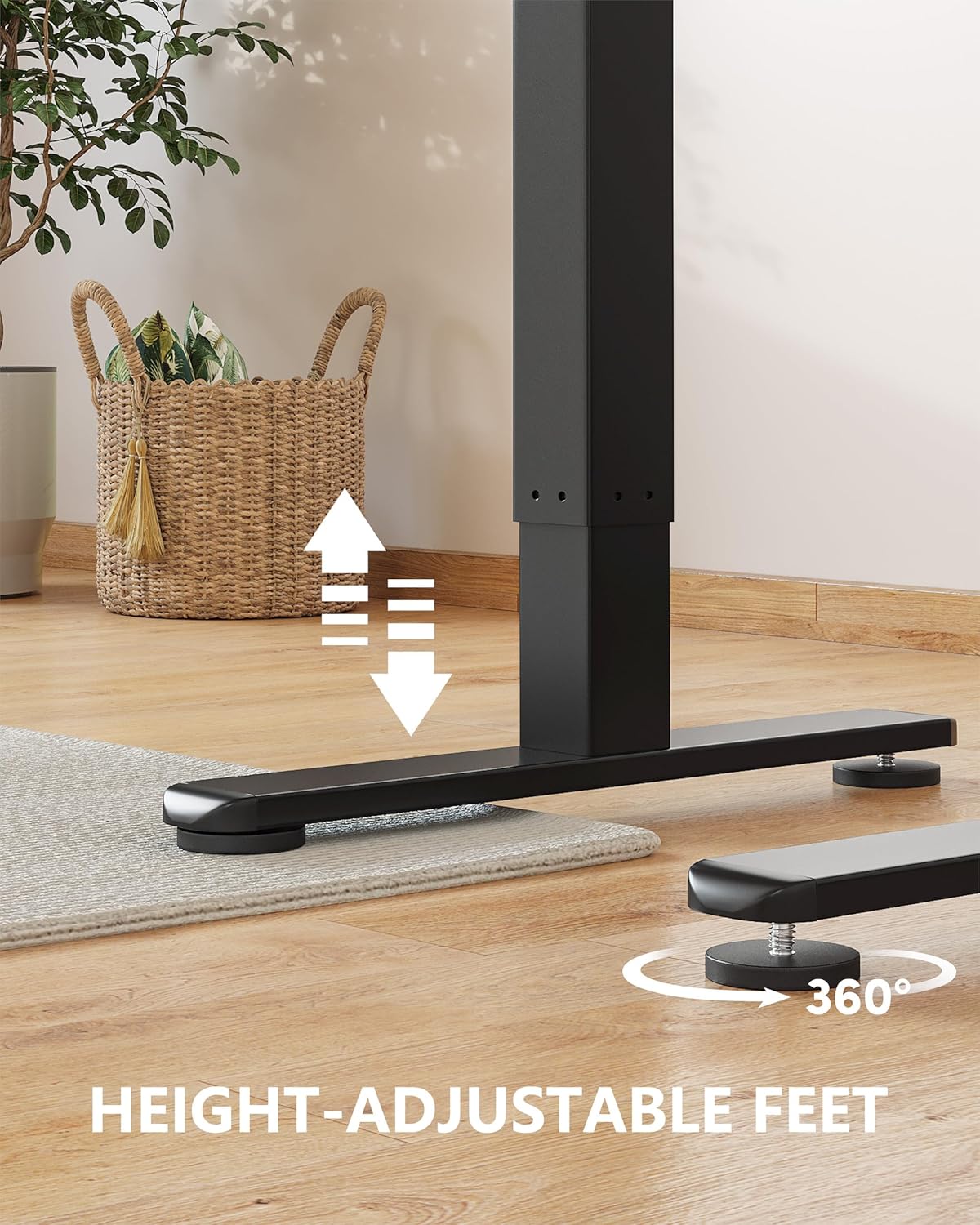
Image: Close-up of the height-adjustable feet on the BANTI standing desk, showing 360-degree rotation for leveling.
4. Betjeningsvejledning
The BANTI standing desk features an intuitive control panel for easy height adjustment and memory settings.
Kontrolpanelets funktioner:
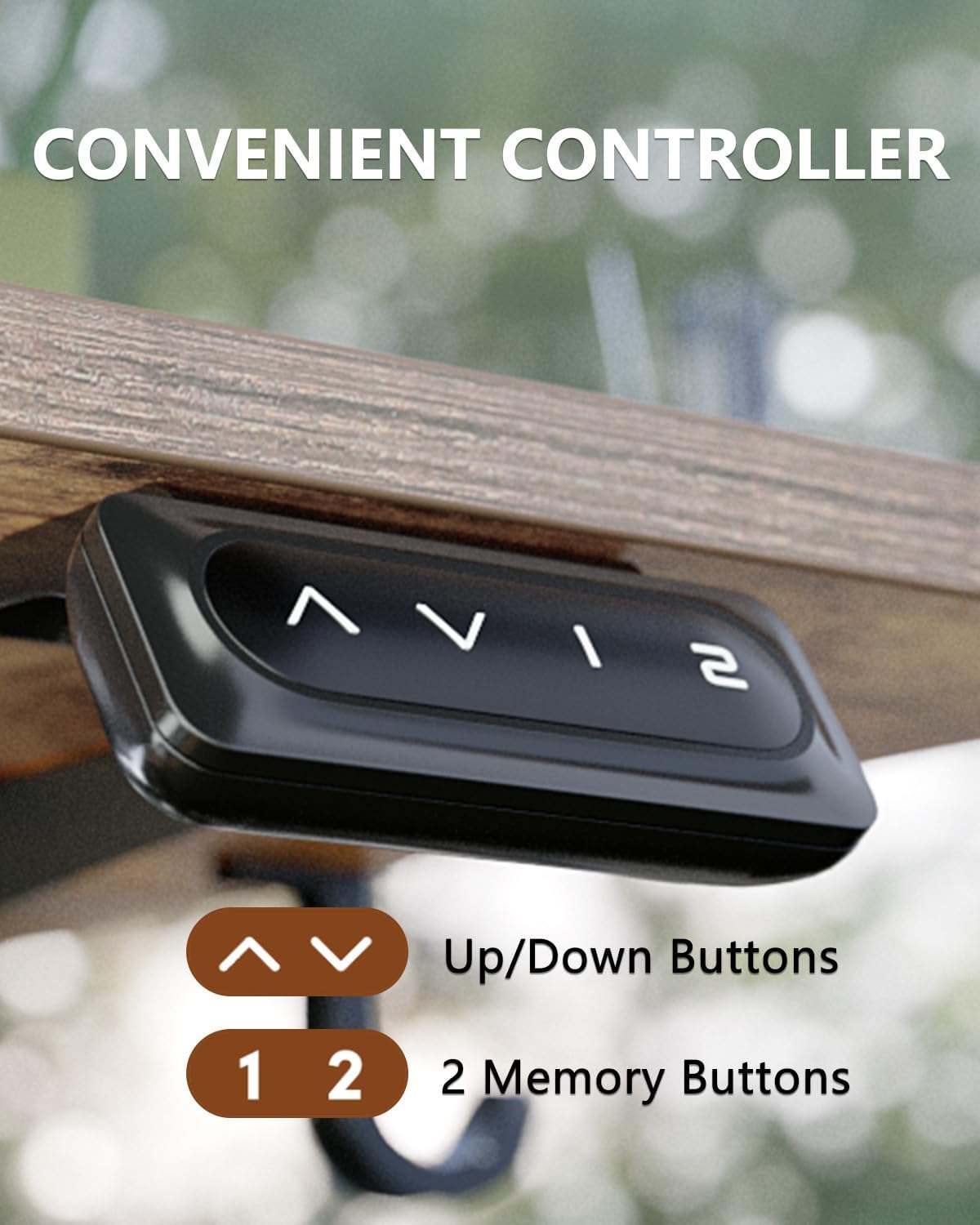
Image: Close-up of the BANTI standing desk control panel, showing up/down arrows and two memory buttons (1, 2).
- Op/ned-knapper (▲ / ▼): Press and hold to raise or lower the desk to your desired height. Release the button to stop movement.
- Hukommelsesknapper (1, 2): The desk has 3 preset buttons to customize your desired height. To save a height setting: adjust the desk to the desired height, then press and hold one of the memory buttons (1, 2, or 3 if available) until you hear a beep or see the display flash. The height is now saved. To recall a saved height, simply press the corresponding memory button.
Højdeområde:
Skrivebordet kan justeres fra en minimumshøjde på 27.3 tommer til en maksimal højde på 45.5 tommer.

Image: A person standing and a child sitting at two BANTI standing desks, illustrating the wide height adjustment range from 28.35 to 46.6 inches.
Collision Avoidance System:
The desk is equipped with sensors that detect obstacles in its path of travel. If an obstruction is detected, the desk will automatically stop and slightly reverse direction to prevent damage to the desk or objects.
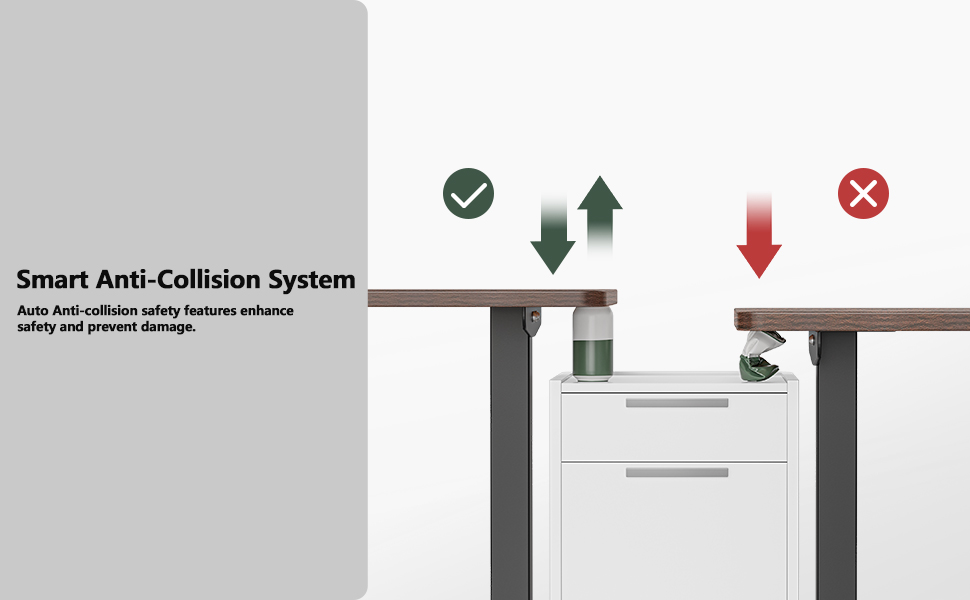
Image: Diagram illustrating the smart anti-collision system, showing the desk stopping and reversing when an object is detected between the desktop and a cabinet.
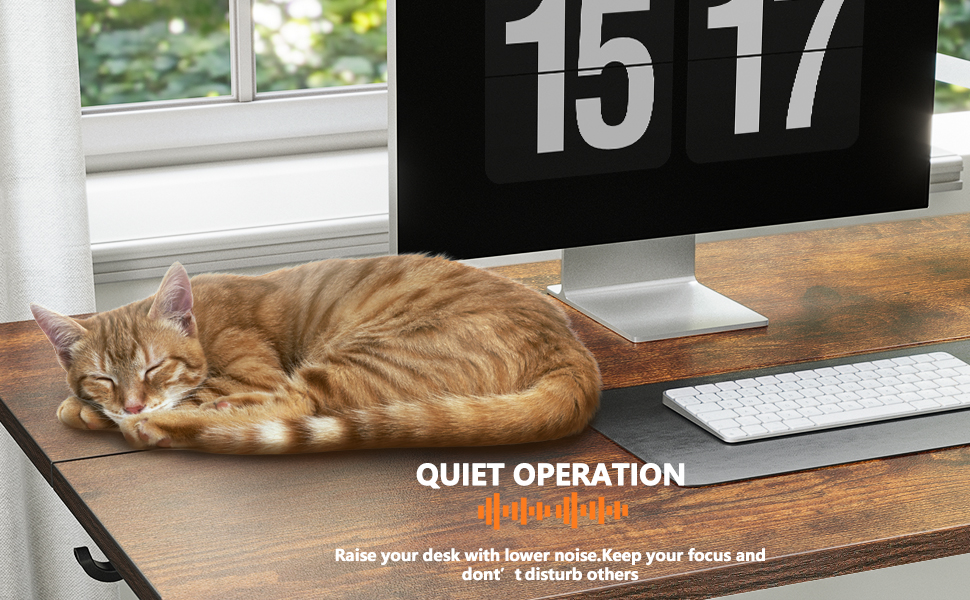
Image: A cat sleeping peacefully on the BANTI standing desk, illustrating its quiet operation.
5. Vedligeholdelse
Proper maintenance ensures the longevity and optimal performance of your BANTI standing desk.
- Rensning: Tør skrivebordsoverfladerne af med snavsamp klud. Undgå skrappe kemikalier eller slibende rengøringsmidler, der kan beskadige overfladen.
- Regelmæssig kontrol: Kontrollér regelmæssigt alle skruer og forbindelser for at sikre, at de forbliver fastspændte. Efterspænd om nødvendigt.
- Kabelstyring: Ensure all cables are neatly managed and not pinched or tangled, which could affect desk operation or cause damage.
- Vægtfordeling: Fordel vægten jævnt over skrivebordet for at undgå belastning af løftemekanismen.

Image: A person standing at the BANTI desk with a dog, demonstrating the desk's ultimate stability with aerospace-grade lifting column connectors.

Image: A BANTI standing desk with weights on top, illustrating its dependable lifting mechanism tested for over 50,000 cycles under full load.
6. Fejlfinding
If you encounter any issues with your BANTI standing desk, refer to the following common troubleshooting steps:
- Skrivebordet bevæger sig ikke:
- Kontroller, om netledningen er korrekt tilsluttet både skrivebordet og stikkontakten.
- Ensure there are no obstructions preventing movement. The collision avoidance system may have activated.
- Prøv at nulstille skrivebordet ved at tage stikket ud i 30 sekunder og derefter sætte det i igen.
- Ujævn bevægelse eller vaklen:
- Verify that all assembly screws are tight, especially those connecting the frame and desktop.
- Ensure the desk is on a level surface. Adjust the height-adjustable feet if necessary to stabilize the desk.
- Check that the weight on the desk is evenly distributed and not exceeding the maximum capacity.
- Fejlkoder på displayet:
- Refer to the specific error code in your detailed installation instruction manual for resolution steps.
- If no manual is available or the issue persists, contact BANTI customer support.
7. Specifikationer
| Feature | Specifikation |
|---|---|
| Mærke | BANTI |
| Modelnummer | B-SDE-DJ3 |
| Produktmål (D x B x H) | 24" D x 55" B x 28" H |
| Minimum højde | 27.3 tommer |
| Maksimal højde | 45.5 tommer |
| Maksimal vægtanbefaling | 176 pund (80 kg) |
| Grundmateriale | Legeret stål |
| Top materialetype | Konstrueret træ |
| Antal højdepositioner | 3 (Preset Buttons) |
| Desktop Lifting Speed | 20 mm/s |
| No-load Noise Level | ≤ 55 db |
| Påkrævet samling | Ja |
| Anbefalet antal personer til forsamling | 2 |
| Indeholder alt monteringsværktøj | Ja |
8. Garanti og support
BANTI provides a 5 års garanti for this computer workstation. Technical support is also available to assist with any issues or questions you may have.
For warranty claims, technical assistance, or any other inquiries, please contact BANTI customer service through the retailer where the product was purchased or visit the official BANTI webwebsted.
Valgfrie beskyttelsesplaner:
Additional protection plans may be available for purchase separately:
- 2-årig beskyttelsesplan: Engangsbetaling på 37.99 USD.
- 3-årig beskyttelsesplan: Engangsbetaling på 46.99 USD.
- Fuld beskyttelse: Monthly billing of $16.99, covering eligible past and future purchases.