
Fashionit U Hydro
Fashionit U Hydro Portable Bluetooth Speaker User Manual
Model: U Hydro
1. Introduktion
Tak for købetasing the Fashionit U Hydro Portable Bluetooth Speaker. This manual provides essential information for setting up, operating, and maintaining your speaker. Please read it carefully before use to ensure optimal performance and longevity of your device.
2. Sikkerhedsoplysninger
- Forsøg ikke at skille højttaleren ad eller ændre den. Dette kan ugyldiggøre garantien og forårsage skade.
- Hold højttaleren væk fra ekstreme temperaturer, direkte sollys og åben ild.
- Ensure the charging port cover is securely closed when using the speaker near water to maintain its IPX6 water resistance.
- Undgå langvarig udsættelse for høje lydstyrker for at forhindre høreskader.
- Brug kun de medfølgende eller certificerede opladningskabler.
3. Pakkens indhold
Tjek venligst pakken for følgende varer:
- U Hydro Portable Bluetooth Speaker
- USB opladningskabel
- Brugermanual
4. Produktet er slutview
Familiarize yourself with the speaker's components:

Billede 1: Forside view of the U Hydro Portable Bluetooth Speaker, showing the speaker grille, LED light band, and attached strap.
Knapper og indikatorer:
- Power knap: Tryk og hold for at tænde/slukke.
- Afspil/pause knap: Tryk for at afspille eller sætte musik på pause.
- Knap til lydstyrke op/næste nummer: Tryk for at øge lydstyrken, hold nede for næste spor.
- Knap til lydstyrke ned/forrige nummer: Tryk for at sænke lydstyrken, hold nede for forrige nummer.
- Multifunktionsknap (M): Double-click for selfie remote function.
- LED-indikator: Viser strømstatus, opladningsstatus og Bluetooth-parringsstatus.
Porte:
- USB opladningsport: For charging the speaker's internal battery. Ensure the protective cover is sealed when not charging.
5. Opsætning
5.1 Opladning af højttaleren
- Open the protective cover of the USB charging port.
- Connect the USB charging cable to the speaker's charging port and the other end to a USB power adapter (not included) or a computer's USB port.
- LED-indikatoren viser opladningsstatus (f.eks. rød under opladning, slukket når den er fuldt opladet).
- En fuld opladning tager cirka 5 timer.
- Once charging is complete, securely close the protective cover to maintain water resistance.
5.2 Tænd/sluk
- For at tænde: Press and hold the Power Button until the LED indicator lights up and you hear an audible prompt.
- For at slukke: Press and hold the Power Button until the LED indicator turns off and you hear an audible prompt.
6. Betjeningsvejledning
6.1 Bluetooth -parring
- Ensure the speaker is powered on and in pairing mode (LED indicator will flash, usually blue).
- Aktiver Bluetooth på din enhed (smartphone, tablet osv.) og søg efter tilgængelige enheder.
- Select "U Hydro" from the list of devices.
- Når parringen er afsluttet, vil LED-indikatoren stoppe med at blinke og forblive konstant, og du vil høre en bekræftelseslyd.
- Højttaleren opretter automatisk forbindelse til den sidst parrede enhed, når den tændes, hvis den er inden for rækkevidde.
6.2 Afspilning af musik
- Efter vellykket Bluetooth-parring kan du begynde at afspille musik på din tilsluttede enhed.
- Afspil/pause: Press the Play/Pause Button.
- Lydstyrkekontrol: Tryk på knapperne Lydstyrke op eller Lydstyrke ned.
- Næste nummer: Hold the Volume Up button.
- Forrige nummer: Hold the Volume Down button.
6.3 Selfie-fjernbetjeningsfunktion
The U Hydro speaker features a remote shutter function for your smartphone camera.
- Sørg for, at højttaleren er parret med din smartphone.
- Åbn din smartphones kameraapplikation.
- Double-click the Multi-function Button (M) on the speaker to trigger the camera shutter.
6.4 Ægte trådløs stereo (TWS) parring (valgfrit)
For an immersive stereo experience, you can pair two U Hydro speakers together.
- Ensure both U Hydro speakers are powered on and not connected to any Bluetooth device.
- On one speaker, press and hold the Multi-function Button (M) until you hear a pairing tone, indicating it's searching for another speaker.
- De to højttalere vil automatisk oprette forbindelse til hinanden. Når de er oprettet, vil du høre en bekræftelseslyd.
- Now, connect your device to one of the paired speakers via Bluetooth as described in section 6.1. The device will recognize them as a single stereo unit.

Image 2: Multiple U Hydro speakers by a pool, illustrating the possibility of True Wireless Stereo pairing for enhanced sound.

Image 3: A U Hydro speaker being held inside a tent, demonstrating its compact size and portability for outdoor adventures like camping.
7. Vedligeholdelse
- Rensning: Tør højttaleren af med en blød, damp klæde. Brug ikke slibende rengøringsmidler eller opløsningsmidler.
- Vandtæthed: Always ensure the charging port cover is tightly sealed when using the speaker in wet environments. While IPX6 rated, it is water resistant, not fully submersible.
- Opbevaring: Opbevar højttaleren et køligt og tørt sted, når den ikke er i brug i længere perioder.
- Batteripleje: For at forlænge batteriets levetid, undgå at aflade højttaleren helt ofte. Oplad den regelmæssigt.

Image 4: The U Hydro speaker in a shower environment, highlighting its IPX6 water resistance for use in wet conditions.
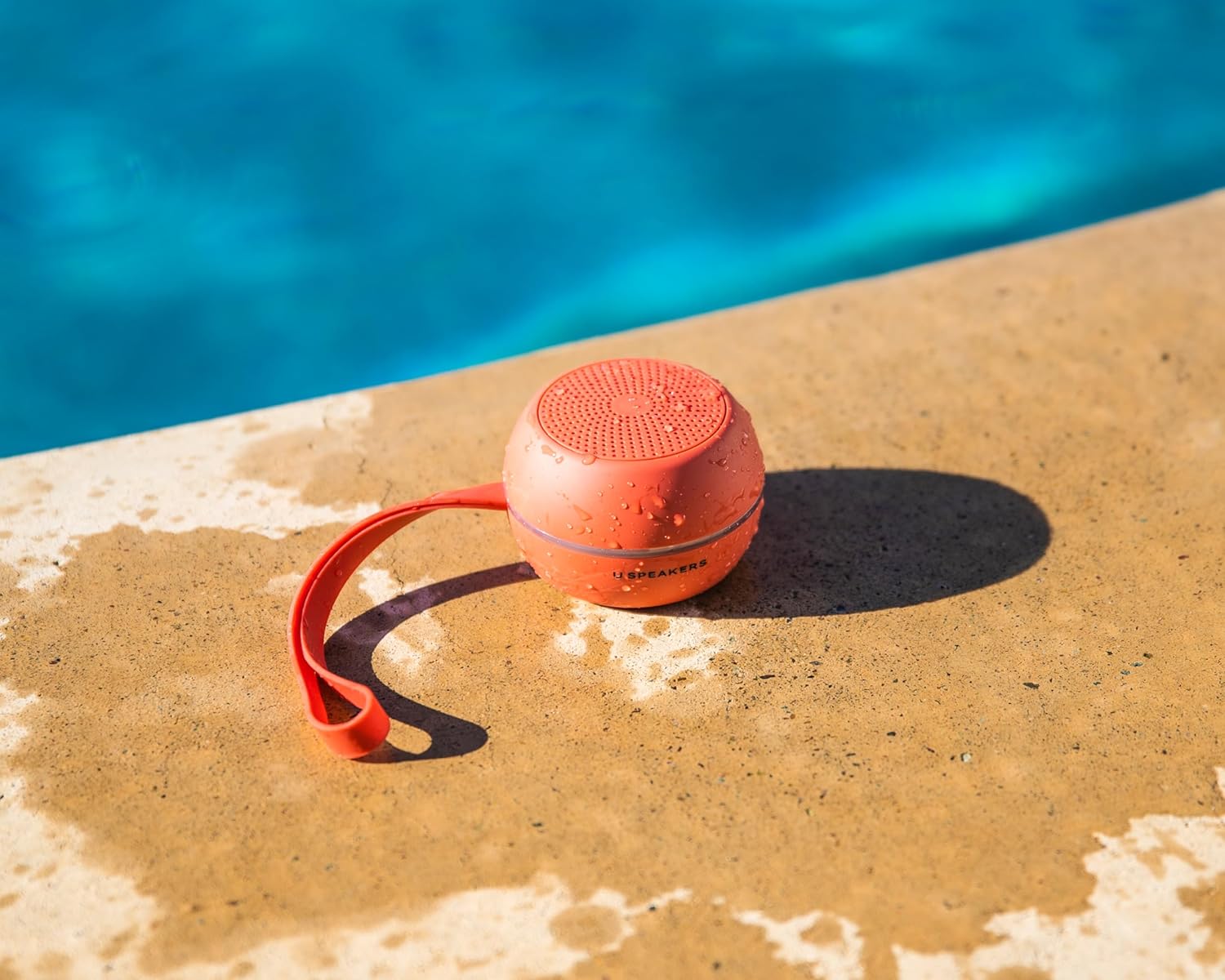
Image 5: A U Hydro speaker placed by a swimming pool, wet from splashes, emphasizing its suitability for outdoor and water-related activities.
8. Fejlfinding
| Problem | Mulig årsag | Løsning |
|---|---|---|
| Højttaleren tænder ikke. | Lavt batteri. | Oplad højttaleren helt. |
| Kan ikke parre med Bluetooth-enhed. | Højttaleren er ikke i parringstilstand; enhedens Bluetooth er slået fra; for langt fra højttaleren. | Ensure speaker is in pairing mode. Turn device Bluetooth off/on. Move device closer to speaker (within 10 meters). |
| Ingen lyd eller lav lydstyrke. | Lydstyrken på højttaleren eller enheden er for lav; højttaleren er ikke tilsluttet. | Skru op for lydstyrken på både højttaler og enhed. Par højttaleren igen. |
| Lydforvrængning. | Lydstyrken er for høj; lavt batteri. | Skru ned for lydstyrken. Oplad højttaleren. |
| Selfie remote not working. | Højttaler ikke parret; kamera-appen er ikke åben. | Ensure speaker is paired. Open your smartphone's camera app. |
9. Specifikationer
- Modelnavn: U Hydro
- Mærke: Fashionit
- Forbindelse: Bluetooth 5.0
- Trådløs rækkevidde: Op til 10 meter (33 fod)
- Vandtæthed: IPX6 (vandtæt)
- Batterilevetid: Op til 5 timer
- Opladningstid: Cirka 5 timer
- Strømkilde: Batteridrevet
- Varens vægt: 7.8 ounce (0.22 kg)
- Materiale: Aluminium
- Kompatible enheder: Bærbar computer, smartphone, tablet, fjernsyn
- Særlige funktioner: True Wireless Stereo (TWS) Pairing, Selfie Remote Function
10. Garanti og support
Fashionit products are designed for reliability and performance. For specific warranty details, please refer to the warranty card included with your purchase or visit the official Fashionit website. If you encounter any issues or have questions regarding your U Hydro speaker, please contact Fashionit customer support through their official channels.
For mere information, besøg: Fashionit Store on Amazon
Ask a question about this manual
Ask about setup, troubleshooting, compatibility, parts, safety, or missing instructions. Manuals+ will review the question and use this page’s manual context to help answer it.