
1. Introduktion
The Zebronics Astra 30 is a portable Bluetooth speaker designed for a versatile audio experience. It features 14W output, dual 52mm drivers, dual passive radiators for enhanced bass, and multiple connectivity options including Bluetooth v5.3, FM radio, AUX, USB, and mSD card support. This manual provides instructions for setting up, operating, and maintaining your speaker.
2. Pakkens indhold
Tjek venligst pakken for følgende varer:
- Speaker - 1 unit
- Ladekabel - 1 enhed
- User manual - 1 unit
3. Produktet er slutview
Gør dig bekendt med højttalerens komponenter og betjeningselementer.

Billede 3.1: Front view of the Zebronics Astra 30 speaker, showcasing its sleek black design and speaker grille.
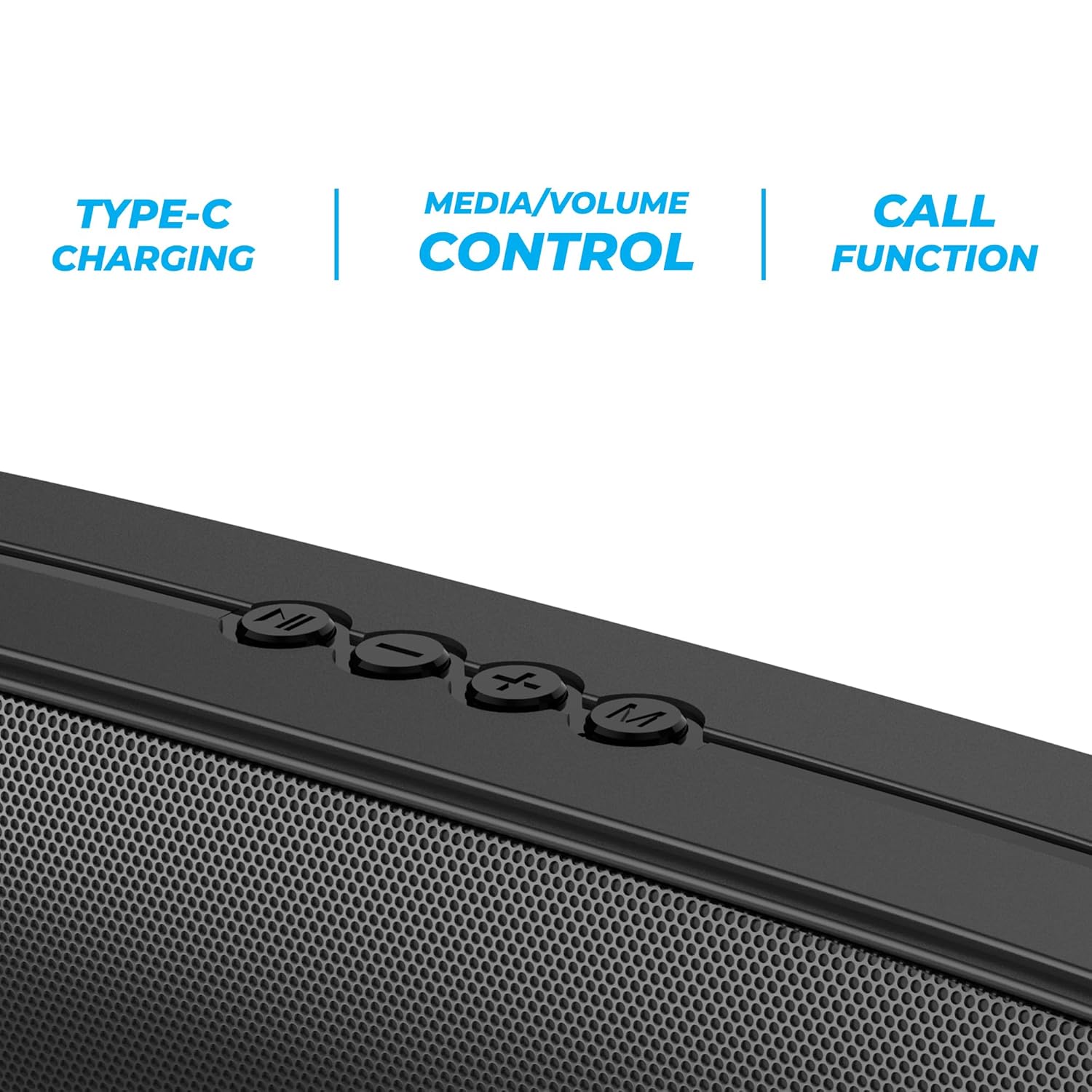
Billede 3.2: Close-up of the control panel buttons on the top of the speaker, including power, volume, and mode controls.

Billede 3.3: Bag view of the speaker showing the multi-connectivity ports: USB, Micro SD slot, AUX input, and Type-C charging port.
4. Opsætning
4.1 Opladning af højttaleren
Before initial use, fully charge the speaker. The Zebronics Astra 30 features a built-in rechargeable battery with Type-C charging.
- Connect the provided Type-C charging cable to the charging port on the speaker.
- Tilslut den anden ende af kablet til en USB-strømadapter (medfølger ikke) eller en computers USB-port.
- The charging indicator will illuminate during charging and turn off once fully charged.
A full charge takes approximately 4 hours and provides up to 12 hours of playback time at 50% volume.

Billede 4.1: Illustration indicating the speaker's 12-hour playback capability on a single charge.
4.2 Tænd/sluk
To power on or off the speaker, press and hold the power button located on the control panel until you hear an audible prompt or see the indicator light change.
5. Betjeningsvejledning
5.1 Bluetooth -parring
The Zebronics Astra 30 uses Bluetooth v5.3 for wireless audio streaming.
- Tænd højttaleren. Den vil automatisk gå i Bluetooth-parringstilstand, hvilket indikeres af en blinkende LED.
- Aktiver Bluetooth på din smartphone, tablet eller anden enhed.
- Søg efter "ZEB-ASTRA 30" in the list of available Bluetooth devices.
- Select "ZEB-ASTRA 30" to connect. Once paired, the speaker will confirm with an audible tone, and the LED will stop flashing.
- Hvis du bliver bedt om en adgangskode, skal du indtaste "0000".
5.2 Ægte trådløs stereo (TWS) funktion
Connect two Zebronics Astra 30 speakers for a true wireless stereo experience.
- Ensure both ZEB-ASTRA 30 speakers are powered on and not connected to any Bluetooth device.
- On one of the speakers (this will be the primary speaker), press and hold the TWS button (often combined with the Mode button) until you hear a pairing tone.
- De to højttalere vil automatisk oprette forbindelse til hinanden. Når de er oprettet forbindelse, vil du høre en bekræftelsestone.
- Tilslut nu din enhed til den primære højttaler via Bluetooth som beskrevet i afsnit 5.1. Lyden afspilles i stereo gennem begge højttalere.

Billede 5.1: Visual representation of two Zebronics Astra 30 speakers connected via TWS for stereo sound.
5.3 FM-radiotilstand
Sådan bruger du den indbyggede FM-radio:
- Tænd for højttaleren.
- Tryk på knappen 'M' (tilstand) for at skifte til FM-radiotilstand.
- To auto-scan and save available FM stations, press and hold the Play/Pause button. The speaker will scan and store stations automatically.
- Brug knapperne Forrige/Næste nummer til at navigere mellem gemte stationer.
- For optimal reception, ensure the charging cable is connected as an antenna.
5.4 AUX-indgangstilstand
Connect external audio devices using the AUX input:
- Tænd for højttaleren.
- Tryk på 'M'-knappen (tilstand) for at skifte til AUX-tilstand.
- Tilslut den ene ende af et 3.5 mm lydkabel (medfølger ikke) til AUX-porten på højttaleren.
- Tilslut den anden ende til lydudgangen på din enhed (f.eks. smartphone, MP3-afspiller).
- Lyd vil nu afspilles via højttaleren fra din tilsluttede enhed.
5.5 USB and Micro SD Card Playback
Afspil lyd files directly from a USB pen drive or Micro SD card:
- Tænd for højttaleren.
- Insert a USB pen drive (up to 32GB) or a Micro SD card into the respective slot.
- Højttaleren registrerer automatisk lagerenheden og begynder at afspille lyd files. If not, press the 'M' (Mode) button to switch to USB or SD card mode.
- Brug knapperne Afspil/Pause og Forrige/Næste spor til at styre afspilningen.
5.6 Opkaldsfunktion
Når højttaleren er tilsluttet en smartphone via Bluetooth, kan den bruges til håndfri opkald.
- Besvar/afslut opkald: Tryk én gang på knappen Afspil/Pause.
- Afvis opkald: Tryk og hold knappen Afspil/Pause nede.
- Genopkald sidste nummer: Dobbelttryk på Play/Pause-knappen.
5.7 Volume and Media Control
The speaker features integrated controls for audio playback:
- Lydstyrke op: Tryk på '+'-knappen.
- Skrue ned for lyden: Tryk på '-' knappen.
- Næste nummer: Tryk på '+'-knappen og hold den nede.
- Forrige nummer: Tryk på '-'-knappen og hold den nede.
- Afspil/pause: Tryk på knappen Afspil/pause.
6. Vedligeholdelse
- Rengør højttaleren med en blød, tør klud. Brug ikke skrappe kemikalier eller slibende rengøringsmidler.
- Keep the speaker away from extreme temperatures, direct sunlight, and moisture.
- Undgå at tabe eller udsætte højttaleren for kraftige stød.
- Opbevar højttaleren et køligt og tørt sted, når den ikke er i brug i længere perioder.
- The speaker is rated as waterproof. However, avoid submerging it in water for prolonged periods. Ensure the port cover is securely closed to maintain water resistance.
7. Fejlfinding
| Problem | Mulig løsning |
|---|---|
| Højttaleren tænder ikke. | Sørg for, at batteriet er opladet. Tilslut højttaleren til en strømkilde med Type-C-kablet. |
| Kan ikke parres via Bluetooth. |
|
| Ingen lyd eller lav lydstyrke. |
|
| FM-radiomodtagelsen er dårlig. | Ensure the Type-C charging cable is connected to act as an antenna. Try repositioning the speaker. |
| TWS-parring mislykkes. |
|
8. Specifikationer
| Feature | Detalje |
|---|---|
| Modelnavn | ZEB-ASTRA 30 |
| Udgangseffekt | 14 watt |
| Driver størrelse | Dual 52mm |
| Bluetooth version | v5.3 |
| Tilslutningsmuligheder | Bluetooth, FM, AUX, USB, Micro SD |
| USB/Micro SD Max Capacity | 32 GB |
| Batterilevetid | Op til 12 timer (ved 50 % volumen) |
| Opladningstid | 4 timer |
| Opladningstype | Type-C |
| Vandmodstand | Vandtæt |
| Produktmål (D x B x H) | 5.7 x 35.4 x 6.5 centimeter |
| Varens vægt | 645 gram |
| Impedans | 3 Ohm |
| Signal-støjforhold | 75 dB |

Billede 8.1: Graphic highlighting the 14W RMS output and dual 52mm drivers of the Zebronics Astra 30 speaker.
9. Garanti og support
The Zebronics Astra 30 speaker comes with a 1 års begrænset garanti fra købsdatoen. Gem venligst din købskvittering i tilfælde af garantikrav.
For technical support, service, or warranty inquiries, please contact Zebronics customer service. Contact details can typically be found on the official Zebronics webwebstedet eller på din produktemballage.
Manufacturer: Zebronics India Private Limited
Address: 13/7, Smith Road, Royapettah, Chennai-600002