
1. Introduktion
This manual provides essential instructions for the safe and effective operation of your Andoer H8 Compact Digital Camera. Please read this manual thoroughly before using the camera and retain it for future reference.
2. Sikkerhedsoplysninger
For at sikre sikker drift skal du overholde følgende forholdsregler:
- Udsæt ikke kameraet for vand eller fugt.
- Undgå at tabe kameraet eller udsætte det for hårde stød.
- Keep the camera away from extreme temperatures.
- Forsøg ikke selv at skille kameraet ad eller reparere det. Kontakt kvalificeret servicepersonale.
- Use only the specified charging cable and battery.

Billedbeskrivelse: A red triangular warning symbol with an exclamation mark, accompanied by text in multiple languages warning to keep plastic bags away from babies and children to prevent suffocation.
3. Pakkens indhold
Bekræft at alle varer er til stede i pakken:
- Andoer H8 Digital Camera
- Type-C kabel
- Snor
- Brugermanual

Billedbeskrivelse: A pink Andoer H8 compact digital camera, displayed with its front and back sides visible, highlighting its compact design and screen.
4. Kamera overview
Gør dig bekendt med kameraets komponenter:
- Linse: Optager billeder og videoer.
- Blitz: Giver belysning under forhold med svagt lys.
- 2.8-tommer IPS-skærm: For viewing menus, photos, and videos.
- Power knap: Tænder/slukker kameraet.
- Udløserknap: Tager billeder.
- Zoom kontrol: Adjusts 8x digital zoom.
- Navigationsknapper: Til menunavigation og valg.
- Mode knap: Switches between photo, video, game, and music modes.
- USB-C-port: Til opladning og dataoverførsel.
- TF-kortslot: Til isætning af hukommelseskort.

Billedbeskrivelse: An illustration showing the Andoer H8 camera in four different colors (Purple, Blue, Black, Pink) and icons representing its main functions: Photo, Video, Game, Music, and Flash lamp.
5. Opsætning
5.1. Opladning af batteriet
- Connect the supplied Type-C cable to the camera's USB-C port.
- Tilslut den anden ende af kablet til en USB-strømadapter (medfølger ikke) eller en computers USB-port.
- The charging indicator will illuminate. Charging typically takes 2-4 hours.
- Once fully charged, the indicator light may change or turn off.
5.2. Inserting a Memory Card (TF Card)
The camera supports TF cards up to 32GB (not included).
- Find TF-kortstikket på kameraet.
- Insert the TF card with the metal contacts facing down until it clicks into place.
- For at fjerne det skal du forsigtigt trykke på kortet, indtil det springer ud.
6. Betjeningsvejledning
6.1. Tænd/sluk
- For at tænde skal du trykke på og holde tænd/sluk-knappen nede.
- For at slukke skal du trykke på tænd/sluk-knappen igen og holde den nede.
6.2. Tage billeder
- Turn on the camera and ensure it is in Photo mode (indicated by an icon on the screen).
- Komponer dit billede med den 2.8-tommer IPS-skærm.
- Use the zoom controls to adjust the 8x digital zoom.
- Press the Shutter button to capture the image.

Billedbeskrivelse: A pink Andoer H8 camera showing a high-definition image on its screen, with text indicating "4800W shot in HD" and "8000x6000 HD resolution," demonstrating its photo capabilities.
6.3. Optagelse af videoer
- Skift kameraet til videotilstand.
- Press the Shutter button to start recording. A recording indicator will appear on the screen.
- Tryk på udløserknappen igen for at stoppe optagelsen.

Billedbeskrivelse: A pink Andoer H8 camera displaying a live video recording on its screen, with "1080P Video recording" and "Recording the good times" text, illustrating its video capture function.
6.4. Afspilning
- In Photo or Video mode, press the Playback button (usually indicated by a triangle icon) to enter playback mode.
- Use the navigation buttons to browse through your photos and videos.
- Tryk på OK/Enter-knappen for at view et billede eller afspil en video.
6.5. Special Features: Stickers, Frames, and Filters
Forbedr dine fotos med indbyggede kreative muligheder:
- Access these features through the camera's menu settings, typically found in Photo mode.
- Select from 40 kinds of head stickers, 26 photo frames, and 6 filters to customize your images before or after capture (depending on camera firmware).

Billedbeskrivelse: A collage demonstrating various creative options available on the camera, including 40 types of cute head stickers, 26 adorable photo frames, and 6 filters, applied to different child portraits.
6.6. Musikafspilning
The camera supports MP3 music playback.
- Overfør MP3 files til TF-kortet.
- Switch the camera to Music mode.
- Use the navigation buttons to select and play music.
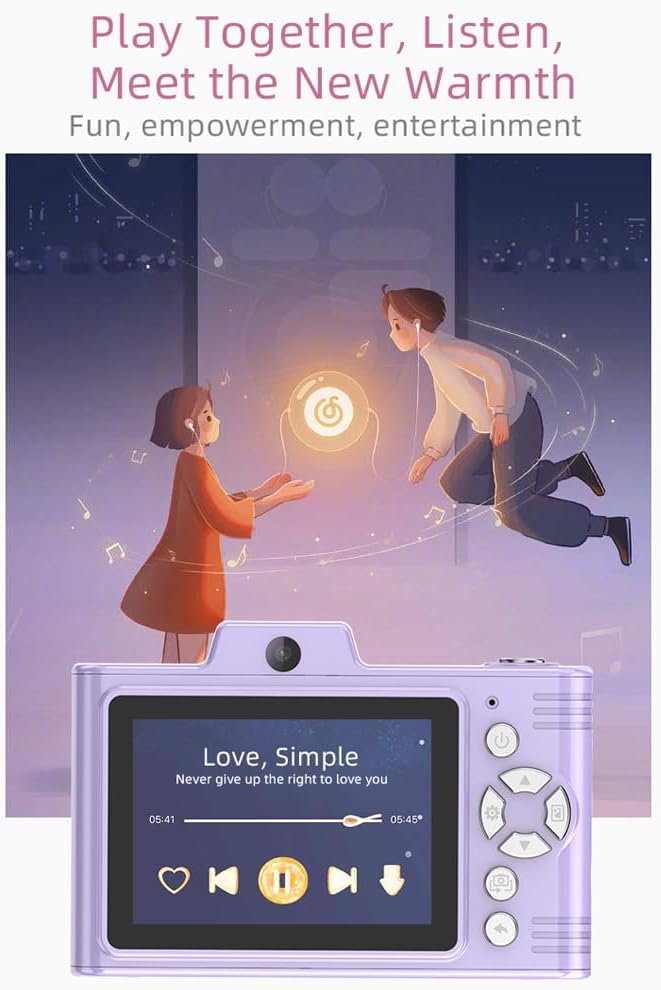
Billedbeskrivelse: A purple Andoer H8 camera showing a music player interface on its screen, with song title "Love, Simple" and playback controls, indicating its music playback capability.
6.7. Connecting to a Computer / Transferring Files
You can transfer photos and videos to a computer or phone.
- Connect the camera to your computer using the Type-C cable.
- The camera should appear as a removable disk.
- Træk og slip files til din computer.
- For phone transfer, use an OTG adapter (not included) if your phone supports OTG functionality.
7. Vedligeholdelse
- Rensning: Use a soft, dry cloth to clean the camera body. For the lens, use a specialized lens cleaning cloth.
- Opbevaring: Store the camera in a cool, dry place away from direct sunlight and dust. Remove the battery if storing for extended periods.
8. Fejlfinding
| Problem | Mulig løsning |
|---|---|
| Kameraet tænder ikke. | Ensure the battery is charged. Reinsert the battery. |
| Kan ikke tage billeder/videoer. | Check if a TF card is inserted and has sufficient space. Ensure camera is in the correct mode. |
| Billeder er slørede. | Clean the lens. Ensure adequate lighting. Hold the camera steady. |
| Kameraet fryser. | Fjern og sæt batteriet i igen for at nulstille kameraet. |
9. Specifikationer
| Feature | Detalje |
|---|---|
| Produkt model | H8 |
| Skærm | 2.8 tommer IPS |
| Foto Pixel | Op til 48 MP |
| Video opløsning | 1080P HD |
| Digital Zoom | 8x |
| File Format | JPG/AVI/MP3 |
| Opladningstid | Ca. 2-4 timer |
| Batterikapacitet | 700mAh, 3.7V |
| Produktets vægt | 110 g |
| Produktstørrelse | 105.5 x 72 x 46 mm |
| Opladning Voltage | DC5V 1A |
| Hukommelsesstøtte | TF card (max 32GB) |
| Særlige funktioner | 40 Head Stickers, 26 Photo Frames, 6 Filters |
| Forbindelse | USB (Type-C) |
| Billedstabilisering | Digital |
| Sensortype | CMOS |
| Færdighedsniveau | Begynder |
10. Garanti og support
For warranty information and technical support, please refer to the documentation provided with your purchase or contact Andoer customer service directly. Keep your proof of purchase for warranty claims.