
1. Introduktion og overview
The Epson PowerLite 97H is a versatile XGA conference room projector designed for clear and vibrant presentations. Utilizing 3LCD technology, it delivers bright, true-to-life images with excellent color brightness and a wide color gamut. This projector offers a native resolution of 1024x768 (XGA) and a brightness of 2,700 ANSI Lumens, making it suitable for various environments.
Nøglefunktioner omfatter:
- Lysstyrke: 2,700 ANSI Lumens
- Opløsning: 1024x768 (XGA)
- Aspektforhold: 4:3
- Kontrast: 10,000:1
- Displayteknologi: 3LCD for vibrant colors
- Forbindelse: Multiple options including HDMI, USB, LAN, VGA, S-Video, Composite, and Audio inputs/outputs.
2. Sikkerhedsoplysninger
Please read all safety instructions before using the projector to ensure safe operation and to prevent damage to the unit. Keep this manual for future reference.
- Advarsel om varme: Projektoren lamp and surrounding areas can become extremely hot during operation and immediately after shutdown. Avoid touching these areas.
- Ventilation: Ensure adequate ventilation around the projector. Do not block ventilation openings, as this can lead to overheating and potential damage.
- Lamp Udskiftning: Always turn off the projector and allow the lamp to cool completely before attempting to replace it. Refer to the lamp replacement instructions in the Maintenance section.
- Strømkilde: Use only the specified power supply and cable. Do not overload power outlets.
- Væske og fugt: Do not expose the projector to rain, moisture, or excessive humidity. Do not place objects filled with liquids on or near the projector.
- Rensning: Tag stikket ud af stikkontakten før rengøring. Brug en blød, tør klud. Brug ikke flydende rengøringsmidler eller rengøringsmidler på sprayform.
3. Pakkens indhold
Bekræft at alle varer er til stede i din pakke:
- Epson PowerLite 97H Projector
- Fjernbetjening
- Strømkabel
- HDMI kabel
4. Opsætning
4.1 Fysisk placering
Place the projector on a stable, flat surface. Ensure there is sufficient space around the projector for proper ventilation. Avoid placing it in direct sunlight or near heat sources. The projector is designed to be portable and can be used for tabletop projection.
4.2 Tilslutning af enheder
The PowerLite 97H offers a wide range of connectivity options. Refer to the image below for port identification.

Figure 1: Rear panel of the Epson PowerLite 97H Projector showing various input and output ports.
- USB-A: Connect USB storage devices or a document camera.
- USB-B: Connect to a computer for USB display or control.
- LAN (RJ-45): Opret forbindelse til et netværk for kontrol og overvågning.
- HDMI 1 & HDMI 2/MHL: Connect to devices with HDMI output (e.g., laptops, Blu-ray players, gaming consoles). HDMI 2 also supports MHL for compatible mobile devices.
- Computer1 (VGA) & Computer2 (VGA): Connect to computers using a VGA cable.
- Audio1 (Mini Jack) & Audio2 (Mini Jack): Connect audio from computers or other devices.
- S-video: Connect to devices with S-Video output.
- Video (RCA): Connect to devices with composite video output.
- Audio In (RCA R/L): Connect stereo audio from devices with RCA audio output.
- Mikrofon: Tilslut en mikrofon.
- RS-232C: Til seriel styring af projektoren.
- Skærmudgang (VGA): Connect an external monitor to display the projector's input signal.
- Audio Out (Mini Jack): Connect external speakers or an audio system.
4.3 Tænd
- Connect the power cable to the projector's AC inlet and then to a power outlet.
- Tryk på Magt button on the projector's control panel or the remote control. The power light will illuminate, and the projector will begin its startup sequence.
5. Betjening
5.1 Grundlæggende kontroller
The projector can be operated using the control panel on the top of the unit or the included remote control. The top panel provides essential functions.

Figure 2: Top control panel of the Epson PowerLite 97H Projector.
- Power knap: Tænder eller slukker for projektoren.
- Source Search: Blader gennem tilgængelige inputkilder.
- Menu: Åbner skærmmenuen (OSD).
- H/V (Horizontal/Vertical Keystone): Adjusts image shape to correct trapezoidal distortion.
- Esc: Forlader den aktuelle menu eller funktion.
- Indtast: Bekræfter et valg i menuen.
- Pileknapper: Naviger gennem menupunkter og juster indstillinger.
- Lydstyrkeknapper: Juster lydudgangsniveauet.
- Hjælp: Giver assistance på skærmen.
- Statuslys: Indicates projector status (e.g., power on, standby, error).
- Lamp Temp Light: Indicates lamp temperature status.
5.2 Justering af billedet
To achieve a clear and properly sized image:
- Fokusring: Rotate the focus ring located near the lens to sharpen the image.
- Zoom-greb: Use the zoom lever (if present, typically near the lens) to adjust the image size without moving the projector.
- Keystone-korrektion: If the image appears trapezoidal, use the H/V keystone buttons on the control panel or remote to correct the shape.

Figur 3: Forside/side view showing the projector lens and ventilation.
5.3 Indgangsvalg
Tryk på Kildesøgning button on the control panel or remote control to cycle through the connected input sources (e.g., HDMI 1, Computer1, USB-A). The projector will automatically detect and display the active input.
6. Vedligeholdelse
Regelmæssig vedligeholdelse sikrer optimal ydeevne og forlænger projektorens levetid.
6.1 Lamp Udskiftning
Projektoren lamp har en begrænset levetid. Når lamp når slutningen af sit liv, Lamp Temp indicator may light up, or the image brightness may decrease significantly. Always use genuine Epson replacement lamps.

Figur 4: Side view of the projector, showing a caution label regarding hot surfaces.
WARNING: Turn off the projector and wait until the lamp has cooled down completely before attempting replacement. Failure to do so can result in severe burns or damage to the projector. Refer to the specific lamp replacement instructions provided in the full Epson service manual for your model.
6.2 Rengøring/udskiftning af luftfilter
The air filter prevents dust from entering the projector and affecting performance. Clean the air filter regularly (e.g., every 100 hours of use) or when prompted by the projector. If the filter is damaged or excessively dirty, replace it.
- Turn off the projector and disconnect the power cable.
- Locate the air filter cover (refer to your full service manual for exact location).
- Remove the cover and carefully extract the filter.
- Use a small vacuum cleaner or soft brush to remove dust from the filter. If replacing, insert a new filter.
- Sæt filterdækslet sikkert på igen.
6.3 Generel pleje
- Rengøring af linser: Gently wipe the lens with a soft, non-abrasive lens cleaning cloth. Do not use harsh chemicals.
- Udvendig rengøring: Tør projektorens yderside af med en blød, tør klud. Brug en let tør klud til genstridigt snavs.amp klud og mildt rengøringsmiddel, og tør derefter af.
- Opbevaring: Når projektoren ikke er i brug i længere perioder, skal den opbevares et køligt og tørt sted, helst i dens originale emballage eller et beskyttende etui.
7. Fejlfinding
If you encounter issues with your projector, try the following solutions:
- Intet billede:
- Sørg for, at projektoren er tændt, og at strømindikatoren lyser konstant.
- Check all cable connections (HDMI, VGA, etc.) are secure at both the projector and the source device.
- Tryk på Kildesøgning button to cycle through inputs.
- Kontroller, at kildeenheden er tændt og udsender et signal.
- Adjust the focus and zoom.
- Ingen lyd:
- Increase the projector's volume using the volume buttons.
- Check audio cable connections (if using separate audio cables).
- Ensure the audio output on your source device is enabled and turned up.
- Fjernbetjeningen virker ikke:
- Ensure there are no obstructions between the remote and the projector's remote sensor.
- Udskift batterierne i fjernbetjeningen.
- Advarsel om overophedning:
- Ensure all ventilation openings are clear and not blocked.
- Rengør luftfilteret som beskrevet i afsnittet Vedligeholdelse.
- Brug projektoren i et godt ventileret område.
8. Specifikationer
| Feature | Specifikation |
|---|---|
| Fabrikant | Epson |
| Model | PowerLite 97H |
| Display Type | 3LCD |
| Indfødt opløsning | 1024 x 768 (XGA) |
| Lysstyrke | 2700 ANSI Lumens |
| Kontrastforhold | 10000:1 |
| Aspektforhold | 4:3 |
| Forbindelsesteknologi | HDMI, USB, LAN, VGA, S-Video, Composite |
| Lydindgange | Mini Jack x 2, RCA (L/R), Mic |
| Lydudgang | Mini Jack |
| Kontrolport | RS-232C |
| Anbefalede anvendelser | Forretning |
| Speciel funktion | Transportabel |
| Varens vægt | 6 pund |
9. Garantioplysninger
For specific warranty details regarding your Epson PowerLite 97H projector, please refer to the warranty card included with your product or contact the seller/manufacturer directly. Warranty terms typically cover manufacturing defects for a specified period from the date of purchase.
10. Support
For technical support, service, or additional assistance with your Epson PowerLite 97H projector, please use the contact information below:
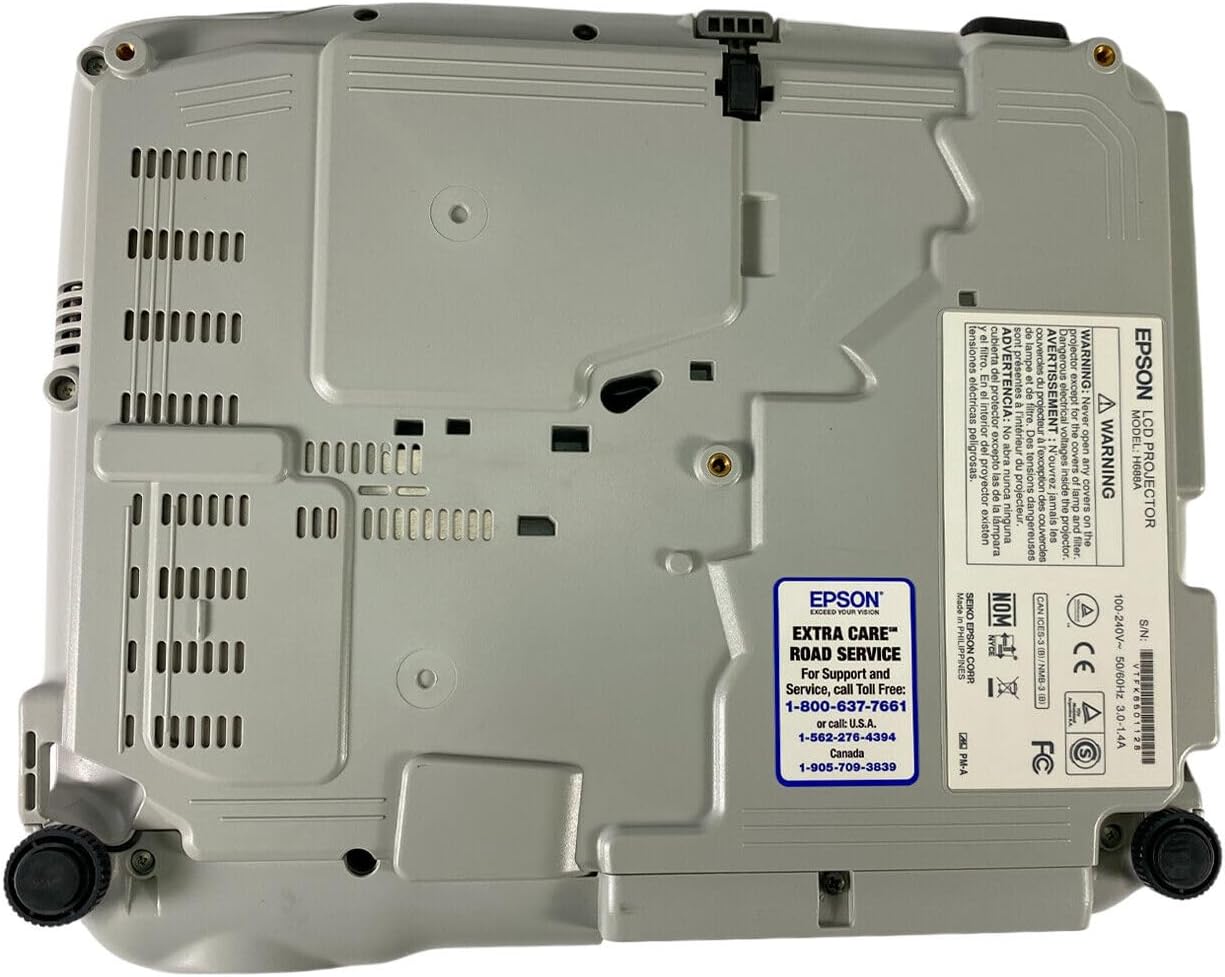
Figure 5: Bottom panel of the projector showing support contact details.
Epson Extra Care Road Service
- For support and service, call:
- USA: 1-800-637-7661
- USA: 1-866-276-4394
- Canada: 1-905-709-3839