
Indledning
This manual provides essential information for the safe and efficient use of your LG QNED75 65-Inch 4K Smart TV. Please read it thoroughly before operating the television and retain it for future reference. This television combines Quantum Dot and NanoCell technologies for enhanced color, features an a5 AI Processor Gen6 for optimized picture and sound, and runs on the WebOS 23 smart platform.
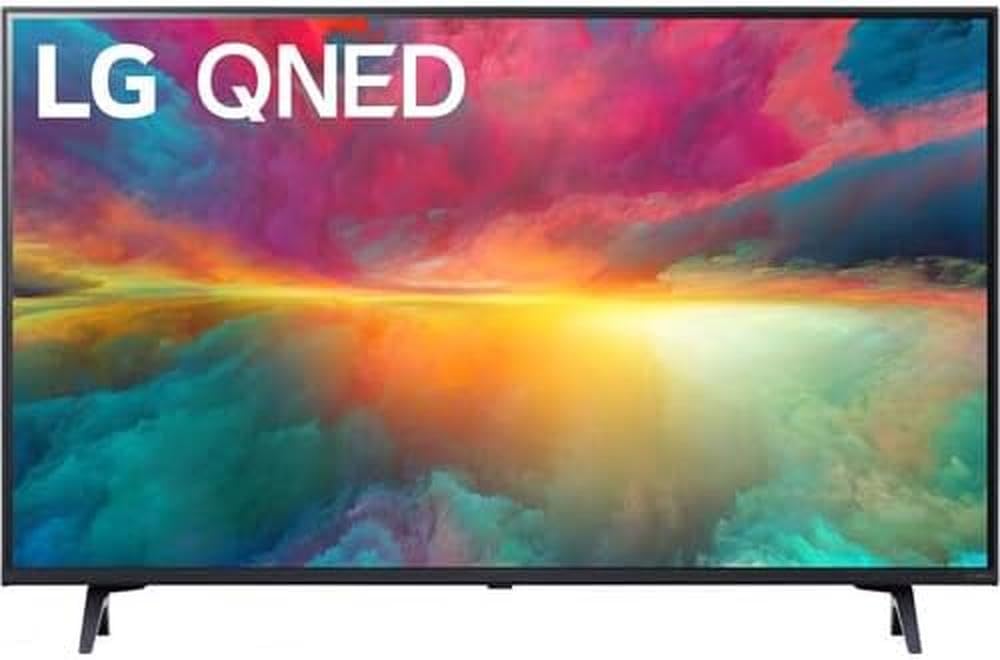
Figur 1: Forside view of the LG QNED75 65-Inch 4K Smart TV.
Hvad er der i æsken
Bekræft, at alle komponenter er til stede, før du fortsætter med opsætningen. Pakken skal indeholde følgende:
- LG QNED75 65-Inch 4K Smart TV
- Magisk fjernbetjening
- Fjernbetjeningsbatterier (AA)
- Tv-standerkomponenter
- Strømkabel
- Hurtig startvejledning
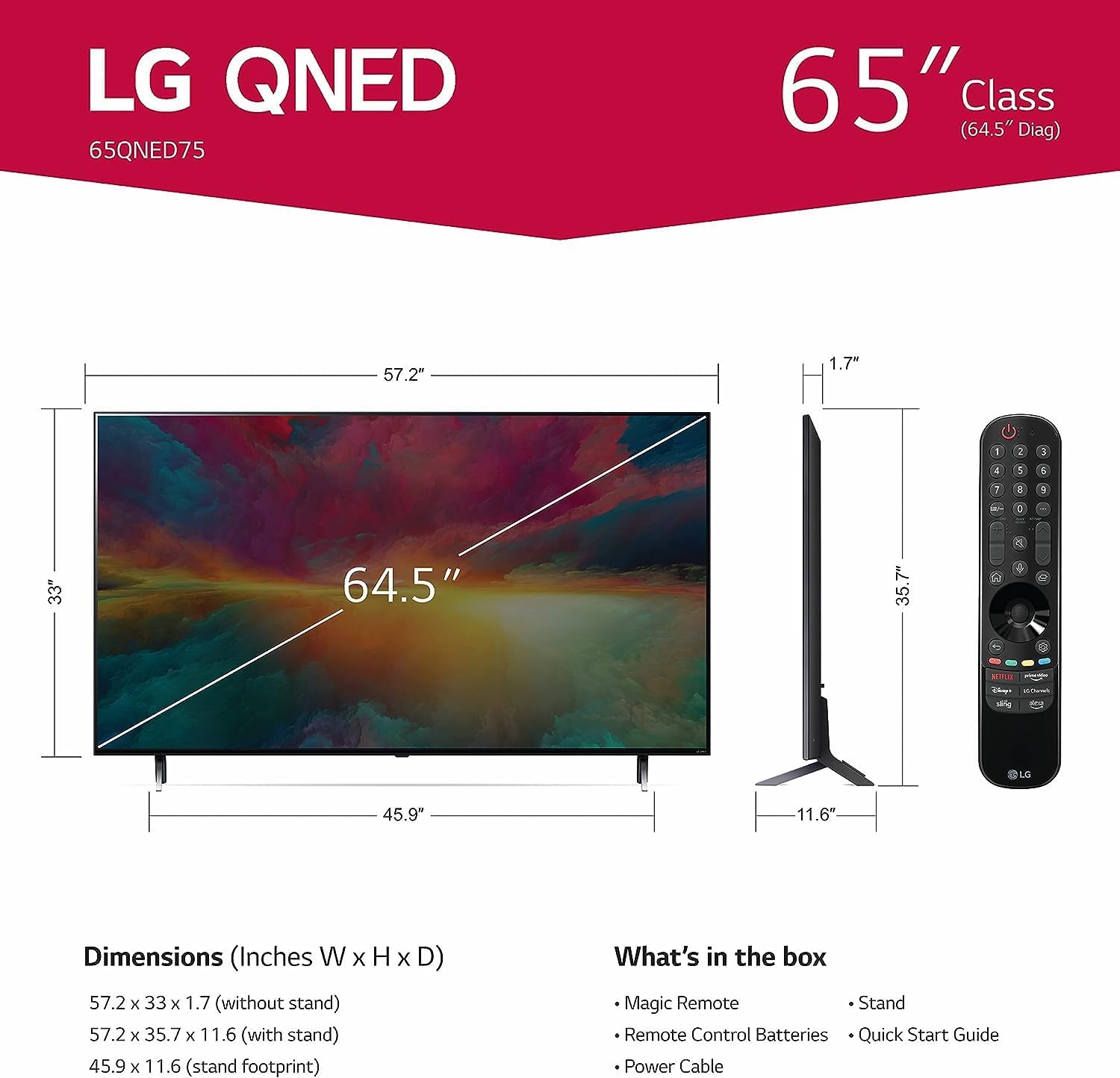
Figur 2: Diagram, der illustrerer tv-mål og medfølgende tilbehør.
Opsætning
1. Udpakning og placering
Carefully remove the TV from its packaging. It is recommended to have two people for this process due to the size and weight of the unit. Place the TV on a stable, level surface or prepare for wall mounting.
2. Montering af stativ (valgfrit)
If using the included stand, attach the stand components to the TV according to the instructions in the Quick Start Guide. Ensure all screws are securely fastened.
3. Vægmontering (valgfrit)
This TV supports VESA mount standard 600 x 400 mm. Use a compatible wall mount bracket (sold separately) and follow the bracket manufacturer's instructions for installation. Ensure the wall can support the TV's weight (approximately 24.95 kg / 55 lbs without stand).
4. Tilslutning af eksterne enheder
Connect your external devices such as cable boxes, Blu-ray players, gaming consoles, and sound systems to the TV's ports. The TV features 3 HDMI ports, 2 USB ports, Ethernet, and supports Bluetooth and Wi-Fi connectivity.
Figur 3: Bagside view of the TV displaying connectivity ports.
5. Strømtilslutning
Connect the power cable to the TV and then to a wall outlet. The TV operates on 110 VAC 60 Hz.
6. Initial Setup Wizard
Upon first power-on, the TV will guide you through an initial setup process, including language selection, network connection (Wi-Fi or Ethernet), and channel scanning.
7. Magic Remote Pairing
The Magic Remote typically pairs automatically. If not, point the remote at the TV and press the Hjul (OK) button. If it fails, try replacing the batteries or resetting the remote.
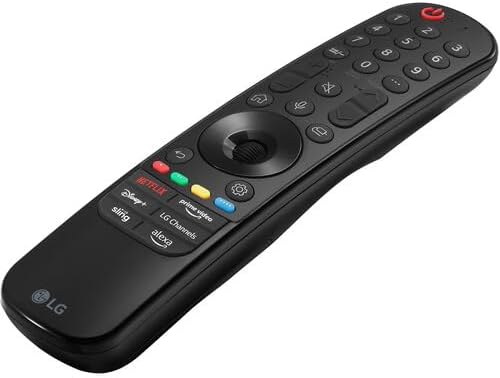
Figure 4: The LG Magic Remote control.
Betjening af dit tv
1. Grundlæggende kontroller
Use the Magic Remote to navigate the TV. The Magt button turns the TV on/off. Use the Lydstyrke op/ned og Kanal op/ned buttons for basic adjustments. The Hjul (OK) button acts as a selector and scroll wheel.
2. WebOS 23 Smart-funktioner
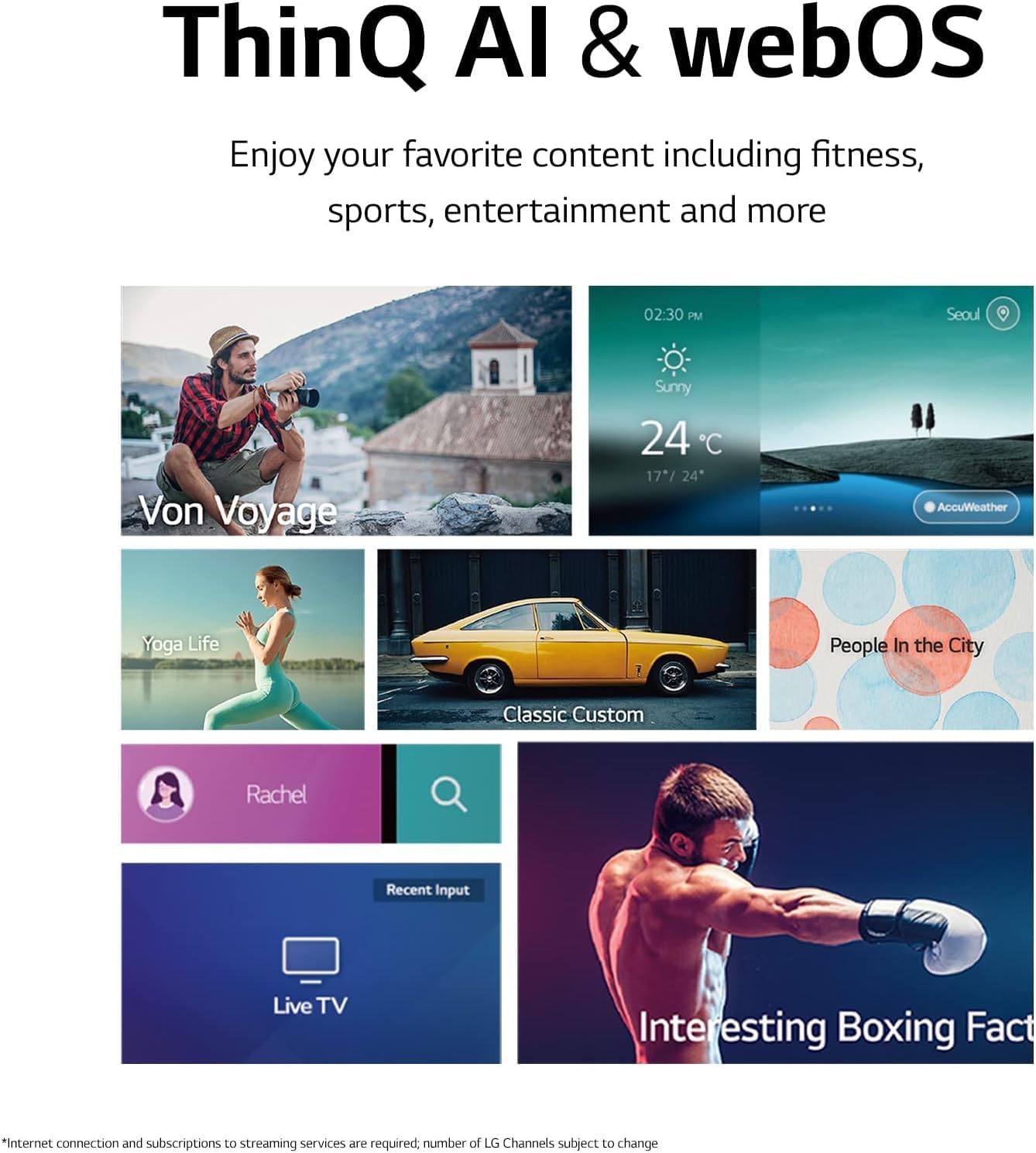
Dit tv kører på WebOS 23, providing access to a variety of smart features and applications. The Home Dashboard allows you to manage connected devices and access settings. Quick Cards organize your favorite apps into categories for easy access.

Figur 5: Den WebOS 23 interface with various content options.
Access over 100 free channels with LG Channels (internet connection required; number of channels subject to change).
3. Billedindstillinger
The a5 AI Processor Gen6 enhances picture detail and adjusts color and contrast based on room lighting. For a cinematic experience, activate FILMMAKER MODE til view content as intended by the director. The TV supports HDR10 for enhanced dynamic range.

Figur 6: Et example of the home cinema experience.
4. Lydindstillinger
Experience virtual 5.1 surround sound for an immersive audio experience. The a5 AI Processor Gen6 also improves sound quality.
5. Spilfunktioner
De Spiloptimering allows you to quickly customize gaming settings in one location. The TV supports FreeSync™ Premium for reduced screen tearing and stuttering. GeForce NOW is included for cloud gaming (subscription and compatible controller required). Features like ALLM (Auto Low Latency Mode) and HGiG (HDR Gaming Interest Group) are supported for an optimized gaming experience.

Figure 7: The TV displaying a gaming scene.

Figure 8: The Game Optimizer dashboard for quick settings adjustments.
6. Stemmekontrol
The TV has Alexa built-in and works with Google Assistant, Apple AirPlay, and Apple HomeKit. Use the voice command button on your Magic Remote to activate voice control features.
Opretholdelse
1. Rengøring af tv'et
For at rengøre skærmen skal du forsigtigt tørre den af med en blød, tør og fnugfri klud. Ved genstridige mærker skal du gnide den let.ampen the cloth with water or a specialized screen cleaner. Avoid using harsh chemicals, abrasive materials, or direct spraying of liquids onto the screen or TV body. For the TV body, use a soft, dry cloth.
2. Softwareopdateringer
Your LG Smart TV may receive software updates to improve performance and add new features. Ensure your TV is connected to the internet. You can check for updates manually through the TV's settings menu or enable automatic updates.
Fejlfinding
Hvis du støder på problemer med dit tv, kan du bruge følgende almindelige løsninger:
- Ingen strøm: Sørg for, at strømkablet er korrekt tilsluttet både tv'et og stikkontakten. Prøv at tilslutte en anden enhed til den samme stikkontakt for at bekræfte, at der er strøm.
- Intet billede/lyd: Check that the correct input source is selected. Verify all HDMI or other input cables are securely connected. Try restarting connected devices.
- Fjernbetjeningen reagerer ikke: Replace the batteries in the Magic Remote. Ensure there are no obstructions between the remote and the TV. Re-pair the remote if necessary (point at TV and press Wheel/OK button).
- Problemer med netværksforbindelse: Check your Wi-Fi router or Ethernet cable connection. Try restarting your router. Ensure the TV's network settings are correctly configured.
- Problemer med billedkvaliteten: Adjust picture settings in the TV menu. Ensure the content source is high quality (e.g., 4K content for 4K display).
Ved mere komplekse problemer kan du se den fulde brugermanual, der er tilgængelig på LG-supportsiden. webwebstedet eller kontakt LG kundesupport.
Specifikationer
| Feature | Specifikation |
|---|---|
| Modelnummer | 65QNED75URA |
| Skærmstørrelse | 65 tommer |
| Displayteknologi | QLED (Quantum Dot NanoCell) |
| Opløsning | 4K (3840 x 2160) |
| Opdateringshastighed | 120 Hz |
| Processor | a5 AI-processor Gen6 |
| Operativsystem | WebOS 23 |
| HDR-format understøttet | HDR10 |
| Lydudgangstilstand | Virtuel 5.1 Surround Sound |
| Forbindelse | Wi-Fi, Bluetooth, Ethernet, 3x HDMI, 2x USB |
| Stemmekontrol | Amazon Alexa Built-in, Works with Google Assistant |
| VESA-monteringsstandard | 600 x 400 mm |
| Produktmål (med stativ) | 145 B x 29.4 D x 90 H cm |
| Varens vægt (med stativ) | 24.95 kg (55 lbs) |
| Strømforsyning | 110 VAC 60 Hz |
Garanti og support
Garantioplysninger
This LG QNED75 65-Inch 4K Smart TV comes with a 1 års dele og arbejde garanti. Gem venligst din købsbevis til garantikrav.
Kundesupport
For technical assistance, troubleshooting, or warranty service, please contact LG customer support. You can find contact information and additional resources on the official LG webwebsted.