
NIIMBOT D11
NIIMBOT D11 etiketmaskine brugermanual
Model: D11 | Brand: NIIMBOT
1. Introduktion
This manual provides detailed instructions for the setup, operation, and maintenance of your NIIMBOT D11 Portable Bluetooth Thermal Label Printer. Please read this manual thoroughly before using the device to ensure proper function and longevity.

Image: The NIIMBOT D11 Label Maker, a compact and portable thermal printer.
2. Pakkens indhold
Bekræft at alle varer er til stede i pakken:
- 1 × NIIMBOT D11 etiketmaskine
- 1 × USB-kabel
- 1 × Roll of 0.6×1.6 inch (160 pcs) label tape (pre-installed inside the machine)
- 1 × Brugervejledning
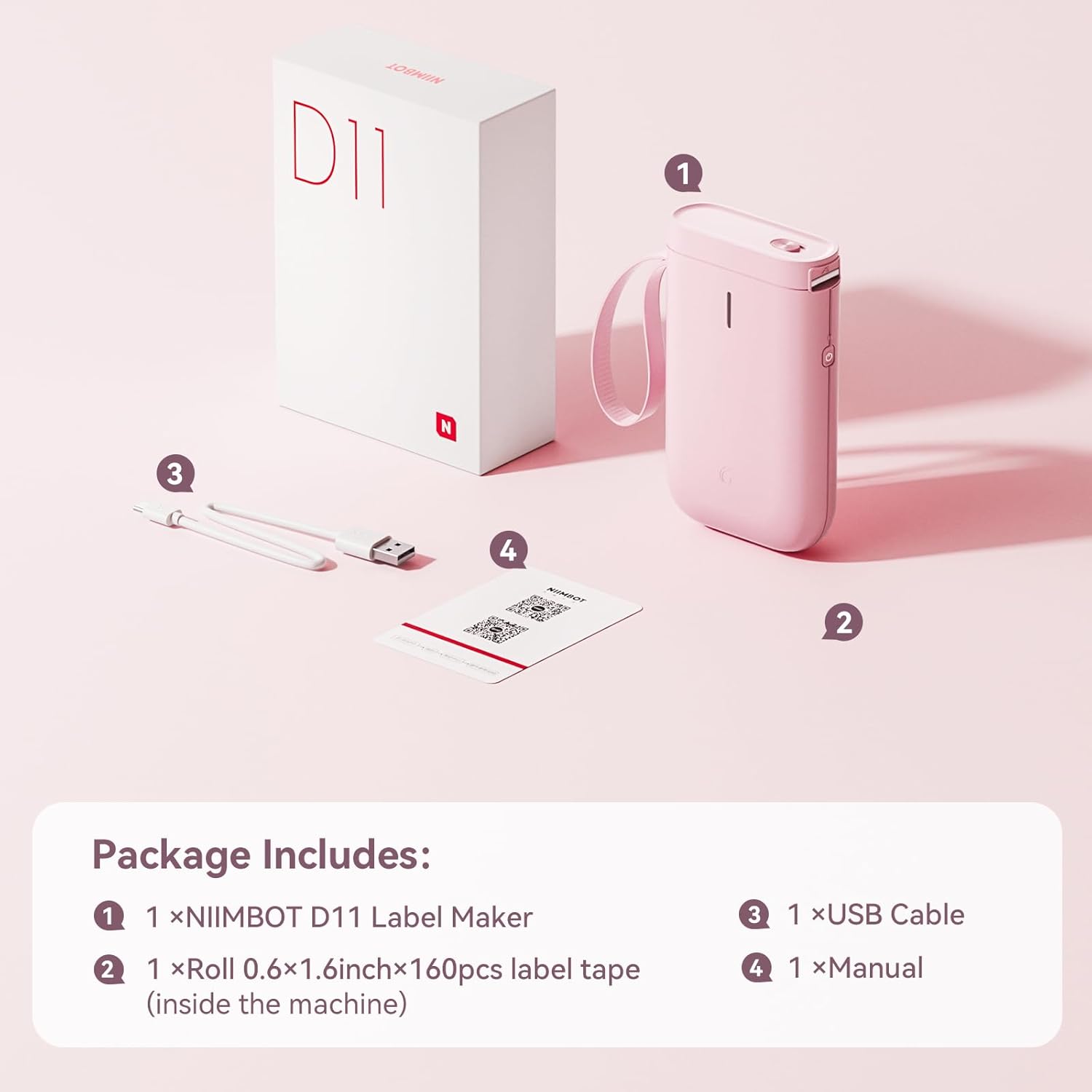
Image: Visual representation of the NIIMBOT D11 Label Maker package contents, including the device, USB cable, label roll, and manual.
3. Opsætning
3.1 Opladning af enheden
Before first use, fully charge the NIIMBOT D11 Label Maker using the provided USB cable. Connect the USB cable to the charging port on the device and a compatible USB power source. The LED indicator will show charging status. A full charge may take several hours.
3.2 Ilægning af etiketpapir
- Locate the paper cover switch on the top of the device.
- Slide the switch to open the paper cover.
- Ensure the label roll is inserted correctly. The tip of the label tape should face towards the power button.
- Luk papirlåget forsvarligt.
- Press and hold the power button for 0.5 seconds to allow the machine to automatically align the label paper.
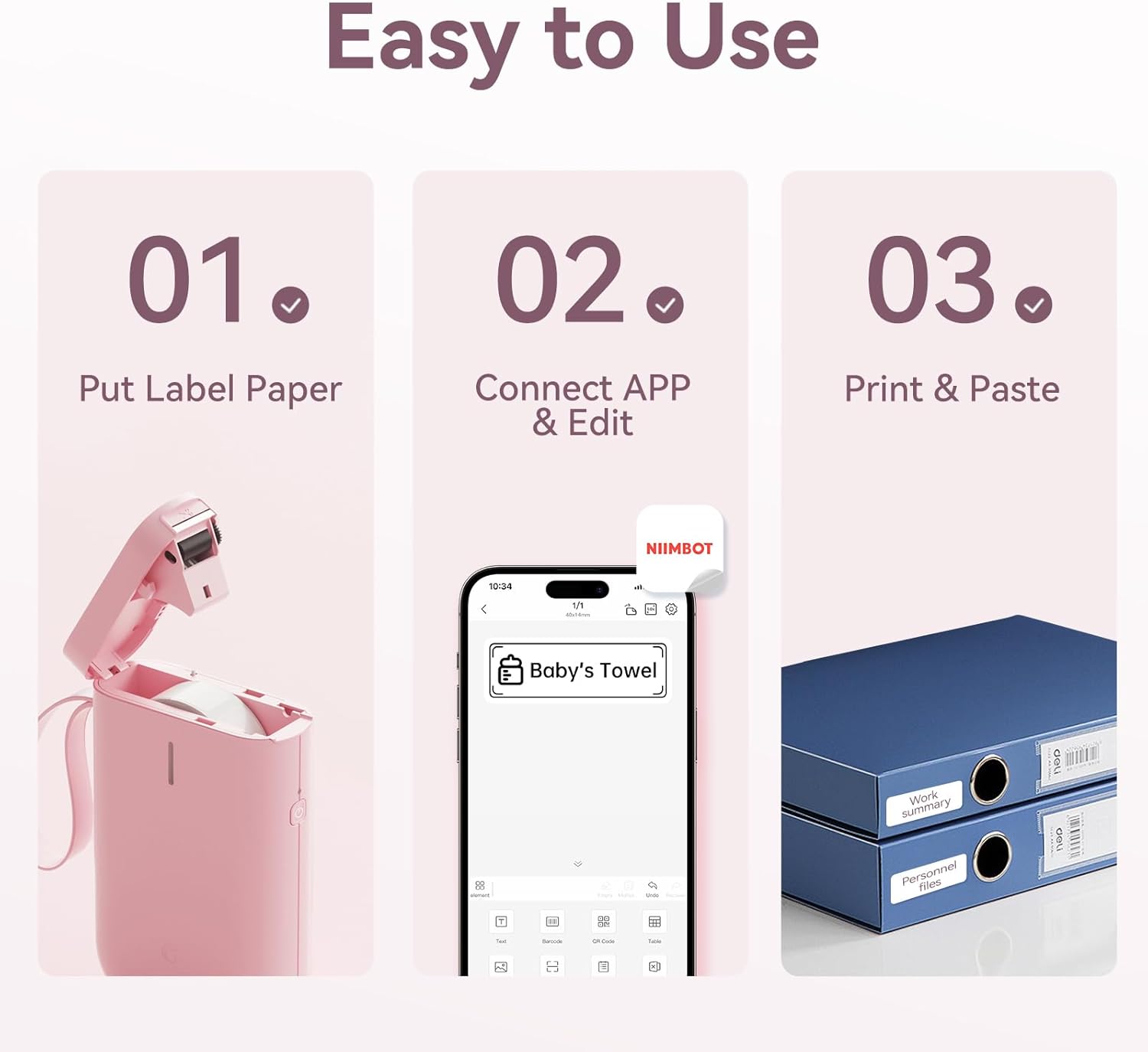
Image: Visual guide showing the three steps to load label paper, connect to the app, and print/paste labels.
Video: Detailed operation guide for the D11 Label Maker, including paper loading and basic functions.
3.3 App download og installation
The NIIMBOT D11 operates via the NIIMBOT mobile application. Download the app from your device's app store:
- For iOS devices: Search "NIIMBOT" in the Apple App Store.
- For Android devices: Search "NIIMBOT" in the Google Play Store.
Installer applikationen på din smartphone.
3.4 Pairing with Your Mobile Device
- Turn on the NIIMBOT D11 Label Maker by pressing the power button for 3 seconds. The blue light will flash.
- Aktiver Bluetooth på din mobilenhed.
- Open the NIIMBOT application.
- In the app, search for nearby devices and select "D11" from the list to connect.
- Once connected, the app will automatically identify the label paper template.
4. Betjeningsvejledning
4.1 Creating Labels
The NIIMBOT app offers various features for label creation:
- Tekst: Enter custom text, adjust font, size, and style.
- Ikoner: Vælg fra et bibliotek af ikoner for at forbedre dine etiketter.
- Stregkoder/QR-koder: Generate and print barcodes or QR codes for product identification or information.
- Skabeloner: Utilize pre-designed templates for common labeling needs (e.g., home organization, price tags).
- Billeder: Insert simple images onto your labels.
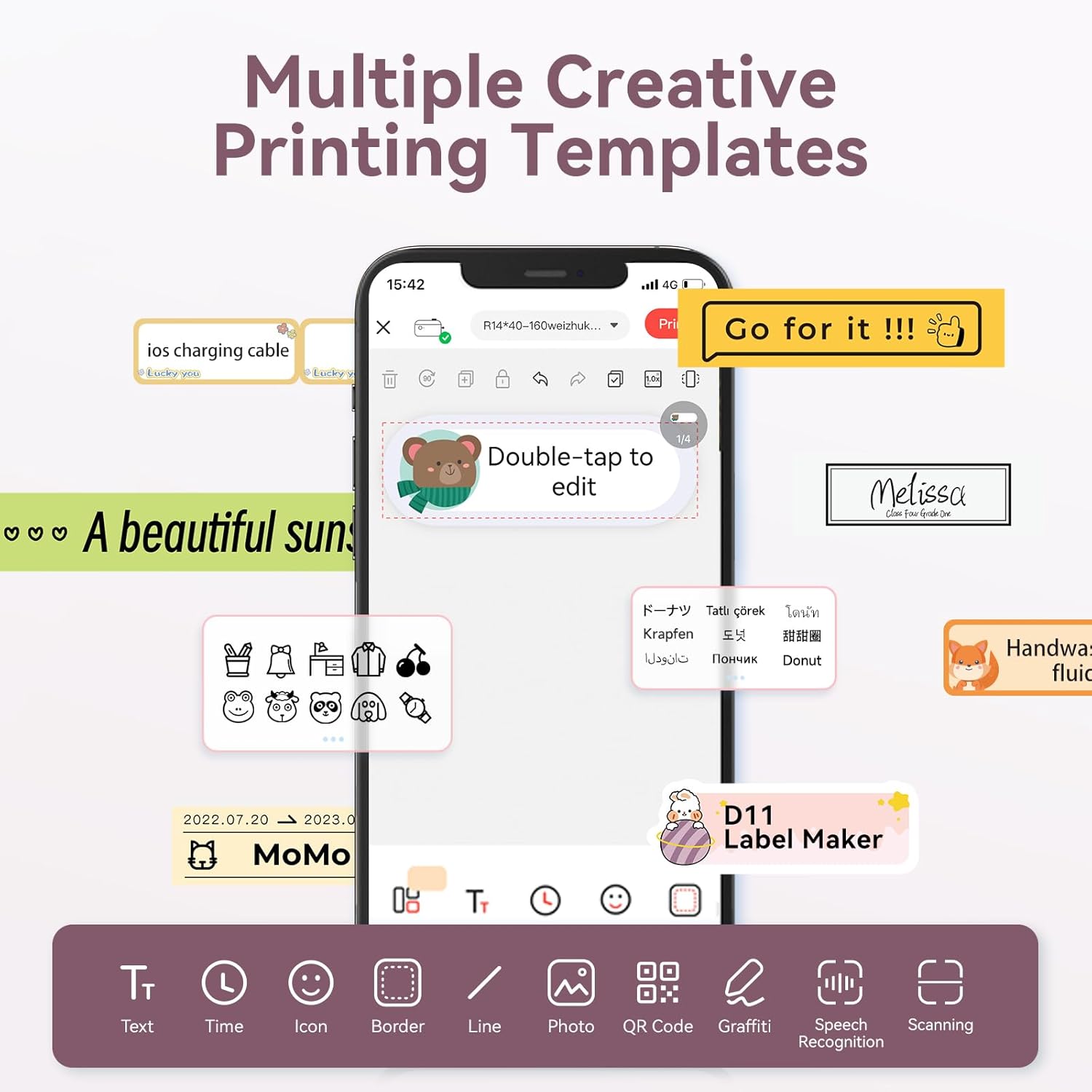
Image: The NIIMBOT app interface displaying various creative templates and editing options for labels.
4.2 Udskrivning af etiketter
Når du har designet din etiket i appen:
- Review etiketten førview i appen.
- Adjust the number of copies and print density as needed.
- Click the "Print" button in the app. The label maker will print the labels.
- Gently tear off the printed labels from the machine.
Video: A demonstration of the D11 Label Maker in various scene applications, showcasing its ease of use and versatility.
Video: En overview of the D Series Label Maker with tape, highlighting its features and applications.
5. Ansøgninger
The NIIMBOT D11 Label Maker is versatile and suitable for various labeling needs:
- Hjemmeorganisation: Labeling containers, storage bins, pantry items, and personal belongings.
- Kontor og skole: Organisering files, documents, stationery, and school supplies.
- Lille virksomhed: Oprettelse af pris tags, product labels, and inventory identification.
- Specialmærker: Cable identification, jewelry tags, and food date marking.

Image: Collage showing labels used for home organization (medicine box), office files, business products (sweater with barcode), and school items (notebook).

Billede: Eksamples of labels demonstrating features like waterproof properties, food date marking, data cable organization, and personal item identification.
6. Vedligeholdelse
6.1 Rengøring
To maintain optimal printing quality, regularly clean the print head. Use a soft, lint-free cloth lightly dampened with isopropyl alcohol. Gently wipe the print head. Ensure the device is powered off before cleaning.
6.2 Opbevaring
Store the label maker in a cool, dry place away from direct sunlight and extreme temperatures. Remove any label rolls if storing for extended periods.
7. Fejlfinding
| Problem | Mulig årsag | Løsning |
|---|---|---|
| Enheden tænder ikke | Lavt batteri | Oplad enheden helt. |
| Kan ikke oprette forbindelse via Bluetooth | Bluetooth is off on phone; device not discoverable | Ensure phone's Bluetooth is on. Restart both device and phone. Re-pair in the app. |
| Dårlig printkvalitet | Dirty print head; incorrect label roll insertion; low print density setting | Clean the print head. Re-insert label roll correctly. Increase print density in app. |
| Etiketter fremføres ikke korrekt | Label roll jammed or incorrectly inserted | Open cover, check for jams, re-insert label roll, and perform auto-alignment. |
8. Specifikationer
- Modelnavn: D11
- Udskrivningsteknologi: Termisk
- Forbindelse: Bluetooth
- Max Print Speed (Monochrome): 20 ppm
- Maksimal sort/hvid printopløsning: 203 dpi
- Batteri: 1 litium-ion-batteri (1200 mAh)
- Produktdimensioner: 4.2 x 2.9 x 1.2 tommer
- Varens vægt: 12.6 ounce
- Kompatible enheder: Smartphones (iPhone, iOS og Android)
- Kontrolmetode: App
- Særlige funktioner: Portable, Easy to Use, Clear Printing, Rechargeable
- Maksimal mediestørrelse: Mindre end A3
- Sheet Size Options: 0.47''X1.57'', 0.55''x1.18'', 0.55''X1.57'', 0.47''X1.18'', 0.59''X1.18'' Inches
9. Garanti og support
For warranty information and customer support, please refer to the official NIIMBOT website or contact their customer service directly. The user manual included in your package may also contain specific warranty details and contact information.
For yderligere ressourcer og produktinformation, besøg NIIMBOT Store on Amazon.