
1. Introduktion
This manual provides detailed instructions for the setup, operation, maintenance, and troubleshooting of your typecase Keyboard Case. Designed to enhance your iPad experience, this keyboard case offers a versatile and protective solution for productivity and creativity.

Image: The typecase Keyboard Case in use, demonstrating its laptop-like functionality with an iPad securely attached and the keyboard illuminated.
2. Kompatibilitet
The typecase Keyboard Case is compatible with the following iPad models:
- iPad Air 13-inch (M3 2025): Models A3268, A3269, A3271
- iPad Air 13-inch (M2 2024): Models A2898, A2899, A2900
- iPad Pro 12.9-inch (6th Gen, 2022): Models A2436, A2437, A2764, A2766
- iPad Pro 12.9-inch (5th Gen, 2021): Models A2378, A2379, A2461, A2462
- iPad Pro 12.9-inch (4th Gen, 2020): Models A2229, A2069, A2232, A2233
- iPad Pro 12.9-inch (3rd Gen, 2018): Models A1876, A2014, A1895, A1983
Please verify your iPad model number, typically found on the back of your device, to ensure compatibility. Due to variations in magnetic arrangements, this keyboard case is not compatible with other iPad models.

Image: A visual guide illustrating compatible and incompatible iPad models for the typecase Keyboard Case, including specific model numbers for verification.
| Kategori | iPad model | Modelnummer | Kompatibilitetsstatus |
|---|---|---|---|
| Kompatible modeller | iPad Air 13" M3 (2025) | A3268, A3269, A3271 | Fully compatible, keyboard works perfectly. |
| Kompatible modeller | iPad Air 13" M2 (2024) | A2898, A2899, A2900 | Fully compatible, keyboard works perfectly. |
| Kompatible modeller | iPad Pro 12.9" 6th Gen (2022) | A2436, A2437, A2764, A2766 | Fully compatible, keyboard works perfectly. |
| Kompatible modeller | iPad Pro 12.9" 5th Gen (2021) | A2378, A2379, A2461, A2462 | Fully compatible, keyboard works perfectly. |
| Kompatible modeller | iPad Pro 12.9" 4th Gen (2020) | A2229, A2069, A2232, A2233 | Fully compatible, keyboard works perfectly. |
| Kompatible modeller | iPad Pro 12.9" 3rd Gen (2018) | A1876, A2014, A1895, A1983 | Fully compatible, keyboard works perfectly. |
| Not Compatible Models | iPad Pro 13" M4 (2024) | A2925, A2926, A3007 | Same size, but incompatible magnetic alignment. |
3. Hvad er der i æsken
Når du åbner din pakke, skal du sørge for, at alle følgende varer er til stede:
- 1 x typecase Magic Keyboard (Only for compatible iPad Air 13-inch and iPad Pro 12.9-inch models)
- 1 x USB-kabel (til opladning)
- 1 x Brugermanual (dette dokument)
4. Opsætning og installation
Follow these steps to set up your typecase Keyboard Case and connect it to your iPad:
- Tilslut din iPad: Open the keyboard case and adjust the back cover to your desired viewing angle. Magnetically attach your iPad to the back cover. Ensure it is securely seated.
- Tænd: Locate the ON/OFF switch on the keyboard and slide it to the ON position.
- Gå ind i parringstilstand: Tryk og hold på Fn nøglen og Bluetooth key (often indicated by a Bluetooth symbol) simultaneously. The Bluetooth indicator light on the keyboard will begin to flash, indicating it is ready for pairing.
- Connect via iPad Settings: På din iPad skal du gå til Indstillinger > Bluetooth. Make sure Bluetooth is turned ON. In the "MY DEVICES" section, tap on "Typecase Edge" to connect. Once connected, the Bluetooth indicator light on the keyboard will stop flashing.
Note: This keyboard case is designed for horizontal use only. Vertical reading mode is not supported.

Image: A visual guide detailing the five steps for installing the iPad into the case and establishing a Bluetooth connection with the keyboard.
5. Betjeningsvejledning
5.1 Tastaturfunktioner
The typecase Keyboard Case features a full-sized keyboard with a dedicated row of iPadOS shortcuts for enhanced productivity.
- Indtastning: Enjoy a comfortable and responsive typing experience with well-spaced, curved keys and 0.8mm key travel.
- Baggrundslys kontrol: The keyboard offers 11 dynamic backlight colors and 3 levels of brightness. Use the dedicated backlight keys to cycle through colors and adjust brightness to suit your environment.
- iPadOS Shortcuts: Access common iPad functions directly from the keyboard. These shortcuts include Home, Search, Brightness control, Media playback, Volume control, and more.

Image: The keyboard displaying its 11-color backlight, multi-touch trackpad, and the row of iPadOS shortcut keys for quick access to functions.
5.2 Multi-Touch-pegefelt
The integrated multi-touch trackpad allows for precise navigation and gesture control, similar to a laptop experience.
- Click Anywhere: The trackpad supports full-area clicking for effortless navigation.
- Multi-Touch-bevægelser: Utilize standard iPadOS multi-touch gestures for tasks such as managing files, gennemser web, and switching between applications. Refer to Apple's iPadOS documentation for a complete list of supported gestures.

Image: A visual representation of the multi-touch trackpad in action, highlighting its precision and responsiveness for various iPadOS interactions.
6. Funktioner og design
- Flydende cantilever-design: The innovative design allows your iPad to float above the keyboard, providing smooth angle adjustment up to 135 degrees for optimal viewing and typing comfort.
- Sturdy Magnetic Clasp: A reliable magnetic closure secures your iPad within the case and provides a dedicated spot for your Apple Pencil, ensuring both device and accessory are protected.
- Let og bærbar: Boasting a slim profile (0.25 inches) and lightweight construction (1.65 pounds), the case is designed for users who require functionality without added bulk, making it ideal for on-the-go use.
- Comprehensive Device Protection: The case provides full front and back coverage, safeguarding your iPad from daily wear and tear, scratches, and minor impacts.
- Instant Wake and Sleep Function: The case intelligently conserves your iPad's battery by automatically waking the device upon opening and putting it to sleep when closed.
- Lang batterilevetid: The keyboard's built-in Lithium Polymer battery provides extended usage, with up to 90 days of non-backlit typing on a single charge.
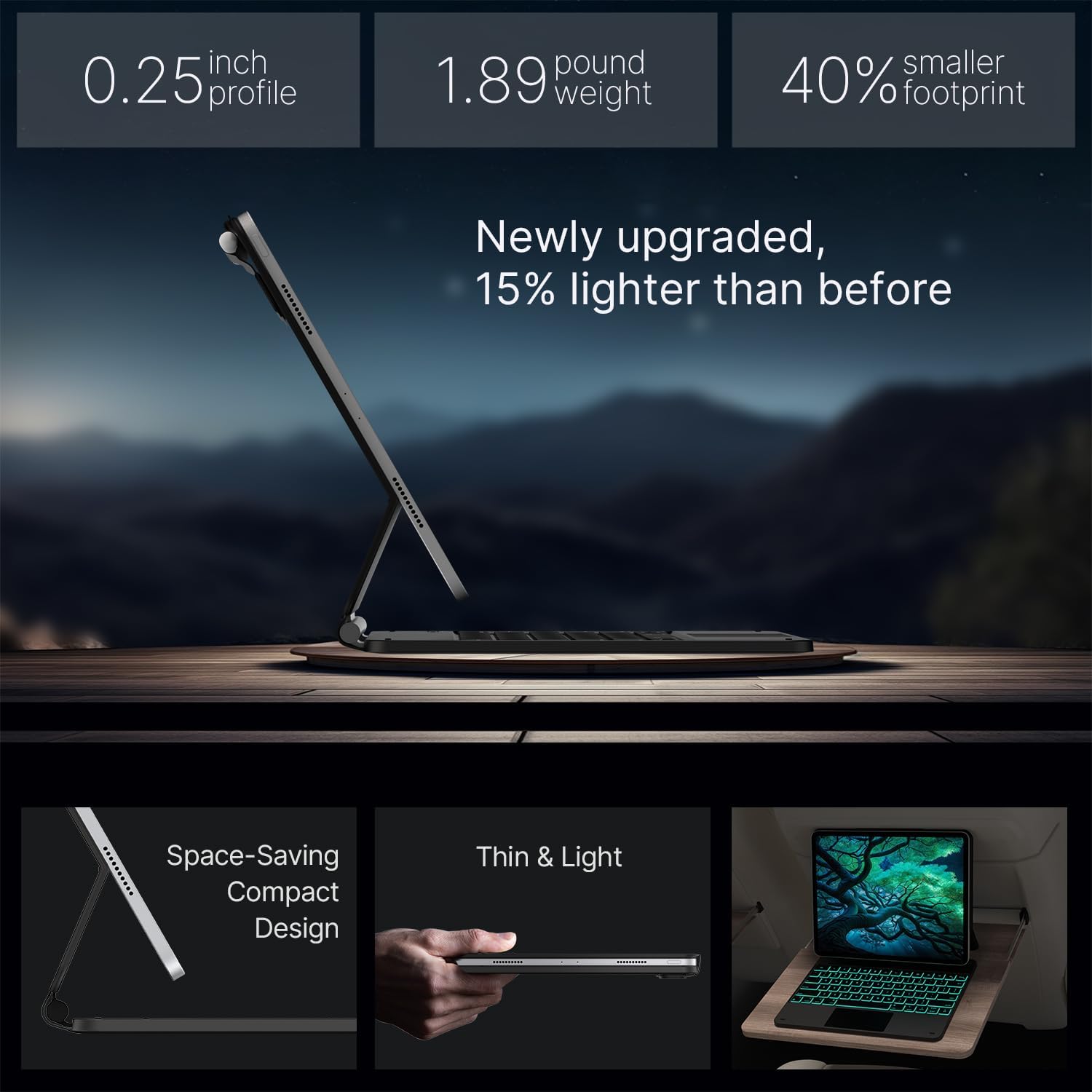
Image: An illustration of the case's robust features, including the 110-point magnetic grip, tough tested hinge, and premium eco-leather cover, ensuring durability and secure attachment.

Billede: En side view of the typecase Keyboard Case emphasizing its thin profile (0.25 inches) and light weight (1.89 pounds), demonstrating its portability.
7. Vedligeholdelse
To ensure the longevity and optimal performance of your typecase Keyboard Case, follow these maintenance guidelines:
- Rensning: Brug en blød, fnugfri klud lidt dampened with water or a mild, non-abrasive cleaner to wipe down the exterior of the case and keys. Avoid excessive moisture.
- Fjernelse af støv: Use compressed air to remove dust and debris from between the keys and around the trackpad.
- Opbevaring: Når tastaturetuiet ikke er i brug i længere perioder, skal det opbevares køligt og tørt, væk fra direkte sollys og ekstreme temperaturer.
- Opladning: Charge the keyboard regularly, even if not in constant use, to maintain battery health. Use the provided USB cable.
8. Fejlfinding
If you encounter issues with your typecase Keyboard Case, refer to the following common solutions:
- Keyboard Not Connecting/Responding:
- Sørg for, at tastaturet er tændt og fuldt opladet.
- Check your iPad's Bluetooth settings to confirm Bluetooth is enabled and the "Typecase Edge" is listed as connected. If not, try re-pairing the device (refer to Section 4).
- Genstart både din iPad og tastaturet.
- Glem enheden i din iPads Bluetooth-indstillinger, og forsøg at parre den igen.
- Baggrundslys virker ikke:
- Sørg for, at tastaturet er tændt.
- Press the backlight adjustment keys to cycle through brightness levels and colors.
- Charge the keyboard; low battery may disable the backlight.
- Trackpad Not Responding:
- Sørg for, at tastaturet er forbundet via Bluetooth.
- Check iPadOS settings for trackpad functionality (Settings > Accessibility > Touch > AssistiveTouch, ensure it's not interfering).
- Genstart både din iPad og tastaturet.
- iPad Not Staying Securely Attached:
- Sørg for, at din iPad-model er angivet som kompatibel (se afsnit 2).
- Verify that the iPad is correctly aligned with the magnetic attachment points on the case.
- Ensure no foreign objects are between the iPad and the case's magnetic surface.
9. Specifikationer
| Feature | Detalje |
|---|---|
| Produktdimensioner | 5.51 x 16.54 x 0.79 tommer |
| Varens vægt | 1.65 pund |
| Varemodelnummer | KB206129 |
| Batterier | 1 Lithium Polymer batteri (medfølger) |
| Forbindelsesteknologi | Bluetooth |
| Tastaturbeskrivelse | Multifunktionel |
| Særlige funktioner | Backlit, Lightweight, Portable, Rechargeable, Trackpad |
| Farve | Black (RGB Backlighting) |
| Materiale | Acrylonitril-butadienstyren |
| Fabrikant | sbuycoo |
10. Garanti og support
typecase is committed to providing reliable products and excellent customer service.
- Producentens garanti: Your typecase Keyboard Case is covered by a 1-year replacement service from the date of purchase.
- Returpolitik: You are eligible for a refund within 30 days of purchase.
- Beskyttelsesplaner: Extended protection plans are available for purchase separately. Options include a 3-Year Protection Plan and a 4-Year Protection Plan.
- Kundesupport: For any inquiries, technical assistance, or warranty claims, please contact typecase customer support. Quick feedback is provided for all problems.
For more information and to explore other typecase products, visit the official typecase store: typecase Store on Amazon.