
1. Introduktion
This manual provides essential instructions for the safe operation and maintenance of your GoolRC Mini Drone. Please read this manual thoroughly before operating the drone to ensure proper usage and to prevent damage or injury.
2. Pakkens indhold
Bekræft at alle varer er til stede i pakken:
- 1 x GoolRC Mini Drone
- 1 x fjernbetjening
- 1 x 3.7V 1800mAh batteri
- 4 x reserveblade
- 1 x ladekabel
- 1 x skruetrækker
- 1 x Opbevaringspose
- 2 x Manual (this document and possibly a quick start guide)
3. Opsætning
3.1. Droneudfoldning
The GoolRC Mini Drone features a foldable design for portability. Gently unfold the drone arms until they lock into position. Ensure all arms are fully extended before flight.

Image: The GoolRC Mini Drone shown in its compact, folded state, highlighting its portability.
3.2. Batteriinstallation og opladning
The drone uses a 3.7V 1800mAh modular battery. Insert the battery into the designated compartment on the drone. To charge, connect the battery to the charging cable and then to a suitable USB power source. Charging time is approximately 60 minutes.

Image: A close-up of the modular battery, illustrating its design for easy insertion and removal from the drone.
3.3. Opsætning af fjernbetjening
The remote control requires 3 AA batteries (not included). Open the battery compartment on the back of the remote control and insert the batteries, observing correct polarity. Power on the remote control using the power switch.

Billede: Et overheadbillede view of the remote control, with labels indicating the function of each button and joystick.
3.4. App-forbindelse
For enhanced features and real-time operation, download the official GoolRC drone application on your mobile device. The app is compatible with Android 5.0 or above and iOS 9.0 or above. Connect your mobile device to the drone's Wi-Fi signal as instructed in the app.
4. Betjeningsvejledning
4.1. Grundlæggende flyvekontrol
Gør dig bekendt med fjernbetjeningens layout:
- Venstre joystick: Styrer højde (op/ned) og rotation (venstre/højre).
- Højre joystick: Styrer flyvning fremad/bagud og venstre/højre sidelæns.
- Start/landing med ét klik: Starter automatisk start eller landing.
- Hastighedsskift: Justerer flyvehastigheden.
- Finjustering: Used for minor adjustments to drone stability.
- Kontakt til undgåelse af forhindringer: Activates or deactivates the 360° obstacle avoidance system.
4.2. Flyvefunktioner
The GoolRC Mini Drone incorporates several advanced features to enhance your flight experience:
- 360° intelligent forhindringsundgåelse: The drone can automatically detect and avoid obstacles in its flight path, improving safety.
- EIS Intelligent Anti-shake: An electronic anti-shake chip stabilizes images during flight, reducing blur.
- Optisk flow-svævning: This function allows the drone to maintain a stable hover in the air without constant throttle input, aiding in precise photography.
- Gestusfotografering: Utilize specific hand gestures to trigger photo or video recording. Refer to the app for detailed gesture commands.
- Skift mellem dobbeltkameraer: The drone is equipped with both front and bottom 4K cameras, allowing you to switch between views for diverse photographic perspectives.
- Hovedløs tilstand: I hovedløs tilstand er dronens orientering i forhold til piloten, hvilket forenkler kontrollen uanset dronens fremadrettede retning.
- 360° rulle: Udfør luftstunts med et enkelt tryk på en knap.
- 50x zoom: Digitally zoom in on subjects during flight.
- Baneflyvning: Draw a flight path on your mobile screen, and the drone will follow it automatically.
- HD-billedtransmission: Real-time video feed to your connected mobile device.

Billede: En detaljeret view of the drone's camera module, emphasizing the EIS (Electronic Image Stabilization) technology.
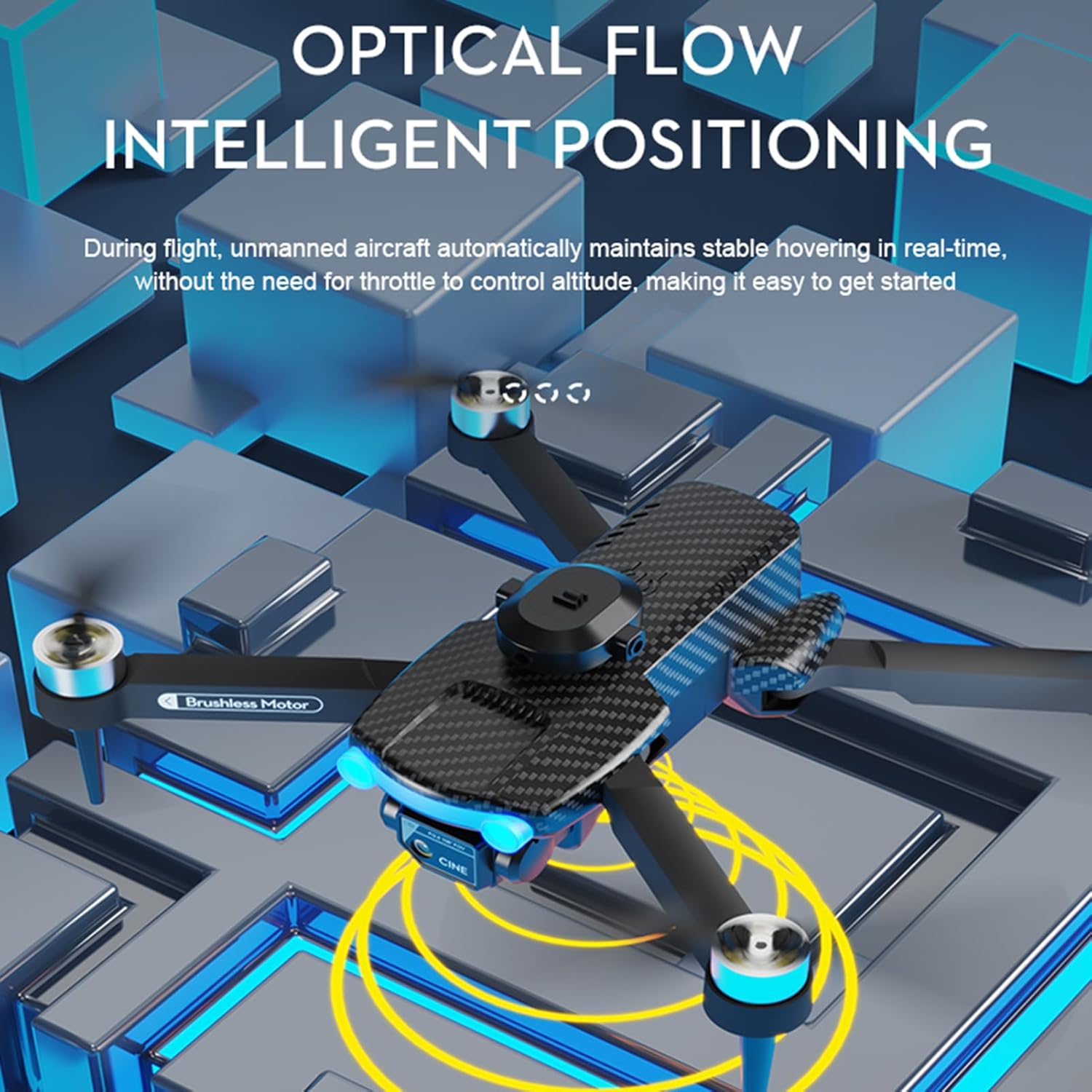
Image: The drone in flight, with yellow concentric circles illustrating the optical flow positioning system maintaining a stable hover.

Image: The drone's dual camera system, demonstrating the ability to switch between front-facing and downward-facing views for photography.
The drone offers a flight time of up to 15 minutes per battery and a remote control distance of up to 100 meters. Image transmission distance is approximately 20-30 meters.

Image: A smartphone screen displaying the drone's companion app, illustrating different flight modes and control options available to the user.
5. Vedligeholdelse
5.1. Batteripleje
To prolong battery life, avoid overcharging or completely draining the battery. Store batteries in a cool, dry place when not in use. If the drone will not be used for an extended period, charge the battery to approximately 50% before storage.
5.2. Udskiftning af kniv
In case of damage, replace propeller blades using the spare blades provided. Use the included screwdriver to carefully remove the damaged blade and install a new one, ensuring it is securely fastened.
5.3. Rensning
Periodically clean the drone's body and camera lens with a soft, dry cloth. Avoid using harsh chemicals or solvents. Ensure no dust or debris obstructs the optical flow sensor or camera lenses.
6. Fejlfinding
If you encounter issues with your GoolRC Mini Drone, refer to the following common problems and solutions:
| Problem | Mulig årsag | Løsning |
|---|---|---|
| Dronen tænder ikke | Low or uncharged battery; improperly installed battery | Charge the drone battery fully; ensure battery is correctly inserted. |
| Fjernbetjeningen reagerer ikke | Remote control batteries low or incorrectly installed; drone and remote not paired | Replace AA batteries in remote; ensure correct polarity; follow pairing instructions in the quick start guide. |
| Ustabil flyvning/drift | Drone not calibrated; damaged propellers; strong wind conditions | Perform a flight calibration (refer to quick start guide); replace damaged blades; fly in calm conditions. |
| Dårlig billed-/videokvalitet | Camera lens dirty; EIS not active; unstable flight; poor lighting | Clean camera lens; ensure EIS is functioning; stabilize flight; fly in well-lit areas. |
| Forhindringsundgåelse virker ikke | Feature deactivated; sensors obstructed or dirty | Ensure obstacle avoidance is switched on; clean sensors; avoid flying in extremely complex environments. |
| Kort flyvetid | Battery not fully charged; old battery; aggressive flying | Ensure battery is fully charged; consider replacing old batteries; practice smoother flight maneuvers. |
7. Specifikationer
Detailed specifications for the GoolRC Mini Drone:
| Feature | Detalje |
|---|---|
| Varens navn | Drone med fjernbetjening |
| Hovedmateriale | Plast, metal, elektroniske komponenter |
| Frekvens | 2.4G |
| Motor | 1503 børsteløs motor |
| Electric Regulation | 6A 4000KV |
| Drone-batteri | 3.7V 1800mAh |
| Fjernbetjenings batteri | 3*AA batteri (medfølger ikke) |
| Opladningstid | 60 minutter |
| Flight Time (Single Battery) | 15 minutter |
| Linsevinkel | Justerbar med 90° |
| Billedtransmissionssignal | WiFi |
| Fjernbetjening afstand | 100 meter |
| Billedtransmissionsafstand | 20-30 meter |
| Kamera | 4K dobbelt kamera |
| Fotoopløsning på frontkamera | 3840*2160P |
| Frontkameraets videoopløsning | 3840*2160P |
| Bundkameraets fotoopløsning | 3840*2160P |
| Videoopløsning i bunden af kameraet | 3840*2160P |
| Kompatibelt system | Android 5.0 eller nyere, IOS 9.0 eller nyere |
| Farve | Sort |
| Størrelse (foldet) | 13*8*7 cm |
| Størrelse (Ufoldet) | 27*24*7 cm |
| Varens vægt | 15.7 ounce |
| Producent anbefalet alder | 16 år og opefter |
8. Garanti og support
8.1. Garantioplysninger
Specific warranty details are not provided in the product information. Please refer to your purchase documentation or contact the seller for warranty terms and conditions.
8.2. Kundesupport
For further assistance, technical support, or inquiries regarding your GoolRC Mini Drone, please contact the manufacturer, GoolRC, or the retailer from whom you purchased the product. You may also visit the GoolRC Store on Amazon for yderligere ressourcer.