
Vigtige sikkerhedsinstruktioner
Read all instructions before using this appliance. To reduce the risk of fire, electrical shock, or injury when using your air conditioner, follow these basic precautions:
- Dette apparat skal være korrekt jordet.
- Never unplug the air conditioner by pulling on the power cord. Always grasp the plug firmly and pull straight out from the receptacle.
- Undlad at klemme, bøje eller binde netledningen.
- Brug ikke klimaanlægget med en beskadiget netledning eller stik.
- Brug ikke en forlængerledning eller et adapterstik med denne enhed.
- Always turn off the air conditioner and unplug it before cleaning or servicing.
- Do not block the air intake or exhaust openings.
- Brug kun til det tilsigtede formål som beskrevet i denne manual.
- Hold emballagemateriale utilgængeligt for børn.
Produkt overview
The RCA 12000 BTU Wi-Fi Air Conditioner is designed to cool rooms up to 550 sq. ft. It features Wi-Fi connectivity, allowing remote control via a smart device. The unit includes multiple operating modes, a digital display, and a 24-hour timer for personalized comfort.
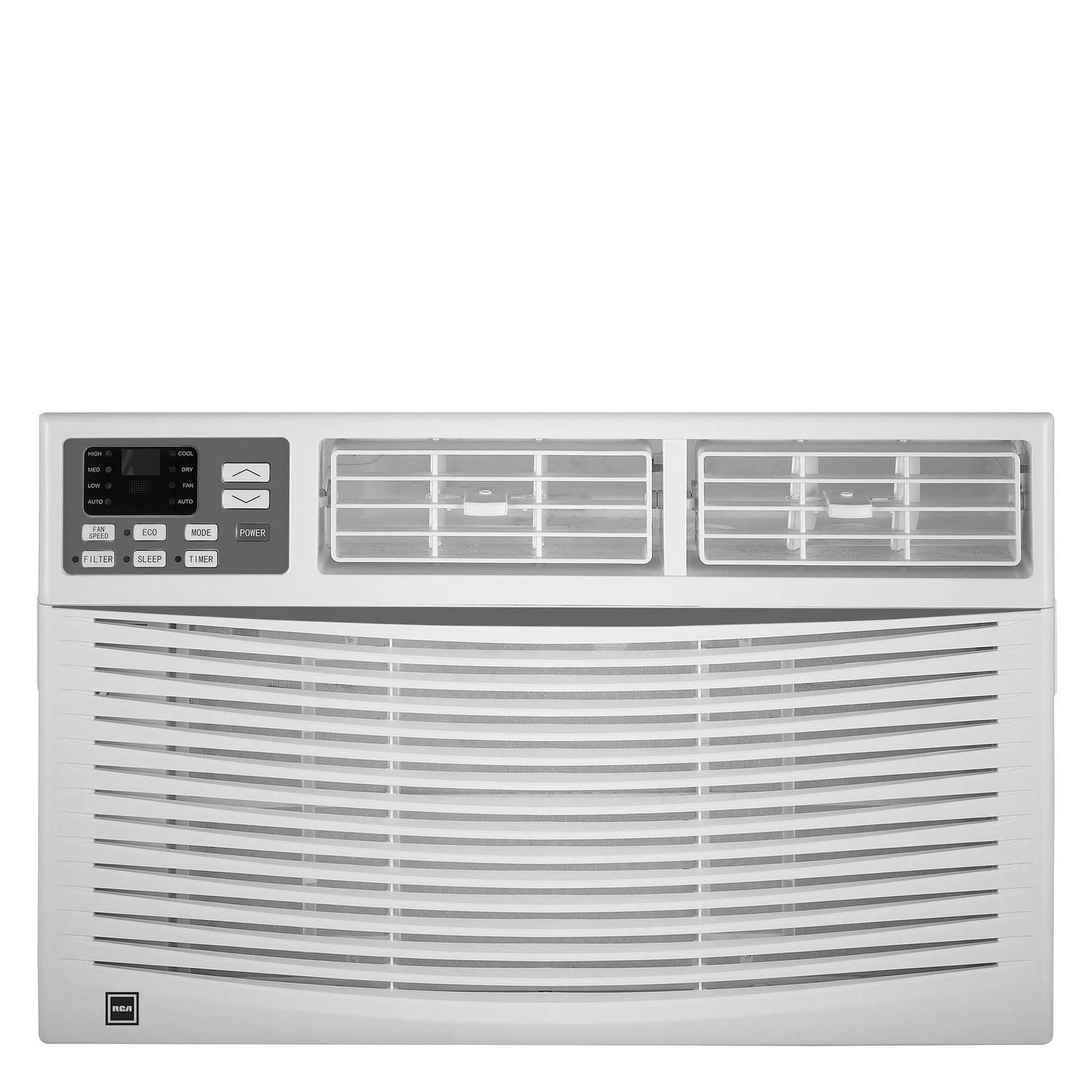
Billede: Forside view of the RCA 12000 BTU Wi-Fi Air Conditioner, showing the control panel and air vents.
Nøglefunktioner:
- 12,000 BTU cooling capacity, suitable for areas up to 550 sq. ft.
- Integrated Wi-Fi for remote control via smart devices.
- Three fan modes for customized airflow.
- Digital display for easy temperature and setting adjustments.
- 24-timers programmerbar timer.
- Eco mode for energy-efficient operation.
- Filter check reminder for timely maintenance.
- Auto restart function after power outages.
- Includes window installation kit and remote control.
Pakkens indhold
Verify that all parts are included in the package before installation:
- RCA 12000 BTU Wi-Fi Air Conditioner Unit
- Fjernbetjening med batterier
- Window Installation Kit (side panels, top rail, sash lock, foam seals)
- Instruktionsbog
An image showing all included components laid out would typically be found here.
Installation og opsætning
Vinduesinstallation:
This air conditioner is designed for installation in standard double-hung windows with a minimum height of 16 inches and a width between 26 and 36 inches.
- Forbered vinduet: Ensure the window opening is clean and clear of obstructions.
- Fastgør topskinne: Fastgør den øverste skinne til klimaanlægget med de medfølgende skruer.
- Installer sidepaneler: Slide the accordion side panels into the side panel frames on the unit.
- Placer enhed i vindue: Carefully lift the unit and place it in the window opening, ensuring the bottom rail rests against the window sill.
- Sikker enhed: Extend the side panels to fill the window opening and secure them with screws. Install the sash lock to prevent the window from being opened from the outside. Apply foam seals to ensure an airtight fit.
- Dræning: Sørg for, at enheden er let vippet udad for at muliggøre korrekt kondensdræning.
An image illustrating the step-by-step window installation process would be beneficial here.
Wi-Fi opsætning:
To enable remote control functionality, connect your air conditioner to your home Wi-Fi network.
- Download app: Download the RCA Home app from your smartphone's app store (iOS or Android).
- Opret konto: Åbn appen, og opret en ny brugerkonto, eller log ind, hvis du allerede har en.
- Tilføj enhed: Follow the in-app instructions to add a new device. This typically involves putting the air conditioner into pairing mode (refer to the unit's control panel or remote for specific instructions, often a Wi-Fi button press).
- Opret forbindelse til Wi-Fi: Select your home Wi-Fi network and enter the password when prompted by the app.
- Bekræftelse: Once connected, the Wi-Fi indicator on the air conditioner's display will illuminate steadily, and the app will confirm successful pairing.
An image showing the Wi-Fi indicator on the unit's display and a screenshot of the app's pairing screen would be helpful.
Betjeningsvejledning
Kontrolpanel og fjernbetjening:
The air conditioner can be operated using the control panel on the unit or the included remote control. The remote control offers full functionality from a distance.
An image of the remote control with button labels would be useful here.
Grundlæggende betjening:
- Tænd/sluk: Tryk på MAGT knappen for at tænde eller slukke for enheden.
- Valg af tilstand: Tryk på MODE button to cycle through available modes: Cool, Fan, and Eco.
- Temperaturjustering: Brug UP (▲) og NED (▼) arrows to set the desired temperature. The temperature range is typically 62°F to 86°F (17°C to 30°C).
- Blæserhastighed: Tryk på BLÆSERHASTIGHED button to select Low, Medium, or High fan speed.
Avancerede funktioner:
- Timer: Tryk på TIMER button to set a delay for the unit to turn on or off. Use the UP/NED arrows to adjust the time in 1-hour increments, up to 24 hours.
- Øko-tilstand: When activated, the unit will cycle the compressor on and off to maintain the set temperature, saving energy. The fan may continue to run during compressor off cycles.
- Sove mode: (If available) This mode gradually increases the temperature over several hours to provide comfortable sleeping conditions while saving energy.
- Wi-Fi kontrol: Use the RCA Home app on your smart device to remotely turn the unit on/off, change temperatures, control modes, create custom schedules, and adapt fan speeds.
Opretholdelse
Regelmæssig vedligeholdelse sikrer optimal ydeevne og forlænger levetiden på dit klimaanlæg.
Rengøring af luftfilter:
The air filter should be cleaned every two weeks or when the 'Filter Check' indicator illuminates.
- Sluk enheden: Always turn off and unplug the air conditioner before cleaning.
- Fjern filter: Åbn frontpanelet, og skub forsigtigt luftfilteret ud.
- Rens filter: Vask filteret med varmt sæbevand. Skyl grundigt. Ved meget snavsede filtre kan en støvsuger bruges til at fjerne løst snavs inden vask.
- Tørt filter: Allow the filter to air dry completely before reinserting it. Do not expose to direct sunlight or high heat.
- Geninstaller filter: Skub det tørre filter tilbage i dets åbning, og luk frontpanelet.
An image demonstrating how to remove and clean the air filter would be helpful.
Generel rengøring:
- Ydre: Tør kabinettet af med en blød,amp cloth. Do not use harsh chemicals, abrasive cleaners, or waxes.
- Spoler: Periodically check the condenser coils (located at the back of the unit) for dirt and debris. If necessary, gently brush them clean.
Fejlfinding
Før du kontakter kundeservice, se følgende tabel for almindelige problemer og løsninger:
| Problem | Mulig årsag | Løsning |
|---|---|---|
| Airconditionanlægget starter ikke. | Ingen strøm; udløst afbryder; enhed frakoblet. | Check power cord connection; reset circuit breaker; ensure unit is plugged into a working outlet. |
| Enheden køler ikke effektivt. | Snavset luftfilter; blokeret luftindtag/-udstødning; rum for stort; vinduer/døre åbne. | Clean air filter; clear obstructions; ensure room size is within capacity; close all windows and doors. |
| Vand drypper indeni. | Unit not tilted properly; clogged drain pan. | Ensure unit is slightly tilted outwards for drainage; clear any blockages in the drain pan. |
| Problemer med Wi-Fi-forbindelse. | Forkert Wi-Fi-adgangskode; router for langt væk; app ikke opdateret. | Verify Wi-Fi password; move unit closer to router or use a Wi-Fi extender; update RCA Home app. |
Specifikationer
| Feature | Detalje |
|---|---|
| Mærke | RCA |
| Modelnummer | RACE1206WF |
| Kølekapacitet | 12,000 BTU |
| Dækningsområde | Op til 550 sq. ft. |
| Affugtningsrate | 2 pints i timen |
| Minimum vindueshøjde | 16 tommer |
| Window Width Range | 26-36 tommer |
| Dimensioner (LxDxH) | 22 x 24 x 17 cm (omtrentligt) |
| Varens vægt | 78 pund |
| Forbindelse | Wi-Fi |
Garantioplysninger
This RCA air conditioner comes with a 1 års begrænset producentgaranti. Please refer to the warranty card included with your product for full terms and conditions, or visit the official RCA webwebsted for flere detaljer.
Kundesupport
For technical assistance, troubleshooting beyond this manual, or warranty claims, please contact RCA Customer Support. Contact information can typically be found on the manufacturer's webwebstedet eller på garantikortet, der fulgte med dit produkt.