
Indledning
This manual provides essential instructions for setting up, operating, and maintaining your KALOC Fitness Tracker. Please read this guide thoroughly to ensure proper use and to maximize the device's features.
Hvad er der i æsken
Ved udpakning skal du kontrollere, at alle dele er til stede:
- KALOC Fitness Tracker (main unit)
- Watch Band
- Ladekabel
- Brugermanual
Opsætning
1. Opladning af enheden
Before first use, fully charge your fitness tracker. Connect the charging cable to the charging port on the back of the device and to a USB power source. The screen will indicate charging status.

Image: The KALOC Fitness Tracker displaying a '100% Fully charged' message while connected to its charging cable.
2. Appinstallation og parring
To utilize all features and synchronize data, download the companion application to your smartphone. The app is compatible with Android 6.0 and iOS 12.0 or above, and requires Bluetooth 4.0.
- Scan the QR code in the quick guide or search for the app name (usually mentioned in the quick guide or packaging) in your phone's app store.
- Installer applikationen.
- Open the app and follow the on-screen instructions to create an account and pair your fitness tracker via Bluetooth. Ensure Bluetooth is enabled on your phone.
- Allow necessary permissions for the app to function correctly (e.g., location, notifications).
Betjeningsvejledning
Display og navigation
The KALOC Fitness Tracker features a 1.58-inch AMOLED touch display. Navigate through menus and functions by swiping up, down, left, or right, and tapping to select options.

Image: The 1.58-inch AMOLED screen of the KALOC Fitness Tracker, highlighting its resolution and brightness capabilities.
Grundlæggende funktioner
- Tid og dato: Automatically synchronizes with your paired smartphone.
- Se ansigter: Customize your watch face through the companion app or directly on the device.

Billede: Eksamples of personalized watch faces available for the KALOC Fitness Tracker.
Health Tracking Features
The KALOC Fitness Tracker provides comprehensive health monitoring throughout the day.
- Heart Rate Monitoring: Sporer kontinuerligt din puls. View real-time data on the device or detailed trends in the app.
- Måling af ilt i blodet (SpO2): Måler dine iltmætningsniveauer i blodet.
- Søvnovervågning: Analyserer dine søvnmønstre, herunder dyb søvn, let søvn og vågentidspunkter.
- Sporing af stressniveau: Monitors your stress levels and provides insights into your mental well-being.
- Skridttæller og kaloriemåler: Records daily steps, distance covered, and estimated calories burned.

Image: The KALOC Fitness Tracker displaying 24-hour health tracking data, including heart rate, sleep, and stress.

Image: The KALOC Fitness Tracker tracking daily fitness data, including steps, distance, calories, and activity time.
Sportstilstande
The fitness tracker supports over 100 sports modes to accurately track your workouts. Select the appropriate mode before starting an activity for precise data collection.
- Examples include outdoor walking, running, cycling, strength training, yoga, and various ball games.
- Access sports modes from the device menu and select your desired activity.
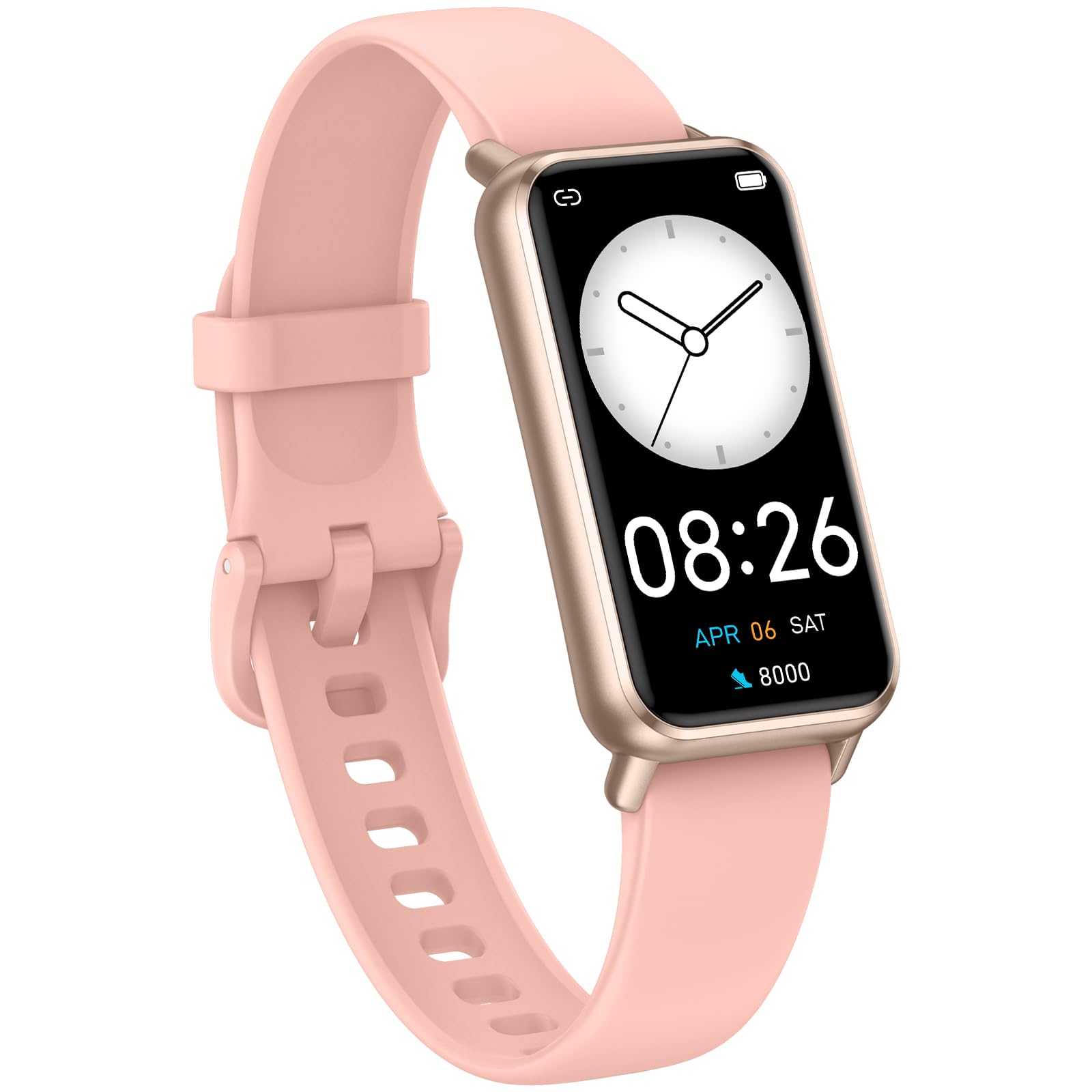
Image: The KALOC Fitness Tracker highlighting its support for over 100 sports modes.
Vandmodstand
The KALOC Fitness Tracker is 50-meter waterproof, making it suitable for various water activities.
- Suitable for washing hands, showering, swimming, and shallow water activities.
- Not recommended for diving, hot water activities, or high-pressure water exposure.

Image: The KALOC Fitness Tracker demonstrating its 50-meter waterproof feature during swimming.
Batterilevetid
The device offers an extended battery life, providing up to 14 days of typical use or 30 days of standby time on a single charge.

Image: The KALOC Fitness Tracker highlighting its 14-day battery life.
Smarte meddelelser
Receive notifications for calls, messages, and app alerts directly on your wrist when paired with your smartphone.

Image: The KALOC Fitness Tracker receiving smart notifications from various applications.
Andre funktioner
The KALOC Fitness Tracker includes several additional useful features:
- Kamerastyring: Fjernstyr din telefons kamera.
- Musik kontrol: Manage music playback on your paired phone.
- Vejrudsigt: View aktuelle vejrforhold og prognoser.
- Påmindelse om drikke: Indstil påmindelser om at holde dig hydreret.
- Stillesiddende påmindelse: Giver dig besked om at bevæge dig efter perioder med inaktivitet.
- Vækkeur: Set alarms directly on your device.
- Åndedrætstræning: Guidede åndedrætsøvelser til at hjælpe med at håndtere stress.

Image: The KALOC Fitness Tracker showcasing its multiple functions.
Opretholdelse
To ensure the longevity and optimal performance of your KALOC Fitness Tracker, follow these maintenance guidelines:
- Rensning: Rengør regelmæssigt enheden og remmen med en blød klud.amp klud. Undgå barske kemikalier eller slibende materialer.
- Opladning: Use only the provided charging cable. Do not expose the charging contacts to water or corrosive liquids.
- Opbevaring: Opbevar enheden et køligt og tørt sted, når den ikke er i brug. Undgå ekstreme temperaturer.
- Vandeksponering: While waterproof, it is advisable to dry the device thoroughly after exposure to water to prevent skin irritation and ensure proper sensor function.
Fejlfinding
If you encounter issues with your KALOC Fitness Tracker, refer to the following common solutions:
- Enheden tænder ikke: Sørg for, at enheden er fuldt opladet. Tilslut den til opladeren i mindst 30 minutter.
- Kan ikke parres med telefon:
- Sørg for, at Bluetooth er aktiveret på din telefon.
- Sørg for, at trackeren er inden for din telefons Bluetooth-rækkevidde.
- Genstart både din telefon og fitnesstrackeren.
- Check if the app has the necessary permissions.
- Unøjagtige data:
- Ensure the tracker is worn snugly on your wrist, about one finger's width from your wrist bone.
- Rengør sensorerne på bagsiden af enheden.
- Update the device firmware via the app if available.
- Notifikationer ikke modtaget:
- Verify that notifications are enabled in both the tracker's app and your phone's settings.
- Sørg for, at appen kører i baggrunden.
If problems persist, consult the support section of the companion app or contact customer support.
Specifikationer
| Modelnummer | 529d841c-3537-4f97-bf0f-2a0c001c6b1e |
| Skærmstørrelse | 1.58 tommer AMOLED-skærm |
| Vandmodstand | 50 meter |
| Batterilevetid | Op til 14 dage (typisk brug) |
| Forbindelse | Bluetooth 4.0 |
| Kompatibilitet | Android 6.0+ / iOS 12.0+ |
| Varens vægt | 2.82 ounce |
| Produktdimensioner | 6.4 x 3 x 0.7 tommer |
Garanti og support
For warranty information and customer support, please refer to the documentation included with your purchase or visit the official KALOC webwebsted. Behold din købskvittering som købsbevis i tilfælde af garantikrav.